Sarrera
Eskerrik asko erosketagatik.asing the Zerone Mini Portable LED Projector. This compact and versatile projector is designed to provide an immersive home theater experience, allowing you to enjoy movies, videos, and games in a dark environment, whether at home or outdoors. With its multiple input interfaces and long-life LED light source, it offers a convenient and environmentally friendly solution for your entertainment needs.
This manual provides essential information on setting up, operating, and maintaining your projector to ensure optimal performance and longevity. Please read it thoroughly before use and keep it for future reference.
Paketearen edukia
Paketea irekitzean, egiaztatu behean zerrendatutako elementu guztiak daudela eta egoera onean daudela:
- 1 x Zerone Mini Portable LED Projector
- 1 x Urrutiko agintea (batteries not included)
- 1 x korronte egokitzailea (AEBetako entxufea)
- 1 x AV kablea
- 1 x Erabiltzailearen eskuliburua (dokumentu hau)

Figure 1: Zerone Mini Portable LED Projector and its accessories. The image shows the compact white and yellow projector, a black remote control, a black power adapter with a US plug, and a black AV cable with red, white, and yellow connectors.
Produktua amaituview
The Zerone Mini Portable LED Projector is designed for ease of use and portability. It features a compact form factor, making it suitable for various environments. Below is an overview bere osagai eta ezaugarri nagusien berri emanez.

2. irudia: Goitik behera view of the projector's input and control panel. Visible ports include MicroSD, AV, and a 3.5mm earphone port. Control buttons are also visible on the top surface.
Ezaugarri nagusiak:
- 1500lm High Brightness: Irudi garbi eta bizigarriak eskaintzen ditu.
- Berezko ebazpena: 320 x 240P, supporting up to 1080P HD input.
- Long-Life LED Light Source: 30,000 hours of operation, environmentally friendly.
- Multiple Input Interfaces: HDMI, USB, AV, VGA, Micro Secure Digital, 3.5mm Earphone Port.
- Diseinu eramangarria: Small and lightweight for easy transport.

Figure 3: Connectivity options for the projector. This diagram illustrates how various devices such as laptops, desktop PCs, U disks/TF cards, DVD/VCD players, game consoles, TV boxes, and HDMI players can connect to the projector via its HDMI, AV, USB, VGA, and Micro SD inputs.
Konfigurazioa
1. Potentzia-konexioa:
- Connect the provided power adapter to the "DC IN" port on the projector.
- Entxufatu korronte-egokigailua entxufe elektriko estandar batean.
- Proiektorearen pizte-adierazlearen argia piztuko da.
2. Positioning the Projector:
Place the projector on a stable, flat surface. Ensure there is adequate ventilation around the unit to prevent overheating. The ideal projection distance ranges from 1.0 to 2.8 meters (approximately 3.3 to 9.2 feet) to achieve a screen size of 24 to 60 inches.
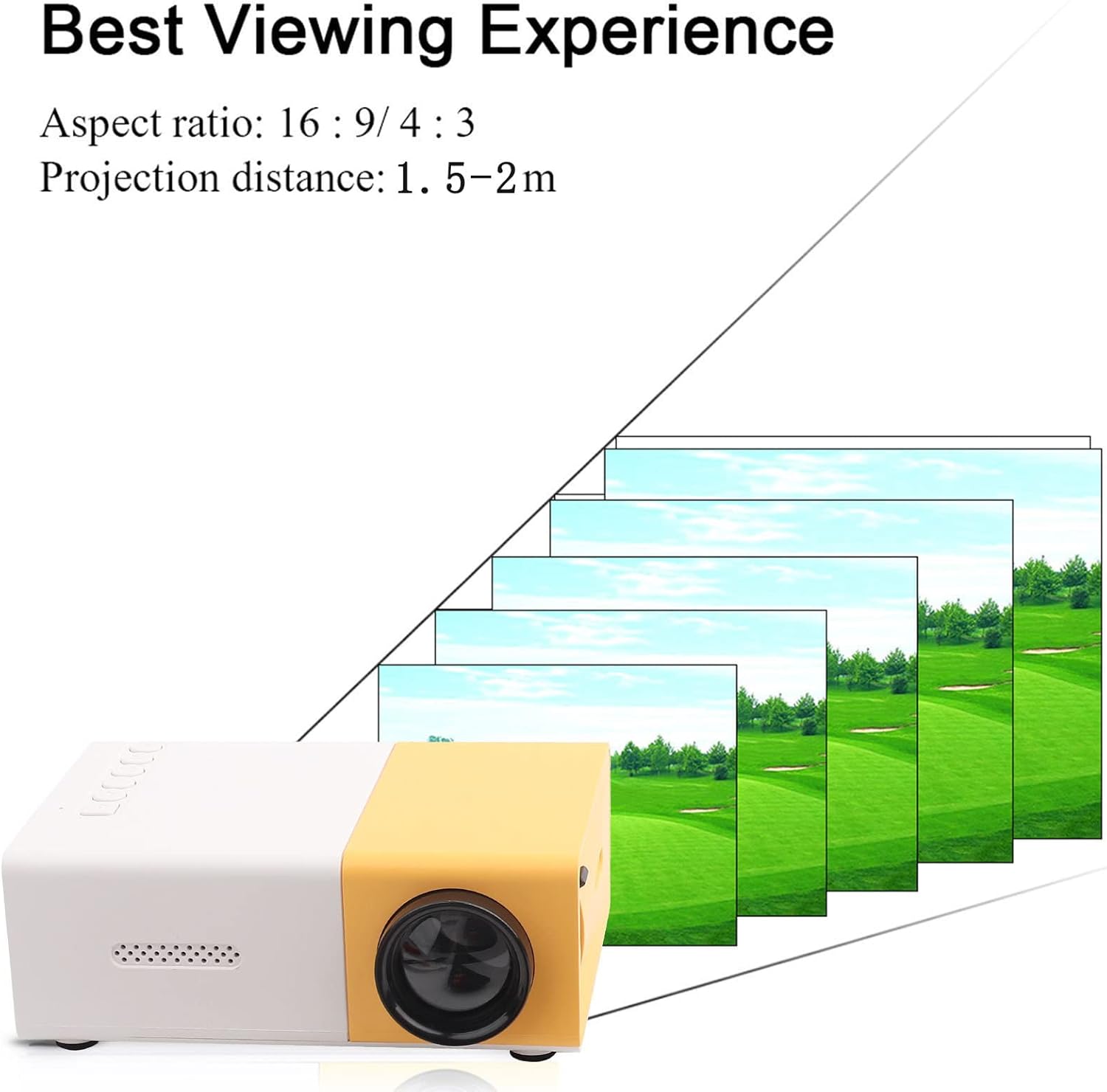
4. Irudia: Onena Viewing Experience. This image shows the projector projecting onto a screen, with text indicating an aspect ratio of 16:9/4:3 and a projection distance of 1.0-2.8m. It visually represents how the image size changes with distance.
3. Connecting Input Devices:
Connect your desired media device (e.g., laptop, TV box, game console, USB drive) to the appropriate port on the projector:
- HDMI: Definizio handiko bideo eta audiorako.
- USBa: Multimedia erreproduzitzeko files zuzenean USB flash drive batetik.
- OF: For connecting devices using the included AV cable (e.g., older DVD players).
- VGA: For connecting computers.
- Micro Secure Digital (MicroSD): Multimedia erreproduzitzeko files directly from a MicroSD card.
- 3.5 mm-ko entzungailuen ataka: Kanpoko entzungailuak edo bozgorailuak konektatzeko.
Funtzionamendu-argibideak
1. Piztu/Itzaltzea:
Sakatu proiektorearen edo urrutiko agintearen pizteko botoia unitatea pizteko edo itzaltzeko.
2. Focusing the Image:
The projector features manual focusing. Rotate the focus ring on the lens until the projected image appears clear and sharp on the screen.
3. Sarrera-iturria hautatzea:
Use the "Source" button on the projector or remote control to cycle through the available input sources (HDMI, USB, AV, VGA, MicroSD) until your connected device's content is displayed.
4. Adjusting Aspect Ratio:
The projector supports aspect ratios of 16:9 and 4:3. You can adjust this setting via the projector's menu or remote control to best suit your content.
5. Multimedia erreprodukzioa:
When playing media from USB or MicroSD, navigate through files using the remote control's directional buttons and "OK" button. The projector supports a wide range of formats:
- Audioa Files: MP3, WMA, OGG, AAG, FLAC, APE, WAV
- Irudia Files: JPEG, BMP, PNG
- Bideoa Files: Supports Full Format Files
- Testua Files: TXT
Mantentzea
1. Lentea garbitzea:
Use a soft, lint-free cloth specifically designed for optical lenses to gently wipe the projector lens. Avoid using abrasive cleaners or excessive force, as this can scratch the lens.
2. Cleaning the Projector Body:
Wipe the exterior of the projector with a soft, dry cloth. Do not use liquid cleaners or solvents.
3. Aireztapena:
Ensure that the ventilation vents on the projector are not blocked. Proper airflow is crucial to prevent overheating and maintain the lifespan of the LED light source.
4. Biltegiratzea:
Denbora luzez erabiltzen ez baduzu, gorde proiektorea leku fresko eta lehor batean, eguzki-argitik eta hauts gehiegizkotik urrun. Gomendagarria da jatorrizko ontzia edo babes-zorro bat erabiltzea.
Arazoak konpontzea
| Arazoa | Kausa posiblea | Irtenbidea |
|---|---|---|
| Ez da irudirik proiektatzen. |
|
|
| Irudia lausoa da. |
|
|
| Soinurik ez. |
|
|
| Proiektorea gehiegi berotzen da edo itzaltzen da. |
|
|
Zehaztapenak
| Ezaugarri | Xehetasuna |
|---|---|
| Argi iturria | LED, 30,000 hours lifespan |
| Berezko Ebazpena | 320 x 240p |
| Distira | 1500 lm |
| Kontraste-erlazioa | 800:1 |
| Fokatze modua | Eskuzko fokatzea |
| Bistaratzeko Koloreak | 1.67M |
| Aspektu-erlazioa | 16:9 / 4:3 |
| Proiekzio Distantzia | 1.0 - 2.8m |
| Proiekzio pantailaren tamaina | 24 - 60 hazbete |
| Sarrerako potentzia | DC12V-2A |
| Neurriak | Gutxi gorabehera 127 x 81.5 x 48.5 mm (5 x 3.2 x 1.9 hazbete) |
| Pisua | Gutxi gorabehera 500 g (1.1 libera) |
| Interfazeak | 1 x HDMI, 1 x USB, 1 x AV, 1 x VGA, 1 x Micro Secure Digital, 1 x 3.5mm Earphone Port |
Bermea eta Laguntza
Bermeari buruzko informazioa eta laguntza teknikoa lortzeko, kontsultatu erosketa-dokumentazioa edo jarri harremanetan zure saltzailearekin. Gorde erosketaren frogagiria berme-erreklamazioetarako.
For further assistance, you may also visit the official Zerone store on Amazon: Zerone Store.


