1. Produktua amaitu daview
The Elecom M-FBL01DBXSBK is a 5-button wireless mouse designed for comfortable and quiet operation. It features a Blue LED sensor for versatile surface compatibility and a compact USB receiver.

Image 1.1: Elecom M-FBL01DBXSBK Wireless Mouse with its compact USB receiver.
2. Paketearen edukia
- Elecom M-FBL01DBXSBK Wireless Mouse
- USB Haririk gabeko Hargailua
- AA Alkaline Battery (for operation confirmation)
- Erabiltzailearen eskuliburua (dokumentu hau)
3. Konfiguratzeko argibideak
3.1. Bateriaren instalazioa
- Bilatu bateriaren konpartimentuaren estalkia saguaren azpialdean.
- Irristatu edo altxatu estalkia konpartimentua irekitzeko.
- Insert one AA alkaline battery, ensuring the positive (+) and negative (-) terminals align correctly with the markings inside the compartment.
- Itxi bateriaren konpartimenduaren estalkia ondo.

Image 3.1: The underside of the mouse, indicating the battery compartment and power switch.
3.2. USB hargailua konektatzea
- Remove the compact USB receiver from its storage slot on the underside of the mouse.
- Konektatu USB hargailua ordenagailuko USB-A ataka libre batera.
- Zure ordenagailuak automatikoki detektatu eta instalatu beharko lituzke beharrezko kontrolatzaileak. Honek minutu batzuk iraun ditzake.
3.3. Sagua piztu
After installing the battery and connecting the receiver, locate the power switch on the underside of the mouse and slide it to the 'ON' position. The mouse is now ready for use.
3.4. OS Compatibility
The Elecom M-FBL01DBXSBK Wireless Mouse is compatible with:
- Windows 11, Windows 10, Windows RT8.1, Windows 8.1, Windows 7, Windows Vista
- macOS High Sierra 10.13 eta berriagoa
Ensure your operating system is updated to the latest version and any service packs are installed for optimal performance.
4. Sagua erabiltzea
4.1. Oinarrizko funtzioak
The mouse features five buttons and a scroll wheel:
- Ezkerreko botoia: Klik egiteko funtzio nagusia.
- Eskuineko botoia: Bigarren mailako klik funtzioa (testuinguru menua).
- Korritzeko gurpila: Dokumentuak korritzen ditu eta web pages vertically. Can also be pressed for a middle-click function.
- Aurrera egiteko botoia: Aurrera nabigatzen du web nabigatzaileak edo file esploratzaileak.
- Atzera botoia: Atzeraka nabigatzen du web nabigatzaileak edo file esploratzaileak.

Image 4.1: The five buttons of the Elecom M-FBL01DBXSBK mouse, including the scroll wheel.
4.2. Quiet Click Feature
All five buttons incorporate a silent switch mechanism, significantly reducing clicking noise. This allows for quiet operation in various environments.

Image 4.2: The silent switch design minimizes operational noise.
4.3. Blue LED Sensor
The mouse is equipped with a Blue LED optical sensor, which provides accurate tracking on a variety of surfaces, including those with slight unevenness or dust. This enhances usability in diverse settings.

Image 4.3: The Blue LED sensor allows for comfortable use on various surfaces.
4.4. Haririk gabeko konexioa
The mouse utilizes a 2.4 GHz wireless band for stable communication. The effective radio distance is approximately 3 meters (9.8 feet) on magnetic surfaces (e.g., steel desks) and up to 10 meters (32.8 feet) on non-magnetic surfaces (e.g., wooden desks).
4.5. Bateriaren adierazlea
An integrated battery indicator light notifies you when the battery level is low, signaling that a replacement is needed.
4.6. Elecom Mouse Assistant Software
Button functions can be customized using the free downloadable Elecom Mouse Assistant software. This allows users to reassign functions to the mouse buttons for improved workflow efficiency.
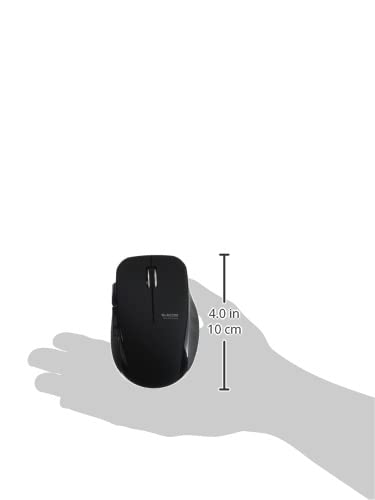
Image 4.4: The Elecom Mouse Assistant software enables button customization.
5. Mantentzea
5.1. Bateria ordezkatzea
When the battery indicator signals low power, replace the AA battery with a new AA alkaline, manganese, or NiMH battery. Follow the battery installation steps outlined in Section 3.1.
5.2. Garbiketa
To clean the mouse, gently wipe its surface with a soft, dry cloth. Avoid using harsh chemicals or abrasive materials, as these can damage the finish. Ensure no liquid enters the mouse.
5.3. Receiver Storage
The USB receiver can be stored inside the mouse body when not in use or during transport. This helps prevent loss of the receiver.
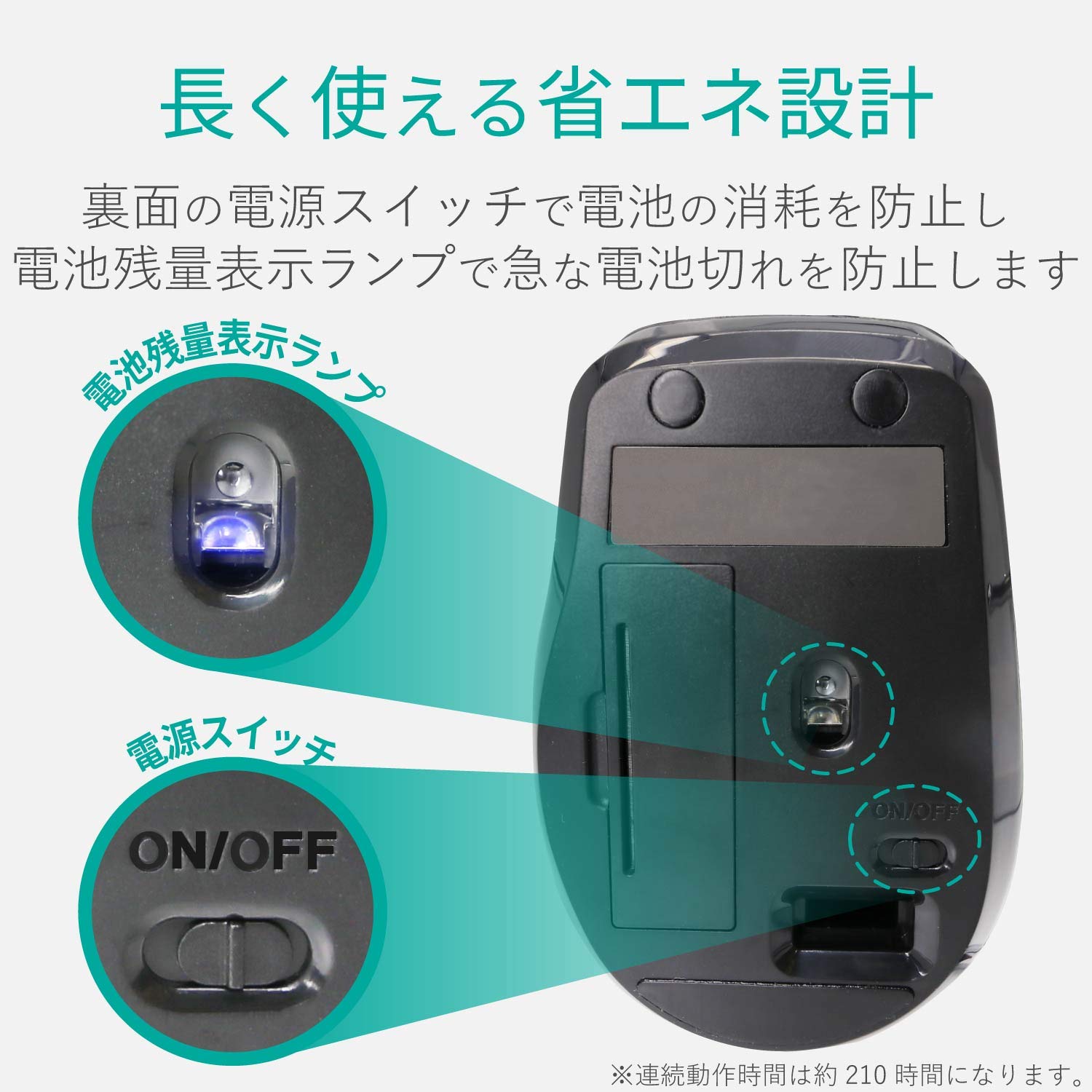
Image 5.1: The compact receiver can be stored within the mouse for convenience.
6. Arazoak
- Saguak ez du erantzuten:
- Check if the mouse is powered on (power switch on the underside).
- Ziurtatu bateria behar bezala instalatuta dagoela eta ez dagoela agortuta. Ordeztu behar izanez gero.
- Egiaztatu USB hargailua ondo konektatuta dagoela ordenagailuko USB ataka funtzional batean. Saiatu beste USB ataka batekin.
- Berrabiarazi ordenagailua.
- Kurtsorearen mugimendu irregularra:
- Clean the optical sensor area on the underside of the mouse.
- Ziurtatu sagua gainazal egoki batean erabiltzen ari zarela. Saihestu gainazal oso islatzaileak edo gardenak.
- Check for interference from other wireless devices. Move the mouse closer to the receiver.
- Botoiak ez dute behar bezala funtzionatzen:
- If using Elecom Mouse Assistant, ensure button assignments are correct.
- Reinstall the Elecom Mouse Assistant software if issues persist.
7. Zehaztapenak
| Interfazea | USBa |
| Konektorearen forma | USB-A Gizonezkoa |
| OS bateragarria | Windows 11, 10, RT8.1, 8.1, 7, Vista; macOS High Sierra 10.13+ |
| Ebazpena | 1600 zenbaketa |
| Komunikazio Metodoa | GFSK metodoa |
| Irrati maiztasuna | 2.4 GHz-ko banda |
| Radio Distance | Magnetic objects: 3m (9.8 ft); Non-magnetic objects: 10m (32.8 ft) |
| Irakurketa Metodoa | Sentsore optikoen sistema (LED urdina) |
| Botoi kopurua | 5 (including wheel button) |
| Gurpilen kopurua | 1 |
| Hargailua biltegiratzea | Bai |
| Etengabeko funtzionamendu-denbora | Gutxi gorabehera. 210 ordu |
| Egonean Denbora | Gutxi gorabehera. 1666 egun |
| Estimated Battery Usage Time | Gutxi gorabehera. 478 egun |
| Elikatze-iturria (unitate nagusia) | 1 AA alkaline, manganese, or NiMH battery |
| Balorazio baloratuatage (Body) | 1.5V |
| Kolorea | Beltza |
| Weight (Mouse) | Gutxi gorabehera. 62g (bateriarik gabe) |
| External Dimensions (Receiver) | 14.5 x 18.0 x 6.3 mm |
| Pisua (Hartzailea) | Gutxi gorabehera. 2 g |
8. Bermea eta Laguntza
8.1. Berme aldia
Produktu honek 6 hilabeteko bermea du erosketa-datatik aurrera.
8.2. Product Inquiries
For product inquiries or technical support, please contact the Elecom General Information Center:
- TELEFONOA: 0570-084-465
- FAX: 0570-050-012
- Reception Time: 10:00 - 19:00 (24/7)


