Sarrera
This manual provides instructions for the setup, operation, and maintenance of your LG 32QN600-B QHD 32-inch IPS monitor. Please read this manual thoroughly before operating your device to ensure safe and optimal performance. Keep this manual for future reference.
Segurtasun informazio garrantzitsua
Beti jarraitu oinarrizko segurtasun neurriak produktu hau erabiltzean, sute, deskarga elektriko eta pertsonen lesio arriskua murrizteko. Honek barne hartzen ditu, baina ez da hauetara mugatzen:
- Ez blokeatu aireztapen baoak.
- Ez instalatu bero-iturriren ondoan.
- Babestu korronte-kablea ibiltzeko edo atximur ez dadin.
- Erabili soilik fabrikatzaileak zehaztutako eranskinak/osagarriak.
- Jarri zerbitzu-zerbitzu guztiak zerbitzu-pertsonal kualifikatuari.
Konfigurazioa
1. Deskargatzea
Carefully remove all components from the packaging. Ensure all parts listed in the packing list are present and undamaged. Keep packaging materials for future transport or return.
2. Stand Assembly / Wall Mounting
The monitor can be set up using its adjustable Edge-ArcLine stand or mounted to a wall using a VESA compatible mount (100 x 100 mm). Follow the instructions provided with the stand or wall mount kit for proper assembly.

Irudia: Atzealdea view of the LG 32QN600-B monitor with its Edge-ArcLine stand attached. The stand provides stability and allows for tilt and height adjustments.
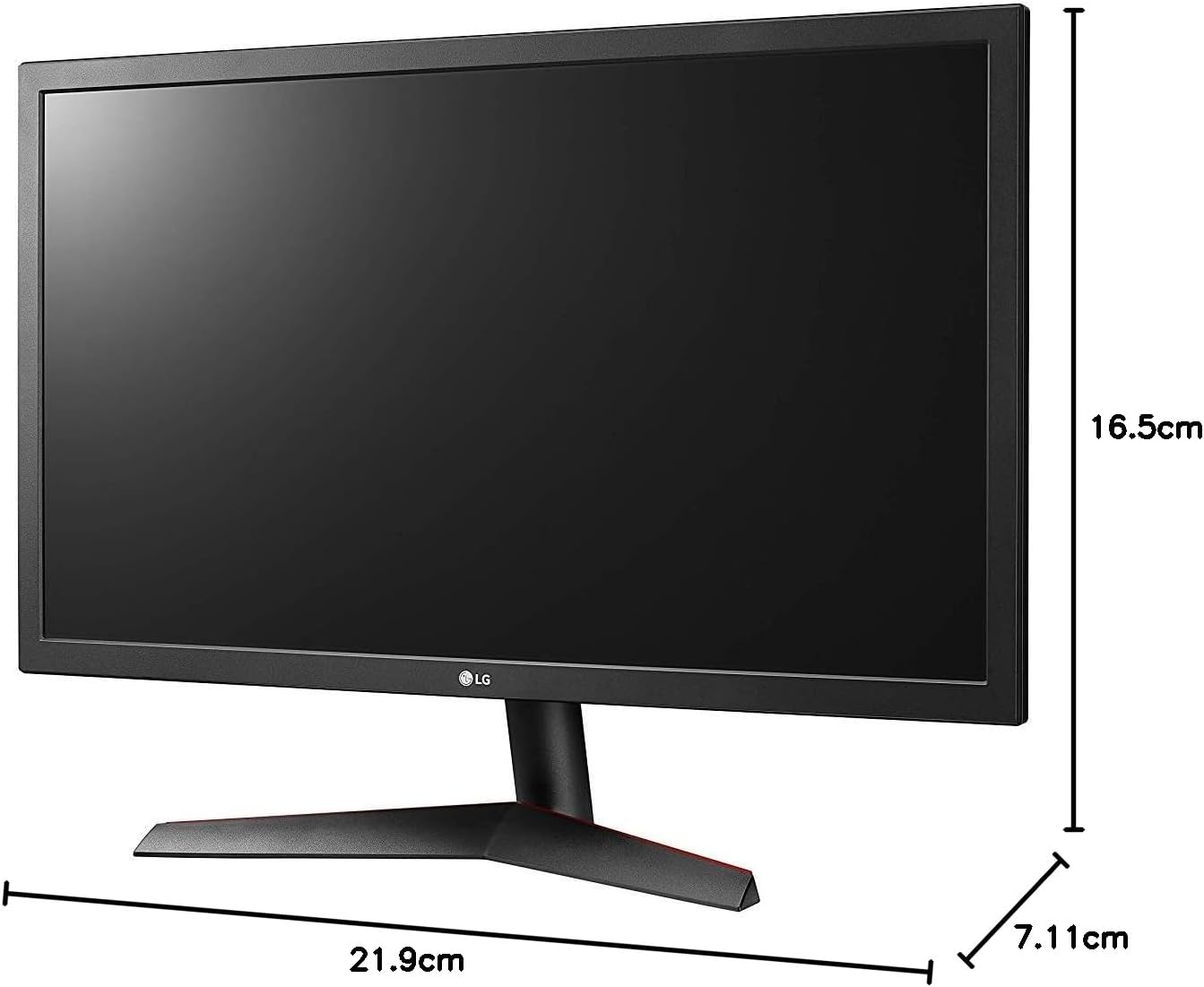
Image: Diagram illustrating the approximate dimensions of a similar LG monitor, showing width, height, and depth. Note: Specific dimensions for the 32QN600-B model are not provided in the available data.
3. Ordenagailu batera konektatzea
Connect the monitor to your computer using one of the following cable types. Ensure the monitor and computer are powered off before making connections.
- HDMI konexioa: Use an HDMI cable to connect the monitor's HDMI port to the HDMI port on your computer's graphics card. This monitor supports 2 HDMI inputs.
- DisplayPort konexioa: Use a DisplayPort cable to connect the monitor's DisplayPort to the DisplayPort on your computer's graphics card. This monitor supports 1 DisplayPort input.

Image: Close-up of the rear panel of the LG 32QN600-B monitor, displaying the available input ports including HDMI and DisplayPort connections.
4. Energia-konexioa
Konektatu korronte-egokitzailea monitorearen elikatze-sarrerara, eta ondoren, entxufatu korronte-kablea hormako entxufe batera.
Monitorea funtzionatzen
1. Piztu/Itzali

Irudia: Aurrealdea view of the LG 32QN600-B QHD 32-inch IPS monitor, showing the display and stand.
Press the power button (usually a joystick-style button located on the bottom center of the monitor) to turn the monitor on or off.
2. Pantailan bistaratze (OSD) menuko nabigazioa
OSD menuak monitorearen hainbat ezarpen doitzeko aukera ematen dizu. Erabili joystick botoia menuan nabigatzeko:
- Press the joystick button to open the main OSD menu.
- Mugitu joystick-a gora/behera/ezkerrera/eskuinera menuko aukeretan nabigatzeko.
- Sakatu joystick-a aukera bat hautatzeko edo ezarpen bat berresteko.
- Mugitu joystick-a ezkerrera azpimenu batetik edo OSDtik irteteko.
3. Irudiaren ezarpenak
Doitu pantailaren ezarpenak optimorako viewesperientzia:
- Distira: Pantailaren luminantzia orokorra kontrolatzen du.
- Kontrastea: Eremu argien eta ilunen arteko aldea doitzen du.
- Kolore Tenperatura: Changes the color warmth or coolness.
- gamma: Adjusts the mid-tone luminance.
4. Ezaugarri bereziak
The LG 32QN600-B monitor includes several features to enhance your viewjoko eta jolas esperientzia:
- HDR 10 bateragarritasuna: Supports High Dynamic Range content for enhanced contrast and color detail.
- Irakurle modua: Reduces blue light emissions to minimize eye strain during long reading sessions.
- Flicker segurua: Virtually eliminates screen flicker to reduce eye fatigue.
- AMD FreeSync: Synchronizes the monitor's refresh rate with compatible AMD graphics cards to reduce screen tearing and stuttering for smoother gameplay.
- Ekintza Dinamikoen Sinkronizazioa (DAS): Minimizes input lag, allowing for quicker responses in fast-paced games.
- Egonkortasun Beltza: Automatically brightens dark areas in games, making it easier to spot objects or enemies hidden in shadows.
Mantentzea
Monitorea garbitzea
To clean the monitor, ensure it is powered off and unplugged from the power outlet. Use a soft, lint-free cloth lightly dampened with water or a mild, non-abrasive screen cleaner. Do not spray cleaner directly onto the screen. Avoid using harsh chemicals, abrasives, or solvents.
Zaintza Orokorra
Avoid placing heavy objects on the monitor or its cables. Do not expose the monitor to direct sunlight, high humidity, or extreme temperatures. Ensure adequate ventilation around the monitor.
Arazoak konpontzea
If you experience issues with your monitor, refer to the following common problems and solutions:
| Arazoa | Balizko Kausa / Irtenbidea |
|---|---|
| Botererik ez | Ensure the power cord is securely connected to the monitor and a working power outlet. Check if the power adapter is functioning. |
| Seinalerik ez / Pantaila hutsa | Verify that the video cable (HDMI or DisplayPort) is securely connected to both the monitor and the computer. Ensure the correct input source is selected in the OSD menu. Check if the computer is powered on and not in sleep mode. |
| Irudia lausoa edo distortsionatua dago | Adjust the resolution settings on your computer to match the monitor's native resolution (2560 x 1440). Check the video cable for damage. Perform an auto-adjustment or reset picture settings in the OSD menu. |
| Koloreak okerrak dira | Adjust color settings (color temperature, gamma) in the OSD menu. Ensure your graphics card drivers are up to date. |
| Pantailaren urratzea edo tartekatzea (jokatzen ari zaren bitartean) | Ensure AMD FreeSync is enabled on both the monitor (via OSD) and your compatible AMD graphics card settings. |
Irtenbide hauek probatu ondoren arazoa konpontzen ez bada, jarri harremanetan LG bezeroarentzako arreta-zerbitzuarekin.
Zehaztapenak
| Ereduaren izena | LG 32QN600-B |
| Pantailaren tamaina | 32 hazbete |
| Panel mota | IPS |
| Ebazpena | QHD (2560 x 1440) |
| Aspektu-erlazioa | 16:9 |
| HDR euskarria | HDR 10 bateragarria |
| Distira (ohikoa) | 350 nit |
| Kolore gama | DCI-P3 % 90 (ohikoa) |
| Adaptive Sync Teknologia | AMD FreeSync |
| Konektibitatea | 2 x HDMI, 1 x DisplayPort |
| VESA hormako muntaia | 100 x 100 mm |
| Ezaugarri bereziak | Reader Mode, Flicker Safe, Dynamic Action Sync, Black Stabilizer |
| Potentzia Sarrera | 100-240 volt |
| Neurriak (W x H x D) | Specific dimensions for the 32-inch model are not available in the provided data. |
| Pisua | Specific weight for the 32-inch model is not available in the provided data. |
Bermearen informazioa
LG monitors typically come with a limited manufacturer's warranty. For detailed information regarding your product's warranty period, coverage, and terms and conditions, please refer to the warranty card included with your product or visit the official LG webgunea. Gorde erosketaren egiaztagiria bermearen erreklamazioetarako.
Bezeroarentzako Arreta
For technical assistance, troubleshooting beyond this manual, or service inquiries, please contact LG Customer Support:
- Webgunea: Bisitatu LG ofiziala website for support resources, FAQs, and driver downloads.
- Telefonoa: Refer to your product documentation or the LG webeskualdeko harremanetarako zenbakietarako gunea.