1. Sarrera
This manual provides detailed instructions for the installation, operation, maintenance, and troubleshooting of your Thermaltake Toughpower iRGB Plus 750W 80+ Gold Power Supply. This fully modular digital power supply features a patented 16.8 million-color Ring Duo 14 RGB fan and supports Smart Power Management (SPM) for advanced control and monitoring.

1.1. irudia: Aurrealdea view of the Thermaltake Toughpower iRGB Plus 750W Power Supply, showcasing its design and RGB fan.
2. Segurtasun informazioa
Please read and follow these safety guidelines carefully to prevent injury and damage to your equipment:
- Deskonektatu energia: Always disconnect the AC power cord from the wall outlet before installing, removing, or performing any maintenance on the power supply or other computer components.
- Ez ireki: The power supply unit contains high voltage components. Do not open the PSU casing. Ez dago erabiltzaileak konpondu beharreko piezarik barruan. C irekitzeaasing voids the warranty.
- Lurreratze egokia: Ensure your computer system is properly grounded to prevent electrical shock.
- Aireztapena: Ensure adequate ventilation around the power supply. Do not block the fan or ventilation openings.
- Hezetasuna eta tenperatura: Avoid exposing the power supply to moisture, high humidity, or extreme temperatures. Operate within the specified operating temperature range (0°C to +50°C).
- Correct Cables: Use only the modular cables provided with this power supply. Using incompatible cables may cause damage to the PSU or connected components.
3. Produktuaren ezaugarriak
The Thermaltake Toughpower iRGB Plus 750W Power Supply offers several advanced features:
- Smart Power Management (SPM): Monitor real-time PSU, CPU, VGA, RAM, and HDD status, control lighting, and receive warning alerts via PC and mobile applications.
- Razer Chroma Compatibility: Synchronize gaming and RGB lighting effects with the Razer Chroma ecosystem for a unified lighting experience.
- Alexa Ahots Kontrola: Control lighting or fan speed by speaking to an Alexa-enabled device.
- Zero Haizagailu Adimenduna: The fan activates only when the power supply reaches 30% of its rated load, minimizing noise during low-load operation.
- Built-in Ring Duo RGB Fan: Features a 16.8 million-color Ring Duo 140mm RGB fan with 18 addressable LEDs to customize your build's aesthetics.

Image 3.1: Two views of the power supply highlighting the built-in 140mm Riing Duo RGB fan with 18 addressable LEDs.

3.2 irudia: Goitik behera view of the power supply fan, showing the RGB lighting capabilities.
4. Paketearen edukia
Egiaztatu zure paketeak elementu hauek dituela:
- Thermaltake Toughpower iRGB Plus 750W Power Supply Unit
- AC korronte kablea
- Modular Cable Set (as detailed below)
- Muntatzeko Torlojuak
- Erabiltzailearen eskuliburua (dokumentu hau)
Modular Cable Set:

Image 4.1: A table detailing the connector types, cable lengths, and quantities included with the 750W power supply.

Image 4.2: The power supply unit with its fully modular cable design, showing the various ports for connecting cables.
| Konektore mota | Kablearen luzera | Kantitatea |
|---|---|---|
| Energia konektore nagusia (24 Pin) | 600 mm | 1 |
| ATX 12V (4 + 4 Pin) | 650 mm | 1 |
| SATA (5 pin) | 500mm+150mm+150mm+150mm+150mm | 9 |
| PCI-E (6 + 2 Pin) | 500mm+150mm+150mm | 4 |
| Peripheral (4 Pin) | 500mm+150mm+150mm+150mm | 4 |
| Diskete egokitzailea (4 Pin) | 100 mm | 1 |

Image 4.3: The power supply unit shown with a selection of its modular cables connected, demonstrating the flexibility of the design.
5. Konfigurazioa eta instalazioa
Jarraitu urrats hauek zure energia-iturria instalatzeko:
- Prestatu zure sistema: Ensure your computer is completely powered off and unplugged from the wall outlet. Open your computer case.
- Kendu PSU zaharra (hala badagokio): Disconnect all cables from your old power supply and remove it from the case.
- Mount the New PSU: Place the Thermaltake Toughpower iRGB Plus 750W into the power supply bay of your computer case. Secure it with the provided mounting screws. Ensure the fan is facing the correct direction for optimal airflow (typically facing down if your case has a bottom vent, or up if it's a top-mounted PSU).
- Konektatu funtsezko kableak:
- Konektatu 24-pin Main Power Connector zure plakara.
- Konektatu 4+4-pin ATX 12V Connector to your motherboard's CPU power socket.
- Konektatu beharrezko 6+2-pin PCI-E Connectors to your graphics card(s).
- Konektatu SATA Power Connectors to your storage drives (HDDs, SSDs) and optical drives.
- Konektatu Peripheral (4-pin Molex) Connectors to any other components requiring them (e.g., case fans, fan controllers).
- Behar izanez gero, erabili Diskete egokitzailea for older devices.
- Connect USB Cable for Digital Control: Locate the USB port on the power supply and connect one end of the provided USB cable. Connect the other end to an available USB 2.0 header on your motherboard. This connection is essential for Smart Power Management (SPM) and RGB control software.
- Kableen kudeaketa: Route cables neatly to improve airflow and aesthetics.
- Itxi kaxa eta piztu: Close your computer case, connect the AC power cord to the power supply, and then plug it into a wall outlet. Flip the power switch on the back of the PSU to the 'ON' position.

Image 5.1: Rear panel of the power supply, indicating the AC power inlet and the main power switch.
6. Funtzionamendu-argibideak
Once installed, you can utilize the advanced features of your power supply:
6.1. Smart Power Management (SPM)
The SPM platform allows you to monitor and manage your power supply digitally. Download and install the Thermaltake SPM software from the official Thermaltake website. This software provides:
- Real-time monitoring of power consumption, efficiency, voltage, eta tenperatura.
- Fan speed control and Smart Zero Fan mode management.
- Customizable warning alerts for abnormal conditions.
- Access via PC application and mobile app.
6.2. RGB argiztapenaren kontrola
The iRGB Plus series offers extensive RGB lighting customization:
- TT RGB Plus Software: Use the Thermaltake TT RGB Plus software to customize the 16.8 million-color RGB fan. This software allows for various lighting modes, effects, and color synchronization with other compatible Thermaltake RGB products.
- Razer Chroma: Integrate your PSU's RGB lighting with the Razer Chroma ecosystem for synchronized effects across your Razer peripherals and other Chroma-compatible devices.
- Alexa Ahots Kontrola: If configured, you can use voice commands through an Alexa-enabled device to change lighting colors, effects, or adjust fan speed.
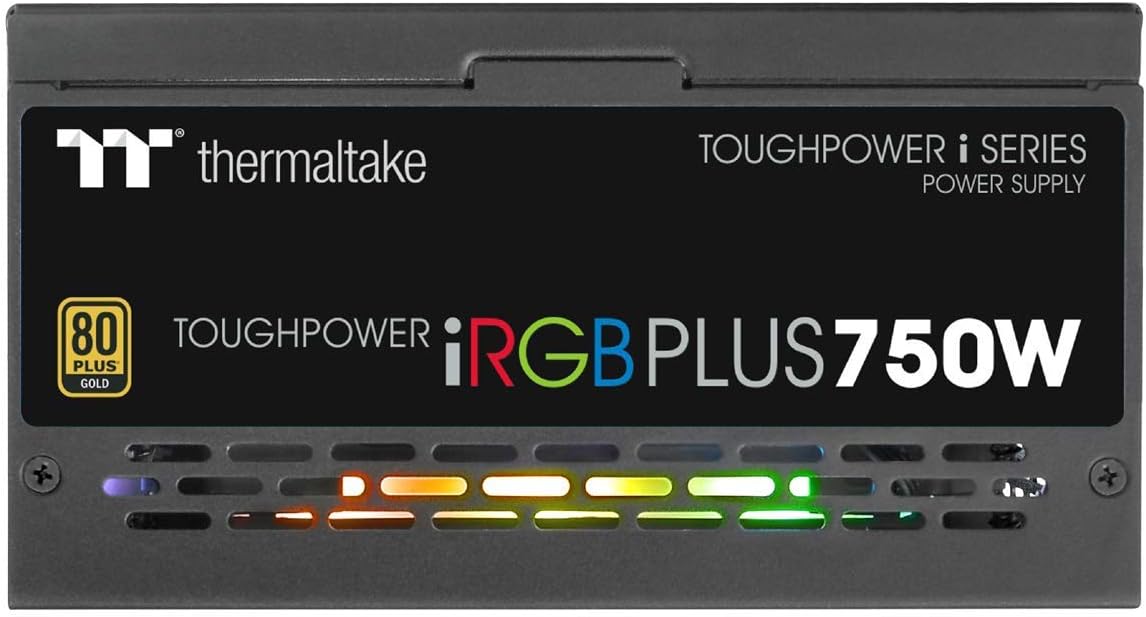
6.1 irudia: Albokoa view of the power supply, illustrating the vibrant RGB lighting effects.
7. Mantentzea
Mantentze-lan erregularrak zure energia-iturriaren iraupena eta errendimendu optimoa bermatzen laguntzen du:
- Hautsa kentzea: Periodically clean the power supply's fan and ventilation grilles using compressed air. Ensure the system is powered off and unplugged before cleaning.
- Kablearen egiaztapena: Occasionally check all modular cable connections to ensure they are securely seated.
- Software eguneraketak: Keep the Thermaltake SPM and TT RGB Plus software updated to the latest versions for improved features and stability.
8. Arazoak
Zure energia-iturriarekin arazoak badituzu, jarraitu arazoak konpontzeko ohiko urrats hauek:
- Potentziarik gabe:
- Ensure the AC power cord is securely plugged into both the PSU and the wall outlet.
- Verify the power switch on the back of the PSU is in the 'ON' position.
- Check all modular cable connections, especially the 24-pin and 4+4-pin motherboard connectors.
- Probatu hormako entxufea beste gailu batekin korrontea duela ziurtatzeko.
- RGB argia ez dabil:
- Ensure the internal USB cable from the PSU is correctly connected to a USB 2.0 header on your motherboard.
- Install or update the Thermaltake TT RGB Plus software.
- Check software settings to ensure RGB lighting is enabled and configured.
- Berrabiarazi ordenagailua.
- Smart Zero Fan Not Functioning / Fan Always On:
- The Smart Zero Fan feature only activates the fan when the PSU load exceeds 30%. If your system load is consistently above this threshold, the fan will remain on.
- Check the SPM software settings to ensure Smart Zero Fan mode is enabled.
- Ensure the internal USB cable is connected for software control.
- Software Glitches (SPM/TT RGB Plus):
- Ensure you have the latest version of the software installed from the official Thermaltake webgunea.
- Temporarily disable any conflicting RGB software from other manufacturers.
- Check your firewall settings to ensure the software is not being blocked.
- Reinstall the software if issues persist.
9. Zehaztapenak
Detailed technical specifications for the Thermaltake Toughpower iRGB Plus 750W Power Supply:
| Ezaugarri | Zehaztapena |
|---|---|
| Modelo zenbakia | PS-TPI-0750F3FDGU-1 |
| Mota | ATX 12V V2.4 and EPS V2.92 |
| Max. Irteera-gaitasuna | 750W |
| Irteera-gaitasun maximoa | 900W |
| Neurria (W / H / D) | 150 mm (W) x 86 mm (H) x 160 mm (D) |
| PFC (Potentzia Faktorearen Zuzenketa) | PFC aktiboa |
| Eraginkortasuna | 80 PLUS Gold at 115Vac Input |
| Hozte Sistema | 14cm Hydraulic bearing fan |
| MTBF (Hutsen arteko batez besteko denbora) | 120,000 ordu gutxienez |
| Segurtasun Onarpena | CE/cTUVus/TUV/FCC/EAC/s-mark |
| Sarrerako korrontea | 10 A gehienez. |
| Sarrerako maiztasun tartea | 50 Hz - 60 Hz |
| Sarrera boltage | 100V - 240V~ |
| Funtzionamendu-tenperatura | 0°C eta +50°C artean |
| Funtzionamenduaren hezetasuna | %20etik %90era, kondentsatu gabe |
| Biltegiratze Tenperatura | -20°C eta +70°C artean |
| Biltegiratze Hezetasuna | %5etik %95era, kondentsatu gabe |
| Kondentsadoreak | 100% Japanese 105°C/221°F |
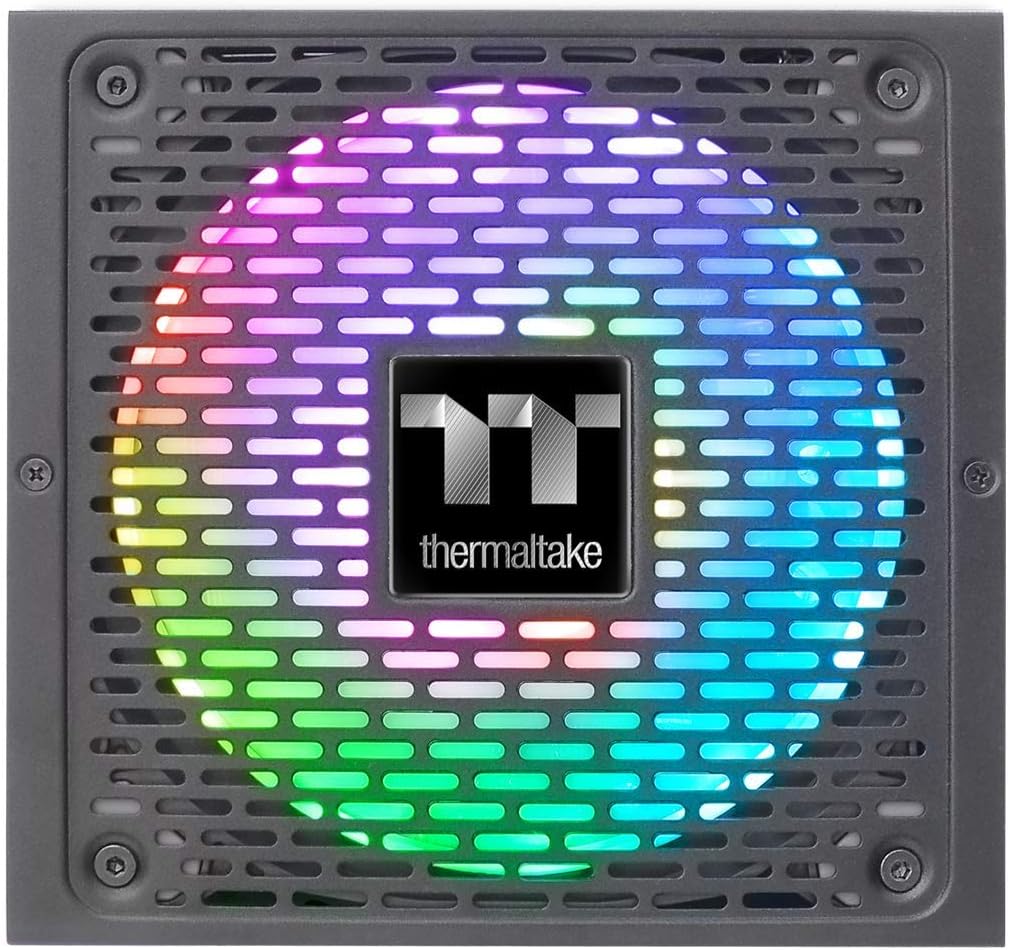
Image 9.1: Product label showing model number, input/output specifications, and safety warnings.

Image 9.2: Close-up internal view of the power supply, highlighting the 100% Japanese 105°C/221°F capacitors for enhanced durability and stability.

9.3 irudia: Barneko bat view of the power supply's circuit board and components, demonstrating quality construction.
10. Bermearen informazioa
The Thermaltake Toughpower iRGB Plus 750W Power Supply comes with a 10 urteko bermea. This warranty covers defects in materials and workmanship under normal use. Please retain your proof of purchase for warranty claims. For full warranty terms and conditions, please refer to the official Thermaltake webwebgunean edo jarri harremanetan bere bezeroarentzako laguntzarekin.
11. Laguntza
For further assistance, technical support, or to download the latest software and drivers, please visit the official Thermaltake webgunea:
You may also find helpful resources and FAQs on their support pages.
Produktuaren bideo ofiziala:
Video 11.1: An official product video demonstrating features and functionality of the Thermaltake Toughpower iRGB Plus Power Supply. This video provides a visual overview erabiltzaileentzat.


