1. Sarrera
Eskerrik asko erosketagatik.asing the astrum ST370 Wireless Barrel Speaker. This manual provides essential information for the safe and efficient operation of your device. Please read it thoroughly before use and retain it for future reference.
The astrum ST370 is a portable wireless speaker designed for outdoor use, offering robust sound with deep bass. It features multiple connectivity options including Bluetooth, FM radio, USB, Micro SD card, and AUX input, powered by a rechargeable battery.
2. Segurtasun informazioa
- Ez jarri bozgorailua uraren, hezetasunaren edo muturreko tenperaturen eraginpean.
- Saihestu bozgorailua kolpe gogorrak erortzea edo jasaten.
- Ez saiatu gailua desmuntatzen, konpontzen edo aldatzen. Horrek bermea baliogabetuko du.
- Mantendu bozgorailua bero-iturrietatik, eguzki-argitik eta material sukoietatik urrun.
- Erabili emandako kargatzeko kablea edo baliokide ziurtatu bat soilik.
- Ez erabili bozgorailua bolumen altuegietan denbora luzez, entzumen-kalteak saihesteko.
- Tokiko araudien arabera bota produktua eta bateria arduraz.
3. Paketearen edukia
Mesedez, markatu laukitxoa elementu hauetarako:
- 1 x astrum ST370 Wireless Speaker
- 1 x Kargatzeko kablea
- 1 x AUX kablea
- 1 x Erabiltzailearen eskuliburua
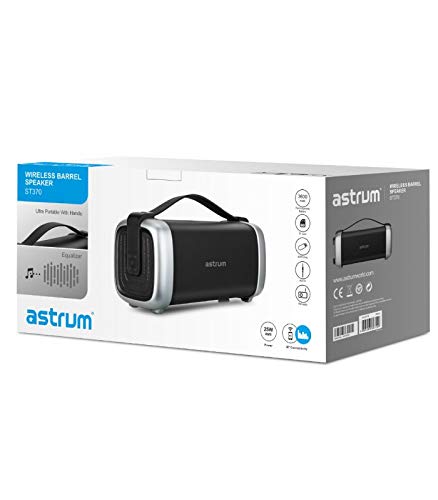
Image: The retail packaging for the astrum ST370 Wireless Barrel Speaker, showing the speaker and its key features.
4. Produktua amaitu daview
Familiarize yourself with the components and controls of your astrum ST370 speaker.
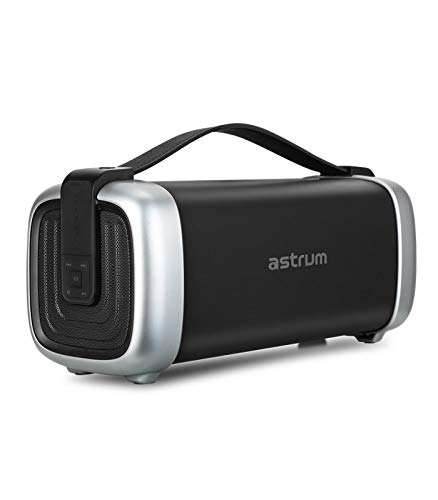
Irudia: Aurrealdea view of the astrum ST370 Wireless Barrel Speaker, showcasing its black body, silver end caps, and integrated carrying handle.
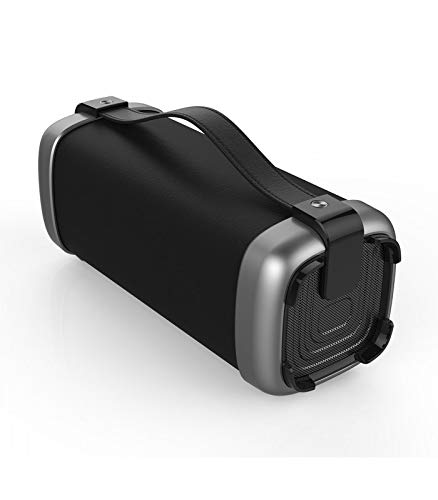
Irudia: Angelua view of the astrum ST370 speaker, highlighting the textured side panel and the robust carrying handle.
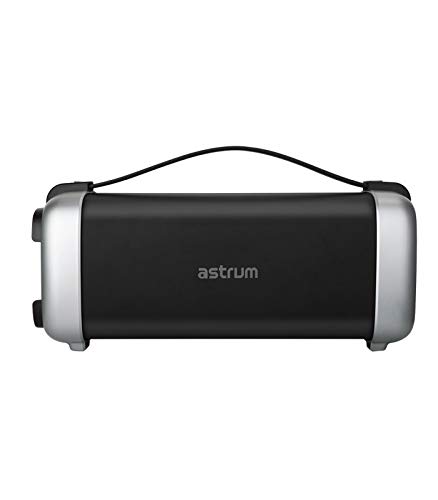
Irudia: Aurrealdea view of the astrum ST370 speaker, displaying the control panel on the side with various buttons.
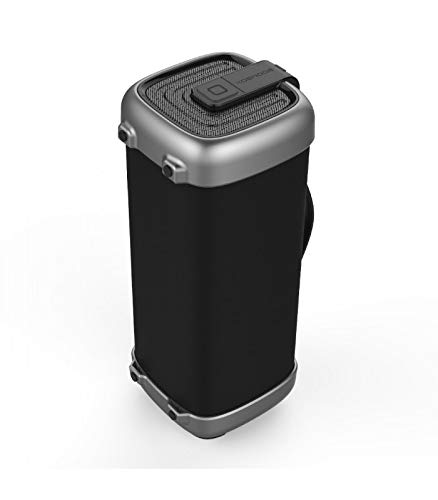
Irudia: Alboko profesionalafile of the astrum ST370 speaker, illustrating its compact barrel design and stable base.
Controls and Ports (Refer to images for location)
- Pizteko botoia: Bozgorailua pizten edo itzaltzen du.
- Modu botoia: Switches between Bluetooth, FM, USB, Micro SD, and AUX modes.
- Erreproduzitu/Pausatu botoia: Audioa erreproduzitzen edo pausatzen du.
- Bolumena igotzeko / Hurrengo abestia botoia: Bolumena igotzen du edo hurrengo abestira salto egiten du.
- Bolumena jaisteko / Aurreko abestia botoia: Bolumena jaisten du edo aurreko abestira joaten da.
- USB ataka: USB unitate batetik erreproduzitzeko.
- Mikro SD txartelaren zirrikitua: Mikro SD txartela erreproduzitzeko.
- AUX sarrera: Kanpoko audio gailuak 3.5 mm-ko kable baten bidez konektatzeko.
- Kargatzeko ataka: Kargatzeko kablea konektatzeko.
5. Konfigurazioa
5.1 Bozgorailua kargatzea
- Konektatu emandako kargatzeko kablea bozgorailuaren kargatzeko atakara.
- Konektatu kargatzeko kablearen beste muturra USB elikadura-egokitzaile batera (ez dago barne) edo ordenagailuaren USB ataka batera.
- Kargatzeko adierazlearen argia piztuko da, normalean gorriz, kargatzen ari den bitartean.
- Once fully charged, the indicator light may change color or turn off. Disconnect the speaker from the power source.
Oharra: Bateriaren iraupen optimoa lortzeko, kargatu erabat bozgorailua lehen aldiz erabili aurretik.
5.2 Piztu/Itzaltzea
- Pizteko: Press and hold the Power Button for a few seconds until you hear an audible prompt or see an indicator light.
- Itzaltzeko: Press and hold the Power Button again for a few seconds until the speaker powers down.
6. Funtzionamendu-argibideak
6.1 Bluetooth modua
- Piztu bozgorailua. Automatikoki Bluetooth parekatze moduan sartuko da, LED argi keinukari batek eta soinu-abisu batek adierazita.
- Gaitu Bluetooth-a zure telefonoan, tabletan edo beste Bluetooth gaitutako gailu batean.
- Bilatu available devices and select "ST370" from the list.
- Once paired, the speaker will provide an audible confirmation, and the LED light will stop flashing.
- Orain zure gailuko audioa bozgorailuaren bidez erreproduzitu dezakezu.
6.2 FM Irrati modua
- Press the Mode Button repeatedly until you enter FM Radio mode.
- To auto-scan for stations, press and hold the Play/Pause Button. The speaker will scan and save available FM stations.
- Erabili Bolumena igo/Hurrengo pista eta Bolumena jaitsi/Aurreko pista botoiak gordetako irratien artean nabigatzeko.
6.3 USB / Micro SD Card Playback
- Insert a USB drive or a Micro SD card (with pre-loaded audio files) dagokion portuan/zirrikituan.
- The speaker will automatically detect the storage device and switch to USB or Micro SD mode, beginning playback. If not, press the Mode Button to select the correct mode.
- Use the Play/Pause, Next Track, and Previous Track buttons to control playback.
6.4 AUX sarrera modua
- Connect one end of the provided 3.5mm AUX cable to the speaker's AUX input port.
- Konektatu AUX kablearen beste muturra kanpoko gailuaren audio irteerara (adibidez, MP3 erreproduzitzailea, ordenagailu eramangarria).
- Press the Mode Button until you enter AUX mode.
- Kontrolatu erreprodukzioa eta bolumena zuzenean konektatutako kanpoko gailutik.
6.5 Bolumenaren eta erreprodukzioaren kontrola
- Bolumenaren doikuntza: Sakatu labur Bolumena igotzeko (+) edo Bolumena jaisteko (-) botoiak.
- Pista nabigazioa: Long press the Volume Up (+) button for the next track, and long press the Volume Down (-) button for the previous track (in Bluetooth, USB, or Micro SD modes).
- Erreproduzitu/Pausatu: Sakatu labur Erreproduzitu/Pausatu botoia.
7. Mantentzea
7.1 Garbiketa
- Wipe the speaker's exterior with a soft, dry, lint-free cloth.
- Ez erabili garbitzaile urratzaileak, disolbatzaileak edo spray kimikoak.
- Saihestu hezetasuna irekiduretan sartzea.
7.2 Biltegiratzea
- Gorde bozgorailua leku fresko eta lehor batean, eguzki-argitik eta muturreko tenperaturetatik babestuta.
- Denbora luzez gordetzen baduzu, kargatu bateria % 50 ingurura hilabete batzuk behin bateriaren osasuna mantentzeko.
8. Arazoak
| Arazoa | Kausa posiblea | Irtenbidea |
|---|---|---|
| Bozgorailuak ez du pizten. | Bateria baxua. | Kargatu bozgorailua guztiz. |
| Ezin da Bluetooth bidez parekatu. | Speaker not in pairing mode; Bluetooth disabled on device; too far from speaker. | Ensure speaker is in Bluetooth mode; enable Bluetooth on your device; move device closer to speaker (within 10 meters). |
| Soinurik ez. | Volume too low; incorrect mode selected; cable not connected properly (AUX). | Increase volume; press Mode button to select correct input; check AUX cable connection. |
| FM irratiaren harrera eskasa da. | Seinale ahula. | Move the speaker to a location with better reception. |
9. Zehaztapenak
| Ereduaren izena | ST370 |
| Irteera Potentzia | 25 Watt |
| Konektibitate Teknologia | Bluetooth, Laguntzailea, USB, Haririk gabekoa |
| Ezaugarri bereziak | Portable, Wireless, FM Radio, Micro SD Card Support |
| Energia iturria | Bateriaren bidez |
| Bateriaren batez besteko bizitza | 8 ordu |
| Kontrol-metodoa | Ukitu |
| Subwoofer-aren diametroa | 4 hazbete |
| Tweeter Diametroa | 1 hazbeteko |
| Produktuaren neurriak (LxWxH) | 32.7 x 13 x 14.2 cm |
| Elementuaren pisua | 1.45 kg |
| Kolorea | Beltza |
| Gomendatutako Erabilerak | Kanpoan |
10. Bermea eta Laguntza
The astrum ST370 Wireless Barrel Speaker comes with a 1 Urteko Bermea erosketa-datatik aurrera. Gorde erosketaren egiaztagiria berme-erreklamazioetarako.
For technical support, troubleshooting assistance beyond this manual, or warranty inquiries, please visit the official astrum website or contact their customer service department. Contact details can typically be found on the brand's official webgunean edo zure produktuaren ontzian.
Fabrikatzailea: Astrum Holdings Ltd, Unit-1618, Asia Trade Centre, 79 Lei Muk Road, Kwai Chung, New Territories, Hong Kong
Inportatzailea: Astrum Electronics India Pvt Ltd, Plot No.80&81, Gajulamandyam, Renigunta Mandal, Chittoor, Tirupati, Andhra Pradesh-517547


