1. Sarrera
Thank you for choosing the Karlsson Gummy Digital Alarm Clock. This manual provides essential information for the safe and efficient operation of your new alarm clock. Please read it thoroughly before use and retain it for future reference.
This digital alarm clock features a soft silicone exterior, a clear digital display, and essential functions like alarm and snooze, designed for ease of use and integration into any bedroom environment.
2. Segurtasun informazioa
- Mantendu gailua uretatik eta hezetasun handietatik urrun.
- Ez jarri gailua eguzki-argia zuzenean edo muturreko tenperaturetara.
- Erabili zehaztutako bateria mota soilik (3 x AAA bateria).
- Ziurtatu bateriak polaritate zuzenarekin sartuta daudela (+/-).
- Kendu bateriak gailua denbora luzez erabiliko ez bada, isuriak saihesteko.
- Bota ezazu erabilitako bateriak arduraz tokiko araudiaren arabera.
- Ez saiatu gailua zeuk desmuntatzen edo konpontzen. Jarri harremanetan zerbitzu-langile kualifikatuekin.
3. Paketearen edukia
Mesedez, egiaztatu paketea elementu hauek dituen:
- 1 x Karlsson Gummy Digital Alarm Clock (Model KA5753GY)
Oharra: 3 x AAA batteries are required for operation and are not included in the package.
4. Produktuaren ezaugarriak
- Materiala: Soft Silicone exterior for a comfortable touch.
- Pantaila: Clear Digital display showing hours and minutes.
- Funtzioak: Classic Alarm function and Snooze button.
- Irakurgarritasuna: Large numbers for easy reading, even in low light conditions with the light function.
- Energia iturria: Battery operated (3 x AAA batteries, not included).
- Neurriak: Approximately 7 cm (Height) x 14 cm (Width) x 5 cm (Depth).
5. Konfigurazioa
5.1 Bateriaren instalazioa
- Aurkitu bateriaren konpartimentua erlojuaren iratzargailuaren atzealdean.
- Open the battery compartment cover by sliding it off.
- Sartu 3 x AAA pilak, konpartimentuaren barruan adierazten den polaritate zuzena (+ eta -) ziurtatuz.
- Itxi bateriaren konpartimenduaren estalkia ondo.

Irudia: Atzealdea view bateriaren konpartimentuarekin.
5.2 Hasierako piztea
Once batteries are installed, the digital display should light up, and the clock will be ready for time setting.
6. Funtzionamendu-argibideak
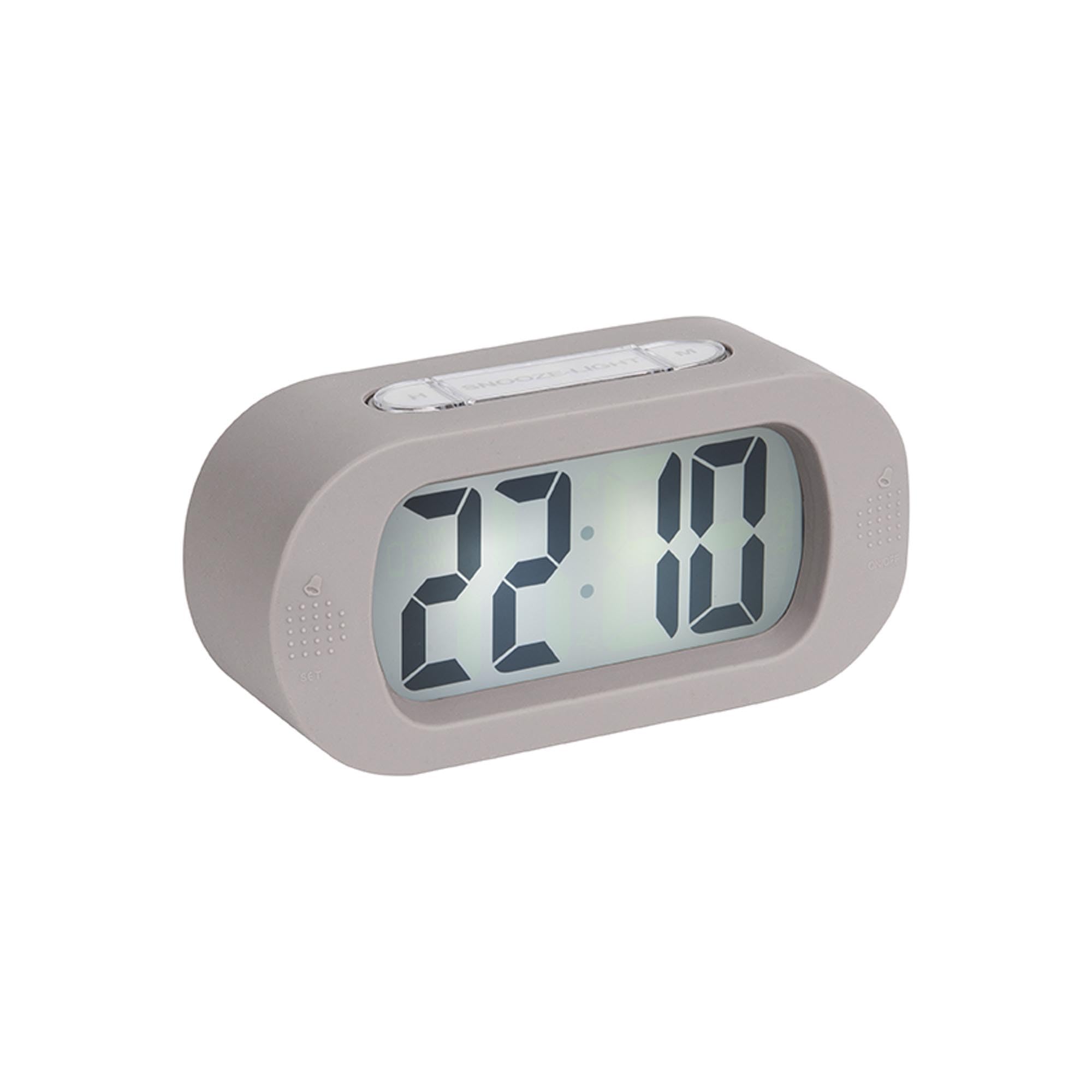
Irudia: Aurrealdea view of the alarm clock.
6.1 Ordua ezartzea
- Eduki sakatuta "ORDUA EZARRI" button (located on the back) until the hour digits start flashing.
- Erabili "H" button (on top) to adjust the hour.
- Sakatu "ORDUA EZARRI" botoia berriro sakatu minutuen ezarpenera aldatzeko.
- Erabili "M" button (on top) to adjust the minutes.
- Sakatu "ORDUA EZARRI" azken aldiz berresteko eta ordua ezartzeko modutik irteteko.
6.2 Alarma ezartzea
- Eduki sakatuta "EZARRI" button (on the front bottom left) until the alarm hour digits start flashing.
- Erabili "H" botoia alarma ordua doitzeko.
- Sakatu "EZARRI" again to switch to alarm minute setting.
- Erabili "M" botoia alarmaren minutuak doitzeko.
- Sakatu "EZARRI" one last time to confirm and exit alarm setting mode.
6.3 Alarma aktibatzea/desaktibatzea
To turn the alarm on or off, locate the alarm switch or button (often on the side or back, indicated by an alarm icon). Slide or press it to toggle the alarm status. A small alarm icon on the display usually indicates the alarm is active.
6.4 Snooze funtzioa
Alarma jotzen duenean, sakatu botoi handia "SNOOZE/LIGHT" button on top of the clock. The alarm will pause for a few minutes (typically 5-9 minutes) and then sound again. You can repeat this process.
6.5 Argi-funtzioa
Sakatu "SNOOZE/LIGHT" button briefly to illuminate the display for a few seconds, allowing you to read the time in the dark.
7. Mantentzea
7.1 Garbiketa
Wipe the clock with a soft, dry cloth. Do not use abrasive cleaners or solvents, as these may damage the silicone surface or display.
7.2 Bateria ordezkatzea
When the display dims or the alarm weakens, it's time to replace the batteries. Follow the battery installation steps in Section 5.1.
8. Arazoak
| Arazoa | Kausa posiblea | Irtenbidea |
|---|---|---|
| Pantaila hutsik edo ilun dago. | Bateriak gutxi daude edo gaizki sartuta daude. | Replace batteries with new 3 x AAA batteries, ensuring correct polarity. |
| Alarmak ez du jotzen. | Alarm is not activated or batteries are low. | Ensure the alarm is switched ON. Replace batteries if needed. |
| Time/Alarm cannot be set. | Buttons are not being pressed correctly or device is unresponsive. | Ensure you are pressing and holding the correct buttons as per instructions. Remove and reinsert batteries to reset the device. |
9. Zehaztapenak
- Modelo zenbakia: KA5753GY
- Materiala: Silikona
- Kolorea: Gris Beroa
- Bistaratzeko mota: Digitala
- Neurriak (H x W x D): Gutxi gorabehera 7 cm x 14 cm x 5 cm (2.76 x 5.51 x 1.97 hazbete)
- Pisua: Gutxi gorabehera 220 gramo (0.49 lb)
- Energia iturria: 3 x AAA bateria (ez daude barne)
- Ezaugarri bereziak: Alarm, Snooze, Light
- Gela mota: Logela
- Erabilera: Barruan
10. Bermea eta Laguntza
For warranty information and customer support, please refer to the retailer where you purchased the Karlsson Gummy Digital Alarm Clock or visit the official Karlsson webgunea. Gorde erosketaren egiaztagiria berme-erreklamazioetarako.
Lineako laguntza: www.karlssonclocks.com


