1. Produktua amaitu daview
The myCharge HubMax HBLC10V is a portable power bank designed to charge various mobile devices. It features an internal 10050mAh battery, built-in Lightning and USB-C cables, and an integrated foldable wall plug for convenient recharging.

Image 1.1: The myCharge HubMax HBLC10V portable charger, showcasing its compact design with integrated Lightning and USB-C cables, and a foldable wall plug.
2. Paketearen edukia
- myCharge HubMax HBLC10V Portable Charger
- Tximista kable integratua
- USB-C kable integratua
- Integrated Wall Plug
3. Konfigurazioa eta hasierako kargatzea
Before first use, it is recommended to fully charge your myCharge HubMax HBLC10V.
- Locate the Wall Plug: Extend the foldable wall prongs located on the side of the device.
- Konektatu energiara: Plug the device directly into a standard AC wall outlet.
- Monitor kargatzen: The LED indicator lights on the device will illuminate to show the charging status. A full charge typically takes approximately 4.6 hours. All indicator lights will be solid when fully charged.
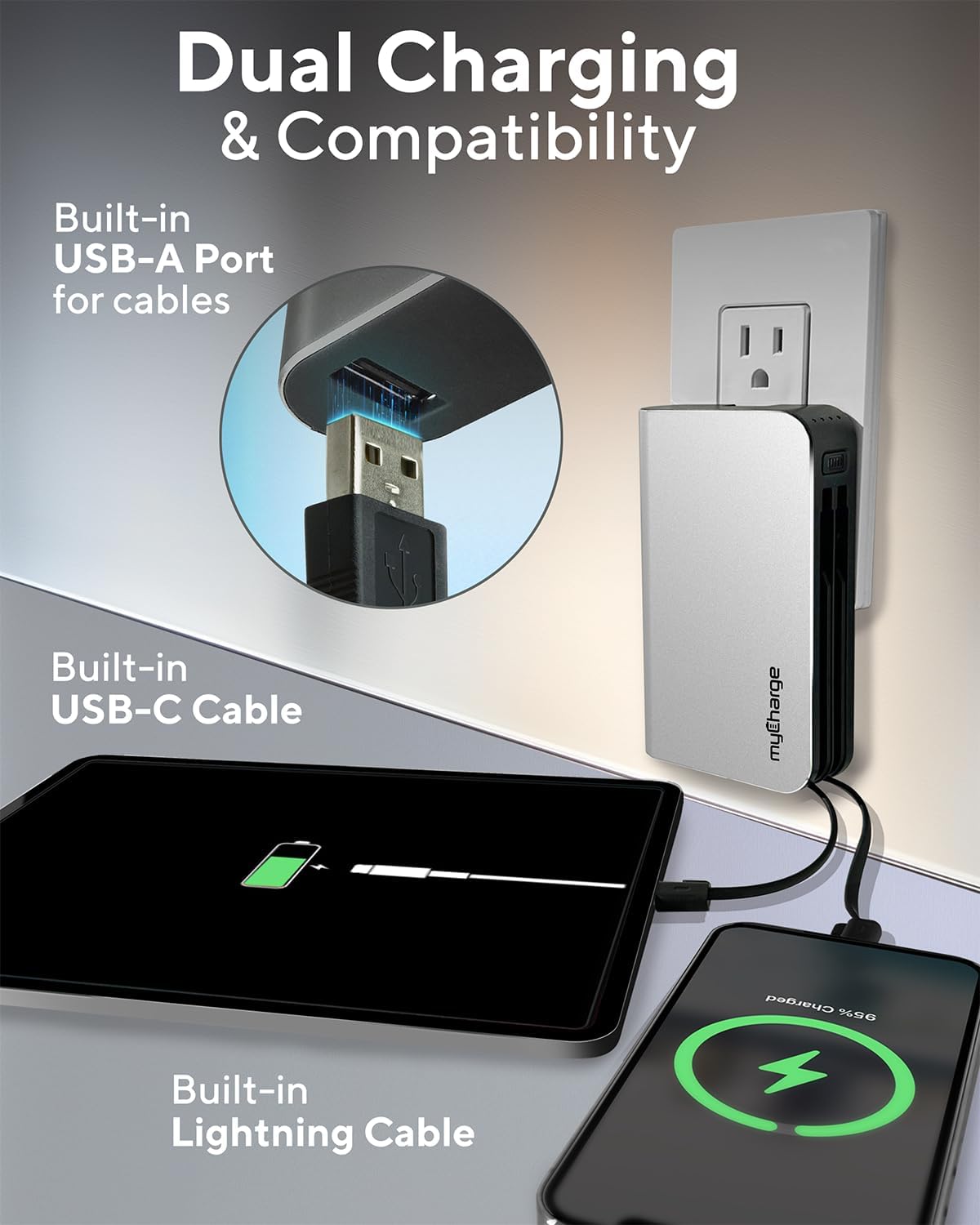
Image 3.1: The myCharge HubMax HBLC10V connected to a wall outlet for recharging, illustrating its integrated wall plug and multiple charging outputs.
4. Funtzionamendu-argibideak
The myCharge HubMax HBLC10V allows you to charge up to three devices simultaneously.
4.1 Charging Devices with Built-in Cables
- Identify Cable: Select the appropriate built-in cable for your device (Lightning for Apple devices, USB-C for compatible Android and other devices).
- Konektatu gailua: Plug the selected cable directly into your mobile device's charging port.
- Hasi kargatzen: The myCharge HubMax will automatically begin charging your device. The LED indicator lights will show the remaining battery level of the power bank.
4.2 Charging a Third Device via USB-A Port
For devices requiring a standard USB-A connection, use the integrated USB-A port.
- Connect Your Cable: Plug your device's USB-A charging cable (not included) into the USB-A port on the myCharge HubMax.
- Konektatu gailua: Plug the other end of your cable into your mobile device.
- Hasi kargatzen: Kargatzea automatikoki hasiko da.

4.1. irudia: Xehetasun bat view of the myCharge HubMax HBLC10V, emphasizing its all-in-one design with built-in wall prongs, Lightning and USB-C cables, and an additional USB-A port for charging up to three devices.
4.3 Kargatze azkarraren gaitasunak
The HubMax supports Power Delivery and Quick Charge 3.0 via its USB-C cable, enabling faster charging for compatible devices. This can charge devices up to 2.4 times faster than standard chargers.
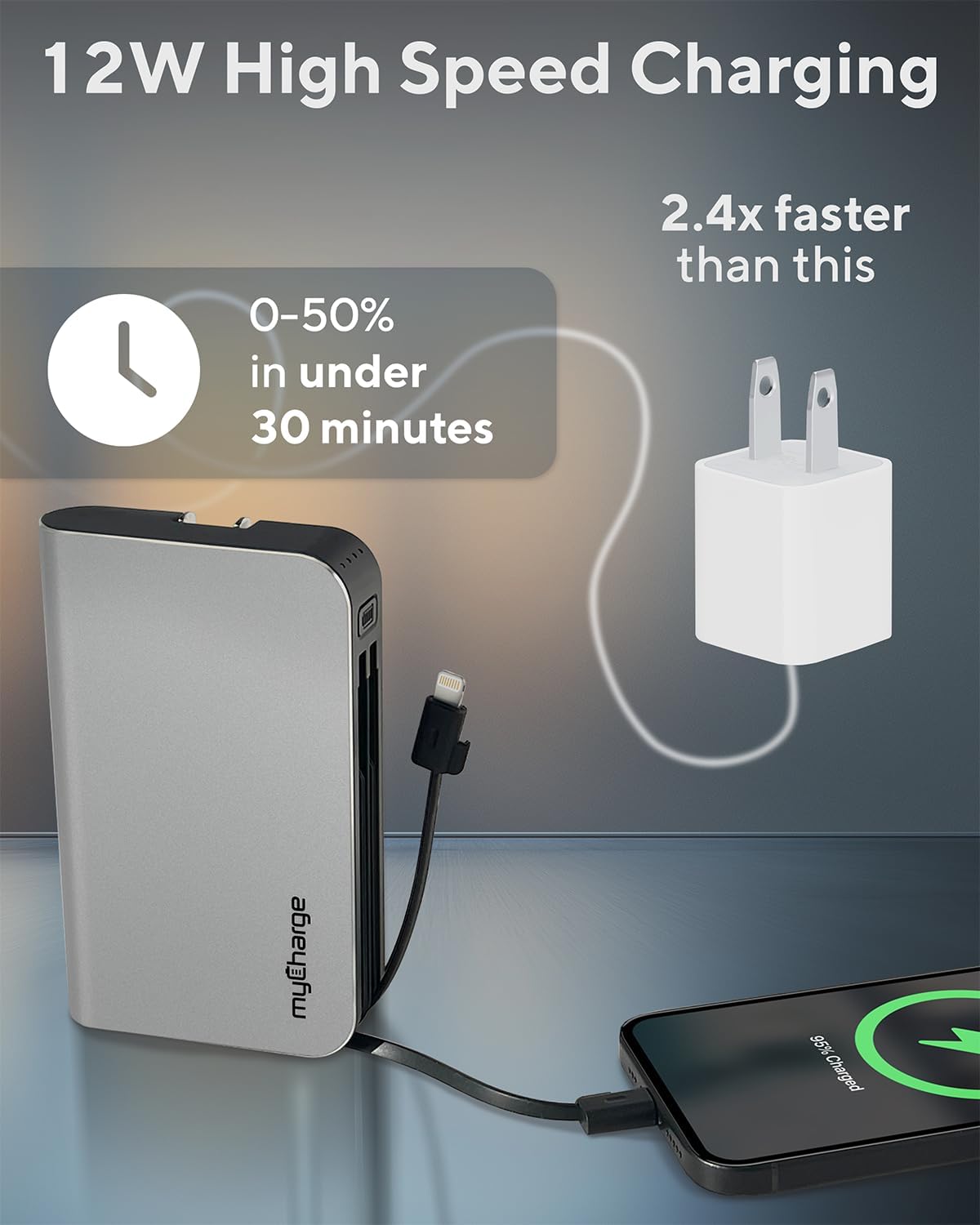
Image 4.2: The myCharge HubMax HBLC10V demonstrating its 12W high-speed charging capability, capable of charging a device from 0% to 50% in under 30 minutes.
5. Mantentzea eta Zainketa
- Biltegiratzea: Gorde bateria eramangarria leku fresko eta lehor batean, eguzki-argitik eta muturreko tenperaturetatik babestuta.
- Garbiketa: Erabili zapi leun eta lehor bat gailuaren kanpoaldea garbitzeko. Saihestu produktu kimiko gogorrak edo material urratzaileak erabiltzea.
- Manipulazioa: Handle the device with care. Avoid dropping it or subjecting it to strong impacts, as this can damage internal components and shorten its lifespan.
- Bateriaren iraupena: For optimal battery health, avoid completely draining the power bank frequently. Recharge it when the battery level is low.
6. Arazoak
If you encounter issues with your myCharge HubMax HBLC10V, refer to the following common solutions:
- Gailua ez da kargatzen:
- Ensure the myCharge HubMax itself is sufficiently charged. Check the LED indicators.
- Verify that the built-in cable or your external USB-A cable is securely connected to both the power bank and your device.
- Try a different device or cable to rule out issues with the connected device or cable.
- Karga motela:
- Ensure your device supports fast charging protocols (Power Delivery, Quick Charge 3.0) to benefit from the HubMax's fast charging capabilities.
- Hainbat gailu aldi berean kargatzeak gailu bakoitzaren kargatze-abiadura murriztu dezake.
- Egiaztatu kargatzeko kablea hondatuta dagoen.
- Power Bank-a ez da berriro kargatzen:
- Ensure the wall plug is fully extended and securely inserted into a working AC wall outlet.
- Saiatu beste hormako entxufe batekin.
If problems persist, please contact myCharge customer support for further assistance.
7. Zehaztapenak
| Ezaugarri | Xehetasuna |
|---|---|
| Modelo zenbakia | HBLC10V |
| Bateria Edukiera | 10050 mAh (Litio ioi) |
| Produktuaren neurriak | 2.8 x 0.9 x 4.6 hazbete |
| Elementuaren pisua | 10.2 ontza |
| Eraikitako Kableak | Tximista, USB-C |
| Additional Port | USB-A |
| Kargatzeko denbora | Approx. 4.6 hours (via integrated wall plug) |
| Ezaugarri bereziak | Integrated Wall Plug, Fast Charging (PD, QC 3.0) |
| Fabrikatzailea | myCharge |
8. Bermea eta Laguntza
myCharge products are typically covered by a manufacturer's warranty. For specific warranty details, registration, or to initiate a warranty claim, please refer to the official myCharge webgunera edo jarri harremanetan zuzenean bezeroarentzako arreta-zerbitzuarekin.
For technical assistance, troubleshooting not covered in this manual, or general inquiries, please visit the myCharge support page or contact their customer service department.
Note: Warranty terms and support availability may vary. Always refer to the latest information provided by the manufacturer.


