Sarrera
This manual provides essential instructions for the safe and efficient operation of your Hama TH50 Thermo/Hygrometer. This device is designed to accurately measure and display indoor temperature and humidity levels. Please read this manual thoroughly before using the device and keep it for future reference.
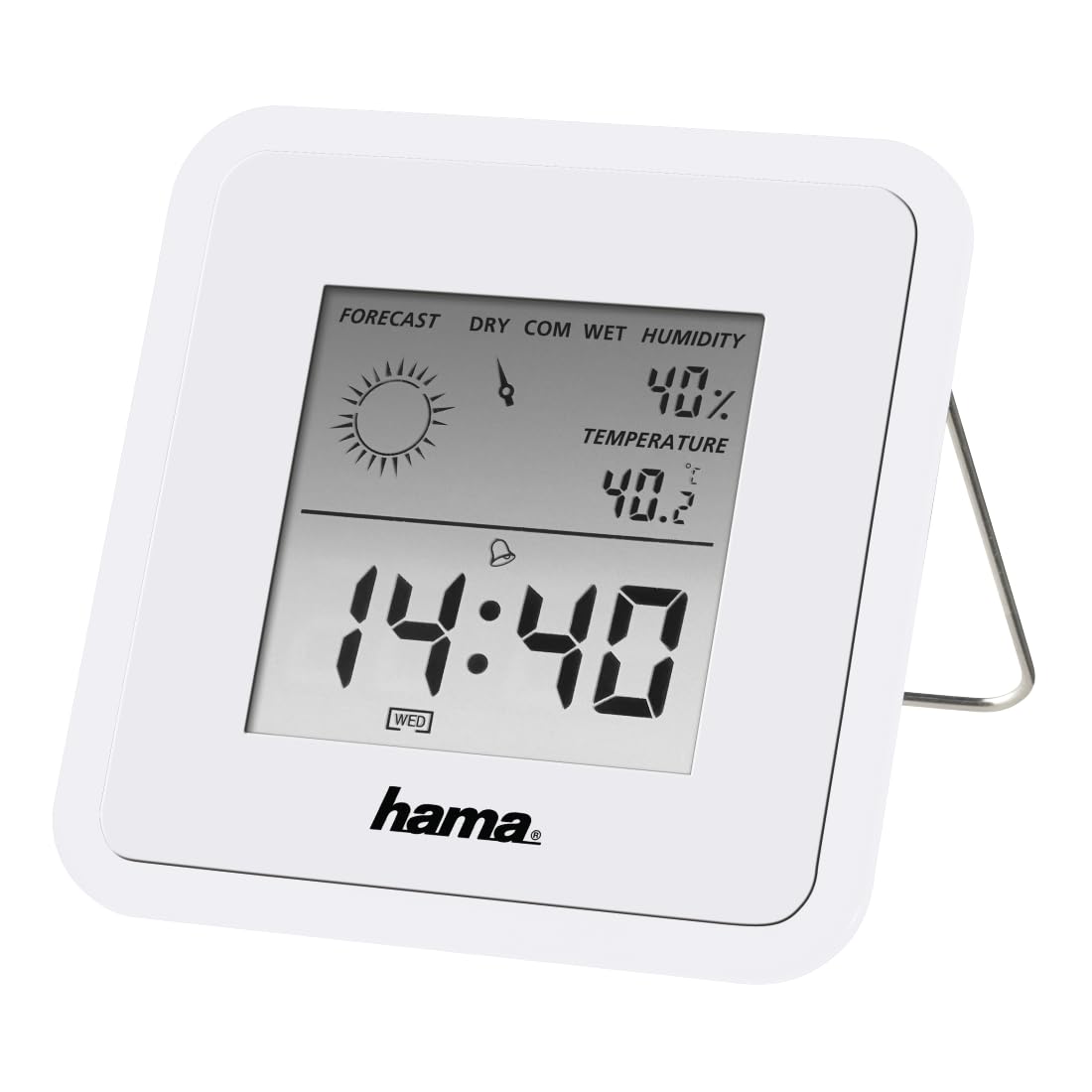
Image: The Hama TH50 Thermo/Hygrometer, a compact white device displaying digital temperature and humidity readings.
Segurtasun-argibideak
- Ez jarri gailua tenperatura altuen, eguzki-argiaren eraginpean edo hezetasun handiaren eraginpean.
- Saihestu gailua erortzea edo kolpe gogorrak jasan.
- Ez ireki gailua casing or attempt to repair it yourself. Refer all servicing to qualified personnel.
- Mantendu gailua haurren eskura.
- Bota bateriak tokiko araudiaren arabera.
Paketearen edukia
Mesedez, egiaztatu elementu guztiak bertan daudela eta egoera onean daudela:
- Hama TH50 Thermo/Hygrometer
- 1 Lithium Metal Battery (pre-installed or separate)
- Argibide-eskuliburu hau
Konfigurazioa
1. Bateriaren instalazioa
The Hama TH50 requires one Lithium Metal battery for operation. If the battery is not pre-installed, follow these steps:
- Bilatu bateriaren konpartimentuaren estalkia gailuaren atzealdean.
- Ireki bateriaren konpartimenduaren estalkia.
- Insert the Lithium Metal battery, ensuring the correct polarity (+/-) as indicated inside the compartment.
- Itxi bateriaren konpartimenduaren estalkia ondo.
2. Kokapen
The Hama TH50 is designed for tabletop mounting. For accurate readings, place the device in a central location within the room, away from direct heat sources, air conditioning vents, or open windows that could affect temperature and humidity measurements.

Image: The Hama TH50 Thermo/Hygrometer displayed on a small table in a modern living room setting, demonstrating typical placement.
Gailuaren funtzionamendua
Bistaratu informazioa
Once the battery is installed, the device will automatically power on and begin displaying the current temperature and humidity. The display typically shows:
- Tenperatura: Measured in degrees Celsius (°C). The accuracy is ±1°C.
- Hezetasuna: Measured as a percentage (%).
- Ordua: The current time may also be displayed, depending on the model's features.
There are no user-adjustable settings or buttons on this model for changing units or modes. The device operates automatically.
Mantentzea
Garbiketa
To clean the device, use a soft, dry, lint-free cloth. Do not use abrasive cleaners, solvents, or chemical agents, as these can damage the display or casing. Saihestu hezetasuna gailuan sartzea.
Bateria ordezkatzea
When the display becomes dim or the readings appear inaccurate, it may be time to replace the battery. Follow the battery installation steps outlined in the "Setup" section to replace the Lithium Metal battery. Ensure proper disposal of the old battery.
Arazoak konpontzea
| Arazoa | Kausa posiblea | Irtenbidea |
|---|---|---|
| Device does not power on / Display is blank. | Battery is not installed or is depleted. Incorrect battery polarity. | Check battery installation and polarity. Replace with a new Lithium Metal battery if necessary. |
| Tenperatura/hezetasun neurketa zehaztugabeak. | Device placed near heat sources, vents, or in direct sunlight. Battery low. | Relocate the device to a more central and stable environment. Replace the battery. |
| Pantaila iluna da. | Bateria baxua. | Ordeztu litio metalezko bateria. |
Zehaztapenak
- Modelo zenbakia: 00186371
- Marka: Hama
- Produktuaren neurriak: 10.5 x 8.6 x 3.2 cm
- Elementuaren pisua: 66 gramo
- Kolorea: Zuria
- Muntatze mota: Mahaigaina
- Tenperatura irakurtzeko zehaztasuna: ±1°C
- Pilak: 1 litio metalezko bateria (barne)
Bermea eta Laguntza
Hama provides a limited warranty for this product. For detailed warranty information, technical support, or service inquiries, please refer to the official Hama webwebgunera edo jarri harremanetan bezeroarentzako arreta-zerbitzuarekin. Gorde erosketa-agiria erosketaren frogagiri gisa.
Oharra: Produktuaren zehaztapenak eta itxura alda daitezke aldez aurretik jakinarazi gabe.


