Sarrera
Thank you for choosing the Macally Wireless Bluetooth Keyboard. This multi-device keyboard is designed to enhance your productivity across various platforms, including Mac, iOS, Windows, and Android devices. Featuring 110 keys, 20 Mac OS shortcuts, and a numeric keypad, it offers a comfortable and efficient typing experience. Its ultra-slim design and rechargeable battery make it an ideal companion for both work and leisure.

Image: The Macally Wireless Bluetooth Keyboard, showcasing its full layout and sleek silver design.
Paketearen edukia
- Macally Wireless Bluetooth Keyboard
- Kargatzeko kablea
- Erabiltzailearen Gida
Konfigurazioa
1. Teklatua kargatzea
Before initial use, fully charge the keyboard using the included charging cable. Connect the cable to the keyboard's charging port and a USB power source. The LED indicator will show charging status.

Image: Illustration showing the keyboard connected to a charging cable, emphasizing its rechargeable nature.
2. Gailuekin parekatzea
The Macally Wireless Bluetooth Keyboard supports connecting up to three Bluetooth-enabled devices simultaneously. Follow these steps to pair your devices:
- Piztu teklatua etengailua erabiliz.
- Press and hold one of the Bluetooth keys (BT1, BT2, or BT3) for a few seconds until the corresponding LED indicator starts blinking rapidly. This indicates pairing mode.
- On your device (computer, tablet, or smartphone), go to Bluetooth settings and search for available devices.
- Select "Macally Keyboard" (or similar name) from the list.
- If prompted, enter the pairing code displayed on your screen using the Macally keyboard and press Enter.
- Once paired, the LED indicator will stop blinking and remain solid for a few seconds before turning off.
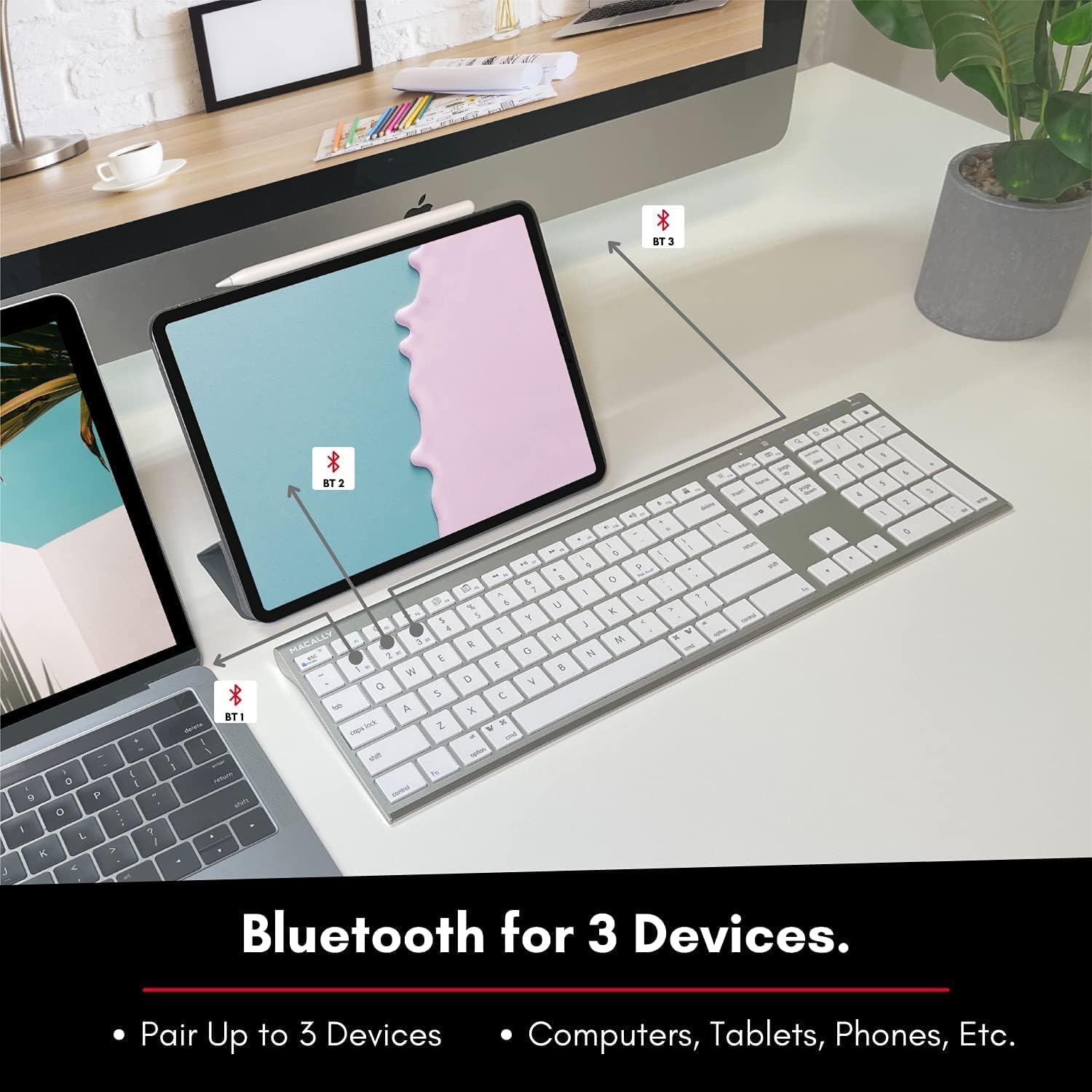
Image: The keyboard connected to a laptop and a tablet, illustrating its multi-device pairing capability.
Funtzionamendu-argibideak
Gailuen artean aldatzea
To switch between paired devices, simply press the corresponding Bluetooth key (BT1, BT2, or BT3) once. The keyboard will automatically connect to the selected device within a few seconds.

Image: Visual representation of the keyboard seamlessly switching between a smartphone, iMac, and laptop, highlighting the multi-sync feature.
Function Keys and Shortcuts
The keyboard features a full set of 110 keys, including a numeric keypad and 20 dedicated Mac OS shortcut keys. These shortcuts provide quick access to various functions such as brightness control, volume adjustment, media playback, and more. Refer to your device's operating system documentation for specific shortcut functionalities.
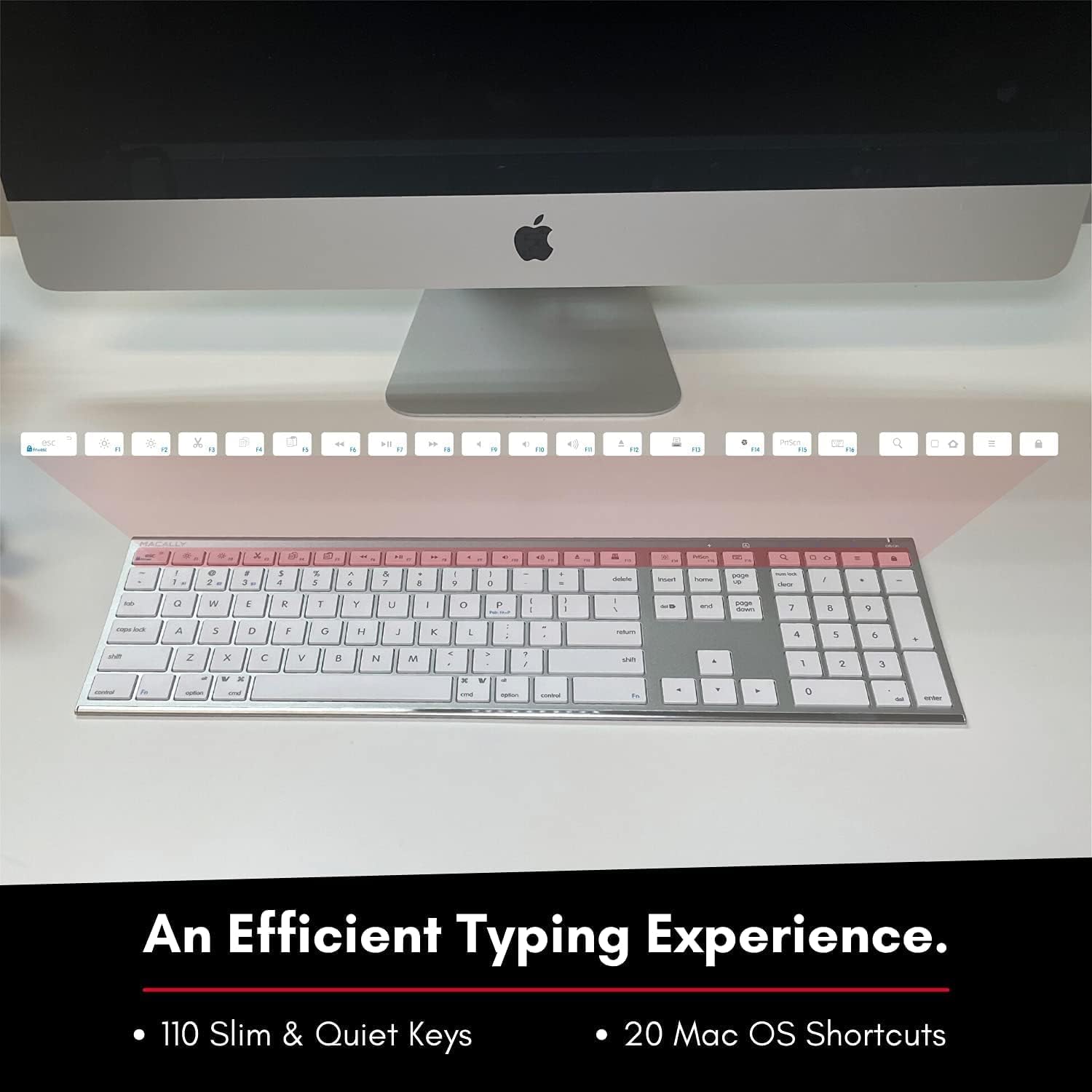
Image: Close-up of the keyboard's top row, highlighting the dedicated function and shortcut keys.
Bateragarritasuna
This keyboard is broadly compatible with a range of operating systems and devices, including:
- macOS
- Leihoak
- iOS (iPhone, iPad)
- Android

Image: The keyboard positioned in front of an iMac, indicating its compatibility with Mac systems.
Mantentzea
To ensure the longevity and optimal performance of your Macally Wireless Bluetooth Keyboard, follow these maintenance guidelines:
- Garbiketa: Use a soft, lint-free cloth to wipe the surface of the keyboard. For stubborn dirt, slightly dampGarbitu zapi bat urarekin edo garbiketa-soluzio leun batekin. Saihestu gehiegizko hezetasuna.
- Bateria zaintzea: The keyboard features a built-in rechargeable battery. To maximize battery life, avoid fully discharging the battery frequently. Charge the keyboard when the low battery indicator appears.
- Biltegiratzea: When not in use for extended periods, turn off the keyboard to conserve battery life. Store it in a cool, dry place away from direct sunlight and extreme temperatures.
- Saihestu isurketak: Mantendu likidoak teklatutik urrun barneko osagaiei kalterik ez egiteko.
Arazoak konpontzea
Keyboard Not Responding or Typing Incorrectly
- Ziurtatu teklatua kargatuta dagoela.
- Verify that the keyboard is powered on and the correct Bluetooth channel (BT1, BT2, or BT3) is selected for your device.
- Saiatu teklatua zure gailuarekin berriro parekatzen.
- Check if the Fn lock is active. On the top right, there should be a lock symbol with an FN in the lock. If there is a Blue LED light on the panel which is on the top right, then press and hold Fn eta sakatu ESC to shut off the Fn lock.

Image: A troubleshooting tip for the Fn lock feature, showing the relevant keys.
Mouse Keys Issue (macOS)
- If your keyboard inputs are behaving like mouse movements, you may have "Mouse Keys" enabled.
- Go to System Preferences (or System Settings on newer macOS versions), then click on Irisgarritasuna. After that, scroll to Erakusleen Kontrola eta desgaitu Gaitu saguaren teklak.

Image: A troubleshooting tip for disabling Mouse Keys in system settings.
Bluetooth konexio-arazoak
- Ziurtatu zure gailuaren Bluetooth-a gaituta dagoela eta aurkigarria dela.
- Move the keyboard closer to your device to ensure a strong signal.
- Kendu interferentzia iturri potentzial guztiak (adibidez, beste haririk gabeko gailuak, metalezko objektu handiak).
- Berrabiarazi teklatua eta gailua.
Zehaztapenak
| Marka | Macally |
| Modelo zenbakia | ACEBTKEY-US |
| Produktuaren neurriak | 18.11 x 6.3 x 0.91 hazbete |
| Elementuaren pisua | 14.9 ontza |
| Konektibitate Teknologia | Bluetootha |
| Gako kopurua | 110 |
| Gailu bateragarriak | MacOS, Windows, iOS, Android |
| Bateria | 3 Lithium Polymer batteries (included, rechargeable) |
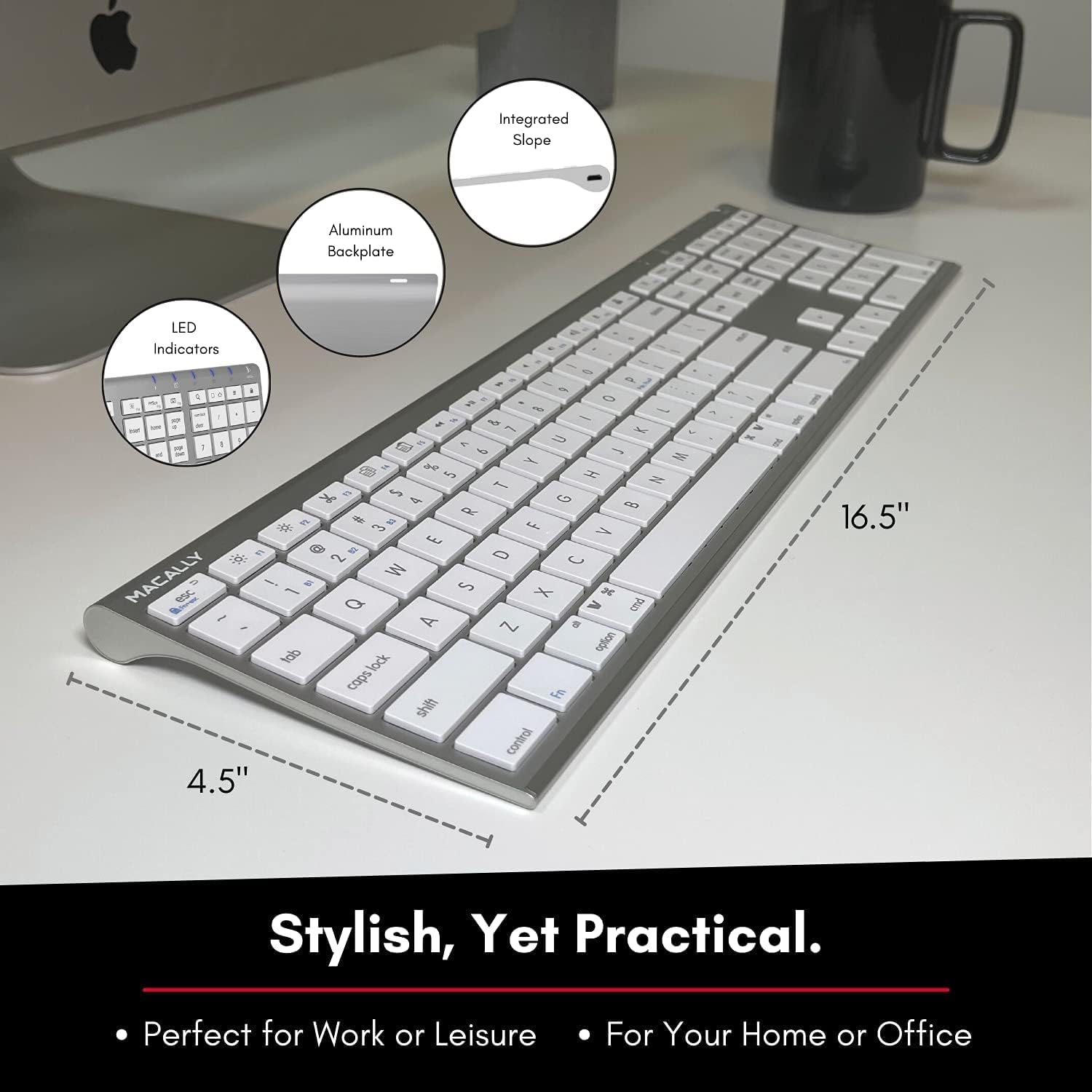
Image: Diagram illustrating the physical dimensions of the Macally Wireless Bluetooth Keyboard.
Bermea eta Laguntza
Macally is committed to delivering high-quality, user-friendly workflow solutions. For any product inquiries, technical support, or warranty information, please visit the official Macally webwebgunean edo jarri harremanetan bezeroarentzako arreta-zerbitzuan. Informazio gehiago eta laguntza-baliabideak aurki ditzakezu hemen: Macally denda Amazonen.