Sarrera
This manual provides detailed instructions for the assembly, operation, and maintenance of your Tribesigns Modern L-Shaped Computer Desk. Please read all instructions carefully before beginning assembly and retain this manual for future reference.
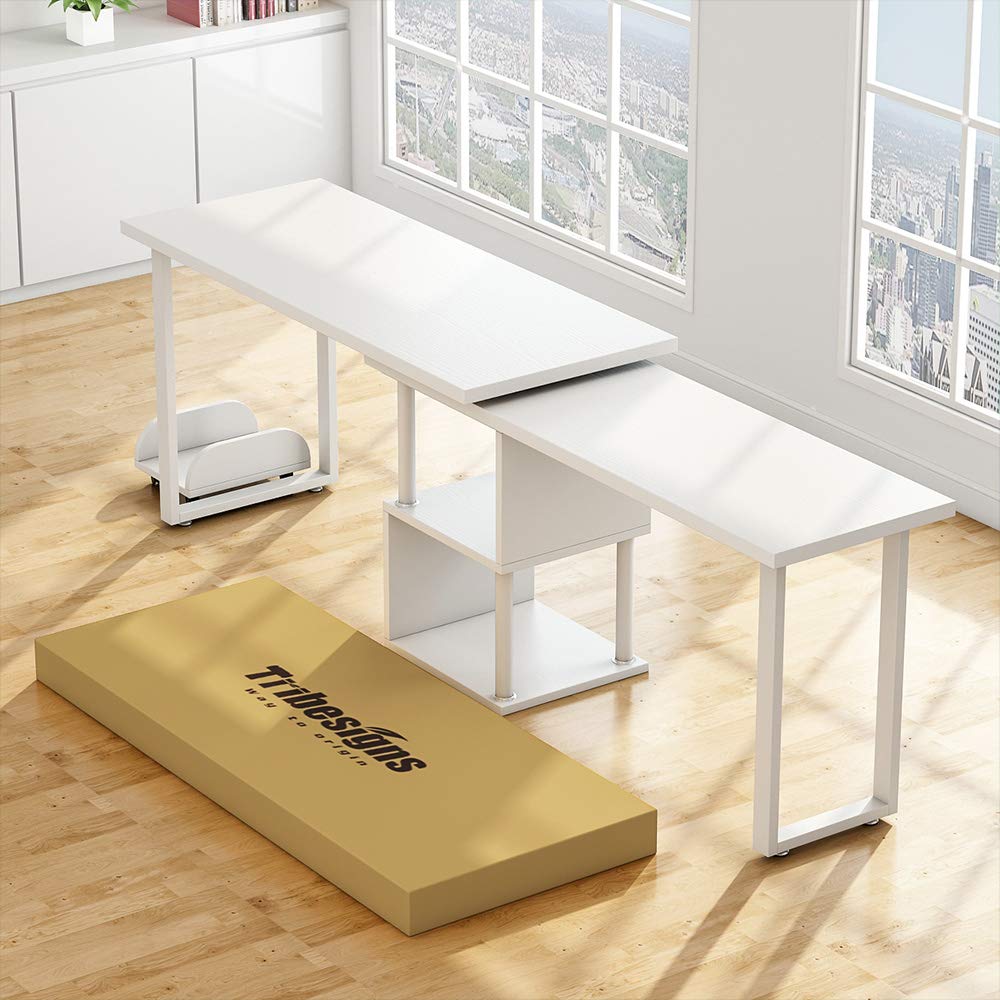
The Tribesigns Modern L-Shaped Computer Desk is designed to offer a versatile workspace with integrated storage. Its reversible and rotating design allows for flexible configuration to suit various room layouts and user needs.
Konfigurazioa eta Muntaketa
1. Desontziratzea eta piezen egiaztapena
- Kontu handiz ireki ontzia eta kendu osagai guztiak.
- Jarri pieza guztiak gainazal garbi eta leun batean marradurak saihesteko.
- Refer to the included parts list (not provided in this manual) to ensure all components are present and undamaged. If any parts are missing or damaged, contact customer support immediately.
2. Muntatzeko jarraibideak
Follow the step-by-step diagrams and instructions provided in your product's specific assembly guide (not provided in this manual). General steps typically include:
- Attach the metal frame components to the desk panels using the provided hardware.
- Assemble the storage shelves and integrate them with the main desk structure.
- Connect the rotating desk sections, ensuring the swivel mechanism is correctly aligned.
- Secure all screws and fasteners firmly, but do not overtighten to avoid damaging the materials.
- Place the CPU stand in your desired location.
1 irudia: Produktuaren neurriakview
This diagram illustrates the key dimensions of the L-shaped computer desk. The main desk sections measure approximately 55.27 inches by 21.73 inches and 47.32 inches by 15.78 inches. The overall height of the desk is about 28.93 inches on one side and 26.96 inches on the other. The integrated storage shelves are approximately 13.77 inches high and 15.74 inches deep. The included CPU stand measures about 13.77 inches by 10.03 inches with a height of 4.52 inches.
Funtzionamendu-argibideak
1. Utilizing the 360° Rotating Design
The desk features a 360° free rotating desktop, allowing you to adjust its configuration. To rotate the desk:
- Ensure all items on the rotating section are stable or removed to prevent falling.
- Gently push or pull the rotating desk section to achieve your desired L-shape or straight-line configuration.
- Avoid sudden or forceful movements to prevent damage to the swivel mechanism.
2. Using Storage Shelves and CPU Stand
- The two-tier shelves provide space for office supplies, books, routers, or cable boxes. Distribute weight evenly on shelves.
- The bonus CPU stand is designed to keep your computer tower off the floor, protecting it from dust and improving airflow.
Mantentzea eta zaintzea
1. Garbiketa
- Garbitu gainazalak leun batekin, damp oihal.
- Saihestu akabera kaltetu dezaketen produktu kimiko gogorrak, garbitzaile urratzaileak edo leungarriak erabiltzea.
- Immediately wipe up spills to prevent water damage or staining.
2. Zaintza orokorra
- Aldian-aldian egiaztatu torloju eta lotura guztiak ondo estututa daudela ziurtatzeko. Beharrezkoa bada, berriro estutu egonkortasuna mantentzeko.
- Avoid placing extremely hot or cold items directly on the desk surface; use coasters or protective pads.
- Do not overload the desk or shelves beyond their weight capacity.
Arazoak konpontzea
1. Desk Instability or Wobbling
- Arazoa: The desk feels unstable or wobbles after assembly or movement.
- Irtenbidea: Check all assembly screws and bolts. Ensure they are fully tightened. Uneven flooring can also cause wobbling; try adjusting the desk's position or using shims under the legs if applicable.
2. Difficulty Rotating Desk Section
- Arazoa: The rotating section is stiff or difficult to move.
- Irtenbidea: Ensure no objects are obstructing the rotation path. Check the swivel mechanism for any debris. If the issue persists, verify that the assembly of the rotating parts was done correctly according to the specific assembly guide.
Produktuaren zehaztapenak
| Marka | Tribuak |
| Eredua | Modern L-Shaped Computer Desk |
| Forma | L-forma |
| Produktuaren neurriak (L x W x H) | 55" L x 21.7" W x 29" H |
| Kolorea | Zuria |
| Estiloa | Modernoa |
| Oinarrizko materiala | Metala |
| Goiko material mota | Ingeniaritza Egurra |
| Ezaugarri Berezia | Reversible, 360° Rotating Design |
| Elementuaren pisua | 36 kilogramo |
| Muntaia Beharrezkoa | Bai |
Bermearen informazioa
Tribesigns products typically come with a limited warranty covering manufacturing defects. Please refer to the warranty card included with your product or visit the official Tribesigns website for specific warranty terms and conditions. Keep your proof of purchase for warranty claims.
Bezeroarentzako Arreta
For assembly assistance, missing parts, or any other inquiries, please contact Tribesigns customer support. Contact information can usually be found on the product packaging, the official Tribesigns webgunearen bidez edo zure dendariaren bezeroarentzako arreta-atariaren bidez.
When contacting support, please have your product model name (Modern L-Shaped Computer Desk) and ASIN (B07WRW8876) available for quicker service.


