Sarrera
This manual provides comprehensive instructions for the safe and efficient installation, operation, and maintenance of your LogiLink BP0074 Dual Monitor Desk Mount. Please read this manual thoroughly before beginning installation to ensure correct setup and to prevent damage to the product or injury. Keep this manual for future reference.
Segurtasun Informazioa
- Ziurtatu osagai guztiak daudela eta kalterik gabe muntatu aurretik. Ez erabili piezaren bat falta bada edo akastuna bada.
- Verify that the desk surface can support the combined weight of the mount and two monitors.
- Ez gainditu beso bakoitzeko 6 kg-ko (13.22 lb) gehienezko karga-ahalmena.
- Use appropriate tools and follow all steps carefully. Improper installation may result in product failure or personal injury.
- Mantendu haurrak eta maskotak urrun instalatzean.
Paketearen edukia
Please check the package to ensure all items listed below are included:
- 1 x Dual Monitor Desk Mount Assembly
- 2 x VESA Monitor Plates
- 1 x Mahaia Clamp Batzarra
- 1 x Hardware Kit (screws, washers, spacers, Allen keys)
- 1 x Argibide eskuliburua
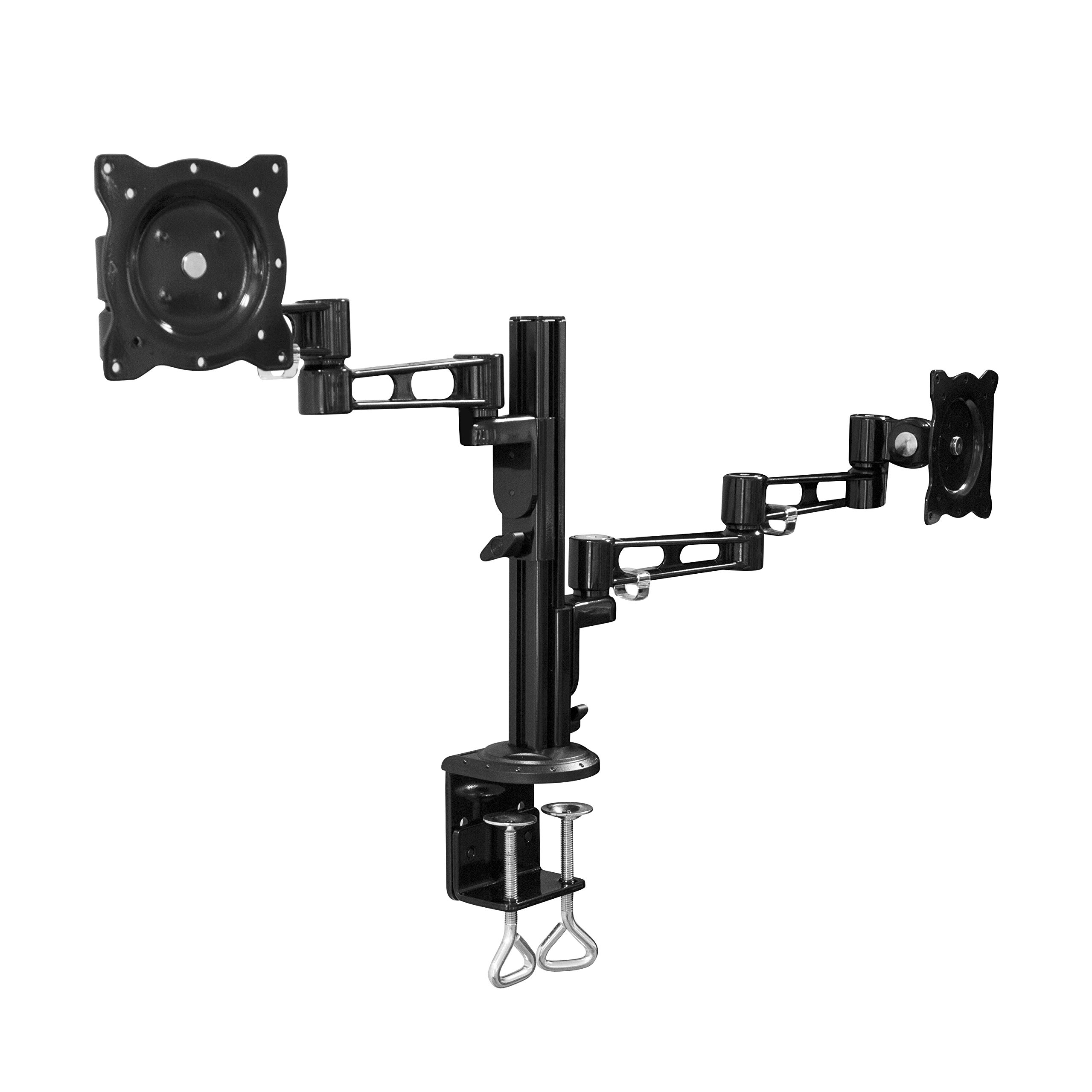
Image: All components of the LogiLink BP0074 Dual Monitor Desk Mount.
Konfigurazio Argibideak
Step 1: Attach Desk Clamp Mahairantz
Jarri mahaia clamp assembly on the edge of your desk. Tighten the clamp screws securely until the mount is stable. Ensure the clamp is flush with the desk surface for maximum stability.
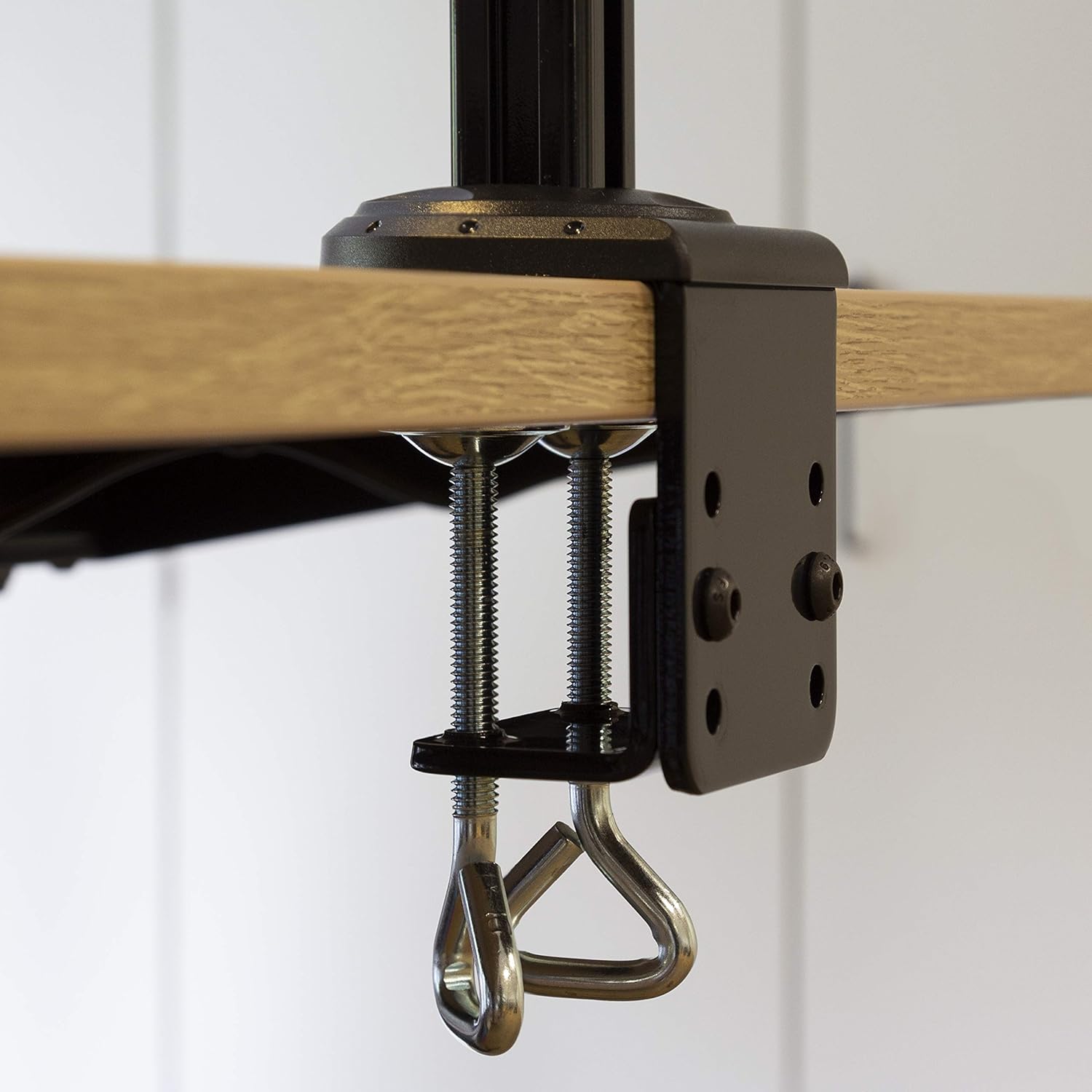
Image: Close-up of the desk clamp mechanism securely attached to a desk.
Step 2: Assemble Monitor Arms
Slide the monitor arms onto the main pole of the desk clamp assembly. Adjust their height to your desired position and secure them using the provided locking mechanisms. Ensure both arms are at a similar height for ergonomic viewing.
3. urratsa: Erantsi VESA plakak monitoreei
Align the VESA monitor plates with the mounting holes on the back of your monitors. Use the appropriate screws, washers, and spacers from the hardware kit to secure the plates to each monitor. Ensure the screws are tightened firmly but do not overtighten.

Image: VESA plate attached to the back of a monitor.
4. urratsa: Monitoreak besoetara muntatu
Carefully slide the monitors (with VESA plates attached) onto the ends of the monitor arms. Secure them in place using the quick-release or locking mechanisms on the arms. Ensure both monitors are firmly attached before releasinhaiek.

Image: Two monitors mounted on the LogiLink BP0074 desk mount.
Funtzionamendu-argibideak
Monitorearen posizioa doitzea
The LogiLink BP0074 mount offers full motion capabilities:
- okertu: Adjust the monitor vertically (up/down) to reduce glare and optimize viewangeluak.
- Birakaria: Rotate the monitor horizontally (left/right) to share your screen or change viewnorabidea.
- Errotazioa: Rotate the monitor 360 degrees to switch between landscape and portrait orientation.
Loosen the adjustment screws slightly with the provided Allen key before making adjustments, then tighten them once the desired position is achieved.

Image: Demonstrating the flexible positioning of monitors on the mount.
Kableen kudeaketa
Utilize the integrated cable management clips on the monitor arms to route and organize your cables. This helps maintain a tidy workspace and prevents cable damage.

Image: Cable management clips on the monitor arm.

Image: Detail of cables routed through the clips for organization.
Mantentzea
Regular maintenance ensures the longevity and safe operation of your monitor mount:
- Garbiketa: Garbitu euskarria zapi leun batekin,amp oihal. Saihestu garbitzaile edo disolbatzaile urratzaileak.
- Egiaztatu estutasuna: Periodically check all screws and bolts, especially the desk clamp and VESA plate attachments, to ensure they remain tight. Retighten if necessary.
- Lubrifikazioa: No lubrication is typically required for this type of mount.
Arazoak konpontzea
Arazoak badituzu, jo ezazu honako arazo eta irtenbide ohikoenei:
| Arazoa | Kausa posiblea | Irtenbidea |
|---|---|---|
| Monitor is unstable or sags | Screws are loose; monitor weight exceeds capacity | Tighten all connection screws. Verify monitor weight is within 6 kg per arm. |
| Difficulty adjusting monitor position | Adjustment screws are too tight | Slightly loosen the relevant adjustment screws with the Allen key. |
| Mount slides on desk | Idazmahaia clamp is not tight enough | Ziurtatu mahaia clamp is fully tightened and flush against the desk surface. |
Zehaztapenak
| Ezaugarri | Xehetasuna |
|---|---|
| Modelo zenbakia | BP0074 |
| Onartutako pantailaren tamaina | 13 - 26 inches (per monitor) |
| Monitore kopurua | 2 |
| Gehienezko Karga Edukiera | 6 kg (13.22 lbs) per arm |
| VESA bateragarritasuna | 75x75mm, 100x100mm |
| Mugimendu barrutia | Full Motion (Tilt, Swivel, Rotation) |
| Materiala | Metala |
| Produktuaren neurriak (LxWxH) | 55.3 x 79.2 x 11.6 cm (overall package/product dimensions) |
| Elementuaren pisua | 4.1 kg |
| Besoaren Luzera | Each 358 mm |

Image: Technical drawing showing key dimensions and VESA patterns.
Bermea eta Laguntza
LogiLink products are designed for reliability and performance. For warranty information or technical support, please refer to the contact details provided with your purchase documentation or visit the official LogiLink webgunea. Gorde erosketaren egiaztagiria bermearen erreklamazioetarako.


