Sarrera
This manual provides essential information for the setup, operation, and maintenance of your OREI Sony UBP-X800M2 Region Free 4K UHD Blu-ray Player. This player is designed for worldwide use, supporting all Blu-ray disc zones (A/B/C) and DVD regions (0-8), with a built-in NTSC↔PAL 4K HD converter. Enjoy stunning 4K UHD visuals, high-resolution audio including Dolby Atmos and DTS:X, and seamless access to streaming services via Wi-Fi or Ethernet.

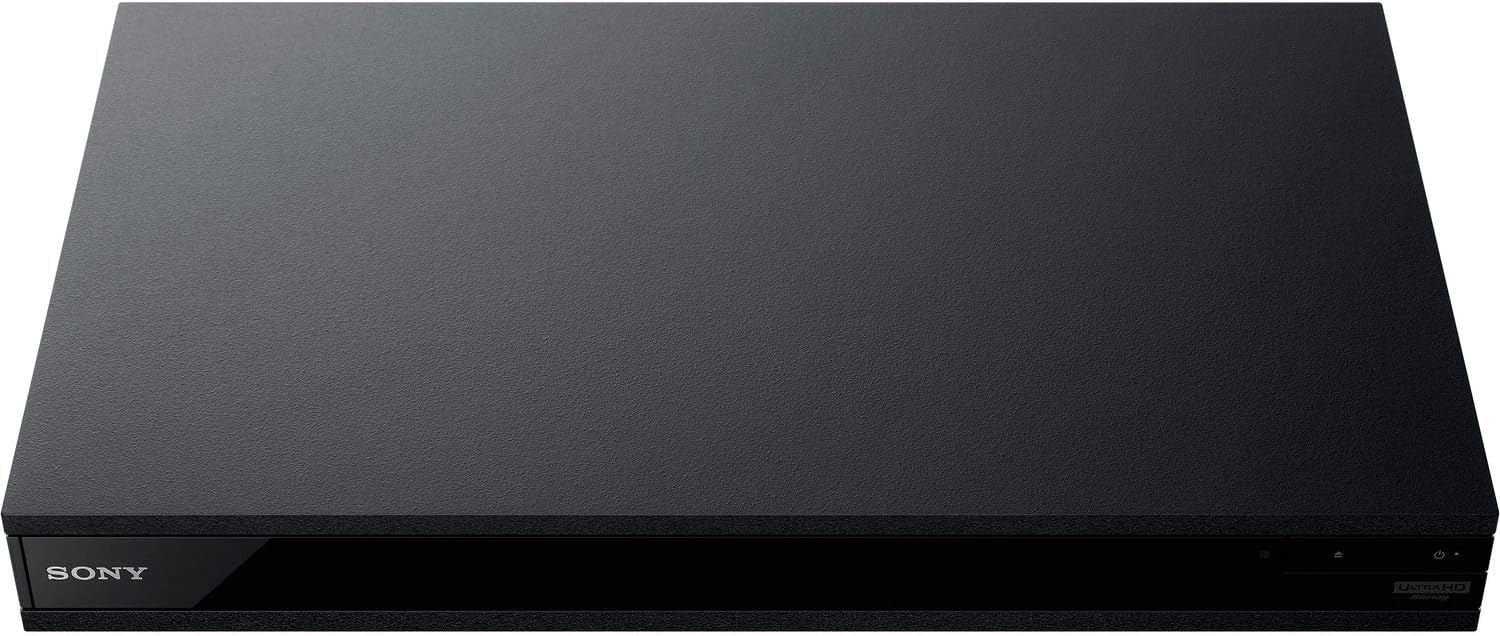
1. irudia: Aurrealdea view of the OREI Sony UBP-X800M2 4K UHD Blu-ray Player.
Konfigurazioa
1. Desontziratzea eta kokatzea
- Kontu handiz kendu osagai guztiak ontzitik.
- Place the player on a stable, level surface with adequate ventilation.
- Ensure no objects block the ventilation openings.
2. Zure telebistara konektatzen
Connect the player to your TV using an HDMI cable for optimal 4K UHD video and audio.
- Konektatu HDMI kablearen mutur bat HDMI OUT Blu-ray erreproduzitzailearen atzealdeko ataka.
- Konektatu HDMI kablearen beste muturra zure telebistako HDMI sarrera batera.
- If using an audio receiver, connect the player's HDMI OUT to the receiver's HDMI IN, then the receiver's HDMI OUT to the TV's HDMI IN.

Figure 2: Rear panel connections, showing HDMI, LAN, and audio outputs.
3. Energia-konexioa
- Connect the AC power cord to the player's power input and then to a suitable electrical outlet.
4. Sare konexioa (aukerakoa)
For streaming services and firmware updates, connect the player to your home network.
- Kable bidezko konexioa: Connect an Ethernet cable from the player's LAN (100) port to your router or modem.
- Haririk gabeko konexioa: Navigate to the network settings in the player's menu to connect to your Wi-Fi network.
5. Region Changing Instructions
This player supports all DVD regions (0-8) automatically. Blu-ray regions (A, B, C) are changed manually using the remote control.
- Turn the player ON eta OPEN THE DISC TRAY.
- Once the tray is completely open, press the corresponding colored button on the remote to select the desired Blu-ray region:
- A eremua: Sakatu BOTOI HORIA urrutiko agintean.
- B zona: Sakatu BOTOI URDINA urrutiko agintean.
- C zona: Sakatu BOTO gorria urrutiko agintean.
- You can now put your disc in the tray and then close the tray.

Figure 3: Remote control with colored buttons for region selection.
Funtzionamendu-argibideak
1. Diskoaren erreprodukzioa
The player supports a wide range of disc formats, including 4K UHD Blu-ray, standard Blu-ray, Blu-ray 3D, DVD, CD, and Super Audio CD (SACD).
- Sakatu IREKI/ITXI erreproduzitzailearen edo urrutiko agintearen botoia diskoaren erretilua irekitzeko.
- Place the disc gently onto the tray with the label side facing up.
- Sakatu IREKI/ITXI botoia berriro erretilua ixteko.
- The player will automatically begin playback or display a disc menu.

4. irudia: Aurrealdea view erreproduzitzailearen disko-erretilua irekita dagoela, diskoa sartzeko prest.
2. Streaming zerbitzuak
Access popular streaming services like Netflix and YouTube directly from the player's home menu.
- Ensure the player is connected to the internet (Wi-Fi or Ethernet).
- From the home screen, select the desired streaming application.
- Log in with your account credentials to begin streaming.
3. USB multimedia erreprodukzioa
Erreproduzitu multimedia files (audio, video, photos) from a USB storage device.
- Insert your USB device into the front USB port.
- Select the USB option from the player's home menu to browse and play your media.
5. irudia: Aurrealdea view of the player with a USB drive inserted into the front port.
Mantentzea
1. Erreproduzitzailea garbitzea
- Garbitu erreproduzitzailearen kanpoaldea zapi leun eta lehor batekin.
- Ez erabili garbitzaile urratzailerik, argizaririk edo disolbatzailerik.
- Ensure ventilation openings remain clear of dust and debris.
2. Diskoen zaintza
- Diskoak ertzetik heldu hatz-markak eta marradurak saihesteko.
- Garbitu diskoak oihal leun eta lihorik gabeko batekin, erdialdetik kanporantz garbituz.
- Gorde diskoak beren zorroetan, eguzki-argitik eta muturreko tenperaturetatik babestuta.
3. Firmware eguneraketak
Firmware updates can be done via the internet to ensure optimal performance and access to the latest features.
- Go to the home menu, then setup menu, and then to Software Update.
- Click on "Update Via Internet". If a new firmware is available, the player will automatically update.
- EZ turn off the player while it is updating.
- EZ perform firmware updates by USB unless instructed by OREI support.
Arazoak konpontzea
Gai arruntak
- Irudi/soinurik ez:
- Check all HDMI and audio cable connections.
- Ensure the TV input is set to the correct HDMI port.
- Verify the player is powered on.
- Disc Does Not Play:
- Ziurtatu diskoa garbi eta marradurarik gabe dagoela.
- Ziurtatu diskoa behar bezala sartuta dagoela (etiketa gora begira).
- For Blu-ray discs, confirm the player's region setting matches the disc's region (refer to "Region Changing Instructions" in the Setup section).
- Open the tray again and leave the disc in the tray. Once fully open, press the color button to select the region. Then close the tray.
- Region Code Error Message:
If you put in a disc before changing regions, you may get an error message indicating the wrong region. The player remembers this message. To remove that error, you need to reset the player.
- Sakatu ETXERA button on the remote with no disc inside to go to the home screen.
- Use arrow buttons on the remote to go to the upper right corner where it says Konfigurazioa eta sakatu SARTU.
- Joan behera Berrezarri on the bottom of the menu.
- Hautatu Berrezarri fabrikako ezarpen lehenetsietara.
- Joan behera eta hautatu EZARPEN GUZTIAK eta sakatu SARTU -> Sakatu Hasi Sartu -> Close SARTU.
- Turn the player off and then on again after 30 seconds.
- Select Language English and then select quick start mode OFF. You may need to activate network settings again.
- If you prefer not to connect the player to the internet, you may press the ETXERA button and go to the home screen. Now start from step 1 under "Region Changing Instructions" to change regions.
Zehaztapenak
| Marka | OREI |
| Ereduaren izena | Sony X800M2 (UBP-X800M2) |
| Produktuaren neurriak | 19 x 14.1 x 3.8 hazbete |
| Elementuaren pisua | 8.82 libra (4000 gramo) |
| Media mota | Blu-Ray Disc, DVD, 4K UHD Blu-ray, Blu-ray 3D, CD, Super Audio CD |
| Ebazpena | 3840x2160 (4K UHD) |
| Konektibitate Teknologia | Ethernet, HDMI, USB, Wi-Fi |
| Konektore mota | HDMI |
| Audio irteera modua | Surround (Dolby Atmos, DTS:X, High-Resolution Audio) |
| Kolorea | Beltza |
| Pilak | 2 AAA bateria behar dira (urrunekorako) |
| Ezaugarri Berezia | Region Free (Blu-ray Zones A/B/C, DVD Regions 0-8), Built-in NTSC↔PAL 4K HD Converter |
Bermea eta Laguntza
Bermearen informazioa
For specific warranty details, please refer to the warranty card included with your product or visit the official OREI webgunea. Gorde erosketa-agiria erosketaren frogagiri gisa.
Bezeroarentzako Arreta
If you encounter any issues or have questions regarding your OREI Sony UBP-X800M2 Blu-ray Player, please contact OREI customer support.
- Lineako laguntza: Bisitatu OREI Store on Amazon Ohiko galderak eta laguntza-baliabideetarako.
- Laguntza Teknikoa: Contact OREI directly for technical support. (Specific contact details not provided in source data, please refer to product packaging or official webgunea).


