1. Sarrera
This manual provides detailed instructions for the installation, operation, and maintenance of your Tonton 3MP Ultra HD Wireless Security Camera System with 8-Channel NVR Recorder. This system is designed for reliable surveillance, offering high-definition video recording and remote access capabilities.
The Tonton NVR supports up to 16 channels and is compatible with 4K, 8MP, 5MP, 4MP, 3MP, 2MP, and 1080P IP cameras. It features H.265 & H.264 compression technology, VGA & HDMI output (up to 4K), and supports various recording modes including full-time, scheduled, and motion detection. Remote viewing is available via a free app on smartphones, as well as software or web browsers on Mac and PC.
2. Paketearen edukia
Mesedez, egiaztatu behean zerrendatutako elementu guztiak zure paketean sartuta daudela:
- 1 x Tonton 8-Channel NVR Recorder (1TB Hard Drive Pre-installed)
- 1 x USB sagua
- 1 x NVRrako elikatze-iturria
- 1 x Erabiltzailearen eskuliburua (dokumentu hau)
Note: Security cameras are sold separately or as part of a complete kit. This NVR is designed to work with Tonton wireless IP cameras.
3. Sistemaren konfigurazioa
3.1 Hasierako NVR konexioa
- Konektatu NVRa: Plug the provided power supply into the NVR's DC12V port and then into a power outlet.
- Konektatu pantaila: Connect a monitor to the NVR using either the HDMI or VGA port.
- Sagua konektatu: Konektatu USB sagua NVR-aren USB ataka batera.
- Network Connection (Optional for initial setup, required for remote viewing): Connect an Ethernet cable from the NVR's NET port to your router for internet access.

Figure 3.1: Rear panel of the NVR with connection ports.
3.2 Camera Pairing (Plug and Play)
The Tonton wireless security camera system is designed for true plug-and-play operation. Cameras automatically connect to the NVR's dedicated WiFi network.
- Kamerak piztu: Connect each wireless camera to its respective power adapter and plug it into a power outlet.
- Konexio automatikoa: The cameras will automatically search for and connect to the NVR's internal WiFi network. Live video feeds should appear on your connected monitor within minutes.
- Wireless Repeater Function: Cameras can act as repeaters, extending the wireless range. They connect to the NVR's WiFi, not your home WiFi.

Figure 3.2: Wireless solution range and connectivity diagram.
3.3 urrunekoa Viewkonfigurazioa
To view your camera feeds remotely, you need to connect the NVR to the internet and configure the mobile application or PC software.
- NVR Internet Connection: Ensure the NVR is connected to your router via an Ethernet cable.
- Deskargatu aplikazioa: Download the free Tonton security app from your smartphone's app store (iOS or Android).
- Gehitu gailua: Open the app, create an account, and follow the on-screen instructions to add your NVR. This typically involves scanning a QR code displayed on the NVR's monitor interface.
- PC/Mac Software: Mahaigainerako viewing, install the dedicated software from the Tonton support webgunea.
4. Funtzionamendu-argibideak
4.1 Grabaketa moduak
The NVR comes with a pre-installed 1TB hard drive for automatic recording. You can configure the recording mode via the NVR's on-screen menu:
- Full-time Recording: Continuous recording 24/7.
- Schedule Time Recording: Ezarri grabazioetarako ordu zehatzak.
- Mugimendua detektatzeko grabazioa: Recording starts only when motion is detected.
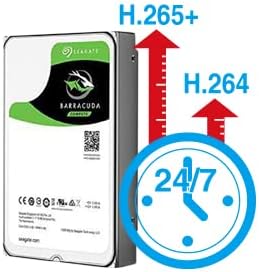
Figure 4.1: H.265+ compression for efficient storage.
4.2 Motion Detection and Email Alerts
The NVR supports motion detection and can send email alerts when motion is detected.
- Configure Motion Detection: Access the NVR's menu to define motion detection zones and sensitivity for each camera.
- Set Up Email Alerts: In the NVR's network settings, configure your email server details to enable email notifications. Any detected motion will trigger an email alert to your specified address.
4.3 Erreprodukzioa eta babeskopia
Berri dezakezuview foo grabatuatage directly from the NVR or remotely via the app/software.
- Tokiko erreprodukzioa: Use the NVR's interface to search for recordings by time or event.
- Urruneko erreprodukzioa: Access recorded videos through the mobile app or PC software.
- USB babeskopia: Connect a USB flash drive to the NVR's USB port to back up important video files.
5. Mantentzea
Mantentze-lan erregularrak zure segurtasun-sistemaren errendimendu optimoa eta iraupena bermatzen ditu.
- Ekipo garbia: Periodically wipe the NVR and camera lenses with a soft, dry cloth. Avoid abrasive cleaners.
- Firmware eguneraketak: Check the Tonton official website for any available firmware updates for your NVR and cameras. Follow instructions carefully for updates.
- Disko gogorraren kudeaketa: The 1TB HDD will overwrite older footage when full. Regularly back up critical recordings.
- Elikatze-horniduraren egiaztapena: Ensure all power adapters are securely connected and free from damage.
6. Arazoak
Atal honek aurki ditzakezun arazo ohikoenei heltzen die.
- Bideo-pantailarik ez:
- Check NVR power connection.
- Verify monitor connection (HDMI/VGA) and input source.
- Ensure cameras are powered on.
- Kamerak konektatzen ez direnak:
- Ensure cameras are within range of the NVR's wireless signal.
- Check camera power.
- If using an extension antenna, ensure it is properly installed.

Figure 6.1: Wireless extension antenna setup.
- Urrunekoa ViewEz du funtzionatzen:
- Confirm NVR is connected to the internet via Ethernet.
- Egiaztatu zure bideratzailearen Interneteko konexioa.
- Ensure the app/software is updated and the NVR is correctly added.
- Grabaketarik ez:
- Verify the 1TB hard drive is detected and functioning.
- Check recording schedule and motion detection settings.
If issues persist, please contact Tonton technical support.
7. Zehaztapenak
| Marka | Tonton |
| Eredua | 8CH NVR Recorder (B082HC5GPC) |
| Konektibitate Teknologia | HDMI, USB, VGA, Wireless |
| Bideo Harrapaketa Ebazpena | Supports up to 4K 8MP/5MP/4MP/3MP/2MP 1080p |
| Ezaugarri Berezia | Haririk gabekoa |
| Kanal kopurua | 8 (NVR supports up to 16 channels) |
| Memoria Biltegiratzeko Ahalmena | 1 TB-ko HDD (aurrez instalatuta) |
| Kolorea | Beltza |
| Energia iturria | Kable elektrikoa |
| Gailu bateragarriak | Cameras, Desktop, Smartphones, Tablets |
| Argi gutxiko teknologia | Gaueko Ikusmena |
| USB portuak guztira | 2 |
| Bideo Sarrera | HDMI, USB, VGA |
| Fabrikatzailea | Tonton security |
| UPC | 740385275593 |
| ASIN | B082HC5GPC |
| Eskuragarri dagoen lehen data | 8ko abenduaren 2019a |
8. Bermea eta Laguntza
Your Tonton Security Camera System comes with a 1 urteko bermea erosketa-datatik aurrera.
For technical assistance, troubleshooting, or warranty claims, please contact Tonton Technical Support. Refer to the contact information provided on the Tonton official webgunea edo zure erosketa-dokumentazioa.


