1. Sarrera
The FreedConn TCOM-SC is a Bluetooth communication system designed for motorcycle helmets. It allows for wireless communication, music streaming, FM radio, and GPS voice instructions, enhancing safety and convenience during rides. This manual provides detailed instructions for installation, operation, and maintenance of your TCOM-SC unit.
2. Produktuaren ezaugarriak
- Bluetooth 3.0 konexioa: For stable wireless connections.
- Interfono funtzioa: Supports pairing of up to 3 riders, with 2 riders communicating simultaneously over a range of up to 800 meters.
- LCD pantaila: Provides clear visual information on status, battery, and FM radio frequency.
- Diseinu iragazgaitza: Errendimendu fidagarria bermatzen du eguraldi-baldintza desberdinetan.
- FM irratia: Built-in FM radio for entertainment.
- Advanced Noise Control: Reduces background noise for clear audio.
- Musika erreprodukzioa: Stereo music streaming with playback control.
- Bateria kargagarria: Long standby time and usage duration.
- Bateragarritasun Unibertsala: Suitable for full-face and flip-up helmets.

Irudia: Gainetikview of FreedConn TCOM-SC product features, including 3-rider connection, 800m duplex intercom, phone connectivity, last number redial, FM radio, advanced noise control, stereo music, playback control, individual volume control, rechargeable battery, waterproof, sunproof, dustproof, and hard & soft microphone options.
3. Paketearen edukia
Mesedez, egiaztatu paketea elementu guztiak daudela ziurtatzeko:
- 1 x Intercom Host
- 1 x Headset (Soft Mic/Hard Mic options)
- 1 x USB kablea
- 1 x 3M Clip
- 1 x Klip
- 1 x bihurkin
- 1 x Erabiltzailearen eskuliburua
- 6 x Headset Velcro Pads

Image: Visual representation of the FreedConn TCOM-SC package contents, including the intercom host, headset with microphone, USB cable, mounting clips, screwdriver, user manual, and headset velcro pads.
4. Produktua amaitu daview eta Osagaiak
Familiarize yourself with the main components of the TCOM-SC unit:
- LCD pantaila: Egoera operatiboa erakusten du.
- Jog Wheel: Multi-function control for volume, track skipping, and menu navigation.
- Funtzio anitzeko botoia: For power, intercom, and phone calls.
- Charger and Headset Socket: For connecting the charging cable and headset.
- Stereo Ear Speakers: Audio irteerarako.
- Zarata kentzeko mikrofonoa: Available in hard cable (boom mic) and soft cable (flexible mic) versions.

Image: Diagram illustrating the components of the FreedConn TCOM-SC headset, including stereo ear speakers, power on/off and intercom button, LCD display screen, jog wheel, multi-function button, charger and headset socket, noise canceling microphone (hard and soft cable options), and slot cable.
5. Instalazioa
Follow these steps to install the TCOM-SC unit on your helmet:
- Aukeratu muntaketa metodoa: Erabaki cl-ren arteanamp mount (for helmets with an edge) or the adhesive mount (for helmets without a suitable edge).
- Erantsi muntaia: Securely attach the chosen mount to the left side of your helmet.
- Insert Intercom Unit: Slide the TCOM-SC unit onto the mount until it clicks into place.
- Bozgorailuak instalatu: Attach the Velcro pads to the inside of your helmet, then place the stereo speakers over the Velcro pads, aligning them with your ears.
- Mikrofonoa instalatu: For full-face helmets, use the soft cable microphone and position it inside the chin bar. For open-face or flip-up helmets, use the hard cable boom microphone and position it in front of your mouth.
- Konektatu entzungailuak: Plug the headset cable into the headset socket on the TCOM-SC unit.
- Ibilbide kableak: Neatly tuck all cables under the helmet padding to avoid obstruction and ensure comfort.
6. Bateria kargatzea
The TCOM-SC unit is powered by a rechargeable battery. Ensure it is fully charged before first use.
- Connect the provided USB cable to the charging port on the TCOM-SC unit.
- Konektatu USB kablearen beste muturra USB elikatze-egokitzaile batera (ez dago barne) edo ordenagailuko USB ataka batera.
- The LCD display will indicate charging status.
- Kargatzeak normalean 2.5 ordu inguru irauten du.
- A full charge provides up to 10 hours of phone calling time, 8 hours of intercom time, and up to 300 hours of standby time.
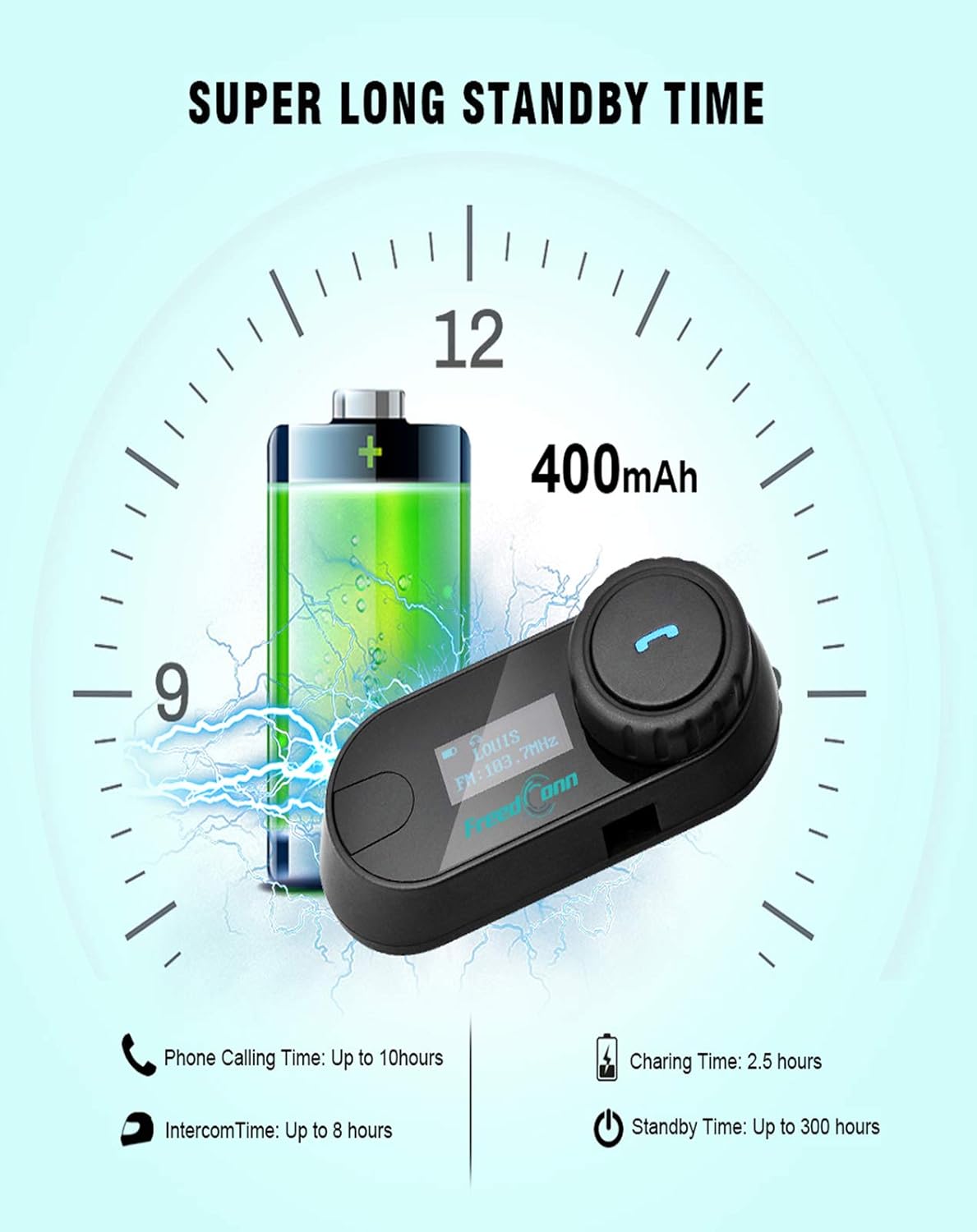
Image: Illustration of FreedConn TCOM-SC battery life and charging details, showing a 400mAh battery, 2.5 hours charging time, up to 10 hours phone calling time, up to 8 hours intercom time, and up to 300 hours standby time.
7. Oinarrizko Eragiketak
7.1 Piztu/Itzali
- Piztu: Press and hold the Multi-function Button for approximately 3 seconds until you hear a voice prompt and the LCD screen illuminates.
- Itzali: Press and hold the Multi-function Button for approximately 5 seconds until you hear a voice prompt and the LCD screen turns off.
7.2 Bolumenaren doikuntza
- Rotate the Jog Wheel forward to increase volume.
- Rotate the Jog Wheel backward to decrease volume.
8. Bluetooth parekatzea
8.1 Telefono mugikorrarekin parekatzea
- Ensure the TCOM-SC unit is powered off.
- Press and hold the Multi-function Button for approximately 5-7 seconds until the LCD screen shows "Pairing" and the indicator light flashes red and blue alternately.
- Zure telefono mugikorrean, gaitu Bluetootha eta bilatu gailuak.
- Select "FreedConn TCOM-SC" from the list of available devices.
- If prompted, enter the PIN code "0000".
- Once paired, the LCD will show "Connected" and the indicator light will flash blue slowly.
8.2 Pairing with Another TCOM-SC Unit (Intercom)
To establish intercom communication between two TCOM-SC units:
- Ensure both TCOM-SC units are powered off.
- On both units, press and hold the Multi-function Button for approximately 5-7 seconds until they enter pairing mode (red and blue indicator lights flashing alternately).
- Briefly press the Multi-function Button on bat of the units. It will search for the other unit.
- Once connected, both units will show "Intercom" on their LCD screens and the indicator lights will flash blue slowly.
For multi-rider intercom (up to 3 units), repeat the pairing process with the third unit, ensuring only two units are actively communicating at any given time.
9. Funtzio eragileak
9.1 Telefono deiak
- Erantzun deia: Briefly press the Multi-function Button.
- Amaitu deia: Briefly press the Multi-function Button.
- Deia baztertu: Eduki sakatuta funtzio anitzeko botoia 2 segundoz.
- Berriz markatu azken zenbakia: Sakatu bi aldiz funtzio anitzeko botoia.
9.2 Musika erreproduzitzea
- Erreproduzitu/Pausatu: Briefly press the Multi-function Button.
- Hurrengo ibilbidea: Rotate the Jog Wheel forward and hold for 2 seconds.
- Aurreko pista: Rotate the Jog Wheel backward and hold for 2 seconds.
9.3 FM Irratia
- Piztu/itzali FMa: Double-press the Multi-function Button to switch between music/intercom and FM radio.
- Eskaneatze estazioak: Rotate the Jog Wheel forward or backward to change stations.
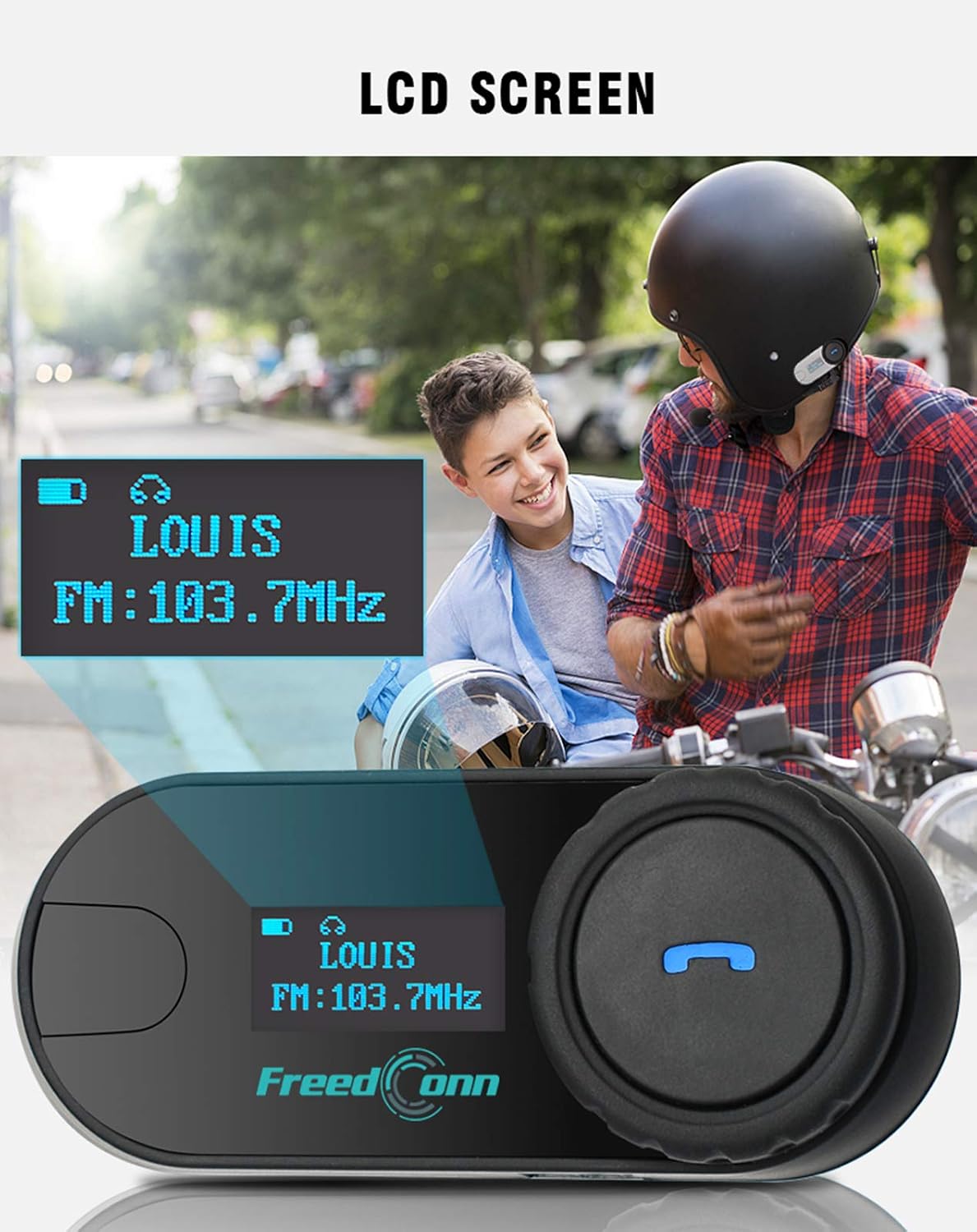
Irudia: Gertuko planoa view of the FreedConn TCOM-SC LCD screen, displaying information such as connected device name (e.g., LOUIS) and FM radio frequency (e.g., FM: 103.7MHz).
10. Mantentzea
- Garbitu unitatea leun batekin, damp oihal. Ez erabili produktu kimiko edo disolbatzaile gogorrak.
- Kargatzen ez duzunean, ziurtatu kargatzeko atakaren estalkia ondo itxita dagoela urarekiko erresistentzia mantentzeko.
- Gorde unitatea leku fresko eta lehor batean erabiltzen ez duzunean.
- Saihestu unitatea muturreko tenperaturen eraginpean jartzea.

Image: The FreedConn TCOM-SC unit shown with water splashing around it, illustrating its waterproof, sun protection, and dust-proof capabilities, highlighting its durable and protective design.
11. Arazoak
- Potentziarik gabe: Ziurtatu bateria kargatuta dagoela. Konektatu kargagailu batera eta saiatu berriro.
- Ezin da parekatu: Make sure both devices are in pairing mode. Turn off and restart both devices, then try pairing again. Ensure no other Bluetooth devices are interfering.
- Soinurik ez: Check volume levels on both the TCOM-SC and the connected device. Ensure the headset is properly plugged into the unit.
- Interfonoaren deskonektatzeak: Ensure units are within the 800m range and there are no major obstructions. Re-establish the intercom connection.
- Audio kalitate eskasa: Check microphone placement. Ensure speakers are correctly positioned over your ears. Reduce background noise if possible.
12. Zehaztapenak
| Modelo zenbakia | TCOM-SC |
| Bluetooth bertsioa | 3.0 |
| Interfono barrutia | Up to 800 meters (2 riders) |
| Bateria Edukiera | 400mAh |
| Phone Calling Time | Gehienez 10 ordu |
| Interfono-ordua | Gehienez 8 ordu |
| Egonean Denbora | Gehienez 300 ordu |
| Kargatzeko Denbora | 2.5 ordu gutxi gorabehera |
| Uraren Erresistentzia Maila | Iragazgaitza |
| Produktuaren neurriak | 1.22 x 0.98 x 3.19 hazbete |
| Elementuaren pisua | 10.2 ontza |
13. Bermea eta Laguntza
For warranty information and technical support, please refer to the official FreedConn webwebgunearekin edo jarri harremanetan zure saltzailearekin. Gorde erosketa-agiria erosketaren frogagiri gisa.


