1. Sarrera
This user manual provides essential information for the safe and efficient use of your Samsung 55-inch 4K UHD Monitor, model QH55R. Please read this manual thoroughly before operating the device and retain it for future reference.
2. Segurtasun informazioa
Monitoreari kalterik ez egiteko eta erabiltzailearen segurtasuna bermatzeko, jarraitu segurtasun neurri hauek:
- Ez jarri monitoreari euriari, hezetasunari edo muturreko tenperaturei.
- Ziurtatu aireztapen egokia monitorearen inguruan, gehiegi berotu ez dadin.
- Erabili monitorearekin batera datozen elikatze-kablea eta egokitzailea soilik.
- Avoid placing heavy objects on the power cord or the monitor itself.
- Ez saiatu monitoreari zeuk irekitzen edo konpontzen. Konponketa guztiak langile kualifikatuei eskatu.
- Mantendu monitoreak eguzki-argitik eta bero-iturrietatik urrun.
3. Paketearen edukia
Egiaztatu elementu guztiak paketean daudela:
- Samsung 55-inch 4K UHD Monitor (QH55R)
- Elikatze-kablea
- HDMI kablea
- Urruneko agintea pilekin
- Euskarriko osagaiak (oinarria eta lepoa)
- Erabiltzailearen eskuliburua (dokumentu hau)
4. Konfigurazioa
4.1. Euskarri instalazioa edo horman muntatzea
Carefully place the monitor face down on a soft, clean surface. Attach the stand neck to the monitor, then secure the stand base to the neck using the provided screws. Alternatively, if wall mounting, follow the instructions provided with your VESA-compatible wall mount (sold separately).
4.2. Konektatzeko kableak
Connect the necessary cables to the monitor's input ports. Ensure all connections are secure before powering on the device.
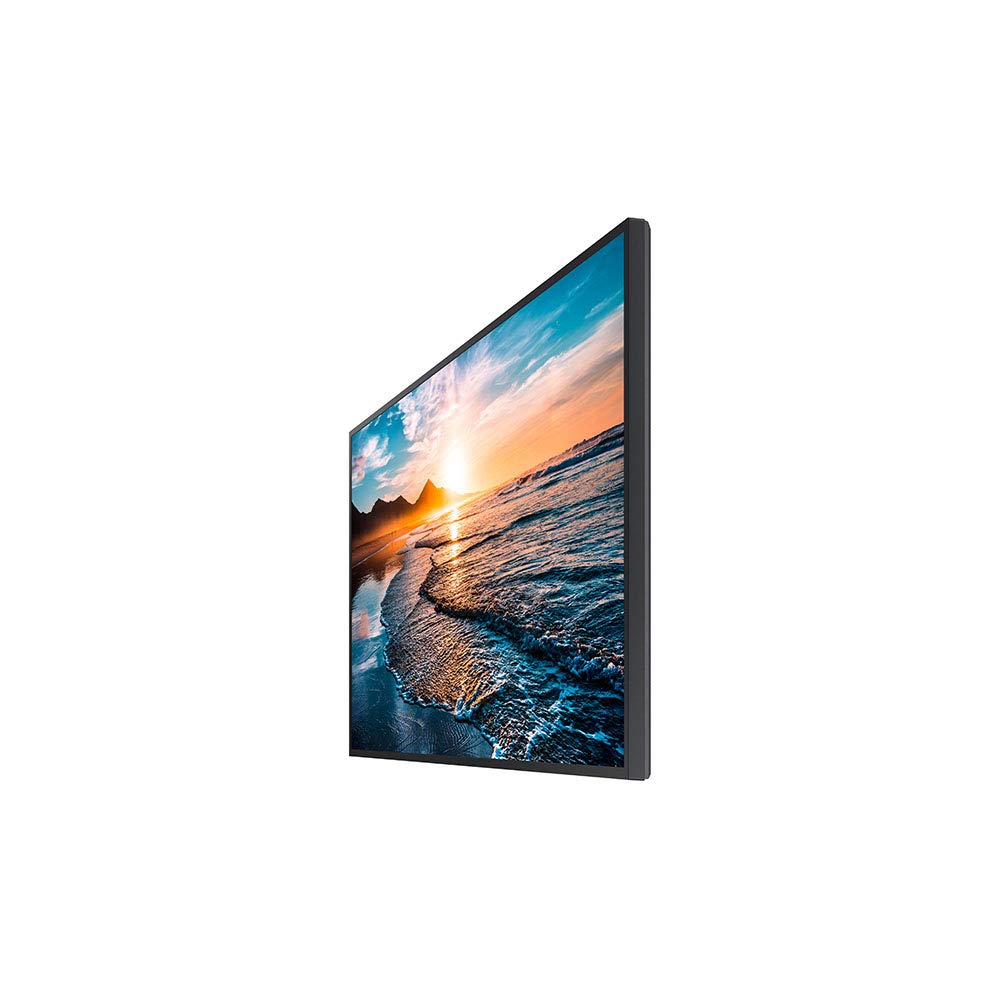
Irudia: Albokoa view of the Samsung QH55R monitor, illustrating the location of various input ports including HDMI and power connections.
- Sare elektrikoa Konektatu elikatze-kablea monitorearen elikatze-sarrerara eta gero hormako entxufe batera.
- HDMI/DisplayPort: Connect an HDMI or DisplayPort cable from your computer or video source to the corresponding input on the monitor.
- USB (if applicable): Konektatu USB gailuak eskuragarri dauden USB ataketara.
4.3. Piztea
Press the power button located on the monitor or use the remote control to turn on the monitor. The power indicator light will illuminate.
5. Funtzionamendu-argibideak
5.1. Oinarrizko Kontrolak
The monitor features several buttons for basic operation, typically located on the rear or bottom right side, or accessible via the remote control:
- Pizteko botoia: Monitorea pizten edo itzaltzen du.
- Menuko botoia: Pantailan bistaratzeko (OSD) menura sartzen da.
- Iturriaren botoia: Switches between available input sources (HDMI1, HDMI2, DisplayPort, etc.).
- Nabigazio botoiak: Used to navigate through menu options and adjust settings.
5.2. Menuen nabigazioa
Press the Menu button to open the OSD. Use the navigation buttons to move through categories such as Picture, Sound, System, and Support. Press the Enter button to select an option and the Back button to return to the previous menu or exit the OSD.
5.3. Sarrera-iturria hautatzea
Press the Source button to cycle through the available input sources. Select the input that corresponds to your connected device (e.g., HDMI 1 for your computer).
5.4. Irudiaren ezarpenak
Within the OSD menu, navigate to the 'Picture' section to adjust display settings:
- Distira: Pantailaren luminantzia orokorra doitzen du.
- Kontrastea: Eremu argitsuen eta ilunen arteko aldea kontrolatzen du.
- Zorrotasuna: Irudiaren ertzen argitasuna hobetzen du.
- Kolorea: Adjusts the color saturation and tone.
- Aspektu-erlazioa: Pantailaren erlazioa hautatzen du (adibidez, 16:9, 4:3).
6. Mantentzea
6.1. Pantaila garbitzea
Pantaila garbitzeko, astiro-astiro zapi leun eta pelusik gabeko batekin garbitu. Orban egoskorrak izanez gero, astiro-astiro garbitu.ampGarbitu zapi bat urarekin edo pantaila-garbitzaile espezializatu batekin. Saihestu produktu kimiko gogorrak, material urratzaileak edo likidoa zuzenean pantailan ihinztatzea.
6.2. Zaintza orokorra
Keep the monitor in a clean, dust-free environment. Avoid placing objects on top of the monitor or blocking its ventilation openings. Disconnect the power cable during electrical storms or when the monitor will be unused for extended periods.
7. Arazoak
If you encounter issues with your monitor, refer to the following table for common problems and solutions:
| Arazoa | Irtenbide posiblea |
|---|---|
| Botererik ez | Ziurtatu elikatze-kablea ondo konektatuta dagoela monitoreari eta funtzionatzen duen entxufe bati. Egiaztatu ea pizteko adierazlearen argia piztuta dagoen. |
| Seinalerik ez | Verify that the video cable (HDMI/DisplayPort) is correctly connected to both the monitor and the source device. Press the Source button on the monitor or remote to select the correct input. Ensure the source device is powered on. |
| Irudiaren kalitate eskasa | Adjust picture settings (brightness, contrast, sharpness) in the OSD menu. Ensure the display resolution on your source device matches the monitor's native resolution (3840x2160). Check for damaged video cables. |
| Urruneko kontrola ez dabil | Egiaztatu eta ordezkatu urrutiko agintearen bateriak. Ziurtatu ez dagoela oztoporik urrutiko agintearen eta monitorearen IR hargailuaren artean. |
8. Zehaztapenak
Key technical specifications for the Samsung QH55R Monitor:
| Ezaugarri | Zehaztapena |
|---|---|
| Marka | Samsung |
| Modelo zenbakia | QH55R |
| Pantailaren tamaina | 55 hazbete |
| Gehienezko pantailaren bereizmena | 3840 x 2160 (4K UHD) |
| Irudien kontraste-ratioa | 4000:1 |
| Elementuaren pisua | 31.9 kilo |
| Produktuaren neurriak (LxWxH) | 56.3 x 32.1 x 13.2 hazbete |
| ASIN | B083SS5B1M |
| UPC | 8806090093098 |
9. Bermea eta Laguntza
Your Samsung QH55R Monitor is covered by a limited warranty. For specific warranty terms and conditions, please refer to the warranty card included with your product or visit the official Samsung website. For technical support, service inquiries, or to download the latest drivers and software, please visit the Samsung support webwebgunean edo jarri harremanetan bere bezeroarentzako zerbitzuarekin.
Samsung laguntza Webgunea: www.samsung.com/us/support/


