Sarrera
Thank you for choosing the Donerton P32 Smartwatch. This manual provides essential information for setting up, operating, maintaining, and troubleshooting your device. Please read it carefully to ensure optimal performance and longevity of your smartwatch.
Kutxan dagoena
- Donerton P32 Smartwatch
- USB kargatzeko kable magnetikoa
- Erabiltzailearen eskuliburua
Konfigurazio Gida
1. Erloju adimenduna kargatzea
Lehenengo aldiz erabili aurretik, kargatu guztiz zure erloju adimenduna. Konektatu kargatzeko kable magnetikoa erlojuaren atzealdeko kargatzeko kontaktuetara eta konektatu USB muturra USB elikatze-egokitzaile estandar batera (ez dago barne) edo ordenagailuko USB ataka batera.
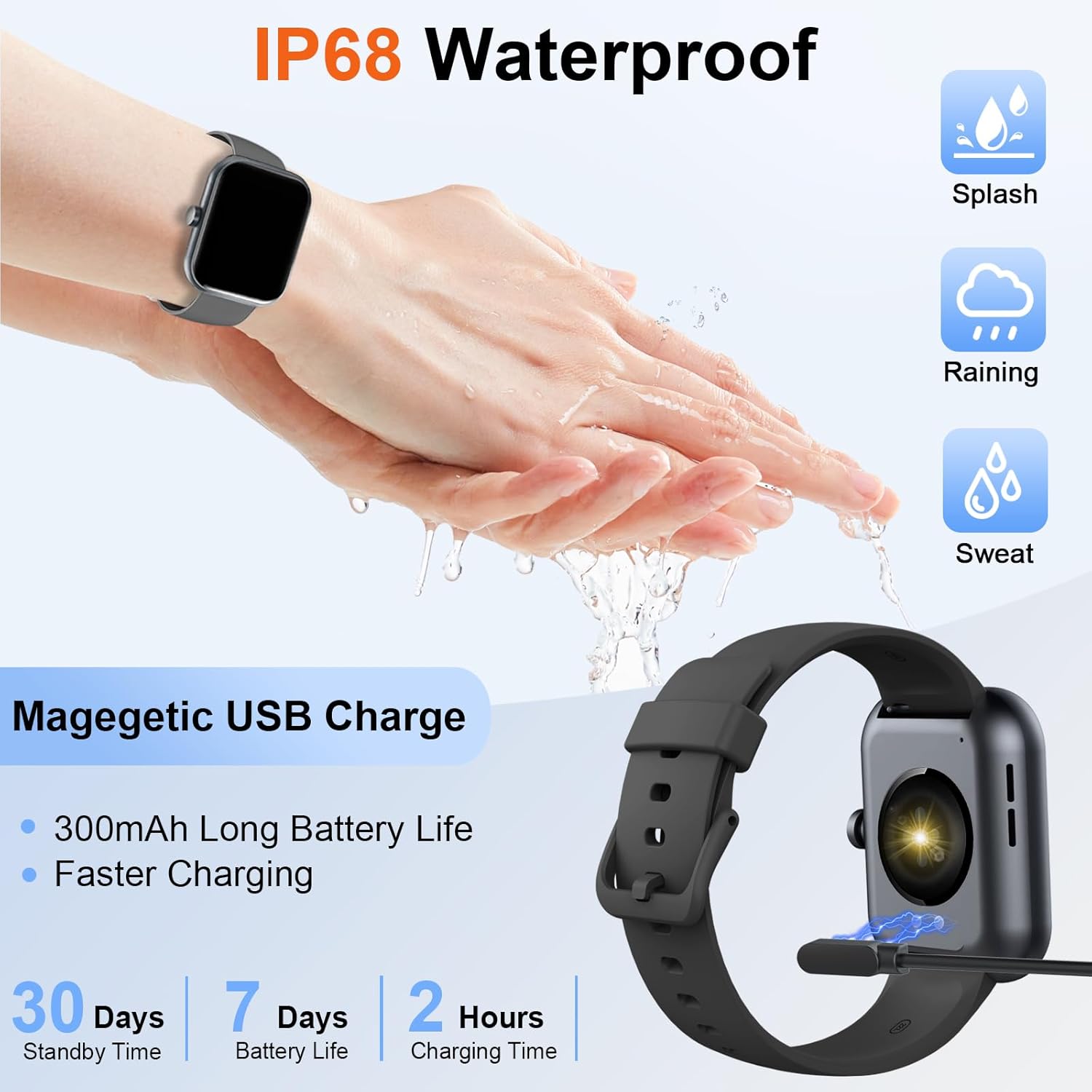
Image: The Donerton P32 Smartwatch connected to its magnetic USB charging cable, illustrating the charging process. Icons for IP68 waterproof rating and battery life are also visible.
A full charge typically takes approximately 1.5 to 2 hours. The battery indicator on the screen will show the charging status.
2. App Installation (Glory Fit)
To unlock all features and synchronize data, download the "Glory Fit" app on your smartphone. You can find it on the App Store (for iOS devices) or Google Play Store (for Android devices).
- Scan the QR code in the manual or on the watch screen (if available) to directly download the app.
- Alternatively, search for "Glory Fit" in your phone's app store.
- Install the app and grant necessary permissions for Bluetooth, notifications, and location services.
3. Gailuaren parekatzea
Ziurtatu zure telefonoaren Bluetooth-a gaituta dagoela.
- Open the "Glory Fit" app on your smartphone.
- Navigate to the "Device" or "Mine" section within the app.
- Tap "Add Device" or "Bind Device" and select your Donerton P32 Smartwatch from the list of available Bluetooth devices. The watch name usually appears as "P32" or similar.
- Berretsi parekatze eskaera bai telefonoan bai erloju adimendunean.
- Behin parekatuta, erlojuak ordua eta datuak zure telefonoarekin sinkronizatuko ditu.
Funtzionamendu-argibideak
Oinarrizko Nabigazioa
- Ukipen-pantaila: Irristatu ezkerrera/eskuinera, gora/behera menuetan eta funtzioetan nabigatzeko. Sakatu hautatzeko.
- Alboko botoia: Press to wake up the screen, return to the previous screen, or go to the main watch face.
- Eskumuturraren zentzua: The screen will illuminate automatically when you raise your wrist.

Image: The Donerton P32 Smartwatch showcasing its main features through a series of icons, including alarm, sedentary reminder, stopwatch, calorie tracking, step counting, multiple sports modes, find phone function, and a full touch screen interface.
Ezaugarri nagusiak
- Activity Tracking (Pedometer, Distance, Calories): The integrated high-performance motion sensor accurately records your steps, distance covered, and calories burned throughout the day. View detailed statistics in the Glory Fit app.
- Bihotz-taupadak: The smartwatch continuously tracks your heart rate in real-time. This data helps you monitor your cardiovascular health and optimize workout intensity.
- Loaren jarraipena: Automatically monitors your sleep duration and quality, distinguishing between light, deep, and REM sleep stages. Access comprehensive sleep analysis in the Glory Fit app to understand your sleep patterns.
- 24 Sport Modes: Select from a variety of sports modes to track specific activities. The watch records relevant data for each mode, such as duration, calories, and heart rate.

Image: A man running outdoors, wearing the Donerton P32 Smartwatch. The image highlights the '100+ Sport Modes Fitness Tracker' feature, displaying activity tracking metrics such as steps, distance, and calories on the watch face and a smartphone screen.
- Mezuen jakinarazpenak: Receive alerts for incoming calls, SMS messages, and notifications from social media apps (Facebook, Messenger, Twitter, WhatsApp, Instagram) directly on your wrist.
- Bluetooth Call and Answer: Make and receive calls directly from your smartwatch when connected to your phone via Bluetooth.

Image: A man interacting with the Donerton P32 Smartwatch to manage a Bluetooth call. The watch screen displays options for dialing, an incoming call, call history, and contacts, demonstrating its call management capabilities.
- Eguraldi Iragarpena: After setting your location in the app, view current and upcoming weather conditions directly on your smartwatch.
- Iratzargailua: Set alarms through the Glory Fit app to wake you up or remind you of important events.
- Musika kontrola: Kontrolatu musika erreprodukzioa zure telefonoan (erreproduzitu, pausatu, abestiak saltatu) zuzenean zure erlojutik.
- Sedentarioaren abisua: The watch can remind you to move if you've been inactive for too long, promoting a healthier lifestyle.
- Kronometroa eta tenporizadorea: Utilize built-in stopwatch and timer functions for various activities.
- Aurkitu telefonoa: If your phone is misplaced, use this feature on your watch to make your phone ring (if within Bluetooth range).
- Kameraren kontrola: Remotely control your smartphone's camera by shaking your wrist while the camera function is active in the app.

Image: The Donerton P32 Smartwatch interface showing a selection of its multifunctional capabilities, including weather forecasts, alarm clock settings, camera remote control, timer, flashlight, and the 'Find Phone' feature.
Mantentzea
Urarekiko erresistentzia (IP68)
The Donerton P32 Smartwatch is IP68 waterproof, meaning it is resistant to daily moisture such as hand washing, bathing, and swimming. It is not necessary to remove it frequently for these activities.
Ohar garrantzitsua: Do not use the smartwatch for diving or in hot water environments like hot springs or saunas, as extreme temperatures and high-pressure water can compromise the seal and cause damage.
Garbiketa
- Wipe the watch screen and strap regularly with a soft, dry cloth.
- Zikinkeria egoskorretarako, erabili apur bat damp zapi eta gero ondo lehortu.
- Avoid using harsh chemicals or abrasive materials, which can damage the finish.
Bateria zaintzea
- Saihestu bateria maiz erabat deskargatzea.
- Charge the watch when the battery level is low.
- Denbora luzez erabiltzen ez baduzu, gorde erlojua leku fresko eta lehor batean.
Arazoak konpontzea
| Arazoa | Irtenbide posiblea |
|---|---|
| Erlojua ez pizten | Ziurtatu erlojua guztiz kargatuta dagoela. Konektatu kargagailura gutxienez 10 minutuz. |
| Ezin da telefonoarekin parekatu | 1. Ziurtatu Bluetooth gaituta dagoela telefonoan. 2. Ziurtatu erlojua Bluetooth-aren eremuan dagoela. 3. Berrabiarazi erlojua eta telefonoa. 4. Clear Bluetooth cache on your phone (if applicable). 5. Ensure the "Glory Fit" app has necessary permissions. |
| Jakinarazpenak ez dira jaso | 1. Check if the watch is successfully paired with the app. 2. Ensure notification permissions are granted to the "Glory Fit" app on your phone. 3. Verify that app notifications are enabled within the "Glory Fit" app settings. 4. Make sure your phone's notification settings allow the app to display alerts. |
| Osasun-datu zehaztugabeak | 1. Ensure the watch is worn snugly on your wrist, about one finger's width from the wrist bone. 2. Keep the sensor clean and free from sweat or dirt. 3. Note that smartwatches are not medical devices and data is for reference only. |
| Bateriaren iraupen laburra | 1. Murriztu pantailaren distira. 2. Limit frequent screen wake-ups. 3. Turn off unnecessary features if not in use. 4. Ensure the watch is fully charged. |
Zehaztapenak
| Ezaugarri | Xehetasuna |
|---|---|
| Marka | Donerton |
| Modelo zenbakia | P32 |
| Pantailaren tamaina | 1.69 inches TFT-LCD |
| Sistema eragilea | Proprietary (Compatible with Android, iOS) |
| Konektibitatea | Bluetooth 5.0 |
| Gailu bateragarriak | Smartphones with iOS 9.0+ / Android 5.0+ |
| Bateria mota | Litio-polimeroa |
| Bateriaren iraupena (erabilera arrunta) | 7 egun arte |
| Egonean Denbora | 30 egun arte |
| Kargatzeko Denbora | Gutxi gorabehera 1.5 - 2 ordu |
| Uraren Erresistentzia | IP68 |
| Aplikazioaren izena | Glory Fit |
Bermea eta Laguntza
For warranty information and customer support, please refer to the documentation provided with your purchase or contact Donerton customer service directly. Details are typically available on the official Donerton webgunea edo zure dendariaren bidez.


