Segurtasun-argibide garrantzitsuak
Please read all instructions carefully before operating the dehumidifier. Keep this manual for future reference. Failure to follow these instructions may result in electric shock, fire, or personal injury.
- Always connect the unit to a grounded electrical outlet.
- Do not operate the dehumidifier if the power cord is damaged.
- Ensure the unit is placed on a level, stable surface to prevent water spillage.
- Do not block the air intake or exhaust vents. Maintain at least 8 inches of clearance around the unit.
- Deskonektatu unitatea garbitu edo mantentze-lanak egin aurretik.
- Tresna hau ez da gaitasun fisiko, sentsorial edo mental murriztua duten edo esperientzia eta ezagutza falta duten pertsonek (haurrak barne) erabiltzeko, baldin eta haien segurtasunaz arduratzen den pertsona batek gailuaren erabilerari buruz gainbegiratu edo jarraibiderik eman ez badu.
Produktua amaituview
The Midea 50-Pint Dehumidifier is designed to remove excess moisture from the air, improving comfort and preventing issues like mold and mildew. This model features a built-in pump for continuous drainage, Wi-Fi connectivity for smart control, and a portable design with 360° wheels.

Irudia: Aurrealdea view of the Midea 50-Pint Dehumidifier, highlighting its sleek design and Smart Home app compatibility.
Ezaugarri nagusiak:
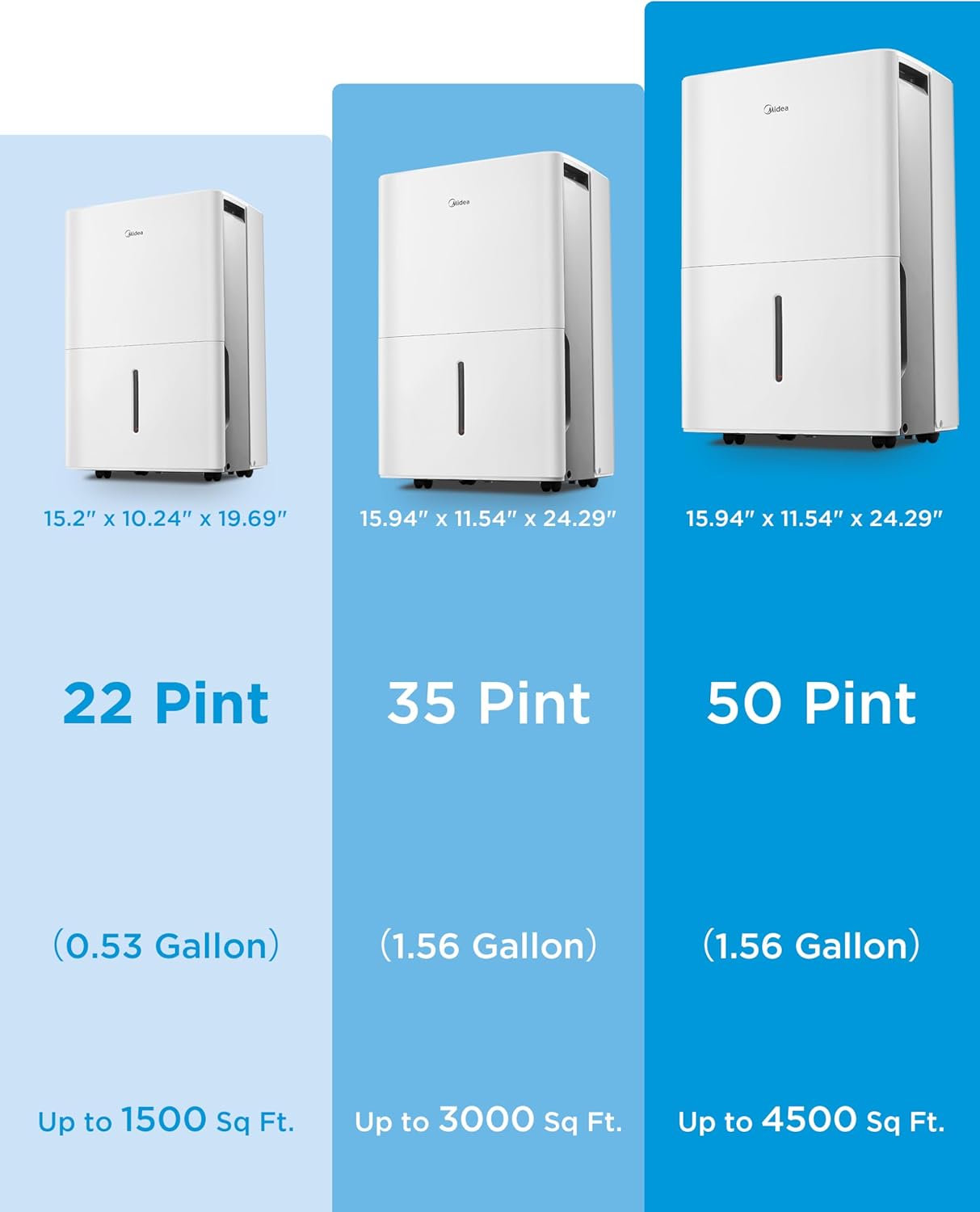
- Edukiera: Eguneko 50 pinta hezetasun kentzen ditu gehienez.
- Estaldura-eremua: Effective for spaces up to 4,500 square feet.
- Barneko ponpa: Allows for continuous vertical or horizontal drainage without manual bucket emptying.
- Kontrol adimenduna: Wi-Fi enabled for control via the SmartHome app (iOS/Android) and voice assistants (Alexa, Google Assistant).
- Energy Star Ziurtagiria: Energia-eraginkortasunerako diseinatua.
- Funtzionamendu isila: Operates at a low noise level of 47 dBA.
- Eramangarritasuna: Equipped with 360° rotatable wheels and durable handles for easy movement.
- Iragazki garbigarria: Reusable air filter for easy maintenance.
Konfigurazioa
1. Deskargatzea
Carefully remove the dehumidifier from its packaging. Inspect the unit for any shipping damage. Retain the packaging materials for future transport or storage.
2. Kokapen
Place the dehumidifier on a firm, level surface in the area where dehumidification is needed. Ensure there is at least 8 inches (20 cm) of space around the unit for proper airflow. Avoid placing the unit near heat sources or in direct sunlight.

Irudia: Adibamples of suitable placement for the dehumidifier in different household environments such as basements, living rooms, laundry areas, and kitchens.
3. Energia-konexioa
Plug the power cord into a grounded 115V/60Hz electrical outlet. Do not use extension cords or adapter plugs.
4. Drainage Options
The dehumidifier offers three drainage methods:
- Ontziaren drainatzea: Water collects in the internal water bucket. The unit will automatically shut off when the bucket is full, and an indicator light will illuminate. Empty the bucket manually.
- Etengabeko drainatze: Connect a standard garden hose (not included) to the continuous drain port on the back of the unit. Ensure the hose is sloped downwards to allow gravity drainage into a floor drain.
- Ponpa-hustuketa: Utilize the built-in pump for automatic water removal. Connect the included pump drain hose to the pump outlet and direct it to a sink, larger drain, or out a window. The pump can drain water vertically or horizontally.
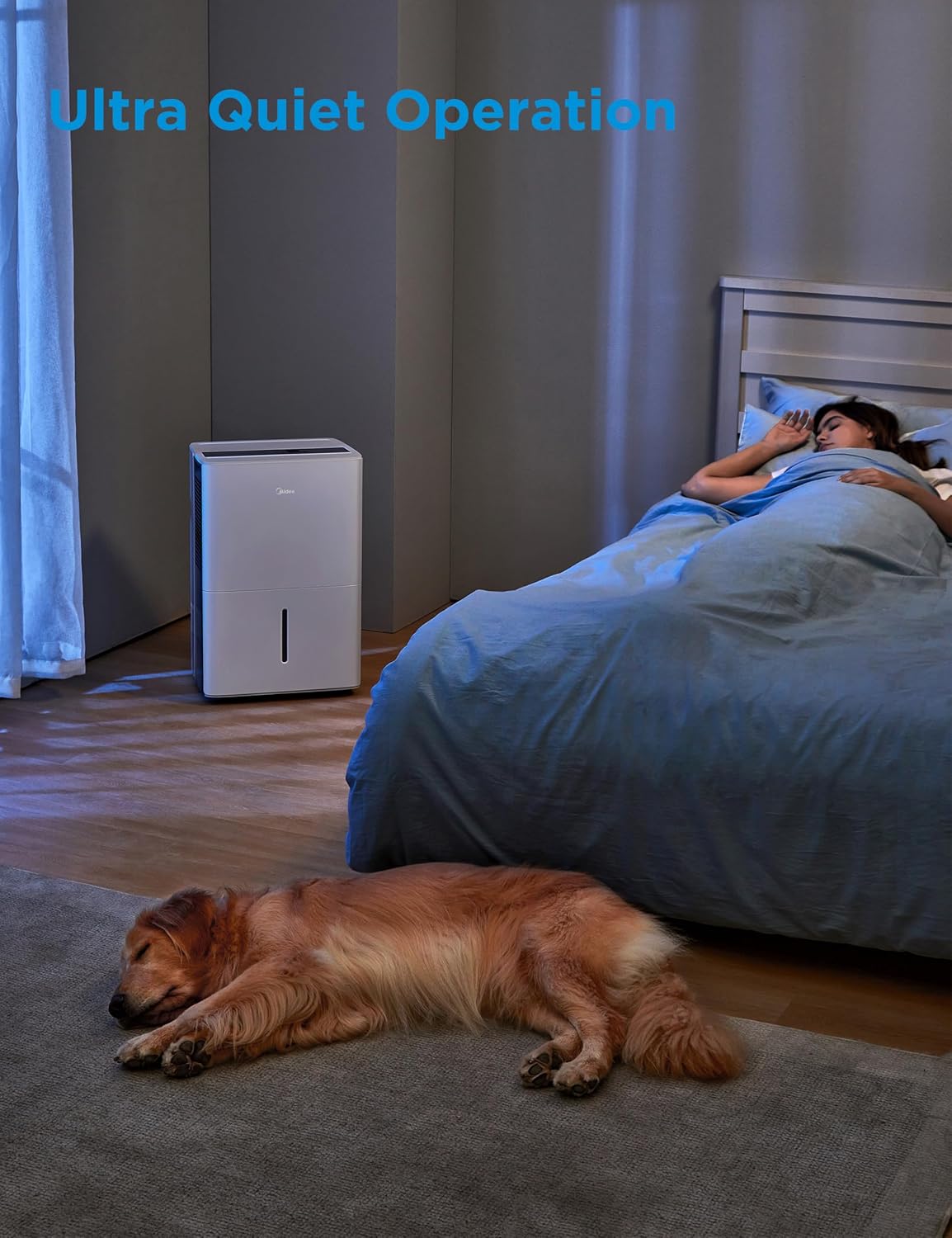
Image: Visual guide to the three drainage methods: manual bucket emptying, continuous gravity drainage via hose, and automatic pump drainage.
Funtzionamendu-argibideak
Kontrol panela
The control panel allows you to manage all functions of the dehumidifier.

Irudia: Xehetasun handikoa view of the dehumidifier's control panel, indicating buttons for various modes and settings.
- Pizteko botoia: Unitatea pizten edo itzaltzen du.
- Hezetasun ezarpen botoiak (+/-): Adjusts the desired humidity level from 35% to 85% relative humidity (RH) in 5% increments.
- Etengabeko modua: The unit will operate continuously regardless of the humidity level until the water bucket is full (if not using continuous drain or pump).
- Erosotasun modua: Optimizes operation for lower noise levels.
- Turbo modua: Activates high-speed fan operation for faster dehumidification.
- Tenporizadorearen botoia: Sets a 24-hour ON/OFF timer.
- Ponpa botoia: Activates or deactivates the built-in pump function.
- Iragazki botoia: Illuminates to remind you to clean the air filter. Press and hold for 3 seconds to reset after cleaning.
Smart Control (Wi-Fi & Voice)
The dehumidifier can be controlled remotely using the Midea SmartHome app or voice commands.
- Deskargatu aplikazioa: Download the Midea SmartHome app from the App Store (iOS) or Google Play Store (Android).
- Parekatzea: Jarraitu aplikazioko argibideei zure deshumidifikatzailea etxeko Wi-Fi sarera konektatzeko.
- Urruneko kontrola: Once paired, you can check humidity levels, set target humidity, change modes, and receive alerts (e.g., full water tank) from anywhere.

Image: Screenshots of the Midea SmartHome app demonstrating how to monitor humidity, adjust settings, and receive notifications.
- Ahots kontrola: The unit is compatible with Amazon Alexa and Google Assistant. Link your Midea SmartHome account to your voice assistant app to enable voice commands.
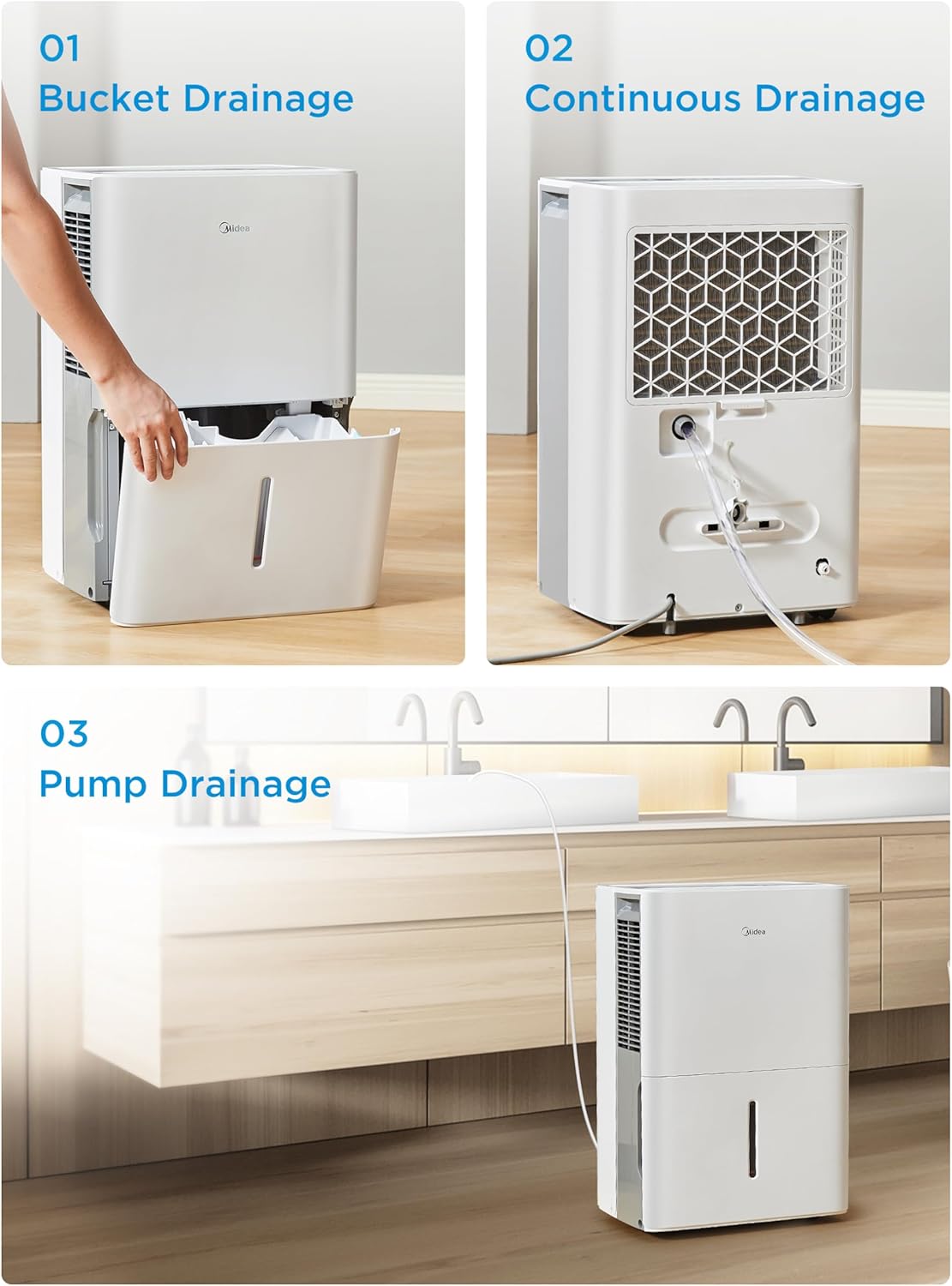
Image: A user demonstrating voice control of the dehumidifier using an Amazon Alexa device.
Mantentzea
Mantentze-lan erregularrak zure deshezegailuaren errendimendu optimoa eta iraupena bermatzen ditu.
1. Aire-iragazkia garbitzea
The washable air filter should be cleaned every two weeks or when the 'Filter' indicator light illuminates.
- Itzali hezetasun-kentzailea eta deskonektatu korronte-hartunetik.
- Kendu iragazkia unitatearen atzealdetik.
- Garbitu iragazkia ur epel eta xaboitsuarekin. Ondo garbitu.
- Utzi iragazkia guztiz lehortzen berriro instalatu aurretik.
- Reinstall the filter and plug in the unit. Press and hold the 'Filter' button for 3 seconds to reset the indicator.
Irudia: Gertuko planoa view of the washable air filter being removed for cleaning.
2. Unitatearen kanpoaldea garbitzea
Garbitu dehezegailuaren kanpoaldea leun batekin, damp cloth. Do not use harsh chemicals, abrasives, or solvents, as these can damage the surface.
3. Water Bucket Cleaning
If using bucket drainage, clean the water bucket periodically to prevent mold and mildew growth. Remove the bucket, wash it with warm, soapy water, rinse, and dry thoroughly before reinserting.
Arazoak konpontzea
If you encounter issues with your dehumidifier, refer to the following common problems and solutions.
| Arazoa | Kausa posiblea | Irtenbidea |
|---|---|---|
| Unitatea ez da pizten | No power; Power cord unplugged; Full water bucket; Temperature too low. | Ensure unit is plugged in; Check circuit breaker; Empty water bucket; Ensure room temperature is above 41°F (5°C). |
| Unit does not dehumidify | Air filter clogged; Humidity setting too high; Room temperature too low; Unit size too small for area. | Clean air filter; Lower desired humidity setting; Ensure room temperature is adequate; Consider a larger capacity unit for the space. |
| Water leaks on floor | Water bucket not properly seated; Unit not level; Continuous drain hose kinked or clogged; Pump hose improperly connected. | Reinsert water bucket correctly; Place unit on a level surface; Check and clear continuous drain hose; Ensure pump hose is securely connected and free of kinks. |
| Unitatea zaratatsua da | Air filter clogged; Unit not on a level surface; Fan obstruction. | Clean air filter; Place unit on a level surface; Check for any obstructions in the fan area. |
| Wi-Fi konexio arazoak | Wi-Fi pasahitz okerra; bideratzailea urrunegi; aplikazioa ez dago eguneratuta. | Verify Wi-Fi password; Move unit closer to router or use a Wi-Fi extender; Update Midea SmartHome app. |
If problems persist after attempting these solutions, please contact Midea customer support.
Zehaztapenak
| Ezaugarri | Xehetasuna |
|---|---|
| Marka | Midea |
| Ereduaren izena | MAD50P1AWS |
| Deshumidifikazio Ahalmena | 50 pinta eguneko |
| Solairuaren Estaldura | Gehienez 4,500 oin karratu |
| Tankaren bolumena | 1.6 litro |
| Produktuaren neurriak (L x W x H) | 12" x 16" x 24" |
| Elementuaren pisua | 43 kilo |
| Kolorea | Zuria |
| Materiala | Plastikoa |
| Abiadura kopurua | 2 |
| Wattage | 515 watt |
| Aire Fluxuaren Ahalmena | 218 oin kubiko minutuko |
| Goiko Tenperaturaren Balorazioa | 96 gradu Fahrenheit |
| Ezaugarri bereziak | Energy Star, Continuous Dehumidification, Easy Move, Washable Filter, Max Mode, Built-in Pump, Wi-Fi Enabled |
| UPC | 810040942518 |

Image: Dimensional drawing of the dehumidifier, indicating its width, depth, and height.
Bermearen informazioa
Midea deshezegailu honek honako hauekin dator: Urtebeteko berme mugatua from the original purchase date, covering parts and labor. Please retain your proof of purchase for warranty claims.
For detailed warranty terms and conditions, refer to the warranty card included with your product or visit the official Midea webgunea.
Bezeroarentzako Arreta
For technical assistance, troubleshooting beyond this manual, or warranty service, please contact Midea Customer Support.
- Webgunea: Bisitatu Midea ofiziala weblaguntza baliabideetarako, maiz egiten diren galderetarako eta harremanetarako informaziorako gunea.
- Telefonoa: Kontsultatu zure produktuaren ontzia edo Midea webzure eskualdeko bezeroarentzako arreta-zerbitzuko telefono-zenbakiaren webgunea.
When contacting support, please have your model number (MAD50P1AWS) and purchase date available.


