1. Sarrera
Thank you for choosing the Vacmaster Orson Lite 24V Max Cordless Vacuum Cleaner. This manual provides essential information for the safe and efficient use, maintenance, and troubleshooting of your new appliance. Please read these instructions carefully before use and retain them for future reference.
Segurtasun-argibide garrantzitsuak
- Always ensure the vacuum is switched off and unplugged before cleaning or performing maintenance.
- Ez erabili xurgagailua ura edo material bustiak biltzeko.
- Mantendu ilea, arropa solteak, behatzak eta gorputzeko atal guztiak irekiguneetatik eta atal mugikorretatik urrun.
- Ez erabili hauts-ontzia eta iragazkiak lekurik gabe.
- Store the vacuum in a dry, indoor area.
2. Paketearen edukia
Carefully unpack your Vacmaster Orson Lite and check that all items are present and in good condition. If any items are missing or damaged, please contact customer support.
- Main Vacuum Unit (with integrated battery)
- Luzapen Makila
- Powered Floor Head
- 2-in-1 zirrikituetarako tresna eta hautsa kentzeko eskuila
- Wall Mount / Charging Dock
- Charging Adapter (UK)
- 2 Washable HEPA 13 Filters
- Erabiltzailearen eskuliburua

Irudia: Gainetikview of the Vacmaster Orson Lite cordless vacuum cleaner and its included accessories, such as the main unit, extension wand, floor head, and various attachments.
3. Muntaketa
Follow these steps to assemble your Vacmaster Orson Lite vacuum cleaner.
- Lotu luzapen-haga: Sartu luzapen-haga xurgagailu-unitate nagusian, ondo finkatu arte klik egin arte.
- Konektatu zoruko burua: Attach the powered floor head to the other end of the extension wand, ensuring it clicks firmly.
- Instalatu hormako muntaia: Choose a suitable location near a power outlet. Secure the wall mount/charging dock to the wall using appropriate screws and anchors (not included). Ensure it is mounted at a height that allows the vacuum to hang freely.

Image: The Vacmaster Orson Lite cordless vacuum cleaner securely stored on its wall-mounted charging dock, ready for use.
4. Bateria kargatzea
The Vacmaster Orson Lite is powered by a 24V Max lithium-ion battery. For optimal performance, fully charge the battery before first use.
- Konektatu kargagailua: Plug the charging adapter into a wall outlet and connect the other end to the charging port on the wall mount or directly to the vacuum unit.
- Karga adierazlea: The LED battery display on the vacuum will show the charging status. It will illuminate progressively as the battery charges and indicate a full charge when all segments are lit.
- Kargatzeko denbora: Karga oso batek normalean 4-5 ordu inguru behar ditu.

Image: Close-up of the Vacmaster Orson Lite's control panel, showing the LED battery display indicating the current charge level.
5. Funtzionamendua
The Vacmaster Orson Lite offers versatile 3-in-1 cleaning for various surfaces.
Power On/Off and Speed Selection
- Sakatu heldulekuan dagoen pizteko botoia xurgagailua pizteko edo itzaltzeko.
- Press the speed selection button to switch between standard and Turbo modes. Turbo mode provides increased suction for stubborn dirt and pet hair, but reduces runtime.
- The LED battery display indicates remaining power during use.
Garbiketa moduak
- Upright Stick Vacuum: For cleaning hard floors and carpets. The powered floor head features LED task lights to illuminate dust and debris.
- Eskuko xurgagailua: Detach the extension wand and floor head to use the main unit as a handheld vacuum for furniture, car interiors, or small spills.
- With 2-in-1 Tool: Attach the crevice tool and dusting brush directly to the main unit or the extension wand for cleaning tight spaces, upholstery, or delicate surfaces.

Image: A user operating the Vacmaster Orson Lite in handheld mode, effectively cleaning stairs with its compact design.
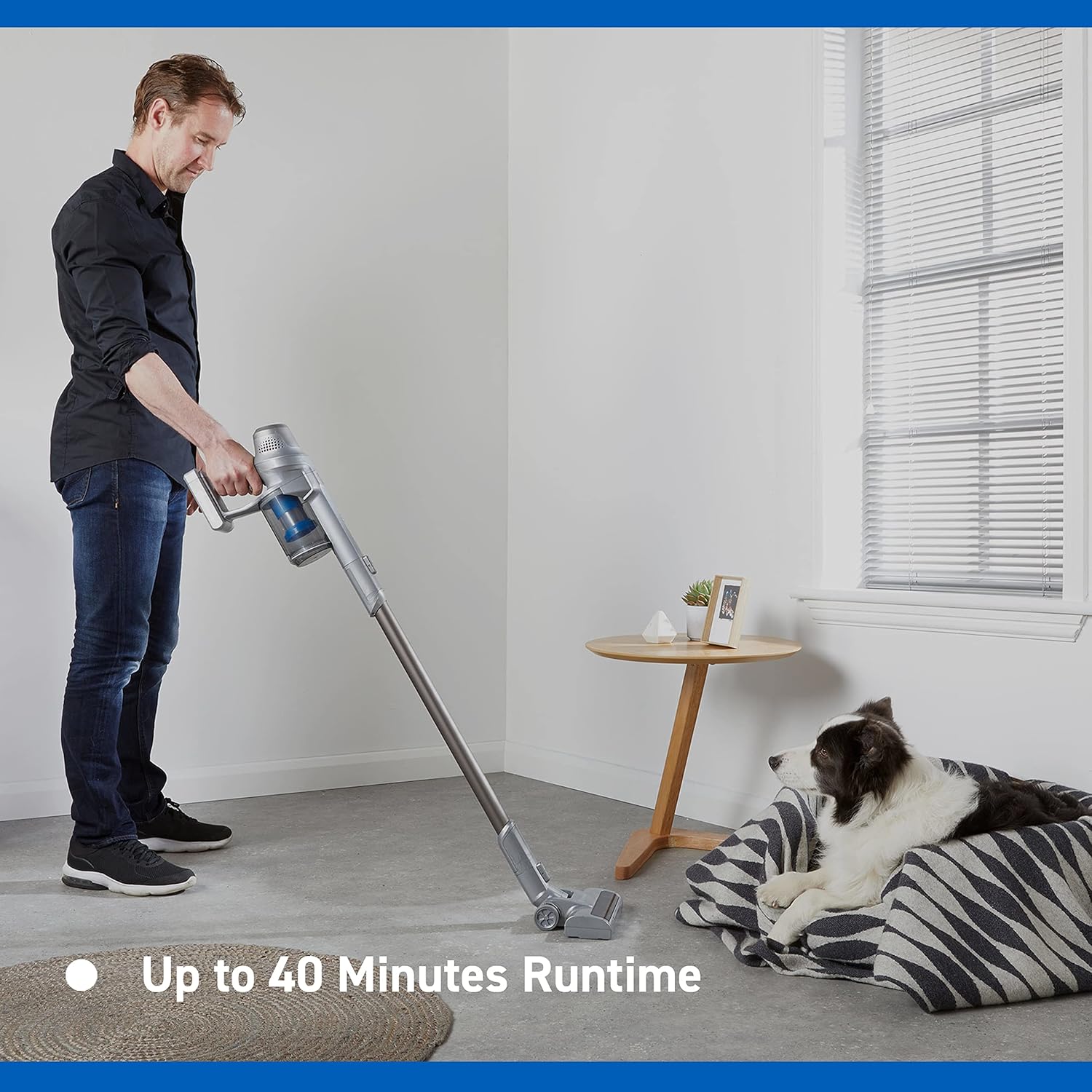
Image: Close-up of the Vacmaster Orson Lite's powered floor head, showcasing its integrated LED task lights illuminating debris on a hard floor.

Image: A man using the lightweight Vacmaster Orson Lite with its extension wand to easily clean dust from a high corner of a room.
6. Mantentzea
Regular maintenance ensures your Vacmaster Orson Lite operates efficiently and prolongs its lifespan.
Hautsontzia hustea
- Ensure the vacuum is switched off.
- Press the dust bin release button to detach the dust bin from the main unit.
- Position the dust bin over a trash receptacle and press the bottom release button to open the flap and empty the contents.
- Close the flap and reattach the dust bin to the main unit until it clicks securely.

Image: A hand demonstrating the easy-to-empty dust bin feature of the Vacmaster Orson Lite, showing debris being released into a trash can.
Iragazkiak garbitzea
The Vacmaster Orson Lite includes 2 washable HEPA 13 filters. Clean them regularly to maintain suction power.
- Kendu hauts-ontzia goian azaldu bezala.
- Biratu eta atera iragazkiaren multzoa hauts-ontzitik.
- Tap the filters gently to remove loose dust. For a deeper clean, rinse the filters under cold running water until the water runs clear.
- Allow the filters to air dry completely for at least 24 hours before reassembling. Do not use a dryer or heat source.
- Reinsert the dry filters into the dust bin and reattach the dust bin to the vacuum.
Eskuila-erroilua garbitzea
Periodically check the brush roll in the powered floor head for tangled hair or debris. Use scissors to cut away any tangled material and remove it by hand.
7. Arazoak
If you encounter issues with your Vacmaster Orson Lite, refer to the following common problems and solutions.
| Arazoa | Kausa posiblea | Irtenbidea |
|---|---|---|
| Hutsa ez da pizten | Bateria agortuta dago Bateria ez dago behar bezala konektatuta | Kargatu bateria guztiz Ziurtatu bateria ondo sartuta dagoela |
| Xurgapena galtzea | Hauts-ontzia beteta dago Iragazkiak beteta daude Blockage in nozzle, wand, or hose | Hustu hauts-ontzia Garbitu edo ordeztu iragazkiak Egiaztatu eta garbitu edozein blokeo |
| Eskuila erroilua ez da bira egiten | Tangled debris Floor head not properly connected | Clean brush roll of hair and debris Ensure floor head is securely attached |
| Iraupen laburra | Bateria ez dago guztiz kargatuta Using Turbo mode excessively Bateria degradatzea | Kargatu bateria guztiz Use standard mode for general cleaning Jarri harremanetan bezeroarentzako arreta-zerbitzuarekin bateriaren iraupena nabarmen murrizten bada |
8. Zehaztapenak
| Ezaugarri | Zehaztapena |
|---|---|
| Marka | Vacmaster |
| Modelo zenbakia | VSE2101EU |
| Produktuaren neurriak (L x W x H) | 23.5 x 22.5 x 116 cm |
| Elementuaren pisua | 2.55 kilogramo |
| Boterea | 450 Watt |
| liburukiatage | 24 Volt |
| Abiadura kopurua | 2 |
| Soinu Maila | 70 dezibelio |
| Exekuzioa | Gehienez 40 minutu |
| Bateria mota | Litio-ioizko 1 (barne) |
| Ezaugarri bereziak | Lightweight, Cordless, Bagless |
| Iragazki mota | Washable HEPA 13 |
| Fabrikatzailea | Cleva |
| Jatorrizko Herrialdea | Txina |
9. Bermea eta Laguntza
Bermearen informazioa
The Vacmaster Orson Lite VSE2101EU comes with a 2 urteko bermea on spare parts, covering defects in materials and workmanship from the date of purchase. This warranty does not cover damage caused by misuse, neglect, accident, or unauthorized modification. Please retain your proof of purchase for warranty claims.
Bezeroarentzako Arreta
For technical assistance, warranty claims, or to order replacement parts, please visit the official Vacmaster webwebgunean edo jarri harremanetan bezeroarentzako arreta-zerbitzuarekin. Harremanetarako informazioa normalean produktuaren ontzian edo markaren ofizialean aurki daiteke. webgunea.


