1. Sarrera
This manual provides detailed instructions for the safe and effective use of your Elecom LBT-TWS05BK True Wireless Bluetooth Earphones. Please read this manual thoroughly before using the product and retain it for future reference.
The Elecom LBT-TWS05BK earphones are designed for stable connectivity, superior comfort, and high usability, delivering rich audio performance. They feature an ergonomic design, advanced communication technology, and convenient smart features.
2. Segurtasun informazioa
Funtzionamendu segurua bermatzeko eta kalteak saihesteko, jarraitu neurri hauek:
- Ez jarri entzungailuak edo kargatzeko zorroa muturreko tenperaturen, hezetasunaren edo likidoen eraginpean.
- Saihestu gailua kolpe gogorrak erortzea edo jasaten.
- Ez saiatu produktua desmuntatzen edo aldatzen. Horrek bermea baliogabetuko du.
- Mantendu haurren eta maskoten eskura.
- Entzun bolumen moderatuan entzumen-kalteak saihesteko.
- Be aware of your surroundings when using the earphones, especially in traffic or dangerous situations.
3. Paketearen edukia
Egiaztatu elementu guztiak zure produktuaren paketean daudela:
- Elecom LBT-TWS05BK True Wireless Bluetooth Earphones (Left and Right)
- Kargatzeko kaxa
- USB Charging Cable (Type-A to Type-C)
- Ear Caps (XS, S, M, L sizes; M size pre-installed)
- Argibide eskuliburua
4. Produktua amaitu daview
Familiarize yourself with the components of your Elecom LBT-TWS05BK earphones.

Irudia: Gertuko planoa view of the Elecom LBT-TWS05BK true wireless earbuds, showcasing their sleek black design and the ELECOM branding.

Image: The Elecom LBT-TWS05BK earbuds placed inside their compact charging case, ready for storage or charging.
The earphones feature a compact design with a 6.0mm diameter external magnetic dynamic driver for clear sound. The charging case is designed for single-handed operation with a push-button lid.
5. Konfigurazioa
5.1. Entzungailuak eta zorroa kargatzea
- Connect the supplied USB Type-A to Type-C cable to the charging case's USB Type-C port and a USB power source.
- The LED indicators on the charging case will show the charging status. Four LEDs indicate a full charge.
- Place the earphones into the charging case. They will begin charging automatically.
- A 15-minute charge provides approximately 1 hour of music playback. A full charge of the earphones allows for about 5 hours of continuous music playback or 4.5 hours of talk time. The charging case can recharge the earphones up to 2.5 times, providing a total of about 17.5 hours of use.
5.2. Hasierako parekatzea
The Elecom LBT-TWS05BK supports auto-pairing and Google Fast Pair for compatible Android devices.

Image: An illustration demonstrating the Google Fast Pair feature, where simply opening the charging case near a compatible smartphone prompts a pairing notification. Also shows the one-push open mechanism of the case.
- Ziurtatu zure telefonoaren Bluetooth-a gaituta dagoela.
- Ireki kargatzeko zorroa. Entzungailuak automatikoki sartuko dira parekatze moduan.
- For Android devices with Google Fast Pair, a notification will appear on your screen. Tap to connect.
- For other devices, go to your device's Bluetooth settings and select "LBT-TWS05BK" from the list of available devices.
- Once paired, the earphones will automatically connect to the last paired device when removed from the case.
5.3. Entzungailuak jartzea
The earphones feature an ergonomic design for optimal fit and stability.
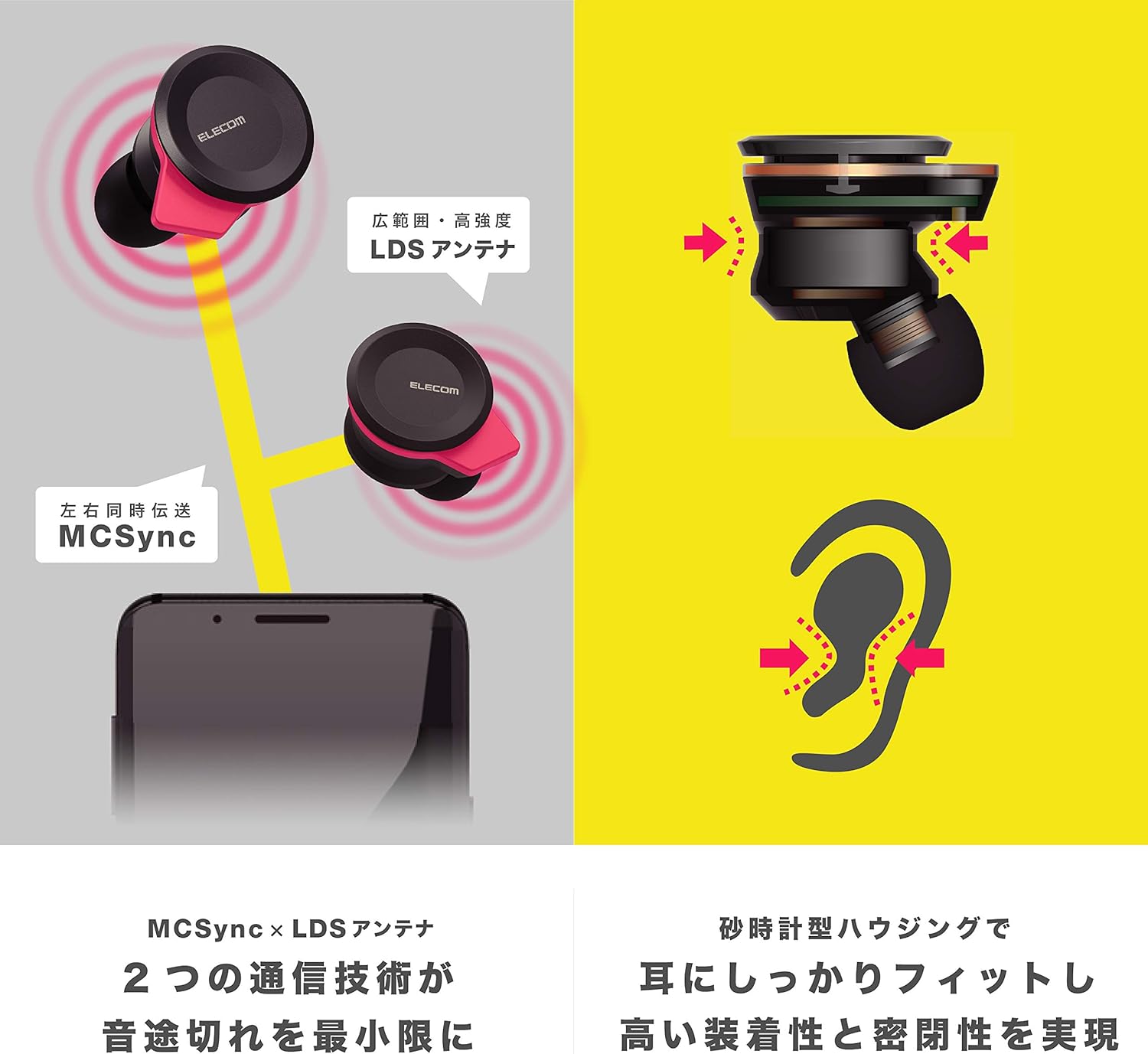
Image: An illustration showing the ergonomic hourglass shape of the earbud designed to fit securely in the ear, alongside a diagram explaining the MCSync and LDS antenna technologies for stable communication.
- Select the ear caps that provide the best seal and comfort from the four included sizes (XS, S, M, L). The M size is pre-installed.
- Sartu astiro-astiro aurikularra belarriko kanalean.
- Adjust the earbud so that the hourglass shape is firmly seated between your ear tragus and anti-tragus for a stable fit.
6. Funtzionamendu-argibideak
The Elecom LBT-TWS05BK earphones offer various functions for audio playback, calls, and smart assistant interaction.
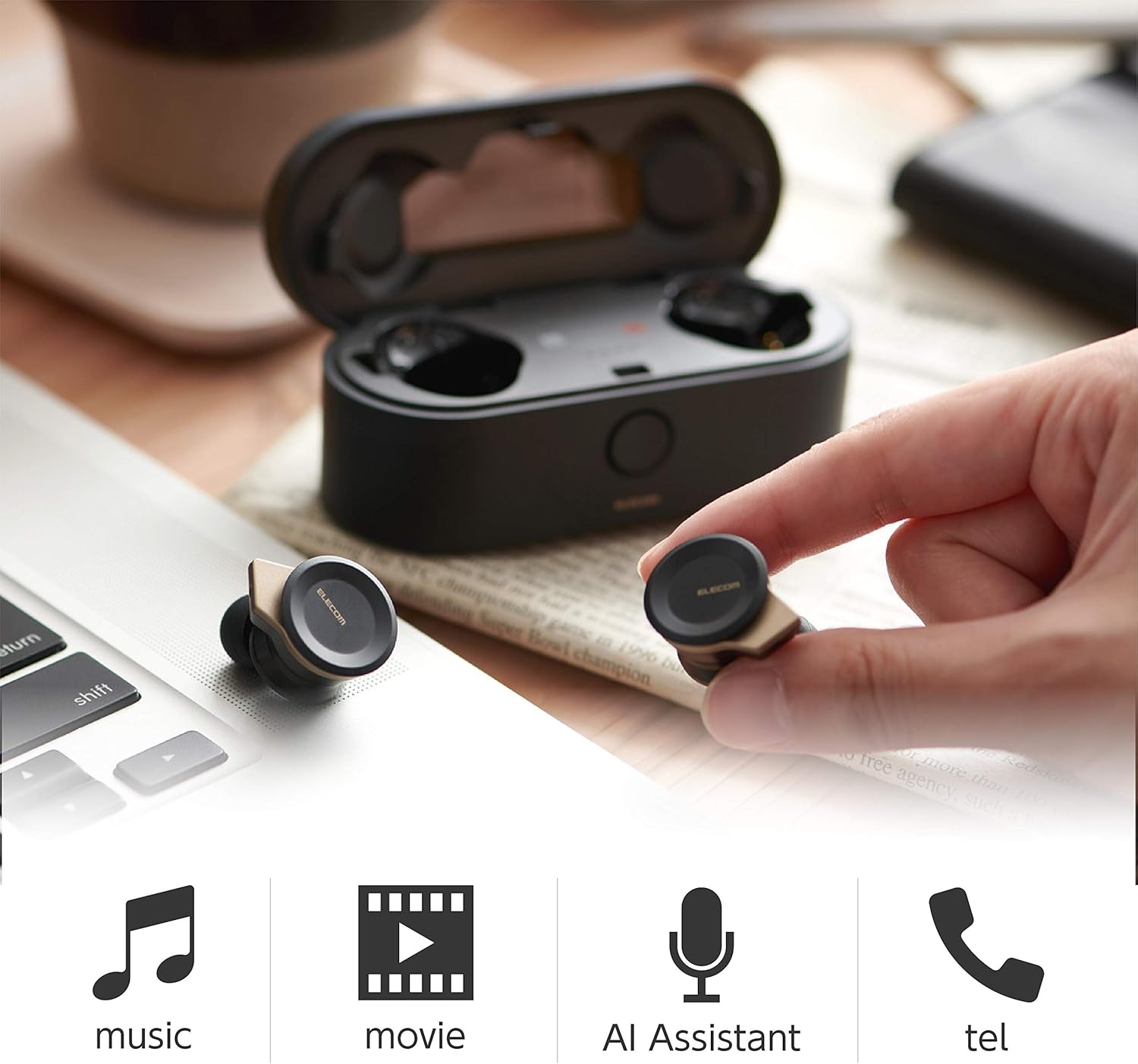
Image: The Elecom LBT-TWS05BK earbuds displayed with icons representing their versatile uses: music playback, movie watching, AI assistant activation, and phone calls.
6.1. Piztu/Itzali
- Piztu: Remove the earphones from the charging case. They will power on automatically.
- Itzali: Jarri entzungailuak berriro kargatzeko zorroan. Automatikoki itzaliko dira.
6.2. Musika erreproduzitzea
Use the buttons on the earphones to control music playback (specific button functions may vary, refer to quick start guide for exact mapping):
- Erreproduzitu/Pausatu: Sakatu behin entzungailuetako edozeinetan.
- Hurrengo ibilbidea: Sakatu bi aldiz eskuineko entzungailuan.
- Aurreko pista: Sakatu bi aldiz ezkerreko entzungailuan.
- Bolumen kontrola: Adjust via your connected device or voice assistant.
6.3. Deien kudeaketa
The right earbud supports calls and voice AI functions.
- Deia erantzun/amaitu: Single press on the right earbud.
- Deia baztertu: Eduki sakatuta eskuineko aurikularra 2 segundoz.
6.4. Voice AI Activation
Compatible with voice AI assistants like Siri and Google Assistant.
- Activate Voice AI: Triple press on the right earbud.
6.5. External Sound Capture Function
This function allows you to hear surrounding sounds while wearing the earphones.
- Aktibatu/Desaktibatu: Eduki sakatuta ezkerreko aurikularra 2 segundoz.
7. Mantentzea
Mantentze egokiak zure entzungailuen iraupena eta errendimendua bermatzen ditu.
- Garbiketa: Erabili zapi leun eta lehor bat entzungailuak eta kargatzeko zorroa garbitzeko. Ez erabili garbitzaile edo disolbatzaile urratzailerik.
- Belarri-tapoiak: Remove and clean ear caps regularly with water and mild soap. Ensure they are completely dry before reattaching.
- Biltegiratzea: Erabiltzen ez dituzunean, gorde entzungailuak kargatzeko zorroan hautsetik eta kalteetatik babesteko.
- Bateria zaintzea: Avoid fully discharging the battery frequently. Charge regularly to maintain battery health.
8. Arazoak
If you encounter issues with your Elecom LBT-TWS05BK earphones, refer to the following common solutions:
- Soinu/Konexio arazorik ez:
- Ensure earphones are charged and powered on.
- Egiaztatu Bluetooth-a gaituta dagoen zure gailuan.
- Saiatu entzungailuak zure gailuarekin berriro parekatzen.
- Ensure earphones are within the 10m transmission distance.
- Entzungailuak ez dira kargatzen:
- Egiaztatu kargatzeko kablea ondo konektatuta dagoela bai kaxara bai elikatze-iturrira.
- Check if the charging case has sufficient battery.
- Ziurtatu entzungailuak kargatzeko zorroan behar bezala sartuta daudela.
- Soinu kalitate eskasa:
- Ensure ear caps provide a good seal in your ear.
- Garbitu entzungailuen toberetatik geratzen den edozein hondakin.
- Hurbildu konektatutako gailura seinalearen indarra hobetzeko.
- Voice AI/Calls Not Working on Left Earbud:
- Note that calls and voice AI functions are only compatible with the right earbud.
9. Zehaztapenak
| Ezaugarri | Zehaztapena |
|---|---|
| Modelo zenbakia | LBT-TWS05BK |
| Komunikazio Metodoa | Bluetooth Standard Version 5.0 |
| Irteera | Bluetooth Power Class 1 |
| Gehienezko Transmisio Distantzia | Gutxi gorabehera. 10m |
| Maiztasun Banda | 2.4 GHz |
| Modulazio Metodoa | FHSS (Frequency Hopping Spread Spectrum) |
| Onartutako Bluetooth Profiles | A2DP, AVRCP, HFP, HSP |
| A2DP Compatible Codec | SBC, AAC |
| A2DP Compatible Content Protection | SCMS-T |
| Maximum Registration Capacity | 8 gailu |
| Multipoint (Simultaneous Standby) | Ez bateragarria |
| Gidari mota | 6.0mm diameter external magnetic dynamic driver (ETEMDriver) |
| Komunikazio Teknologia | MCSync (MultiCast Synchronization), LDS Antenna |
| Mikrofonoa | High-quality MEMS microphone with HDVoice |
| Etengabeko eztabaida-denbora | Gutxi gorabehera. 4.5 ordu |
| Musika etengabe erreproduzitzeko denbora | Gutxi gorabehera. 5 ordu |
| Erreprodukzio-denbora osoa (kargatzeko zorroarekin) | Gutxi gorabehera. 17.5 ordu |
| Kargatzeko ataka | USB C motakoa |
| Karga azkarra | 15 min charge for 1 hour playback |
| Pisua | 61 gramo (paketearen pisu osoa) |
| Materiala | Plastikoa |
| Uraren Erresistentzia Maila | Urarekiko erresistentea |
| Gailu bateragarriak | Smartphones, Tablets, iOS Devices, Android Devices |
10. Bermea eta Laguntza
For warranty information and customer support, please refer to the official ELECOM webwebgunearekin edo jarri harremanetan zure tokiko saltzailearekin. Gorde erosketaren frogagiria bermearen erreklamazioetarako.


