1. Sarrera
Thank you for choosing the alphatronics T-22 SBI+ LED display. This manual provides essential information for the safe and efficient use of your device. Please read it thoroughly before operating the product and keep it for future reference.
The alphatronics T-22 SBI+ is equipped with a Basic-Smart Function, allowing easy internet browsing via an integrated browser and access to a selection of applications. It features a Triple Tuner for versatile reception options.
2. Zer dago kutxan
Mesedez, egiaztatu zure paketearen edukia:
- alphatronics T-22 SBI+ LED Display
- DVB-T Antenna AN5
- Oinarria
- Urruneko kontrola eta osagarriak
- Erabiltzailearen eskuliburua (dokumentu hau)
Elementuren bat falta bada edo hondatuta badago, jarri harremanetan zure saltzailearekin.
3. Ezaugarri nagusiak
- Sintonizatzaile hirukoitza: Integrated DVB-S2, DVB-T2 HD, and DVB-C Tuner for HDTV (MPEG2/4).
- 100% Pixel-Free Display: Ensures a perfect visual experience without pixel defects.
- Bluetooth 4.2: For wireless audio connectivity with compatible devices.
- alphatronics Basic-Smart Function: Enables easy internet browsing and access to selected apps.
- LED-pantaila: High-quality display technology for vibrant images.

Image: The alphatronics T-22 SBI+ display highlighting its Basic-Smart Functionality.
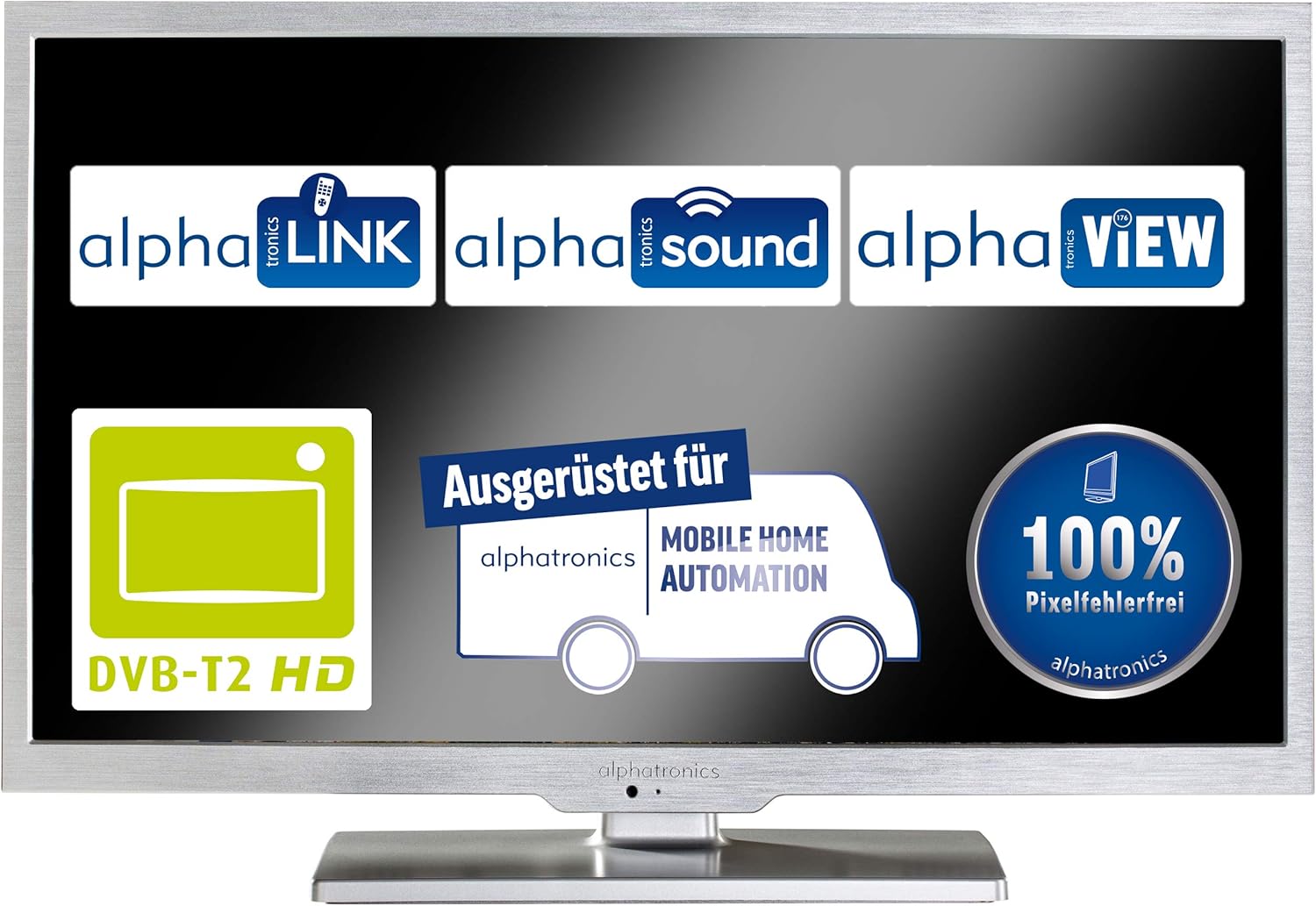
Image: Display showcasing key features such as DVB-T2 HD compatibility and 100% pixel-free guarantee.
4. Konfigurazioa
4.1 Standa muntatzea
- Carefully place the display face down on a soft, clean surface to prevent scratches.
- Attach the stand base to the bottom of the display using the provided screws. Ensure it is securely fastened.
- Gently lift the display and place it on a stable, flat surface.

Image: Dimensions of the alphatronics T-22 SBI+ including the stand, useful for placement.
4.2 Konektatzeko kableak
- Potentzia: Connect the power cable to the display and then to a wall outlet.
- Antena/Satelitea: Connect your DVB-T antenna (AN5 included) or satellite cable to the corresponding input on the display.
- Kanpoko gailuak: Use HDMI, USB, or other available ports to connect external devices such as media players or game consoles.
4.3 First Power On and Initial Setup
- Press the power button on the display or remote control to turn on the device.
- Follow the on-screen prompts to select your language, country, and perform an automatic channel scan for DVB-S2, DVB-T2 HD, or DVB-C.
- Connect to your Wi-Fi network to enable the Basic-Smart Function and access online features.

Image: The alphatronics T-22 SBI+ display, ready for use after setup.
5. Funtzionamendu-argibideak
5.1 Oinarrizko funtzionamendua
- Piztu/Itzali: Use the power button on the remote or display.
- Kanalaren hautaketa: Use the CH+/- buttons or number pad on the remote.
- Bolumen kontrola: Use the VOL+/- buttons on the remote.
- Sarrera iturria: Press the 'Source' or 'Input' button on the remote to switch between TV, HDMI, USB, etc.
5.2 Using the Basic-Smart Function
The integrated Basic-Smart Function allows you to access internet content directly on your display.
- Ensure the display is connected to a stable Wi-Fi network.
- Navigate to the 'Smart' or 'Apps' menu using your remote control.
- Select the integrated browser to surf the internet or choose from the pre-installed applications.
5.3 Bluetooth konexioa
To connect Bluetooth audio devices (e.g., headphones, speakers):
- Joan 'Ezarpenak' menura eta hautatu 'Bluetooth'.
- Enable Bluetooth on the display and put your audio device into pairing mode.
- Select your device from the list of available devices on the display to pair.
6. Mantentzea
6.1 Pantaila garbitzea
- Always unplug the display from the power outlet before cleaning.
- Erabili zapi leun eta lihorik gabeko bat pantaila eta kabina astiro-astiro garbitzeko.
- Marka egoskorretarako, dampen the cloth slightly with water or a specialized screen cleaner. Never spray liquid directly onto the screen.
- Saihestu garbitzaile urratzaileak, argizariak edo disolbatzaileak erabiltzea.
6.2 Arreta orokorra
- Ez blokeatu aireztapen baoak.
- Keep the display away from direct sunlight, heat sources, and excessive moisture.
- Avoid placing heavy objects on top of the display.
7. Arazoak
If you encounter issues with your alphatronics T-22 SBI+, please refer to the following common problems and solutions:
| Arazoa | Kausa posiblea | Irtenbidea |
|---|---|---|
| No power / Display does not turn on | Power cable not connected; Power outlet faulty; Remote control batteries low. | Check power cable connection; Try a different outlet; Replace remote control batteries. |
| Seinalerik ez / Pantaila hutsa | Incorrect input source selected; Antenna/cable not connected; Channel scan not performed. | Press 'Source' button to select correct input; Check antenna/cable connections; Perform a channel scan. |
| No internet connection (Basic-Smart Function) | Wi-Fi not connected; Incorrect Wi-Fi password; Router issue. | Check Wi-Fi settings and password; Restart your Wi-Fi router; Ensure strong Wi-Fi signal. |
| Urruneko kontrola ez dabil | Batteries depleted; Obstruction between remote and display; Remote not paired (if applicable). | Replace batteries; Remove obstructions; Refer to remote control pairing instructions if necessary. |
If the problem persists after trying these solutions, please contact alphatronics customer support.
8. Zehaztapenak
| Ezaugarri | Xehetasuna |
|---|---|
| Ereduaren izena | T-22 Sbi+ |
| Produktuaren neurriak (euskarriarekin) | 50.3 x 34.2 x 15.3 cm |
| Elementuaren pisua | 3.3 kilogramo |
| Pantaila Teknologia | LED |
| Ebazpena | HD |
| Konektibitate Teknologia | Bluetootha |
| Onartutako Interneteko zerbitzuak | Arakatzailea |
| Muntatze Mota | Hormako Muntaia |
| Kolorea | Zilar brotxatua |
| Fabrikatzailea | alfatronika |
| ASIN | B087B76663 |

Image: Dimensions of the alphatronics T-22 SBI+ without the stand, useful for wall mounting.
9. Bermea eta Laguntza
For information regarding warranty coverage, technical support, or service, please refer to the warranty card included with your product or visit the official alphatronics webgunea. Zure saltzailearekin ere harremanetan jar zaitezke laguntza eskatzeko.
alphatronics Official Webgunea: www.alphatronics.de


