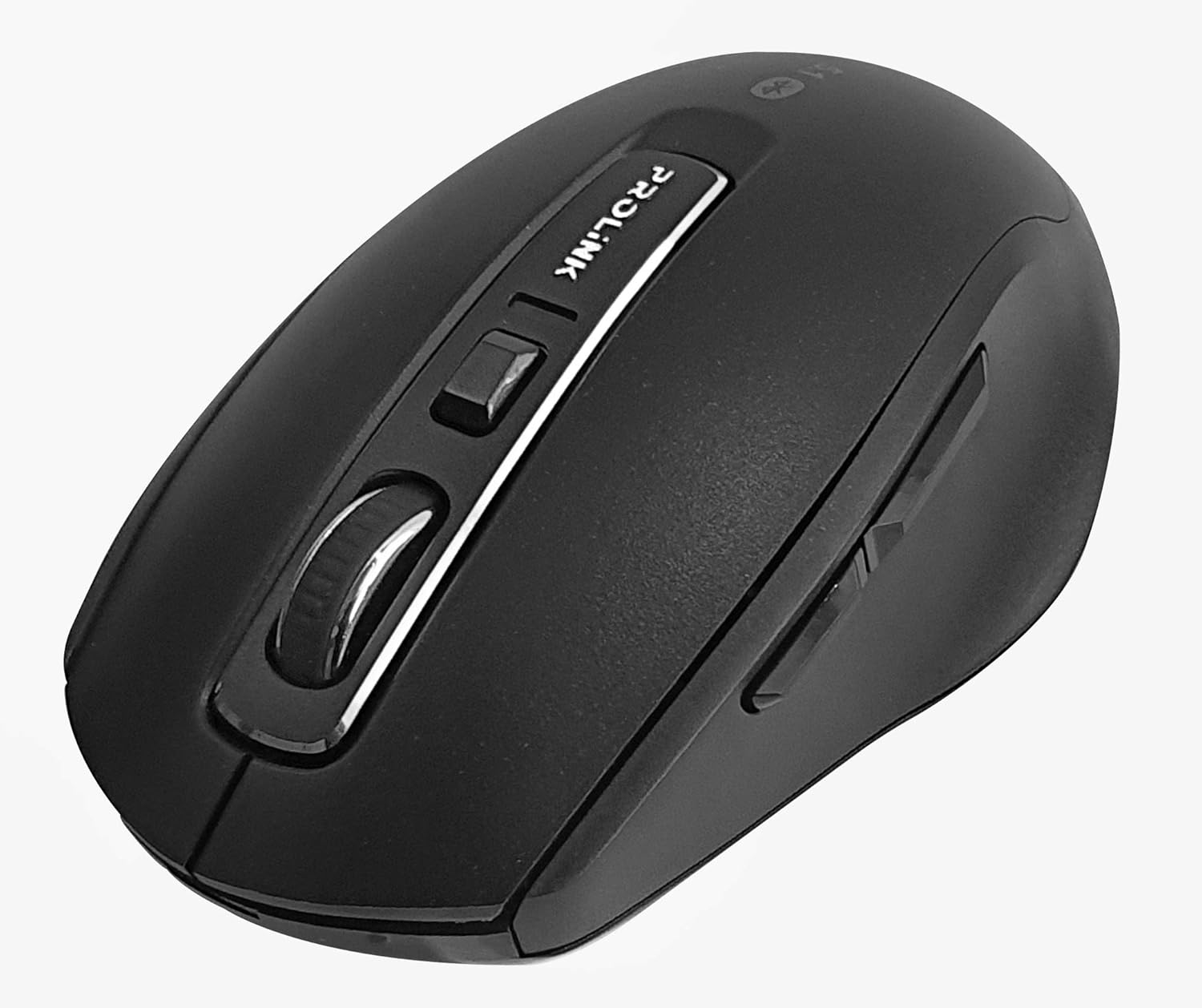
Irudia: Goitik behera view of the Prolink PMB8502 Bluetooth Wireless Optical Mouse.
1. Sarrera eta Overview
The Prolink PMB8502 Bluetooth Mouse is designed for seamless wireless control of your desktop, laptop, or tablet. It features Bluetooth 5.2 connectivity, an ergonomic design, and adjustable DPI settings for personalized comfort and precision. This manual provides detailed instructions for setup, operation, maintenance, and troubleshooting.
Ezaugarri nagusiak:
- Bluetooth 5.2 connectivity (backward compatible with 5.1/5.0/4.2/4.1/4.0)
- Up to 27 months battery life (based on supplied batteries)
- DPI erregulagarria: 800/1200/1600
- 6-button design including back and forward buttons
- Diseinu ergonomikoa erabilera erosoa izateko
- Operating range of up to 10 meters

Image: Prolink PMB8502 mouse highlighting its Bluetooth 5.2, battery life, DPI, and range features.
2. Paketearen edukia
- Prolink PMB8502 Bluetooth Wireless Optical Mouse
- 1 x AA bateria (aurrez instalatuta edo aparte sartuta)
- Erabiltzailearen eskuliburua (dokumentu hau)
3. Konfiguratzeko argibideak
3.1. Bateriaren instalazioa
- Bilatu bateriaren konpartimentuaren estalkia saguaren azpialdean.
- Irristatu edo altxatu estalkia astiro-astiro konpartimentua irekitzeko.
- Sartu AA pila bat, ziurtatu terminal positiboak (+) eta negatiboak (-) konpartimentuaren barruko markekin behar bezala lerrokatuta daudela.
- Jarri bateriaren konpartimentuaren estalkia ondo sartu arte klik egin arte.
3.2. Bluetooth parekatzea
Before pairing, ensure your device (computer, laptop, tablet) has Bluetooth enabled.
- Piztu sagua beheko aldean dagoen pizteko/itzaltzeko etengailua erabiliz.
- Press and hold the Bluetooth 'Connect' button (usually located near the On/Off switch or within the battery compartment) for 3-5 seconds until the LED indicator on the mouse begins to flash, indicating it is in pairing mode.
- Zure gailuan, joan Bluetooth ezarpenetara.
- Bilatu new devices. The mouse should appear as "Prolink PMB8502" or similar.
- Select the mouse from the list to complete the pairing process. The LED indicator on the mouse will stop flashing and remain solid for a few seconds, then turn off, indicating a successful connection.

Irudia: Aurrealdea view of the Prolink PMB8502 mouse, showing its ergonomic shape.
4. Funtzionamendu-argibideak
4.1. Botoiaren funtzioak
- Ezkerreko klik botoia: Hautaketa eta aktibazio estandarra.
- Eskuineko botoiarekin klik egiteko: Testuinguru-menuetara sartzen da.
- Korritzeko gurpila: Dokumentuak korritzen ditu eta web pages vertically. Can also be pressed for middle-click functionality.
- DPI doikuntza botoia: Located below the scroll wheel. Press to cycle through DPI settings (800/1200/1600).
- Aurrera egiteko botoia: Aurrera nabigatzen du web nabigatzaileak edo file esploratzaileak.
- Atzera botoia: Atzeraka nabigatzen du web nabigatzaileak edo file esploratzaileak.

Irudia: Albokoa view of the Prolink PMB8502 mouse, illustrating the placement of the back and forward navigation buttons.
4.2. DPI doikuntza
The mouse offers three DPI (Dots Per Inch) settings: 800, 1200, and 1600. Press the DPI button located below the scroll wheel to switch between these sensitivities. A higher DPI setting results in faster cursor movement across the screen.
4.3. Energiaren kudeaketa
- Piztu/Itzali etengailua: To conserve battery life, turn off the mouse using the switch on its underside when not in use for extended periods.
- Lo modu automatikoa: The mouse automatically enters a sleep mode after more than 10 minutes of inactivity. To wake it up, simply move the mouse or click any button.
5. Mantentzea
5.1. Garbiketa
To clean the mouse, use a soft, dry, lint-free cloth. For stubborn dirt, slightly dampen the cloth with water or a mild cleaning solution. Avoid using harsh chemicals, abrasive cleaners, or spraying liquids directly onto the mouse.
5.2. Bateria ordezkatzea
When the mouse performance degrades or the LED indicator suggests low battery, replace the AA battery following the steps in Section 3.1. Dispose of used batteries responsibly according to local regulations.
6. Arazoak
- Mouse not connecting or erratic movement:
- Ziurtatu sagua piztuta dagoela.
- Egiaztatu bateriaren maila eta ordeztu behar izanez gero.
- Ziurtatu Bluetootha gaituta dagoela zure gailuan.
- Try re-pairing the mouse with your device (refer to Section 3.2).
- Move the mouse closer to your device to rule out range issues.
- Ensure there are no other strong wireless signals interfering with the Bluetooth connection.
- Cursor not moving smoothly:
- Garbitu saguaren azpialdeko sentsore optikoa.
- Erabili sagua gainazal garbi eta islatzailerik gabeko batean.
- Doitu DPI ezarpena zure lehentasunetara egokitzen den mailara.
- Erantzuten ez duten botoiak:
- Egiaztatu bateriaren maila.
- Ensure the mouse is properly connected via Bluetooth.
- Berrabiarazi ordenagailua edo gailua.
7. Zehaztapenak
| Ezaugarri | Xehetasuna |
|---|---|
| Botoiak | 6 |
| Sentsore | Optikoa |
| DPI Ebazpena | 800 / 1200 / 1600 DPI |
| Interfazea | Bluetooth 5.2 (backward compatible with Bluetooth 5.1/5.0/4.2/4.1/4.0) |
| USB txostenaren tasa | 125Hz |
| FPS | 2400 aldiz/seg |
| Funtzionamenduaren hezetasuna | 30%RH - 95%RH |
| Funtzionamendu-tenperatura | -20°C - +60°C |
| Sistema eragilea | Windows 7 / 10 / 11, Mac OS 10.2 above |
| Neurriak (L x W x H) | 108 mm x 66.7 mm x 40.2 mm |
| Pisua | 69.2g (product only) |
| Bateria mota | 1 x AA bateria |

Image: Graphic displaying the technical specifications of the Prolink PMB8502 mouse.
8. Bermea eta Laguntza
The Prolink PMB8502 Bluetooth Wireless Optical Mouse typically comes with a 3 urteko bermea from the date of purchase. Please refer to your purchase receipt or the official Prolink webzure eskualdean aplikagarri diren berme-baldintza espezifikoak ikusteko, jo ezazu webgunera.
For technical support, troubleshooting assistance, or warranty claims, please visit the official Prolink website or contact their customer service department. Contact information can usually be found on the product packaging or the Prolink official webgunea.
Sareko baliabideak:

Image: Prolink PMB8502 mouse with a "3 Year Warranty" label, indicating product assurance.


