Sarrera
This Plugable USB 3.0 and USB-C Universal Laptop Docking Station (Model UD-3900Z) is designed to expand the connectivity of your laptop, providing dual HD HDMI video outputs, wired Gigabit Ethernet, a 3.5mm combination audio jack, two USB 3.0 ports, and four USB 2.0 ports. It includes both USB 3.0 and USB-C cables for flexible host connectivity across various systems.
The docking station supports dual monitors with resolutions up to 1920x1200, including 1080p (1920x1080). It is compatible with Windows 11, 10, 8.x, and 7 systems, macOS 10.14+ (driver required), and ChromeOS 100+. Please note that this dock does not charge the connected computer and does not support HDCP, meaning it will not play back encrypted or copy-protected content.

Image: The Plugable UD-3900Z Universal Laptop Docking Station, showcasing its sleek black design and compact form factor, alongside its included USB-A and USB-C host cables.
Konfigurazio Gida
Follow these steps to set up your Plugable UD-3900Z Docking Station:
- Edukia deskonprimitu: Carefully remove all items from the packaging. Verify that you have the docking station, power adapter, USB 3.0 cable, and USB-C cable.
- Konektatu energia: Connect the included power adapter to the "12V/2A" port on the back of the docking station and then plug it into a wall outlet.
- Konektatu ordenagailu eramangarri nagusira: Use either the provided USB 3.0 cable or USB-C cable to connect the docking station to your laptop's corresponding port.
- Install DisplayLink Driver (macOS and some Windows/ChromeOS systems):
For macOS, a DisplayLink driver must be manually installed for displays to function. For Windows and ChromeOS, drivers typically install automatically via Windows Update or are built-in. If not, manual installation may be required.
- Joan zaitez plugable.com/displaylink.
- Choose the corresponding driver for your operating system.
- Deskargatu eta instalatu kontrolatzailea.
- For macOS only: Navigate to Security & Privacy settings, allow the DisplayLink driver, and ensure "Screen recording permission" is enabled for DisplayLink Manager.
- Konektatu periferikoak: Connect your monitors to the HDMI ports, and other USB devices (keyboard, mouse, flash drives) to the available USB 3.0 and USB 2.0 ports. Connect an Ethernet cable for wired network access.

Image: Contents of the Plugable UD-3900Z package, including the docking station, power cable, USB-C cable, and USB 3.0 cable.
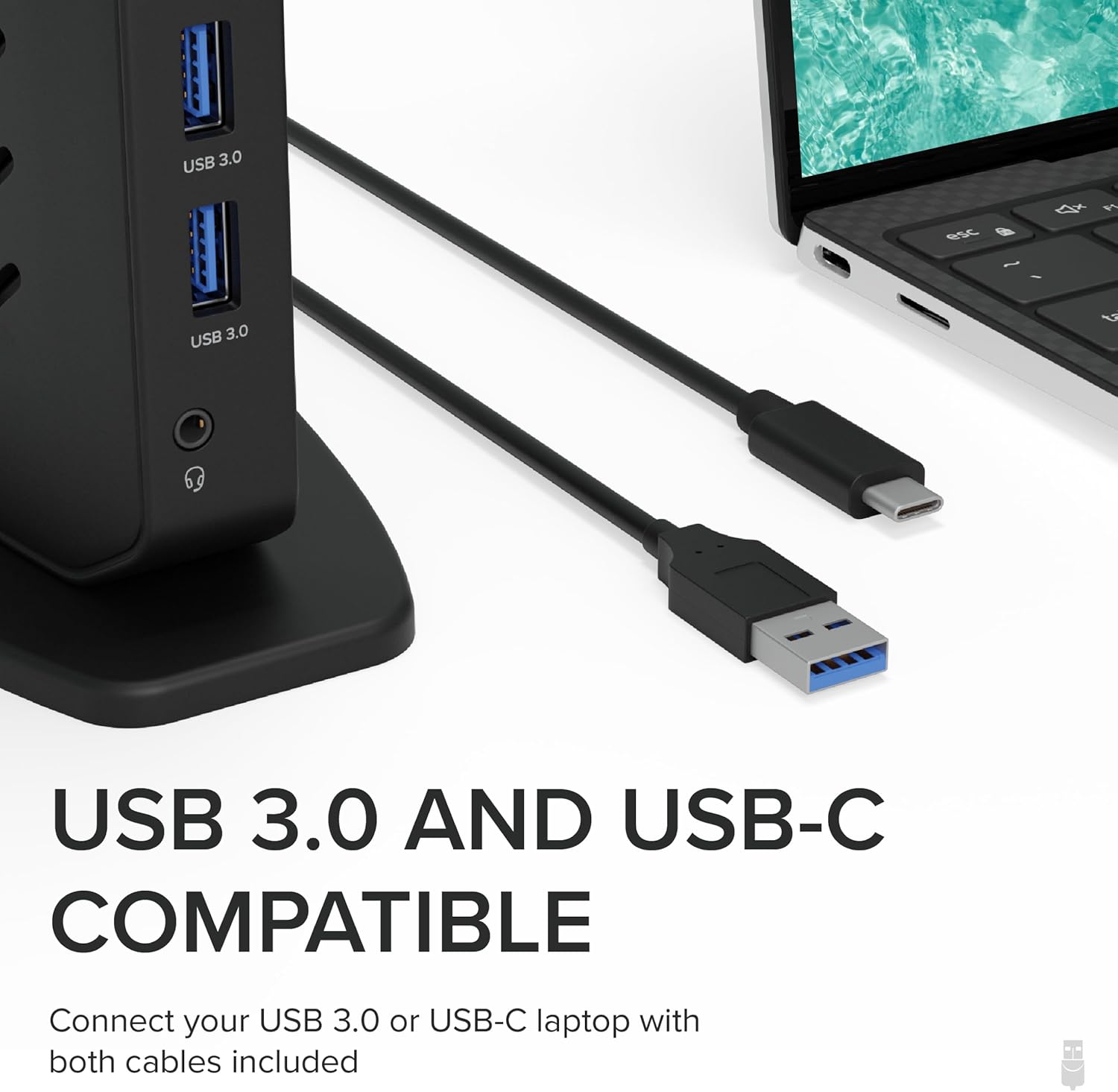
Image: Close-up of the USB 3.0 and USB-C host cables included with the docking station, highlighting their compatibility with various laptop ports.

Image: A visual guide detailing the four steps to download and install the DisplayLink driver, including specific macOS security settings.

Irudia: Xehetasun handikoa view of the Plugable UD-3900Z docking station's ports, including USB 2.0, Ethernet, HDMI 1, HDMI 2, USB 3.0 (host connection), power input, and front-facing USB 3.0 and audio ports.
Funtzionamendu-argibideak
Monitore bikoitzeko konfigurazioa
The docking station allows for easy connection of two external HDMI monitors. Once the DisplayLink driver is installed (if required), your operating system should automatically detect and configure the displays. You can then adjust display settings (resolution, orientation, extended/mirrored mode) through your computer's display settings.
- Connect your primary monitor to HDMI 1 and your secondary monitor to HDMI 2.
- Supported resolutions for dual monitors are up to 1920x1200.

Image: A diagram illustrating the various ports on the Plugable UD-3900Z, including 2x USB 3.0, 4x USB 2.0, Ethernet, 2x HDMI, Audio In/Out, and connections for host and power.
USB konexioa
Utilize the six USB ports (two USB 3.0 on the front, four USB 2.0 on the back) to connect various peripherals such as keyboards, mice, external hard drives, and flash drives. The front USB 3.0 ports are easily accessible for frequently connected devices.
Network and Audio
- Gigabit-Ethernet: Connect an Ethernet cable to the RJ45 port for a stable and fast wired network connection.
- Audio Jack: The 3.5mm combination audio jack on the front supports both headphones and microphones.
Gogoeta garrantzitsuak
- Ez da ordenagailu eramangarria kargatzen: This docking station does not provide power delivery to charge your connected laptop. Your laptop's original power adapter must be used for charging.
- HDCP Not Supported: The docking station does not support HDCP (High-bandwidth Digital Content Protection), which means it cannot be used to play back encrypted or copy-protected content from sources like Blu-ray players or streaming services that require HDCP.
- Bateragarritasuna: The docking station is universally compatible with a wide range of operating systems and devices.

Image: A visual representation clarifying that the docking station does not charge the laptop, indicating that an external power supply is required for the host system.

Image: A chart detailing the compatibility of the docking station with various OS versions (macOS 11+, Windows 10+, ChromeOS 100+) and connection types (USB-A, Thunderbolt, USB-C, USB4), along with examples of compatible laptop models.
Mantentzea
To ensure the longevity and optimal performance of your docking station, consider the following maintenance tips:
- Garbiketa: Erabili oihal leun, lehor eta lihorik gabeko bat kargatzeko estazioaren kanpoaldea garbitzeko. Saihestu garbitzaile urratzaileak, disolbatzaileak edo aerosolak erabiltzea.
- Aireztapena: Ziurtatu kargatzeko estazioa ondo aireztatutako leku batean dagoela gehiegi berotzea saihesteko. Ez blokeatu aireztapen-zirrikituak.
- Biltegiratzea: Denbora luzez erabiltzen ez baduzu, gorde kargatzeko estazioa leku fresko eta lehor batean, eguzki-argitik eta muturreko tenperaturetatik babestuta.
- Kableen kudeaketa: Avoid sharp bends or excessive tension on the cables connected to the docking station to prevent damage.
Arazoak konpontzea
Zure kargatzeko estazioaren arazorik baduzu, jarraitu arazoak konpontzeko ohiko urrats hauek:
- Ez dago pantaila-irteerarik:
- Ziurtatu kargatzeko estazioa piztuta dagoela eta korronte-egokitzailea ondo konektatuta dagoela.
- Verify that the host cable (USB 3.0 or USB-C) is firmly connected to both the docking station and your laptop.
- Check that the HDMI cables are securely connected to both the docking station and your monitors.
- For macOS users, confirm that the DisplayLink driver is installed and that "Screen recording permission" is enabled for DisplayLink Manager in Security & Privacy settings.
- Saiatu zure ordenagailu eramangarria eta kargatzeko estazioa berrabiarazten.
- Ez dira ezagutzen USB gailuak:
- Ensure the USB device is properly inserted into the docking station's USB port.
- Try connecting the USB device to a different USB port on the docking station or directly to your laptop to isolate the issue.
- Verify that the docking station is receiving power.
- Sarearen konexio arazoak:
- Egiaztatu Ethernet kablearen konexioa kargatzeko estazioaren eta zure bideratzailearen/modemen artean.
- Ensure your network drivers are up to date on your laptop.
- Audioak ez du funtzionatzen:
- Verify that your headphones/speakers are correctly plugged into the 3.5mm audio jack.
- Check your computer's sound settings to ensure the correct audio output device (DisplayLink Audio) is selected.
Konponketa zehatzagoetarako, jo ezazu ofizialera Arazoak konpontzeko gida (PDF) provided by Plugable.
Zehaztapenak
| Ezaugarri | Xehetasuna |
|---|---|
| Modelo zenbakia | UD-3900Z |
| Marka | Entxufagarria |
| Produktuaren neurriak | 5.31 x 2.76 x 7.48 hazbete |
| Elementuaren pisua | 11.7 ontza (333 gramo) |
| Kolorea | Beltza |
| Hardware interfazea | USB 3.1 Type A, USB 3.1 Type C, USB Docking Station, USB Type C |
| USB portuak guztira | 6 (2x USB 3.0, 4x USB 2.0) |
| HDMI portuak guztira | 2 |
| Max Ebazpena | 1920x1200 (Dual Monitors) |
| Ethernet | Gigabit Ethernet |
| Audioa | 3.5 mm-ko audio konbinazio jack-a |
| Potentzia Sarrera | 12V/2A (24W) |
| Gailu bateragarriak | macOS (with DisplayLink driver installation) 10.14+, Windows 7/8/8.1/10/11, ChromeOS 100+ |
Bermea eta Laguntza
Every Plugable product, including the UD-3900Z Docking Station, is covered by a Urtebeteko estaldura against defects from the date of purchase.
Plugable also provides Bizitza osorako laguntza for its products. If you have any questions, require assistance with setup, or encounter any issues, you can contact their North American-based support team. For contact information and further details, please visit the official Plugable website or refer to the Quick Start Guide included with your product.


