1. Sarrera
This manual provides essential information for the safe and efficient operation of your Sharp 32Bi3EA Smart Android TV. Please read these instructions thoroughly before using the television and retain them for future reference. This television features Android TV 9.0, Google Assistant with voice control, integrated Chromecast, Bluetooth connectivity, Harman/Kardon speakers, HDR10 support, and DTS Virtual X audio technology.
2. Segurtasun informazioa
Beti jarraitu segurtasun neurri hauek deskarga elektrikoak, suteak edo telebistari kalteak saihesteko:
- Ez jarri telebista euri edo hezetasunpean.
- Ez ireki armairua; Zerbitzu-zerbitzua langile kualifikatuei zuzendu.
- Ziurtatu telebistaren inguruan behar bezala aireztatuta dagoela.
- Avoid placing the television near heat sources or in direct sunlight.
- Use only the power cord supplied with the television.
- Mantendu bateriak haurren eskura.
3. Zer dago kutxan
Verify that all the following items are included with your Sharp 32Bi3EA Smart Android TV:
- Sharp 32Bi3EA Smart Android TV Unit
- Pedestal Stand (2 pieces)
- Urruneko Kontrola
- AAA bateriak (2x)
- Argibide eskuliburua (dokumentu hau)
- Elikatze kablea
4. Konfigurazioa
4.1. Instalazio fisikoa
Your television can be installed using the included pedestal stand or mounted on a wall (wall mount not included).
Attaching the Pedestal Stand
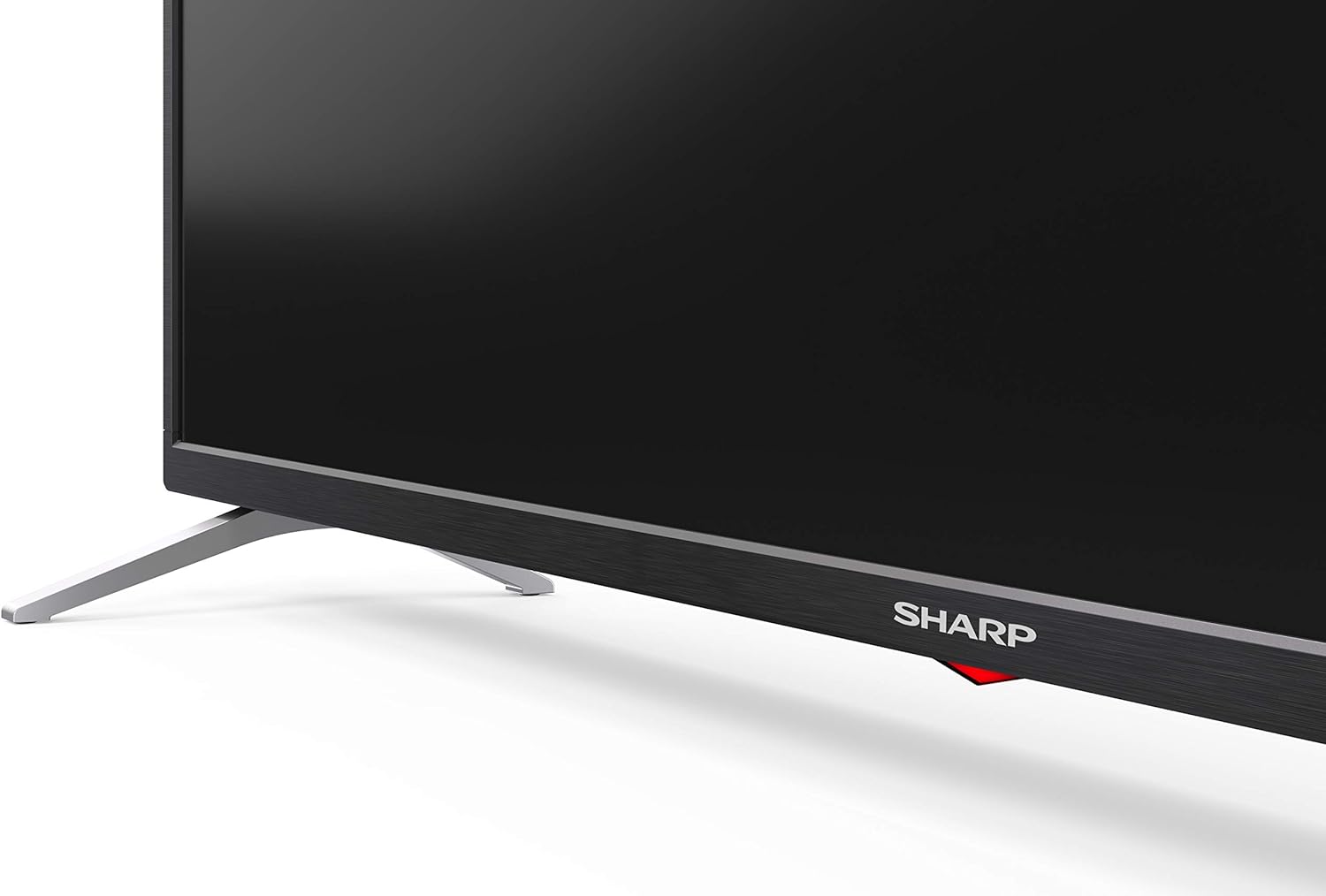
Carefully place the TV screen-down on a soft, flat surface. Align the pedestal stands with the screw holes on the bottom of the TV and secure them using the provided screws. Ensure the stands are firmly attached before placing the TV upright.

Irudia: Albokoa view of the Sharp 32Bi3EA TV, illustrating the slim profile and the attached pedestal stand.
Horman Muntatzea
If you choose to wall mount the television, use a VESA compatible bracket with dimensions of 200x100 mm. Consult a professional for wall mounting to ensure proper installation and safety.
4.2. Gailuak konektatzea
Connect your external devices to the appropriate ports on the back or side of the television.
Irudia: Atzealdea view of the Sharp 32Bi3EA TV, highlighting the Ethernet, Optical, HDMI, USB, and AV input ports.
- HDMI atakak (3x): Konektatu Blu-ray erreproduzitzaileak, joko kontsolak edo set-top kutxak.
- USB atakak (2x): Konektatu USB biltegiratze gailuak multimedia erreproduzitzeko edo software eguneratzeko.
- Ethernet ataka: Interneteko kable bidezko konexio baterako.
- Audio Irteera Digital Optikoa: Kanpoko audio-sistema batera konektatzeko.
- AV sarrera: Bideo konposatua eta audio estereoa erabiltzen dituzten gailu zaharretarako.
4.3. Hasierako piztea eta Android TV konfigurazioa
After connecting the power cord and turning on the TV, follow the on-screen instructions to complete the initial setup. This includes selecting your language, connecting to a Wi-Fi network, and logging into your Google account to activate Android TV features like Google Assistant and Chromecast.
5. Telebistaren funtzionamendua
5.1. Urruneko kontrola
The included remote control allows you to navigate the Android TV interface, adjust settings, and use Google Assistant voice commands. Insert the two AAA batteries into the remote control, ensuring correct polarity.
- Pizteko botoia: Telebista pizten edo itzaltzen du.
- Google Laguntzailearen botoia: Ahots-kontrola aktibatzen du. Sakatu eta eutsi komandoak esateko.
- Nabigazio botoiak: Erabili norabide-tekla eta Ados botoia menuetan zehar mugitzeko.
- Hasierako botoia: Android TV-ren hasierako pantailara itzultzen da.
- +/- bolumena: Bolumen-maila doitzen du.
- Kanala +/-: Telebistako kateak aldatzen ditu.
- Aplikazioaren lasterbideen botoiak: Direct access to popular streaming services (e.g., Netflix, Amazon Prime Video).
5.2. Smart TV-ren ezaugarriak (Android TV)
Your Sharp 32Bi3EA TV runs on Android TV 9.0, providing access to a wide range of applications and services.
- Google Laguntzailea: Use your voice to search for content, control smart home devices, get answers, and manage tasks.
- Chromecast integratua: Igorri edukia zure telefono, tableta edo ordenagailu bateragarritik zuzenean telebistako pantailara.
- Google Play Store: Download and install additional apps, games, and streaming services.
- Onartutako Interneteko zerbitzuak: Access popular platforms such as Netflix, Amazon Prime Video, HBO, Disney+, Movistar+, DAZN, Atresmedia, KODI, IPTV, Steamlink, Twitch, VLC, YouTube, Puffin TV Browser, Spotify, Deezer, and TuneIn Radio.
5.3. Audio eta bideo ezarpenak
The television supports advanced audio and video technologies for an enhanced viewesperientzia.
- HDR10: Eduki bateragarrietarako kolore eta kontraste sorta zabalagoa eskaintzen du.
- Harman/Kardon Speakers: Integrated audio system designed to deliver clear and powerful sound (2x10W).
- DTS Virtual X / DTS HD: Enhances audio with virtual surround sound capabilities.
- Active Motion 400: Mugimenduaren argitasuna hobetzen du erritmo bizkorreko eszenetan.
5.4. Konektibitatea
Telebistak hainbat konexio aukera eskaintzen ditu:
- Wi-Fi: Etxeko haririk gabeko sarera konektatzen da interneterako sarbidea izateko.
- Bluetootha: Pair with compatible devices such as headphones, soundbars, or game controllers.
6. Mantentzea
6.1. Garbiketa
To clean the TV screen, gently wipe it with a soft, lint-free cloth. For stubborn marks, slightly dampen the cloth with water or a specialized screen cleaner. Do not use abrasive cleaners or solvents. For the TV cabinet, use a soft, dry cloth.
6.2. Software eguneraketak
Your Android TV may receive software updates periodically to improve performance and add new features. Ensure your TV is connected to the internet to receive these updates. You can check for updates manually through the TV's settings menu.
7. Arazoak
Telebistarekin arazoak badituzu, jo ezazu ohiko irtenbide hauetara:
| Arazoa | Irtenbide posiblea |
|---|---|
| Botererik ez | Egiaztatu elikatze-kablea telebistara eta hormako entxufean ondo konektatuta dagoen. Saiatu beste entxufe batekin. |
| Ez dago irudi/soinurik | Ziurtatu sarrera-iturri zuzena hautatuta dagoela. Egiaztatu kanpoko gailuetarako kable-konexioak. |
| Urruneko kontrola ez dabil | Ordeztu bateriak. Ziurtatu ez dagoela oztoporik urrutiko agintearen eta telebistaren IR sentsorearen artean. |
| Wi-Fi konexio arazoak | Restart your router and the TV. Check Wi-Fi password. Ensure the TV is within range of the router. |
| Android TV apps freezing | Restart the TV. Clear the cache of the problematic app in the TV settings. Uninstall and reinstall the app. |
If the problem persists after trying these solutions, please contact Sharp customer support.
8. Zehaztapenak
| Ezaugarri | Xehetasuna |
|---|---|
| Modelo zenbakia | 32Bi3E |
| Pantailaren tamaina | 32 hazbete (81 cm) |
| Bistaratzeko Teknologia | LED |
| Ebazpena | 720p (1366 x 768 pixel) |
| Freskatze tasa | 60 Hz |
| Sistema eragilea | Android TV 9.0 |
| Ezaugarri bereziak | Google Assistant, Chromecast Built-in, HDR10, DTS Virtual X, Active Motion 400 |
| Audio Sistema | Harman/Kardon (2x10W) |
| Konektibitatea | Bluetooth, Ethernet, HDMI (3x), USB (2x), Wireless (Wi-Fi) |
| VESA mendia | 200x100 mm |
| Neurriak (euskarriarekin) | 803.0 x 542.0 x 149.0 mm (W x H x D) |
| Neurriak (euskarririk gabe) | 730.0 x 436.1 x 83.5 mm (W x H x D) |
| Pisua | 4.6 kg |
| Energia-kontsumoa (1000 ordu) | 31 kWh (Energy Class F) |

Image: Energy efficiency label for the Sharp 1T-C32BIx series, indicating an F energy class and 31 kWh per 1000 hours of operation. For more details, refer to the official EU EPREL database via the QR code or link: EPREL Datu-basea.

Image: Detailed Product Information Sheet, providing comprehensive technical specifications and regulatory information for the Sharp 32Bi3EA TV in various languages.
9. Bermea eta Laguntza
9.1. Bermearen informazioa
Your Sharp 32Bi3EA Smart Android TV comes with a standard manufacturer's warranty. Please refer to the warranty card included with your product or visit the official Sharp webzure eskualdeko baldintza zehatzak ikusteko webgunea.
9.2. Bezeroarentzako arreta
For technical assistance, troubleshooting beyond this manual, or warranty claims, please contact Sharp customer support. Contact information can typically be found on the official Sharp website or in the documentation provided with your television.
Online resources and FAQs may also be available on the Sharp support portal.


