1. Sarrera
This manual provides essential instructions for the safe and efficient operation of your CAIWEI Android TV Projector 4K, Model 900DAB-05F. Please read this manual thoroughly before using the projector and retain it for future reference. This projector features Android 9.0 OS, native 1080P resolution with 4K support, dual-band WiFi, Bluetooth connectivity, and advanced keystone correction.
2. Paketearen edukia
Egiaztatu elementu guztiak paketean daudela:
- CAIWEI Android TV Projector
- Urruneko kontrola (pilak ez barne)
- Elikatze-kablea
- HDMI kablea
- AV Kable
- Erabiltzailearen eskuliburua
3. Segurtasun-argibideak
- Do not block the ventilation openings of the projector. Ensure adequate airflow to prevent overheating.
- Saihestu proiektorearen lentearen argiaren eraginpean zuzenean jartzea.
- Ez jarri proiektorea gainazal ezegonkorretan.
- Mantendu proiektorea uretatik edo beste likido batzuetatik urrun.
- Erabili proiektorearekin batera datorren korronte-egokitzailea soilik.
- Deskonektatu proiektorea tximista-ekaitzetan edo denbora luzez erabili gabe dagoenean.
4. Produktua amaitu daview
Familiarize yourself with the main components and ports of your CAIWEI projector.
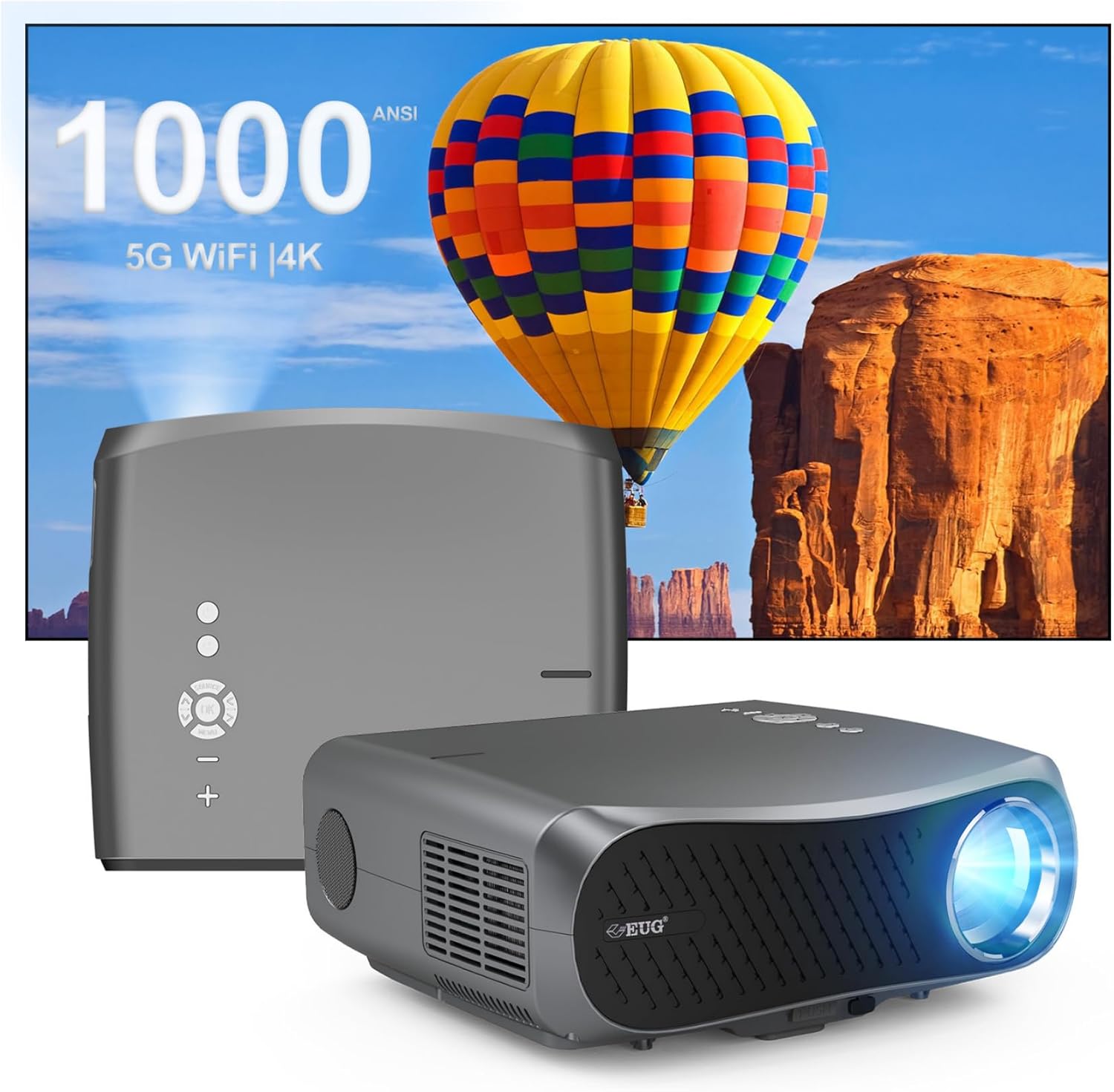
1 irudia: Aurrealdea eta atzealdea view of the CAIWEI Android TV Projector, highlighting its compact design and control panel.
The projector features a lens at the front, control buttons on the top, and various input/output ports on the rear and sides, including HDMI, USB, VGA, and AV ports for versatile connectivity.
5. Konfigurazioa
5.1 Jartzea
Position the projector on a flat, stable surface or mount it to a ceiling or tripod. Ensure the lens is perpendicular to the projection surface for optimal image geometry. The projector supports various installation methods including front, rear, ceiling front, and ceiling rear projection.

Image 2: Illustration of flexible projector placement options, including ceiling mount, tripod table, and desktop setup, for various viewinguruneak.
5.2 Energia-konexioa
Konektatu elikatze-kablea proiektorearen elikatze-sarrerara eta gero entxufe batera.
5.3 Hasierako piztea
Press the power button on the projector or the remote control to turn on the device. The projector will boot into the Android TV interface.
5.4 Fokua eta Keystone doikuntza
Adjust the focus ring on the projector lens until the image is clear. Use the digital keystone correction feature to correct trapezoidal distortion if the projector is not perfectly aligned with the screen. The projector supports D ±50° keystone correction and 40% digital zoom.

Image 3: Visual representation of the projector's screen adjustment capabilities, including Auto Keystone, Digital Zoom (100%-60%), and Electronic 4D/4P Keystone Correction for optimal image display.
6. Funtzionamendu-argibideak
6.1 Android 9.0 sistema eragilearen nabigazioa
Use the remote control to navigate the Android 9.0 operating system. The home screen provides access to pre-installed applications and settings. You can download additional applications from the integrated app store.

Image 4: The projector's interface powered by Android TV 9.0, showcasing a wide array of streaming and entertainment applications available.
6.2 Wi-Fi konexioa
Hari gabeko sare batera konektatzeko:
- Joan zaitez Ezarpenak hasierako pantailan.
- Hautatu Sarea eta Internet.
- Piztu Wi-Fi eta hautatu nahi duzun sarea zerrendatik.
- Eskatzen bazaizu, idatzi pasahitza eta konektatu.
The projector supports dual-band 5G WiFi for faster and more stable connections.
6.3 Bluetooth konexioa
To connect Bluetooth devices (e.g., speakers, headphones):
- Joan zaitez Ezarpenak.
- Hautatu Konektatutako gailuak or Bluetootha.
- Piztu Bluetootha eta bilatu eskuragarri dauden gailuak.
- Hautatu zure gailua zerrendatik parekatzeko.
6.4 Kanpoko gailuak konektatzea
Proiektoreak sarrera aukera ugari eskaintzen ditu:
- HDMI: Connect Blu-ray players, game consoles, laptops, etc.
- USBa: Erreproduzitu multimedia filezuzenean USB unitateetatik.
- VGA: Connect older computers.
- OF: Connect legacy video devices.
Select the appropriate input source from the projector's menu.
6.5 Pantaila islatzea/igortzea
Utilize the 5G WiFi connectivity to mirror content from your smartphone or laptop to the projector screen. Refer to your device's casting instructions for specific steps.

Image 5: The projector demonstrating connectivity with a smartphone via 5G WiFi for screen mirroring and a Bluetooth speaker for enhanced audio, illustrating its versatile wireless capabilities.
7. Mantentzea
- Lentea garbitzea: Erabili lente optikoetarako bereziki diseinatutako zapi leun eta lint-gabea. Ez erabili garbitzaile urratzailerik.
- C garbiketaasing: Wipe the projector's exterior with a soft, dry cloth.
- Aireztapena: Regularly check that the ventilation openings are clear of dust and debris. Use compressed air if necessary.
- Biltegiratzea: When not in use, store the projector in a cool, dry place, protected from dust and extreme temperatures.
8. Arazoak
Proiektorearekin arazoak badituzu, jo ezazu honako arazo eta irtenbide ohikoenei:
- Potentziarik gabe:
• Ensure the power cable is securely connected to both the projector and the power outlet.
• Check if the power outlet is functional. - Irudi/seinalerik ez:
• Verify that the correct input source is selected on the projector.
• Check the HDMI/VGA/AV cable connections to the external device and the projector.
• Ensure the external device is powered on and outputting a signal. - Irudia lausoa da:
• Adjust the focus ring on the projector lens.
• Ensure the projection surface is flat and the projector is at an appropriate distance. - Irudia distortsionatuta dago (trapezio forma):
• Use the digital keystone correction feature in the projector settings to adjust the image geometry. - Gainberotzea eta itzaltze automatikoa:
• Ensure the projector's ventilation openings are not blocked. Provide ampAire-fluxurako espazioa proiektorearen inguruan.
• Operate the projector in a well-ventilated room with a suitable ambient temperature. - Wi-Fi/Bluetooth konexio arazoak:
• Ensure the Wi-Fi network is active and within range. Re-enter the password if necessary.
• For Bluetooth, ensure the device is in pairing mode and within range.
• Restart the projector and the external device. - Soinurik ez:
• Check the volume settings on both the projector and the connected source device.
• If using external speakers, ensure they are properly connected and powered on.
• If connecting via HDMI, ensure the source device is sending audio. - HDMI ARC/HDCP Compatibility:
• Note that this projector may not fully support HDMI ARC (Audio Return Channel) or certain HDCP (High-bandwidth Digital Content Protection) versions (e.g., HDCP 2.2) with some receivers. If connecting via a receiver, try connecting devices directly to the projector or using alternative audio output methods.
9. Zehaztapenak
| Ezaugarri | Xehetasuna |
|---|---|
| Marka | CAIWEI |
| Modelo zenbakia | 900DAB-05F |
| Sistema eragilea | Android 9.0 OS |
| Bistaratzeko ebazpena | 1920 x 1080 natibo (4K deskodetzea onartzen du) |
| Konektibitate Teknologia | Bluetooth, Dual-Band WiFi (2.4G/5G), HDMI, USB, VGA, AV, Audio Out |
| Ezaugarri bereziak | Built-In Speaker, Digital Keystone Correction (D ±50°), 40% Digital Zoom |
| Produktuaren neurriak | 12.4 x 9.33 x 5.31 hazbete |
| Elementuaren pisua | 9.98 kilo |
| Kolorea | Sliver Gray |
| Gomendatutako Erabilerak | Home Entertainment, Gaming, Presentations |
10. Bermea eta Laguntza
Your CAIWEI projector comes with a standard manufacturer's warranty. Please refer to the warranty card included in your package for specific terms and conditions. For technical support, troubleshooting assistance, or warranty claims, please contact CAIWEI customer service through the contact information provided with your purchase or on the official CAIWEI webgunea.


