1. Sarrera
This manual provides comprehensive instructions for the installation, operation, and maintenance of your Vimar K40955 Wi-Fi 7 Inch Touch-Screen LCD 1-Family Video Door Entry Kit. Please read these instructions carefully before beginning installation or operation to ensure proper functionality and safety.
The Vimar K40955 kit is a surface-mounted video entry system designed for single-family residences. It includes a hands-free 7-inch touch-screen LCD monitor with Wi-Fi connectivity, a 1-button audio/video entrance panel with a rain cover, and a power supply unit. The system allows for remote management via a smartphone application.

1.1. irudia: Amaituview of the Vimar K40955 Wi-Fi 7 Inch Touch-Screen LCD 1-Family Video Door Entry Kit components.
2. Paketearen edukia
Egiaztatu behean zerrendatutako osagai guztiak zure paketean daudela:
- 1x 7-inch Hands-Free Touch-Screen LCD Video Entry Monitor with Wi-Fi
- 1x 1-Button Audio/Video Entrance Panel with Rain Cover
- 1x Power Supply Unit (Model 40103)
- 1x Fixing Bracket for monitor installation

Image 2.1: All components of the Vimar K40955 kit, including the monitor, outdoor panel, and power supply.
3. Konfigurazioa eta instalazioa
The Vimar K40955 kit is designed for straightforward installation. The components are pre-configured and do not require special programming for basic operation. For detailed wiring diagrams and advanced installation procedures, refer to the official VIMAR website for specific instructions and tutorials.
3.1. Kableatuari buruzko gogoetak
- The maximum recommended distance between the outdoor entrance panel and the furthest indoor monitor is up to 100 metro a erabiltzean 1 mm² kablea.
- Ziurtatu konexio guztiak seguru daudela eta tokiko elektrizitate-kodeak betetzen direla.
3.2. Mounting the Outdoor Panel
Mount the 1-button audio/video entrance panel in a suitable outdoor location, ensuring it is protected by the included rain cover. The panel has an IP44 rating for protection against solid objects larger than 1mm and splashing water, and an IK07 rating for protection against mechanical impacts.

3.1 irudia: Adibideaample of the outdoor entrance panel installed next to a door.
3.3. Mounting the Indoor Monitor
Install the 7-inch touch-screen LCD monitor indoors using the provided fixing bracket. Ensure the monitor is within Wi-Fi range for optimal performance and smartphone app connectivity.

Image 3.2: The indoor monitor mounted on a wall, showing Wi-Fi connectivity.
4. Funtzionamendua
4.1. Oinarrizko funtzioak
- Deiak erantzutea: When a visitor presses the call button on the outdoor panel, the indoor monitor will ring and display the visitor's image. Touch the screen to answer.
- Atearen irekiera: During a call, an icon on the monitor allows you to remotely open an electric lock (if connected).
- Interfono funtzioa: The system supports intercommunication between multiple indoor monitors within the same family unit (up to 3 monitors can be associated with each call button).
4.2. Monitorearen ezarpenak
The 7-inch touch-screen LCD monitor provides various adjustable settings:
- Bolumen kontrola: Adjust the communication volume and ringtone volume.
- Pantailaren ezarpenak: Adjust brightness, color, and contrast of the display.
- Dei-tonuen hautaketa: Choose from 6 available melodies.
- Ez molestatu: Activate this function to temporarily silence incoming calls.
- Multi-language Menu: The menu supports multiple languages including Italian, English, French, German, Spanish, Portuguese, Greek, and Dutch.
4.3. Wi-Fi Connectivity and Smartphone App
The integrated Wi-Fi allows for call forwarding to your smartphone or tablet via the Vimar View Door app. This enables you to answer calls, view visitors, and open the door remotely, even when you are away from home.

Image 4.1: The Vimar View Door app interface on a smartphone, showing remote control capabilities.
5. Mantentzea
To ensure the longevity and optimal performance of your Vimar K40955 video door entry kit, follow these simple maintenance guidelines:
- Garbiketa: Erabili biguna, damp cloth to clean the indoor monitor and outdoor panel. Avoid abrasive cleaners, solvents, or harsh chemicals that could damage the surfaces.
- Outdoor Panel: Periodically check the outdoor panel for any obstructions to the camera or microphone, and ensure the rain cover is securely in place.
- Software eguneraketak: Check the VIMAR webgunea edo View Door app for any available firmware or software updates for your system to ensure you have the latest features and security enhancements.
6. Arazoak
If you encounter issues with your Vimar K40955 kit, refer to the following common problems and solutions:
| Arazoa | Kausa posiblea | Irtenbidea |
|---|---|---|
| No image or sound on indoor monitor | Power supply issue, loose wiring, or monitor malfunction. | Check if the power supply is connected and functioning. Verify all wiring connections are secure. Restart the system by disconnecting and reconnecting power. |
| Wi-Fi connection unstable or not connecting | Weak Wi-Fi signal, incorrect Wi-Fi password, or router issue. | Ensure the monitor is within range of your Wi-Fi router. Re-enter Wi-Fi credentials on the monitor. Restart your Wi-Fi router. |
| Smartphone app not receiving calls | App not configured correctly, phone notifications disabled, or internet connectivity issue. | Check app settings for call forwarding and notifications. Ensure your smartphone has an active internet connection. Verify the monitor is connected to Wi-Fi. |
| Outdoor panel button not responding | Button malfunction or wiring issue. | Inspect the button for physical damage. Check the wiring connections to the outdoor panel. |
For more complex issues or if the problem persists, please contact VIMAR customer support or consult the detailed troubleshooting guides available on the official VIMAR webgunea.
7. Zehaztapen Teknikoak
| Ezaugarri | Zehaztapena |
|---|---|
| Modelo zenbakia | K40955 |
| Monitore mota | 7 Inch Touch-Screen LCD, Hands-Free |
| Konektibitatea | Wi-Fi |
| Familia Laguntza | 1 Familia |
| Zabalgarritasuna | Up to 3 monitors per call button |
| Kanpoko panela | 1-Button Audio/Video with Rain Cover |
| Elikatze Hornidura | Included (Model 40103), 120V-240V compatible |
| Max Wiring Distance | 100m (with 1 mm² cable) |
| Monitor Dimensions (L x W x H) | 18.88 x 1.84 x 11.36 cm |
| Outdoor Panel Dimensions (L x W x H) | 16.24 x 9.44 x 3.43 cm (approximate, based on diagrams) |
| Produktuaren pisua | 1.33 kg |
| IP Rating (Outdoor Panel) | IP44 |
| IK Rating (Outdoor Panel) | IK07 |
| Onartutako hizkuntzak | Italian, English, French, German, Spanish, Portuguese, Greek, Dutch |
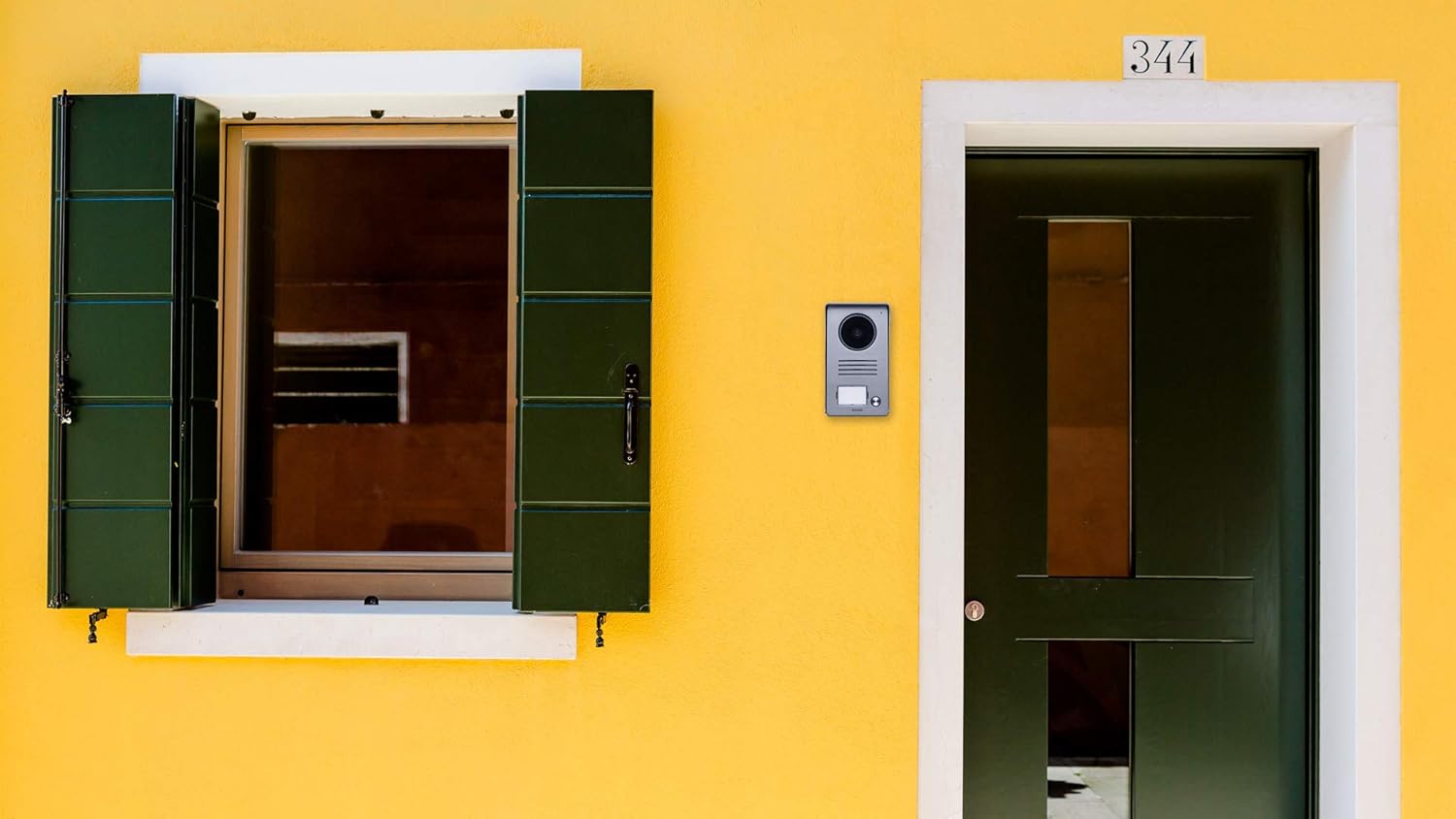
Image 7.1: Dimensions of the indoor monitor (in mm).

Image 7.2: Dimensions of the outdoor entrance panel (in mm).
8. Bermearen informazioa
Specific warranty details for the Vimar K40955 kit are typically provided with the product packaging or can be found on the official VIMAR website. Please retain your proof of purchase for warranty claims. Information regarding spare parts availability is not provided in this document; please consult the manufacturer's webxehetasunak lortzeko gunea.
9. Bezeroarentzako arreta
For further assistance, detailed instructions, video tutorials, or technical support, please visit the official VIMAR webgunea. The website provides comprehensive resources to help you with your video door entry system.
VIMAR Ofiziala Webgunea: www.vimar.com


