Sarrera
This manual provides detailed instructions for the operation and maintenance of your GTMEDIA Z3 Portable DAB+/FM RDS Radio. Please read this manual thoroughly before using the device to ensure proper functionality and to maximize your listening experience.
Segurtasun informazio garrantzitsua
- Ez jarri gailua euripean, hezetasunean edo muturreko tenperaturetan.
- Saihestu gailua kolpe gogorrak erortzea edo jasaten.
- Ez saiatu unitatea zeuk desmuntatzen edo konpontzen. Mantendu mantentze-lan guztiak langile kualifikatuen esku.
- Erabili zehaztutako kargatzeko kablea eta korronte egokitzailea soilik.
- Mantendu haurren eskura.
Paketearen edukia
Ziurtatu elementu guztiak paketean daudela:
- 1 x GTMEDIA Z3 DAB+/FM Radio
- 1 x USB kargatzeko kablea
- 1 x Erabiltzailearen eskuliburua

Image: The GTMEDIA Z3 radio, its retail box, USB charging cable, and user manual.
Produktua amaituview
The GTMEDIA Z3 is a portable DAB+/FM RDS radio featuring a 2.4-inch TFT-LCD screen. It supports 60 preset stations for both DAB+ and FM, and includes functions such as clock, alarm, and sleep timer. The device is powered by a rechargeable 18650 lithium battery.
Aurreko paneleko kontrolak eta pantaila
- Pizteko/Itxaroteko botoia: Turns the radio on/off or puts it in standby mode.
- Eskaneatu botoia: Initiates station scanning.
- DAB/FM botoia: Switches between DAB+ and FM modes.
- Menuko botoia: Menu nagusira sartzen da.
- EQ botoia: Berdintzailearen ezarpenak doitzen ditu.
- Aurrez ezarritako botoia: Accesses preset stations.
- Bolumen/Hautatu botoia: Adjusts volume and navigates/selects menu options.
- 2.4-inch TFT-LCD Display: Geltokiaren informazioa, ordua eta menu aukerak erakusten ditu.
Atzeko panela eta atakak
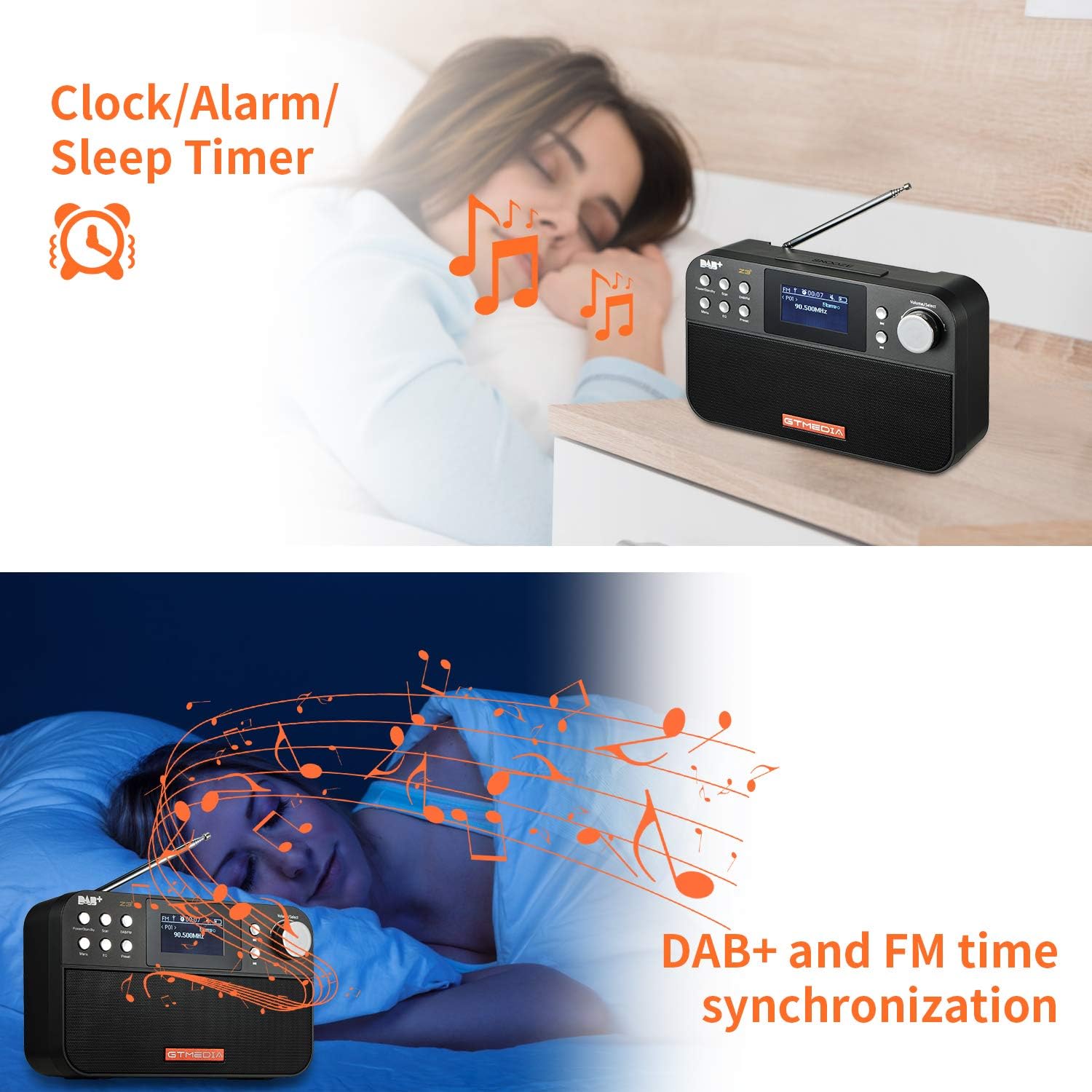
Image: The back of the GTMEDIA Z3 radio, highlighting the 18650 lithium battery compartment and the DC 5V USB charging port.
- 18650 Lithium Battery Compartment: Bateria kargagarria gordetzen du.
- DC 5V USB Charging Port: Gailua kargatzeko.
Konfigurazio Gida
1. Bateria kargatzea
- Locate the USB charging port on the rear of the radio.
- Connect the provided USB charging cable to the radio and to a compatible USB power adapter (DC 5V, ≥1500mA) or a computer USB port.
- The battery indicator on the display will show charging status. A full charge typically provides 4-7 hours of operation.
Image: The GTMEDIA Z3 radio's rear panel, illustrating the USB charging port and battery specifications.
2. Hasierako piztea eta hizkuntza hautatzea
- Eduki sakatuta Power/Standby botoia irratia pizteko.
- Upon first use, you may be prompted to select a language. Use the Bolumena/Hautatu knob to navigate and press to confirm your choice. English is the default language.
3. Denbora Sinkronizazioa
The clock can be set manually or synchronized automatically with DAB+ or FM signals.
- Sinkronizazio automatikoa: When tuned to a DAB+ or FM station that broadcasts time information, the radio will automatically update its clock.
- Eskuzko doikuntza: Access the system settings via the Menua button to manually set the time and date.
Funtzionamendu-argibideak
1. Radio Modes (DAB+/FM)
Aldaketa moduak:
Sakatu DAB / FM botoia DAB+ eta FM irrati moduen artean aldatzeko.
Geltokiak eskaneatzen:
- Auto Scan (FM): FM moduan, sakatu Eskaneatu botoia eskuragarri dauden irratiak automatikoki bilatu eta gordetzeko.
- Local Scan (DAB+): DAB+ moduan, sakatu Eskaneatu button to perform a local scan for DAB+ stations. Manual tuning is also supported.
Estazioak aurrez ezartzea:
The radio supports 60 preset stations for both FM and DAB+ (10 quick access presets). To save a station:
- Sintonizatu nahi duzun geltokia.
- Eduki sakatuta Aurrez ezarritakoa botoia.
- Erabili Bolumena/Hautatu knob to choose a preset number and press to confirm.
Aurrez ezarritako irrati bat berreskuratzeko, sakatu laburki tekla Aurrez ezarritakoa botoia eta erabili Bolumena/Hautatu botoia hautatzeko.
FM RDS Station Name Display:
When tuned to an FM station broadcasting RDS (Radio Data System) information, the 2.4-inch TFT-LCD screen will display the station name and other relevant data.
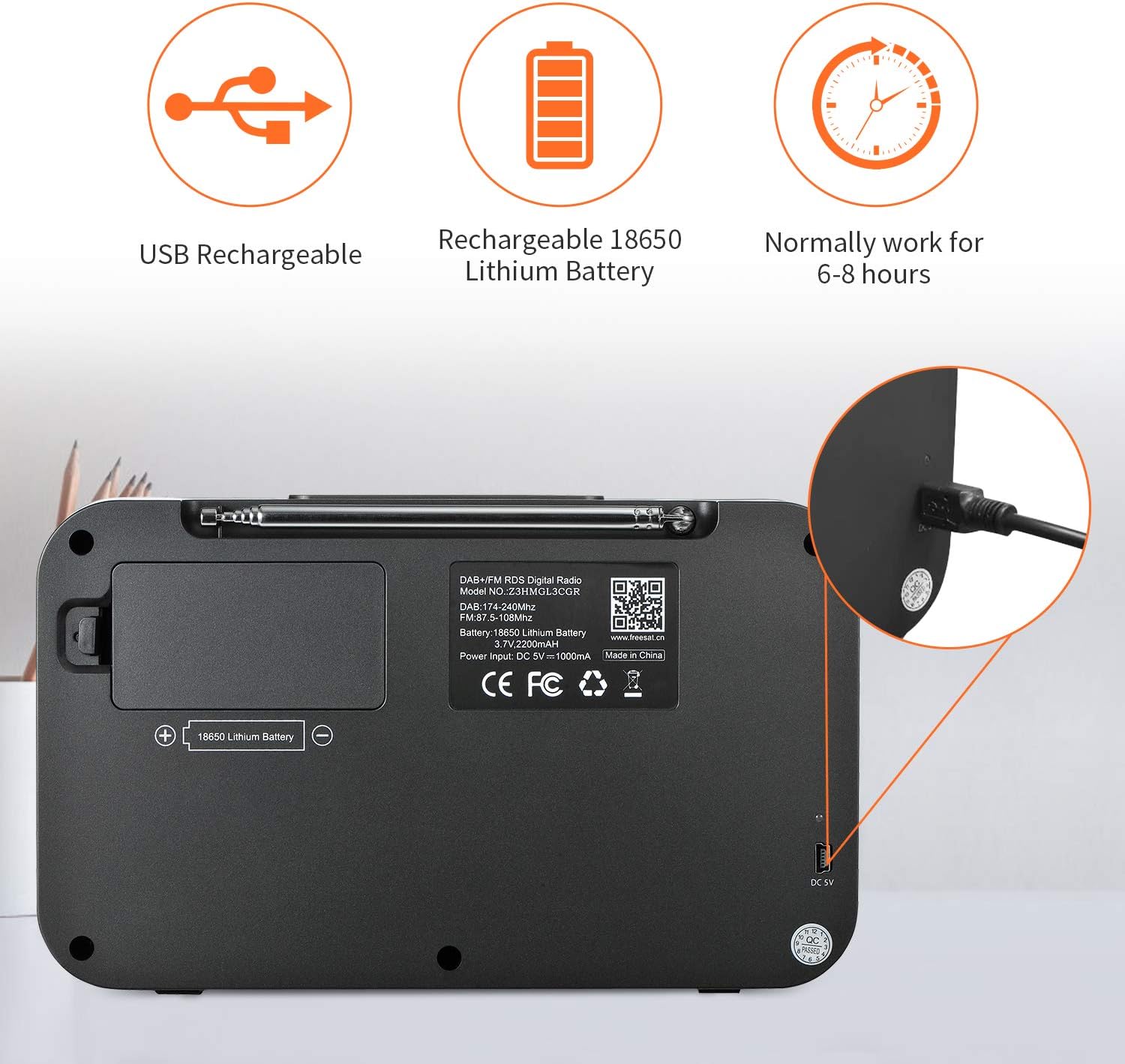
Image: The GTMEDIA Z3 radio's display showing "FM" and "90.500MHz" along with a station name, demonstrating the RDS feature.
2. Clock, Alarm, and Sleep Timer
The GTMEDIA Z3 radio includes integrated clock, alarm, and sleep timer functions for enhanced convenience.

Image: The GTMEDIA Z3 radio with icons representing clock, alarm, and sleep timer functions, depicted in a bedroom setting.
Alarma ezartzea:
- Sakatu Menua button and navigate to the "Alarm" settings.
- Erabili Bolumena/Hautatu knob to set the alarm time, duration, and alarm source (e.g., buzzer, DAB+, FM).
- Berretsi zure ezarpenak.
Lo egiteko tenporizadorea ezartzea:
- Sakatu Menua button and navigate to the "Sleep Timer" settings.
- Erabili Bolumena/Hautatu knob to choose the desired sleep duration (e.g., 15, 30, 60 minutes).
- Irratia automatikoki itzaliko da ezarritako denbora igaro ondoren.
3. Musika erreproduzitzea
The GTMEDIA Z3 supports playback of various music formats including MP3, FLAC, and WAV. Playback modes include single play, repeat, and shuffle. Specific instructions for accessing and controlling music playback are typically found within the device's menu system.
Mantentzea
Garbiketa:
- Wipe the radio with a soft, dry cloth.
- Ez erabili garbitzaile likidorik edo material urratzailerik.
Bateria zaintzea:
- Bateriaren iraupena luzatzeko, saihestu bateria maiz erabat deskargatzea.
- Kargatu bateria aldizka, irratia maiz erabiltzen ez bada ere.
- Gorde irratia leku fresko eta lehor batean denbora luzez erabiltzen ez duzunean.
Arazoak konpontzea
| Arazoa | Kausa posiblea | Irtenbidea |
|---|---|---|
| Botererik ez | Bateria deskargatuta dago. | Kargatu bateria emandako USB kablea erabiliz. |
| Irrati-harrera eskasa | Seinale ahula; antena ez dago luzatuta. | Extend the telescopic antenna fully. Try repositioning the radio. Perform a new scan for stations. |
| Soinurik ez | Volume too low; Mute activated. | Igotu bolumena erabiliz Bolumena/Hautatu knob. Check if mute is active in settings. |
| Pantaila ez da argia | Distira-ezarpena baxuegia da. | Adjust LCD brightness in the system settings. |
Zehaztapenak
| Ezaugarri | Xehetasuna |
|---|---|
| Marka | GTMEDIA |
| Eredua | Z3 |
| Tuner Teknologia | DAB Plus, FM RDS |
| Onartutako irrati-bandak | DAB+ (174.92-239.20 MHz), FM (87.5-108 MHz) |
| Bistaratzea | 2.4-inch TFT-LCD (240 x 320 pixels) |
| Aurrez ezarritako geltokiak | 60 FM, 60 DAB+ |
| Energia iturria | Bateriaren bidez |
| Bateria mota | 18650 Lithium Battery (3.7V 2200mAh) |
| Funtzionamendu Orduak | 4-7 ordu (ohikoa) |
| Kargatzeko sarrera | DC 5V, ≥1500mA (via USB) |
| Konektibitate Teknologia | USBa |
| Ezaugarri Berezia | Portable, Clock, Alarm, Sleep Timer, USB Upgradeable |
| Elementuaren pisua | 620 g |
| Produktuaren neurriak | 20 x 5 x 12 cm |
| Funtzionamendu-tenperatura | 0~+45°C |
| Biltegiratze Tenperatura | -10~+60°C |
| Musika Formatuak | MP3, FLAC, WAV |

Image: Dimensions of the GTMEDIA Z3 radio, showing approximate measurements of 200mm x 120mm x 50mm.
Firmware-berritzea
The GTMEDIA Z3 radio supports firmware upgrades via a USB connection to a PC. For the latest firmware and detailed instructions, please visit the official support webgunea.

Image: The GTMEDIA Z3 radio connected to a laptop via a USB cable, indicating its upgradeable feature.
Bermea eta Laguntza
For technical support, warranty information, or any questions regarding your GTMEDIA Z3 radio, please visit the official GTMEDIA support webgunea:


