1. Sarrera
Eskerrik asko erosketagatik.asing the TOPTRO X2 Mini Projector. This manual provides detailed instructions for setting up, operating, and maintaining your projector. Please read this manual thoroughly before use to ensure proper operation and to extend the lifespan of your device. Keep this manual for future reference.
Segurtasun Informazioa
- Ez begiratu zuzenean proiektorearen lenteari l dagoenean.amp piztuta dago.
- Ziurtatu proiektorearen inguruan aireztapen egokia gehiegi berotzeko.
- Ez jarri proiektorea euri edo hezetasunpean.
- Erabili proiektorearekin batera datorren korronte-egokitzailea soilik.
- Do not attempt to repair the projector yourself. Contact qualified service personnel for assistance.
- Mantendu proiektorea bero-iturrietatik eta eguzki-argitik zuzenean urrun.
2. Paketearen edukia
Egiaztatu elementu guztiak zure paketean daudela:
- TOPTRO X2 Mini Projector
- Urruneko Kontrola
- Elikatze-kablea
- HDMI kablea
- AV Kable
- Erabiltzailearen eskuliburua
- Lentearen kapela

Image: The TOPTRO X2 Mini Projector shown with its carrying case and a smartphone displaying projected content. This image illustrates the compact size and portability of the projector, along with its primary function of displaying media.
3. Produktua amaitu daview
Projector Layout
Irudia: Aurrealdea eta albokoa view of the TOPTRO X2 Mini Projector, highlighting the lens, focus ring, and ventilation grilles. This provides a visual guide to the projector's external components.
Sarrera/Irteera Portuak
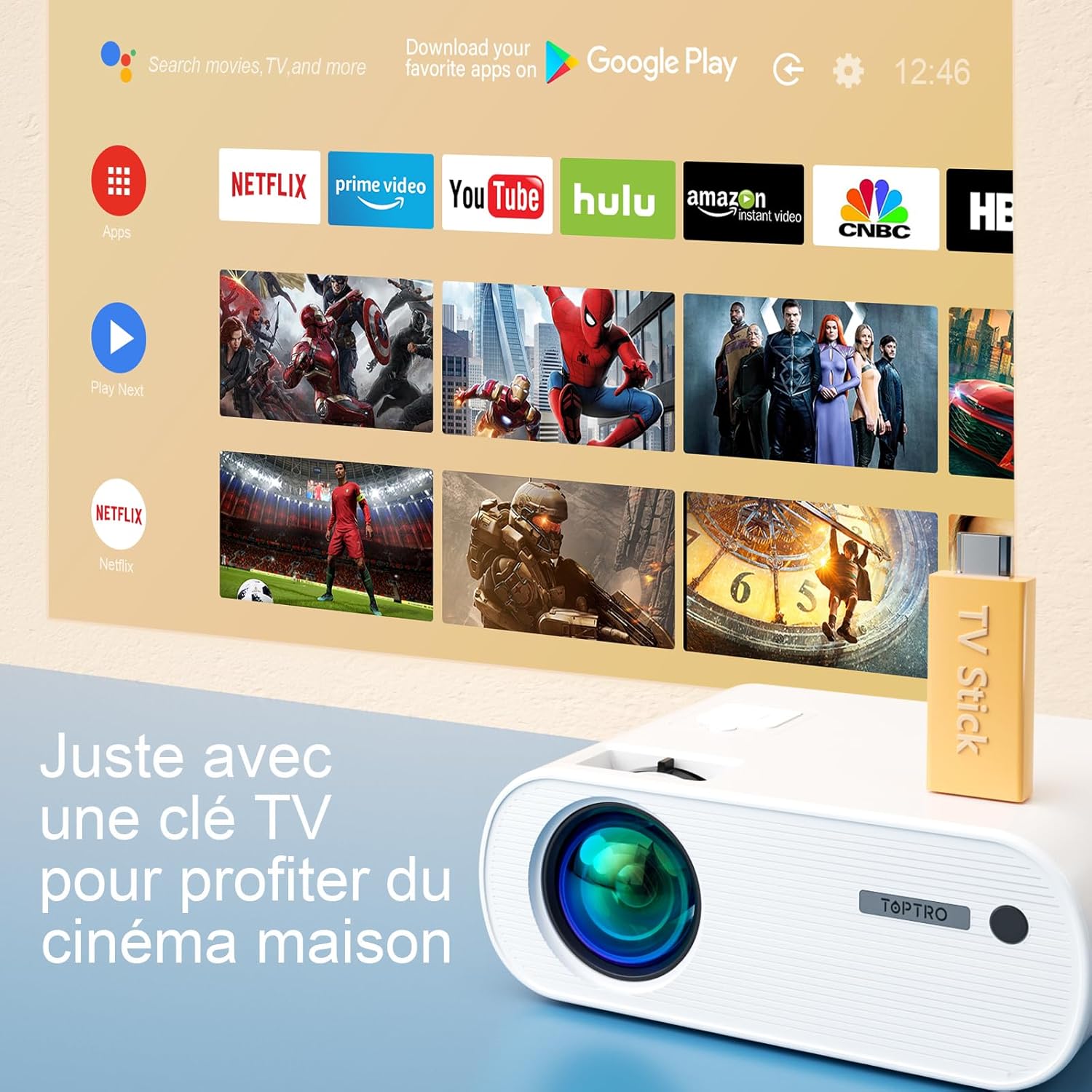
Image: Close-up of the rear panel of the TOPTRO X2 Mini Projector, showing various input/output ports including HDMI, USB, AV, and power input. This helps users identify where to connect their devices.
- Potentzia Sarrera
- HDMI ataka
- USB ataka
- AV portua
- Audio irteera (3.5 mm)
- VGA ataka
- SD txartelaren zirrikitua
Kontrol panela

Irudia: Goitik behera view of the TOPTRO X2 Mini Projector's control panel, showing navigation buttons and the power button. This image assists users in understanding the on-device controls.
The projector can be controlled using the onboard buttons or the included remote control.
4. Hasierako konfigurazioa
4.1 Piztea
- Konektatu elikatze-kablea proiektorearen elikatze-sarrerara eta gero entxufe batera.
- Sakatu proiektagailuko pizteko botoia edo urrutiko agintea gailua pizteko.
4.2 Fokua doitzea
Biratu proiektorearen lentearen fokatze-eraztuna proiektorearen irudia garbi eta zorrotz egon arte.

Image: A hand adjusting the focus ring on the TOPTRO X2 Mini Projector, with a blurred image on the left and a sharp image on the right, demonstrating the effect of focus adjustment. This visual aid helps users understand how to achieve a clear picture.
4.3 Funtsezko zuzenketa
The TOPTRO X2 features 4D Keystone Correction (±40° vertical and horizontal) and a 100% X/Y zoom function, adjustable via the remote control. This allows for a rectangular image even if the projector is not perfectly aligned with the screen.

Image: Diagram illustrating the effect of keystone correction, showing a distorted image being corrected into a perfect rectangle. This helps users visualize the function of keystone adjustment.
Egokitzeko:
- Navigate to the "Keystone Correction" menu using the remote control.
- Adjust the vertical and horizontal parameters until the image is rectangular.
- Use the zoom function (100% X/Y) to adjust the image size without moving the projector.
4.4 Kokapen aukerak
The projector can be placed on a table or mounted to the ceiling.

Image: An image showing the TOPTRO X2 Mini Projector in two different setups: on a table and ceiling-mounted. This demonstrates the versatility of installation options for the projector.
5. Funtzionamendu-argibideak
5.1 Sarrera iturria hautatzea
Press the "Source" button on the remote control or projector to select the desired input source (HDMI, USB, AV, VGA, Screen Mirroring).
5.2 Gailuak konektatzea
5.2.1 HDMI konexioa
Connect your device (e.g., laptop, game console, TV Stick) to the projector's HDMI port using an HDMI cable.

Image: The TOPTRO X2 Mini Projector connected to a TV Stick, displaying various streaming service icons on a projected screen. This illustrates how to connect and use a TV stick for media consumption.
5.2.2 USB konexioa
Sartu USB unitate bat USB atakan multimedia erreproduzitzeko files directly. The projector supports various video, audio, and image formats.
5.2.3 AV konexioa
Use the provided AV cable to connect devices with AV output (e.g., DVD player).
5.2.4 VGA konexioa
Connect a computer to the VGA port using a VGA cable.
5.2.5 Wireless Connection (WiFi Screen Mirroring)
The TOPTRO X2 supports wireless screen mirroring for Android and iOS devices.

Image: The TOPTRO X2 Mini Projector wirelessly connected to multiple devices (smartphone, tablet, laptop), projecting a scenic image. This demonstrates the projector's WiFi screen mirroring capability for various devices.
- Select "Screen Mirroring" as the input source.
- Follow the on-screen instructions to connect your smartphone or tablet to the projector's WiFi network, then enable screen mirroring on your device.
5.2.6 Bluetooth audio konexioa
Konektatu kanpoko Bluetooth bozgorailuak edo entzungailuak audio esperientzia hobetzeko.

Image: The TOPTRO X2 Mini Projector wirelessly connected via Bluetooth to external speakers and headphones, with sound waves emanating from the projector. This illustrates the projector's Bluetooth audio output feature.
- Ziurtatu zure Bluetooth audio gailua parekatze moduan dagoela.
- Proiektorean, joan Bluetooth ezarpenen menura.
- Hautatu zure gailua zerrendatik parekatzeko.
5.3 Menu Nabigazioa
Use the arrow keys and "OK" button on the remote control or projector to navigate through the on-screen menus for settings such as picture mode, sound mode, and system settings.
6. Mantentzea
6.1 Lentea garbitzea
Use a soft, lint-free cloth or lens cleaning paper to gently wipe the projector lens. Avoid using abrasive cleaners.
6.2 Cleaning the Dust Filter
The TOPTRO X2 features a removable dust filter to prevent dust accumulation and black spots on the projection. Regularly clean the filter to maintain optimal performance.
- Locate the removable dust filter cover on the side of the projector.
- Gently remove the cover and the filter.
- Clean the filter using a soft brush or compressed air.
- Reinsert the filter and close the cover securely.
6.3 Aireztapena
Ensure that the projector's ventilation openings are not blocked to allow for proper airflow and prevent overheating. The projector is equipped with a circulation cooling system and three independent smart fans to manage temperature.
7. Arazoak
| Arazoa | Kausa posiblea | Irtenbidea |
|---|---|---|
| Ez dago irudirik pantailan | Energia ez dago konektatuta; Sarrera-iturri okerra; Lentearen tapa jarrita | Egiaztatu konexioa; Hautatu sarrera-iturri zuzena; Kendu lentearen tapa |
| Irudi lausoa | Focus not adjusted; Incorrect projection distance | Adjust focus ring; Adjust projector distance or use zoom function |
| Distorted image (trapezoid shape) | Proiektorea ez dago pantailarekiko perpendikularra | Use keystone correction function |
| Soinurik ez | Volume too low; Muted; Incorrect audio output selected | Increase volume; Unmute; Check audio settings and connections |
| Urruneko kontrola ez dabil | Batteries dead; Obstruction between remote and projector | Replace batteries; Ensure clear line of sight |
| Gehiegizko berotze abisua | Aireztapen blokeatua; Erabilera luzea | Ensure vents are clear; Allow projector to cool down |
8. Zehaztapenak
| Ezaugarri | Xehetasuna |
|---|---|
| Marka | TOPTRO |
| Eredua | X2 |
| Berezko Ebazpena | 1920 x 1080P (HD osoa) |
| Onartutako Ebazpena | 4K Ultra HD arte |
| Distira | 6800 Lumens (Note: Marketing claims may vary, e.g., 7000 or 12000 lumens) |
| Kontraste-erlazioa | 8000:1 |
| Proiekzioaren Tamaina | 300 hazbete arte |
| Proiekzio Distantzia | Recommended 3.5m, Max 7m |
| Keystone zuzenketa | 4D (±40° Vertical & Horizontal) |
| Zoom funtzioa | 100% X/Y |
| Lamp Bizitza | 90,000 ordu (LED) |
| Hizlariak | Built-in 10W Dual Subwoofer with SRS Sound |
| Konektibitatea | HDMI, USB, AV, VGA, WiFi, Bluetooth |
| Kolorea | Grisa |
9. Bermea eta Laguntza
Bermearen informazioa
Please refer to the warranty card included in your package for detailed warranty terms and conditions. The warranty typically covers manufacturing defects for a specified period from the date of purchase.
Bezeroarentzako Arreta
If you encounter any issues or have questions regarding your TOPTRO X2 Mini Projector, please contact TOPTRO customer support. Contact information can usually be found on the official TOPTRO webgunean edo berme-txartelean.
When contacting support, please have your model number (X2) and purchase details ready.


