1. Produktua amaitu daview
The Donner EM1 is a compact, rechargeable personal in-ear monitor amplifier designed to provide high-quality audio monitoring for musicians, performers, and audio enthusiasts. It features versatile input options, a long-lasting battery, and a robust design for portable use.
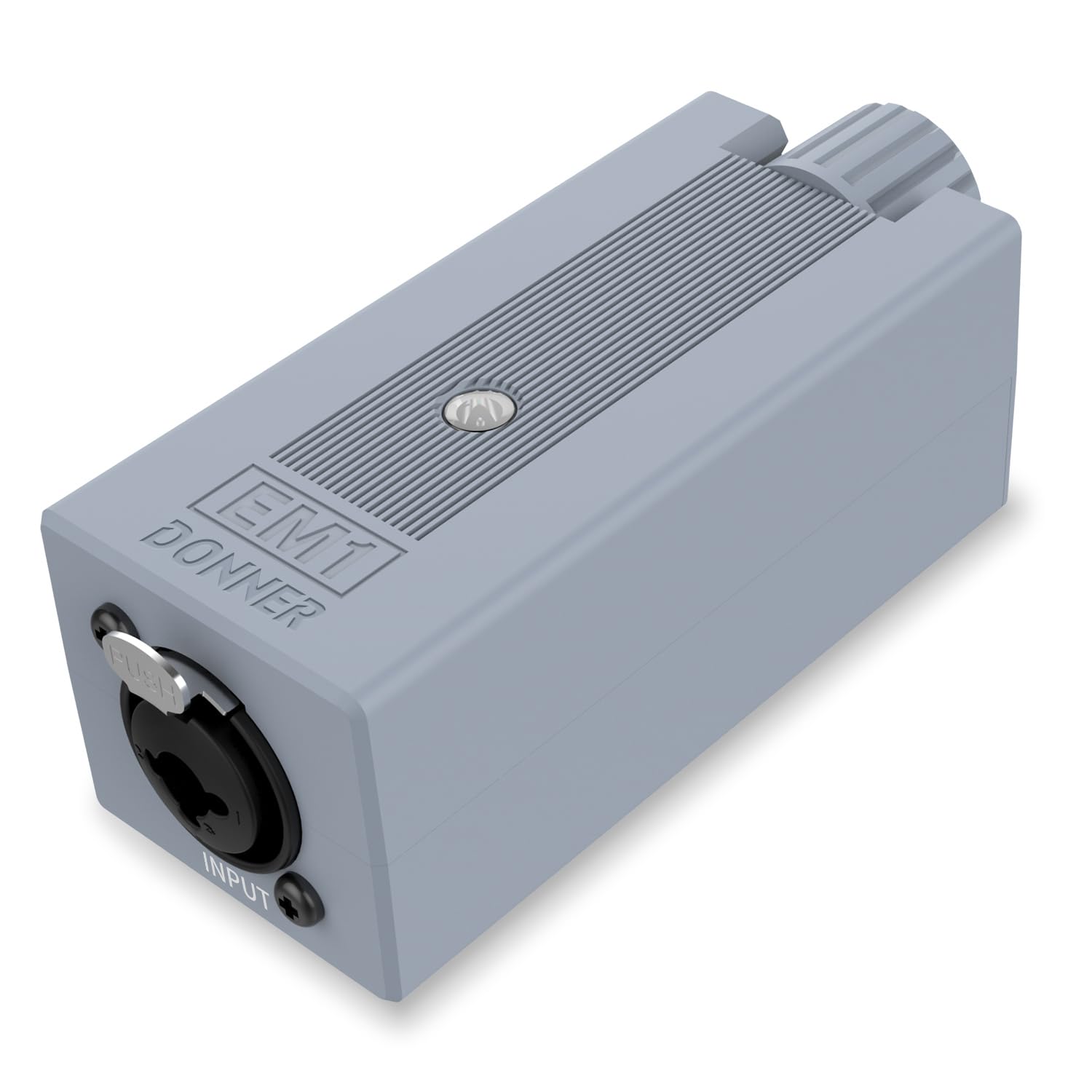
Figure 1: Donner EM1 In-Ear Monitor Ampbiziagoa
2. Ezaugarri nagusiak
- Potentzia handiko irteera: Suitable for high-impedance professional headphones, ensuring sufficient volume in noisy environments.
- Professional In-ear Monitoring: Offers outstanding technical and sonic characteristics, high audio reproduction, and minimal audio rendering for precise personal monitoring.
- Practical Interface: Equipped with XLR and TRS input connectors featuring a locking mechanism for secure connections. Includes a Stereo/Mono source switch.
- Strong Endurance: Powered by a long-life Li-ion battery, providing up to 12 hours of operation. Features LED indicators for power and battery charging status.
- Eramateko erraza: Designed with a solid metallic belt-pack clip and a high-tech, compact, and portable form factor for convenient transport.

Figure 2: Powerful and Practical Interface

Figure 3: Perfect for Improving Headset Performance
3. Konfigurazioa
3.1 Gailua kargatzea
The EM1 features a built-in rechargeable Li-ion battery. Before first use, fully charge the device. A full charge typically takes approximately 4 hours and provides up to 12 hours of continuous use. The device can also be used while charging.
- Connect the provided USB-A to USB-C charging cable to the DC 5V port on the EM1.
- Connect the other end of the cable to a standard USB-A wall charger (5V, 1A or above). Note: Some modern USB-C to USB-C chargers may not be compatible without a proper handshake protocol; using a USB-A wall charger is recommended.
- The LED indicator will show charging status. It typically glows blue when powered on and may turn red when the battery is low.

Figure 4: Battery Life and Charging Indicators
3.2 Connecting Audio Sources and Headphones
The EM1 offers flexible input and output options for various audio setups.
- Sarrera: Connect your audio source (e.g., mixer, audio interface, instrument) to the XLR or 1/4" TRS input connector. The locking mechanism ensures a secure connection.
- Irteera: Connect your in-ear monitors or headphones to the 3.5mm output jack.

5. irudia: Gailuen bateragarritasun zabala
3.3 Video Guide: Connecting the EM1
Video 1: This video demonstrates how to connect your audio sources and headphones to the Donner EM1 ampbizitzailea, erakustaldiaasing its input and output options.
4. Funtzionamendu-argibideak
4.1 Piztu/Itzali
Locate the power switch on the side of the EM1. Slide the switch to the 'ON' position to power on the device. The LED indicator will illuminate blue. To power off, slide the switch to the 'OFF' position.
4.2 Bolumena doitzea
Use the large rotary 'VOL' knob on the top of the device to adjust the headphone output volume. Turn clockwise to increase volume and counter-clockwise to decrease it. Start with a low volume and gradually increase to a comfortable listening level to prevent hearing damage.
4.3 Estereo/Mono etengailua
The EM1 features a Stereo/Mono source switch. Select 'Stereo' for a full stereo image or 'Mono' if your audio source is mono or if you prefer a mono mix for monitoring.
4.4 Using the Belt-Pack Clip
The robust metallic clip on the back allows you to securely attach the EM1 to your belt, guitar strap, or other convenient locations, ensuring it stays in place during use.

Figure 6: Enjoy the Ultimate Sound Anywhere
4.5 Video Guide: EM1 in Action
Video 2: This video provides a detailed look at the Donner EM1 Personal In-Ear Monitor Amplifier, demonstrating its features and practical applications.
5. Mantentzea
5.1 Arreta orokorra
- Mantendu gailua garbi eta hautsik eta hezetasunik gabe. Erabili zapi leun eta lehor bat garbitzeko.
- Saihestu gailua erortzea edo kolpe gogorrak jasan.
- Gorde leku fresko eta lehor batean erabiltzen ez duzunean.
5.2 Bateria zaintzea
- Bateriaren iraupen optimoa lortzeko, saihestu bateria maiz erabat hustea.
- Always use the recommended charging cable and a compatible USB-A power adapter (DC 5V, 1A or above).
- Gailua denbora luzez erabiliko ez baduzu, kargatu % 50 ingurura gorde aurretik.
6. Arazoak
6.1 Soinurik ez
- Ensure the EM1 is powered on and the LED indicator is blue.
- Check that your headphones are securely plugged into the 3.5mm output jack.
- Verify that the volume knob is turned up to an audible level.
- Confirm that your audio source is sending a signal to the EM1's input.
- Check the Stereo/Mono switch setting.
6.2 Gailua ez da kargatzen
- Ensure the charging cable is securely connected to both the EM1 and the power adapter.
- Use the included USB-A to USB-C cable and a standard USB-A wall charger (DC 5V, 1A or above). Some USB-C to USB-C chargers may not be compatible.
- Try a different USB-A wall charger or USB port to rule out a faulty power source.
- If the LED indicator is red, it signifies a low battery state. Allow sufficient time for charging.
6.3 Audio Clipping or Distortion
- Reduce the input gain from your audio source to the EM1. Overdriving the input can cause distortion.
- Lower the volume on the EM1.
- Ensure your headphones are compatible with the amplifier's output and are not being overdriven.
7. Zehaztapenak
| Ezaugarri | Zehaztapena |
|---|---|
| Ereduaren izena | EM1 |
| Aurikularretarako Jack | 3.5 mm Jack |
| Konektibitate Teknologia | Kableatua |
| Kontrol mota | Bolumenaren kontrola, botoia sakatuz |
| Bateria mota | 1 litio ioi (barne) |
| Bateriaren iraupena | 12 ordu |
| Kargatzeko Denbora | Gutxi gorabehera. 4 ordu |
| Elementuaren pisua | 0.1 kilogramo (3.52 ontza) |
| Produktuaren neurriak | 4.09 x 1.61 x 1.61 hazbete |
| XLR Impedance | 20KΩ |
| 1/4" TRS Impedance | 10KΩ |
| Max. Input Level (dBu) | +2 dBu |
| Zarata (A haztatua) | -77 dB |
| THD&N | %0.001 |
| Barruti dinamikoa | 96 dB |

7. irudia: Zehaztapen zehatzak
8. Bermea eta Laguntza
Donner products are designed for reliability and performance. For warranty information, product registration, or technical support, please visit the official Donner webwebgunera edo jarri harremanetan bezeroarentzako arreta-zerbitzura zuzenean. Gorde erosketa-agiria erosketaren frogagiri gisa berme-erreklamazioetarako.
Baliabide eta produktuen informazio gehiago lortzeko, bisita dezakezu Donner denda Amazonen.


