Sarrera
This manual provides instructions for the Mars Gaming MCPTKLES RGB Combo, which includes a gaming keyboard and mouse. This combo is designed for optimal desktop space utilization and is compatible with multiple platforms, including Windows, Mac, PlayStation 4, Xbox One, and Nintendo Switch. The keyboard features RGB Breathing and RGB Flow lighting, H-Mech technology, and anti-ghosting capabilities. The mouse is equipped with a 3200 DPI optical sensor, RGB Flow lighting, and durable HUANO mechanical buttons.
Paketearen edukia
- Mars Gaming MCPTKLES TKL RGB Keyboard
- Mars Gaming MCPTKLES RGB Mouse
- Erabiltzailearen eskuliburua (dokumentu hau)
Konfigurazioa
Connecting the Combo
The Mars Gaming MCPTKLES combo uses a standard USB connection for both the keyboard and mouse. No additional drivers are typically required for basic functionality on supported operating systems.
- Bilatu zure ordenagailuan edo joko-kontsolan USB ataka libre bat.
- Plug the USB connector from the keyboard into the USB port.
- Plug the USB connector from the mouse into another available USB port.
- Zure sistema eragileak automatikoki detektatu eta instalatu beharko lituzke beharrezko kontrolatzaileak.
- The RGB lighting on both devices should illuminate upon successful connection.
Plataforma anitzeko bateragarritasuna
This combo is designed to work with:
- Windows sistema eragileak
- Mac operating systems
- PlayStation 4
- Xbox One
- Nintendo Switch
Note: Specific game or console settings may be required for full functionality on gaming consoles. Refer to your console's user manual for peripheral setup.
Funtzionamendu-argibideak
Keyboard Functions (TKL Design)
The TKL (Tenkeyless) design of the keyboard omits the numeric keypad, offering a more compact form factor. It features H-Mech technology for a smooth and precise typing experience.
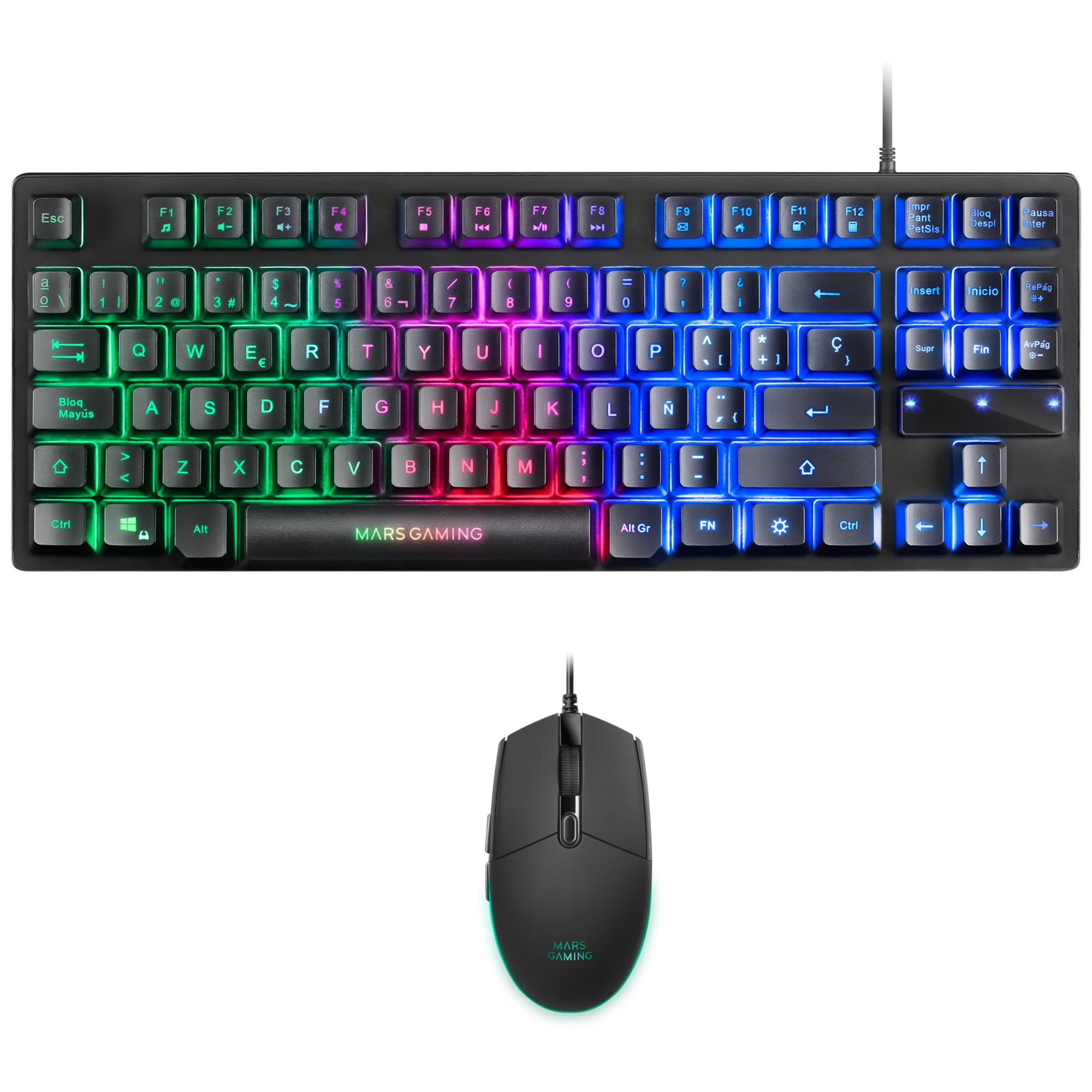
Image: Mars Gaming MCPTKLES TKL RGB Keyboard. This image shows the compact tenkeyless design of the keyboard with its RGB backlighting.
RGB argiaren kontrola
The keyboard features RGB Control lighting. Specific key combinations allow you to cycle through different lighting modes and effects. Refer to the keyboard's function keys (Fn) combined with other keys for lighting adjustments. Common controls include:
- Fn + [Tekla]: To change lighting modes (e.g., static, breathing, wave).
- Fn + [Arrow Keys]: To adjust brightness or speed of effects.

Image: Close-up of Mars Gaming MCPTKLES Keyboard RGB Keys. This image highlights the individual keys and their vibrant RGB backlighting.
Ghostingaren aurkakoa
The keyboard is equipped with anti-ghosting technology, which ensures that multiple key presses are registered simultaneously without conflict, crucial for fast-paced gaming.
Saguaren funtzioak
The lightweight mouse features an optical sensor with adjustable sensitivity up to 3200 DPI, RGB Flow lighting, and 6 programmable buttons with high-quality HUANO mechanical switches.

Image: Mars Gaming MCPTKLES RGB Mouse Top View. This image displays the top of the mouse, showing the scroll wheel and main buttons.
DPI Adjustment (On-the-fly)
Use the dedicated DPI button (often located near the scroll wheel) to cycle through different sensitivity levels (DPI - Dots Per Inch). This allows for quick adjustments to mouse speed without interrupting gameplay.

Image: Mars Gaming MCPTKLES RGB Mouse Side View. This image shows the ergonomic shape and side buttons of the mouse.
Botoi programagarriak
The mouse features 6 buttons. While basic functionality is plug-and-play, advanced customization and macro programming may require specific software from Mars Gaming, if available. Visit the official Mars Gaming websoftwarea deskargatzeko gunea.

Image: Mars Gaming MCPTKLES RGB Mouse with RGB Flow Lighting. This image illustrates the dynamic RGB lighting effects on the mouse.
Mantentzea
Garbiketa
- Disconnect the keyboard and mouse from your computer before cleaning.
- Erabili zapi leun, lehor eta lihorik gabeko bat gainazalak garbitzeko.
- Zikinkeria egoskorrerako, apur bat lehortuampGarbitu zapi bat urarekin edo garbiketa-soluzio leun batekin. Saihestu gehiegizko hezetasuna.
- Ez erabili produktu kimiko gogorrik, garbitzaile urratzailerik edo disolbatzailerik.
- Teklatuarentzat, erabili aire konprimatua teklen arteko hautsa eta hondakinak kentzeko.
Biltegiratzea
Denbora luzez erabiltzen ez dituzunean, gorde gailuak leku fresko eta lehor batean, eguzki-argitik eta muturreko tenperaturetatik babestuta.
Arazoak konpontzea
Keyboard or Mouse Not Responding
- Ensure both USB cables are securely plugged into the computer or console.
- Saiatu gailuak USB ataka desberdinetara konektatzen.
- Berrabiarazi ordenagailua edo kontsola.
- Test the devices on another computer to determine if the issue is with the combo or your system.
RGB argia ez dabil
- Verify the devices are properly connected and powered.
- Check if the lighting has been turned off via keyboard shortcuts (Fn + lighting control keys).
- Hirugarrenen argiztapen-kontrolerako aplikazioak erabiltzen ari bazara, ziurtatu ez dagoela software-gatazkarik.
Mouse Cursor Jumps or is Inaccurate
- Clean the mouse sensor area on the underside of the mouse.
- Ensure you are using the mouse on a clean, uniform surface (a mouse pad is recommended).
- Adjust the DPI settings using the mouse's DPI button.
Zehaztapenak
| Ezaugarri | Xehetasuna |
|---|---|
| Marka | Mars Gaming |
| Modelo zenbakia | MCPTKLES |
| Konektibitate Teknologia | USB (kablea) |
| Teklatuaren diseinua | Spanish (TKL - Tenkeyless) |
| Teklatuaren Ezaugarriak | H-Mech Technology, RGB Control Lighting, Anti-Ghosting |
| Saguaren sentsorea | Optikoa |
| Sagua DPI | Up to 3200 DPI (On-the-fly adjustable) |
| Saguaren botoiak | 6 (with HUANO mechanical switches) |
| Saguaren argiztapena | RGB fluxua |
| Gailu bateragarriak | Linux, Mac, PS4, Windows, XBOX ONE |
| Produktuaren neurriak | 44 x 15.9 x 4.4 cm (Keyboard) |
| Elementuaren pisua | 400 g |
| Kolorea | Beltza |
Bermea eta Laguntza
For warranty information and technical support, please refer to the official Mars Gaming webwebgunera edo jarri harremanetan bezeroarentzako arreta-zerbitzura. Gorde erosketaren frogagiria berme-erreklamazioetarako.
Mars Gaming ofiziala Webgunea: www.marsgaming.eu


