1. Sarrera
This manual provides essential information for the proper setup, operation, and maintenance of your LG UltraWide QHD 34-Inch Computer Monitor, Model 34GP83A-B. This monitor features a QHD (3440x1440) VA display with a 21:9 aspect ratio, offering an expansive viewing experience. It supports HDR 10 compatibility and covers 99% of the sRGB color gamut, delivering accurate and vibrant colors. For gaming, it includes AMD FreeSync Premium technology for smooth visuals and a 160Hz refresh rate.
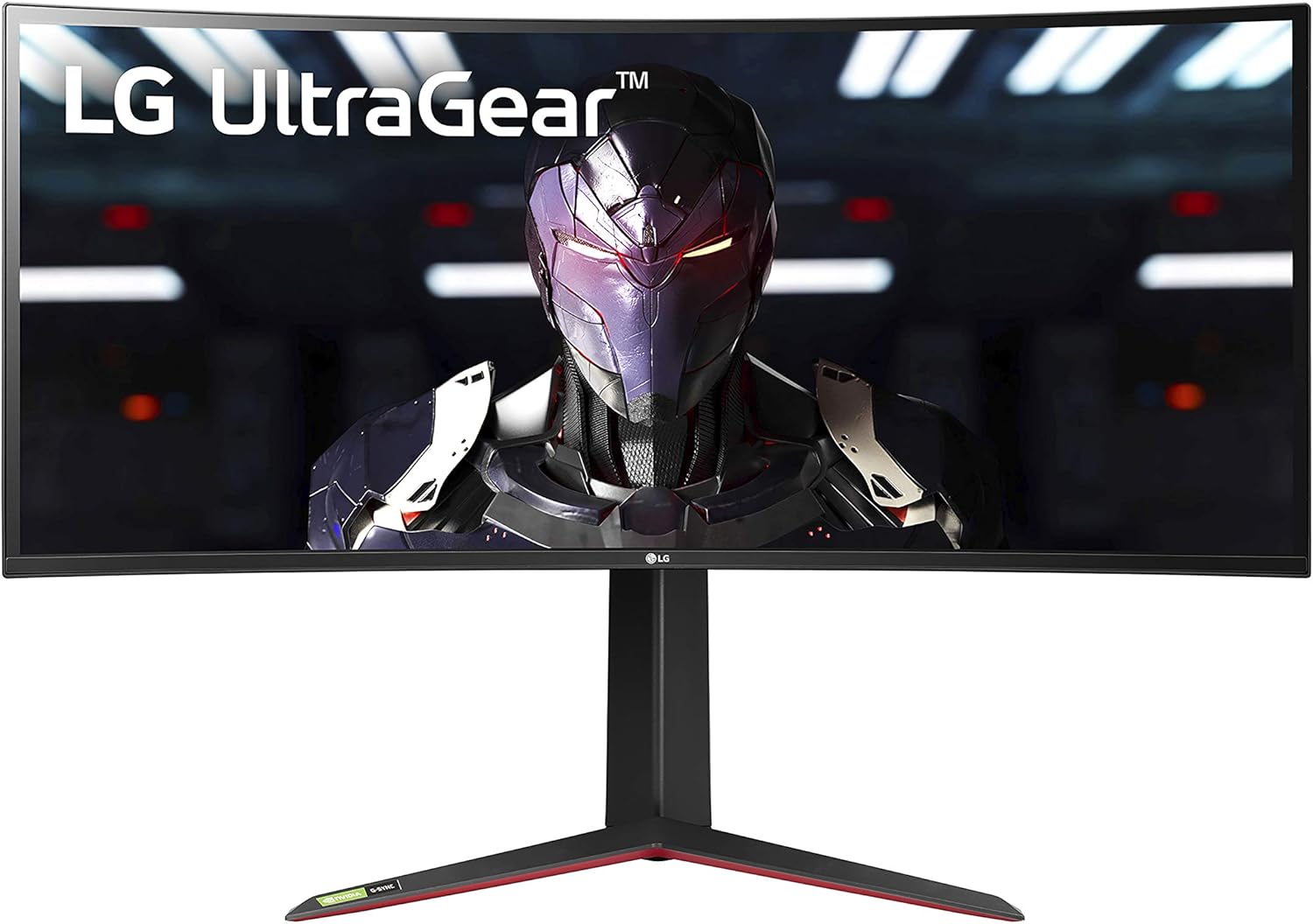
1. irudia: Aurrealdea view of the LG UltraWide QHD 34-Inch Computer Monitor 34GP83A-B.
2. Konfigurazioa
2.1. Paketearen edukia
Hasi aurretik, ziurtatu osagai guztiak daudela:
- LG UltraWide QHD 34-Inch Monitor (34GP83A-B)
- Monitorearen euskarria (oinarria eta lepoa)
- Korronte egokitzailea eta korronte kablea
- DisplayPort kablea
- HDMI kablea
- USB Upstream kablea
- Erabiltzailearen eskuliburua eta berme txartela

Figure 2: Included components for the LG 34GP83A-B monitor.
2.2. Stand-asanblada
- Carefully place the monitor panel face down on a soft, clean cloth to prevent scratches.
- Lotu euskarriaren lepoa monitorearen panelera emandako torlojuak erabiliz.
- Attach the stand base to the stand neck and secure it with the thumb screw.
- Carefully lift the assembled monitor and place it on a stable, level surface.
2.3. Monitorea konektatzea
Connect the necessary cables to the monitor's rear ports. Ensure all connections are secure.
- Potentzia: Connect the power adapter to the monitor and then to a power outlet.
- Bideoaren sarrera: Use either the DisplayPort cable for optimal performance (up to 160Hz) or an HDMI cable (2 ports available).
- USB upstream: Connect the USB upstream cable from your computer to the monitor to enable the monitor's USB ports.
- USB beherantz: Two USB 3.0 ports are available for connecting peripherals.
- Aurikularretarako irteera: Konektatu entzungailuak edo kanpoko bozgorailuak 3.5 mm-ko audio-hargunera.

Figure 3: Rear ports of the LG 34GP83A-B monitor.
2.4. VESA Wall Mount Installation
The monitor supports a 100 x 100 mm VESA mount. If using a wall mount, ensure it is rated for the monitor's weight and size. Follow the instructions provided with your VESA mount for installation.

Figure 4: Monitor dimensions and VESA mount points.
3. Monitorea funtzionatzea
3.1. Piztu/Itzali
Press the joystick button located at the bottom center of the monitor to power it on or off. A single press will bring up the On-Screen Display (OSD) menu.
3.2. Pantailan bistaratze (OSD) menuko nabigazioa
The OSD menu allows you to adjust various monitor settings. Use the joystick button to navigate:
- Move the joystick up/down to scroll through menu options.
- Move the joystick left/right to adjust values or enter sub-menus.
- Press the joystick to confirm a selection.
3.3. Irudiaren ezarpenak
Doitu pantailaren ezarpenak optimorako viewesan:
- Distira/Kontrastea: Doitu luminantzia eta kontraste maila orokorrak.
- Kolore modua: Select from various preset modes (e.g., Gamer, Reader, sRGB, HDR Effect) or customize your own.
- HDR 10: Enable or disable High Dynamic Range for enhanced contrast and color in compatible content.
- Kolore gama: The monitor supports 99% sRGB for accurate color reproduction.
3.4. Jokoen Ezaugarriak
The LG 34GP83A-B is equipped with several features to enhance your gaming experience:
- Freskatze-tasa: Native 144Hz, overclockable to 160Hz for smoother motion.
- AMD FreeSync Premium: Monitorearen freskatze-tasa GPUaren fotograma-tasarekin sinkronizatzen du pantailaren urradura eta tartekatzea ezabatzeko.
- Ekintza Dinamikoen Sinkronizazioa (DAS): Minimizes input lag, allowing for quicker responses in fast-paced games.
- Egonkortasun Beltza: Automatically brightens dark areas of the screen, making it easier to spot enemies hidden in shadows.
- Gurutzea: Lehen pertsonako tiro jokoetan zehaztasuna hobetzeko, pantailaren erdian gurutze finko bat jartzen du.

Figure 5: Monitor in use, demonstrating gaming capabilities.
3.5. Stand Adjustments
The monitor stand offers ergonomic adjustments for comfortable viewesan:
- Altuera doitzea: Altxa edo jaitsi monitorearen maila nahiago duzunera.
- Inklinazio doikuntza: Tilt the screen forward or backward to find the optimal viewangelua.

6. irudia: Aldea view showing stand adjustability.
4. Mantentzea
4.1. Monitorea garbitzea
- Deskonektatu beti monitorea garbitu aurretik.
- Erabili lipurrik gabeko zapi leun bat dampUrarekin edo pantaila-garbitzaile leun eta ez-urratzaile batekin garbitu.
- Ez ihinztatu garbitzailea zuzenean pantailan.
- Saihestu produktu kimiko gogorrak, disolbatzaileak edo material urratzaileak erabiltzea.
4.2. Zaintza orokorra
- Saihestu objektu astunak monitorearen edo haren kableen gainean jartzea.
- Mantendu monitoreak eguzki-argitik, bero-iturrietatik eta gehiegizko hezetasunetik urrun.
- Ziurtatu monitorearen inguruan aireztapen egokia dagoela gehiegi berotzea saihesteko.
5. Arazoak
Monitorearekin arazoak badituzu, jo ezazu honako arazo eta irtenbide ohikoenei:
| Arazoa | Kausa posiblea | Irtenbidea |
|---|---|---|
| Botererik ez | Kable elektrikoa ez dago konektatuta edo arazoa entxufearekin. | Ziurtatu kablea ondo konektatuta dagoela. Probatu entxufea beste gailu batekin. |
| Ez dago irudirik pantailan | Bideo kablea ez dago konektatuta edo sarrera okerra hautatu da. | Check video cable connections. Select the correct input source via the OSD menu. |
| Screen tearing/stuttering in games | AMD FreeSync Premium not enabled or incompatible GPU. | Ensure FreeSync is enabled in the OSD menu and your GPU settings. Update graphics drivers. |
| High input lag | Dynamic Action Sync (DAS) not enabled. | Enable Dynamic Action Sync in the OSD menu. |
| Dark areas are too dim | Black Stabilizer not configured. | Adjust Black Stabilizer settings in the OSD menu to brighten dark areas. |
For more complex issues or problems not listed here, please contact LG customer support.
6. Zehaztapenak
| Ezaugarri | Zehaztapena |
|---|---|
| Marka | LG |
| Modelo zenbakia | 34GP83A-B |
| Pantailaren tamaina | 34 hazbete |
| Ebazpena | QHD Ultra Wide 1440p (3440 x 1440 Pixels) |
| Aspektu-erlazioa | 21:9 |
| Pantailaren gainazalaren deskribapena | Kurbatua |
| Kontraste-erlazioa | 1000:1 |
| Freskatze tasa | 144 Hz (Overclockable to 160 Hz) |
| Erantzun Denbora | 1 milisegundo |
| Bistaratzeko Teknologia | LED (VA Panel) |
| Viewangelua | 178 gradu |
| Distira | 400 kandela metro karratuko |
| Kolore gama | %99 sRGB |
| Picture Quality Enhancement | sRGB color gamut, HDR 10, AMD FreeSync Premium |
| Konektibitate Teknologia | USBa |
| Hardware Konektibitatea | DisplayPort, HDMI (x2), USB 3.0 (x2) |
| Sinkronizazio egokitzailea | AMD FreeSync Premium, G-Sync Compatible |
| Muntatze Mota | Wall Mount (VESA 100 x 100 mm) |
| Elementuaren pisua | 16.8 kilo |
| Energia-kontsumoa | 80 Watt |
7. Bermea eta Laguntza
7.1. Bermearen informazioa
LG monitore honek badu... Limited: 1 Year Parts & Labor warranty. Please retain your proof of purchase for warranty claims. The warranty covers defects in materials and workmanship under normal use.
7.2. Bezeroarentzako arreta
For technical assistance, troubleshooting beyond this manual, or warranty service, please visit the official LG website or contact LG customer support directly. You can find contact information and additional resources on the LG support page for your region.
8. Produktuen bideoak
LG 34GP83A-B Gaming Monitor Review
Bideo honek xehetasunez azaltzen duview of the LG 34GP83A-B gaming monitor, highlighting its features and performance.