Sarrera
The Norwii N95 Presentation Clicker is a versatile wireless presenter designed to enhance your presentations. It offers seamless slide control, a red laser pointer, and customizable functions, making it suitable for various environments such as classrooms, auditoriums, and boardrooms.
Konfigurazioa
1. Paketearen edukia
- 1x Norwii N95 Presentation Clicker
- 1x USB-A Receiver
- 1x C motako kargatzeko kablea
- 1x Gift Pouch
- 1x Erabiltzailearen eskuliburua
2. Hargailua konektatzea
The Norwii N95 Presentation Clicker utilizes a USB-A receiver for wireless connectivity. It is a plug-and-play device, requiring no additional software installation for basic slide control.
- Locate the USB-A receiver stored within the presenter's body. Gently pull it out.
- Insert the USB-A receiver into an available USB-A port on your computer (PC, laptop, etc.).
- Sistemak automatikoki detektatu eta instalatuko ditu beharrezko kontrolatzaileak.

Image: The Norwii N95 Presentation Clicker shown alongside a laptop with its USB-A receiver plugged into a USB port, illustrating the plug-and-play connectivity.
3. Bateragarritasuna
The presenter is compatible with a wide range of operating systems and presentation software, including:
- Sistema eragileak: Windows, macOS, Android, Linux
- Aurkezpen softwarea: PowerPoint, Prezi, Keynote, Google Slides, Propresenter, MediaShout, and e-book readers.
Video: An introductory video demonstrating the Norwii N95 Presentation Clicker's features and ease of use, including its plug-and-play functionality and compatibility with various devices and software.
Funtzionamendu-argibideak
1. Oinarrizko Kontrolak
The Norwii N95 features intuitive buttons for common presentation tasks:
- Forward Button (>): Advances to the next slide.
- Backward Button (<): Returns to the previous slide.
- Laser Pointer Button (Sun icon): Activates the red laser pointer. Note: The red laser pointer is not designed for TV screens. For TV screen compatibility, refer to N95s or N97s models.

Image: A detailed diagram illustrating the various buttons and ports on the Norwii N95 Presentation Clicker, including the LED indicator, On/Off switch, Forward, Backward, Laser, USB-C Charging Port, and USB Receiver.
2. Reprogrammable Buttons & Function Modes
The forward and backward buttons can be reprogrammed to suit different presentation needs. Long press the forward and backward buttons simultaneously for 3 seconds to switch between four function modes:
- Mode 1: Up/Down Keys (for PowerPoint, Keynote)
- Mode 2: Left/Right Keys (for Prezi, Propresenter, MediaShout)
- Mode 3: Page Up/Page Down Keys (for Google Slides, Browser, Photo Viewe)
- Mode 4: Scroll Up/Down (for e-books)
You can further customize button functions using the Norwii Presenter app, available for free download from the official Norwii webgunea.

Image: The Norwii N95 Presentation Clicker highlighting its compatibility with leading presentation software and demonstrating how to switch between different button function modes (Up/Down, Left/Right, Page Up/Down, Scroll Up/Down).

Image: A screenshot of the Norwii Presenter application interface, demonstrating how users can customize or remap the key functions of the N95 Presentation Clicker to suit their personal needs.
3. Screen Control
- Pantaila osoa: Long press the 'Forward' button to enter full screen mode.
- Pantaila beltza: Long press the 'Backward' button to black out the screen. Press any key to exit black screen.
4. Hyperlink Control
The side buttons on the presenter can be used to navigate hyperlinks:
- Tab Key: Click the 'Tab' key (located on the side) to select a hyperlink. A dashed box will appear around the selected link.
- Sartu gakoa: Click the 'Enter' key (located on the side) to open the selected hyperlink.
- Aldatu leihoak: Long press the 'Tab' key to switch between open windows.
- Close Window: Long press the 'Enter' key to close the current window.
Video: A comprehensive guide demonstrating how to use the Norwii N95 Presentation Clicker, including basic slide navigation, screen control, hyperlink interaction, and button customization.
Mantentzea
1. Bateria kargatzea
The Norwii N95 is equipped with a 300mAh lithium polymer rechargeable battery. Use the provided USB-C charging cable to charge the device.
- Connect the USB-C end of the cable to the charging port on the side of the presenter.
- Konektatu kablearen USB-A muturra energia-iturri batera (adibidez, ordenagailuko USB ataka, USB hormako egokigailua).
- A red light indicates that the device is charging. The light will turn green or off when fully charged.
- A full charge typically takes 2-3 hours and can provide weeks of use.
- The indicator light blinking slowly signals a low power alert.
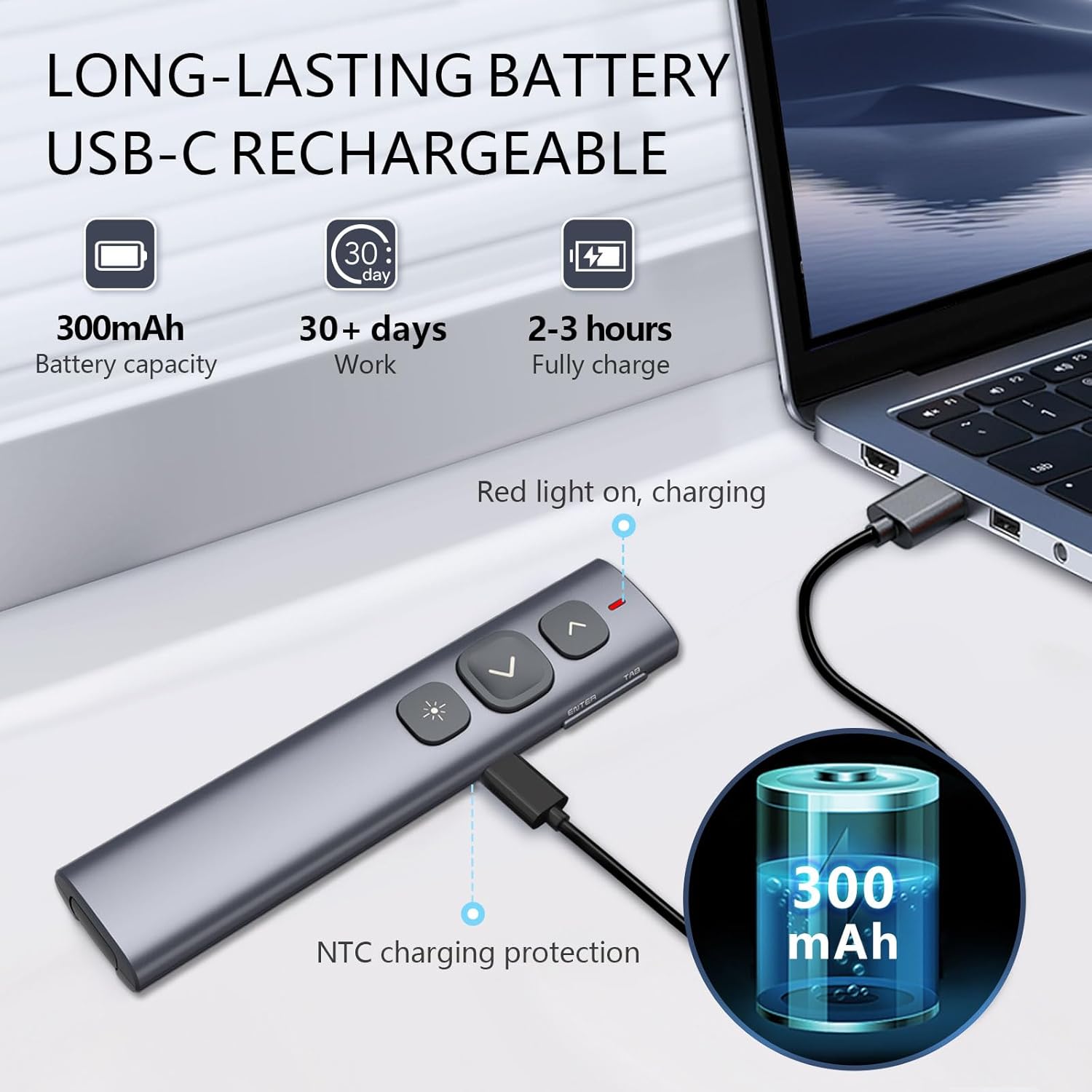
Image: The Norwii N95 Presentation Clicker connected to a laptop via its USB-C charging cable, illustrating the charging process and emphasizing its 300mAh battery capacity for extended use.
2. Garbiketa
To clean the device, use a soft, dry cloth. Avoid using harsh chemicals or abrasive materials that could damage the surface or internal components.
3. Biltegiratzea
When not in use, store the presenter and its USB receiver in the provided gift pouch to protect them from dust and damage.
Arazoak konpontzea
- Gailuak ez du erantzuten: Ensure the USB-A receiver is securely plugged into your computer. Check if the presenter is powered on using the side switch. Verify the battery level and charge if necessary.
- Laser pointer not visible on screen: The red laser pointer is not effective on LED/LCD/TV screens. It is designed for traditional projection screens.
- Buttons not performing expected functions: The presenter has reprogrammable buttons. Long press the forward and backward buttons for 3 seconds to cycle through the four function modes (Up/Down, Left/Right, PgUp/PgDn, Scroll Up/Down) to find the correct mode for your software. Alternatively, use the Norwii Presenter app to customize button functions.
- Short control range: The wireless control range is up to 100 meters. Actual range may vary depending on environmental factors, obstacles, and interference. Ensure a clear line of sight between the presenter and the receiver if possible.
- Hyperlinks not activating: Ensure you are in a compatible presentation software. Use the 'Tab' key to select the hyperlink (a dashed box should appear) before pressing 'Enter' to activate it.
Zehaztapenak
| Ezaugarri | Xehetasuna |
|---|---|
| Modelo zenbakia | N95 |
| Produktuaren neurriak | 5.16 x 1.17 x 0.52 hazbete |
| Elementuaren pisua | 1.2 ontza |
| Konektibitatea | USB-A Receiver (2.4GHz RF) |
| Urruneko Kontrolaren barrutia | Gehienez 100 metro (328 oin) |
| Laser mota | Red Light Laser Pointer |
| Bateria mota | 300mAh Litio Polimeroa (Kargagarria) |
| Kargatzeko ataka | USB-C |
| Kargatzeko Denbora | 2-3 ordu karga osoa lortzeko |
Bermea eta Laguntza
1. Bermearen informazioa
For detailed warranty information, please refer to the official Norwii website or contact Norwii customer support directly. Warranty terms may vary by region and purchase location.
2. Bezeroarentzako arreta
If you encounter any issues or have questions regarding your Norwii N95 Presentation Clicker, please visit the Norwii Store on Amazon or the official Norwii weblaguntza baliabideetarako, maiz egiten diren galderetarako eta harremanetarako informaziorako gunea.
The Norwii Presenter app, available for download from the official Norwii website, also provides tools for customizing your device and may offer additional support features.


