1. Sarrera
Thank you for choosing the MageGee TS92 Wireless 60% Gaming Keyboard. This compact, rechargeable keyboard offers a stable 2.4G wireless connection, vibrant RGB backlighting, and a durable, water-resistant design. This manual provides detailed instructions for setup, operation, and maintenance to ensure optimal performance.

Image: MageGee TS92 wireless keyboard on a wooden table next to a speaker and a book, showcasing its use in a home environment. This image provides a general view erabiltzen ari den produktuarena.
2. Paketearen edukia
- MageGee TS92 Wireless 60% Gaming Keyboard
- USB Nano Receiver (stored in the keyboard's bottom compartment)
- Detachable USB Type-C Charging Cable
- Erabiltzailearen eskuliburua (dokumentu hau)
3. Konfigurazioa
3.1 Hasierako karga
Before first use, fully charge the keyboard using the provided USB Type-C cable. Connect the Type-C end to the keyboard's charging port and the USB-A end to a power source (e.g., computer USB port, USB wall adapter). The charging indicator will show the charging status.

Image: MageGee TS92 keyboard connected via USB-C cable with 2.4G wireless dongle inserted into a laptop. This image illustrates the charging connection and the wireless receiver.
3.2 Haririk gabeko konexioa
- Locate the USB Nano Receiver in the compartment on the bottom of the keyboard.
- Plug the USB Nano Receiver into an available USB port on your computer or laptop.
- Turn on the keyboard using the power switch located on the bottom of the keyboard.
- The keyboard should automatically connect to your device. No additional software or drivers are required.
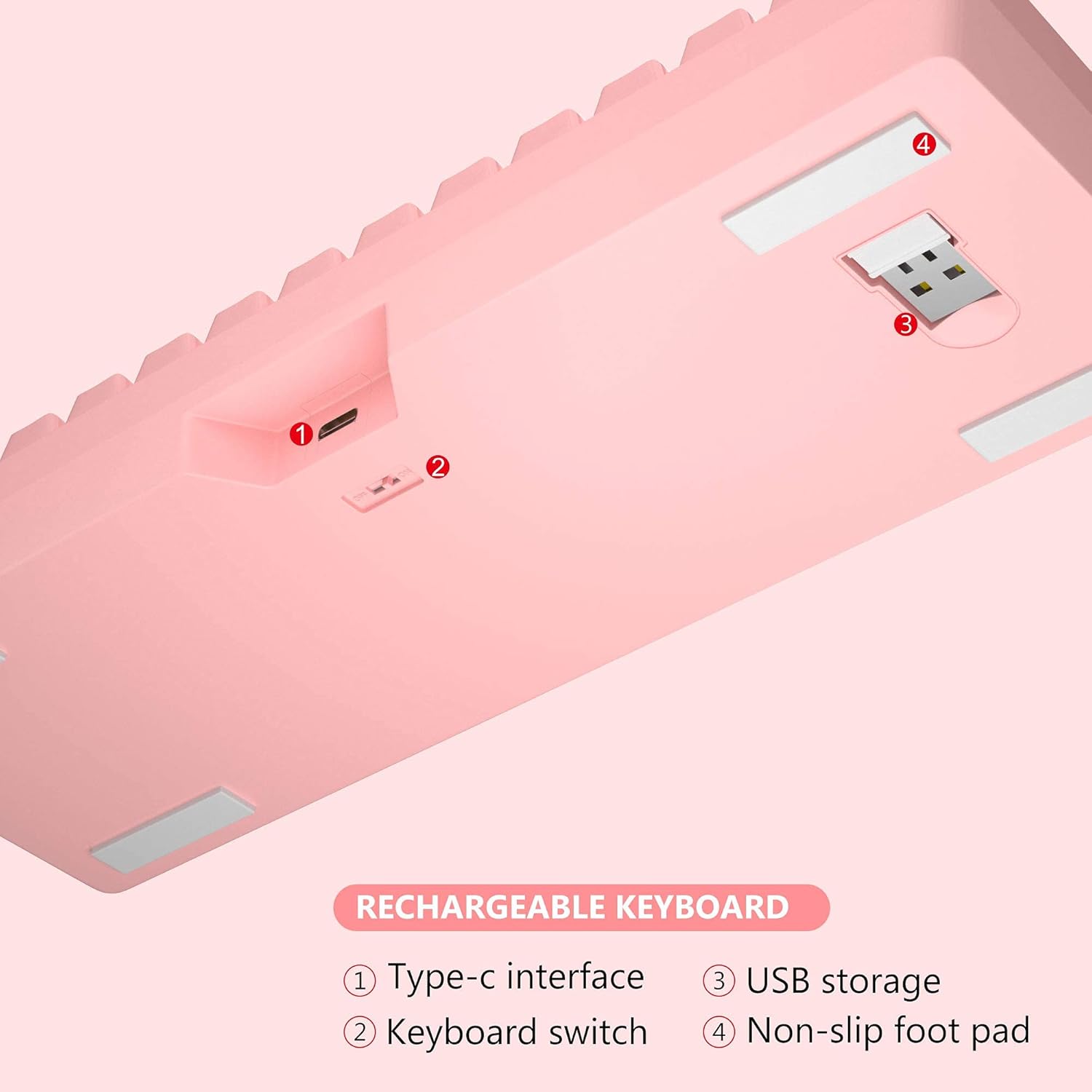
Irudia: Behealdea view of MageGee TS92 keyboard showing the USB receiver storage compartment, power switch, and Type-C interface. This image highlights the location of the wireless dongle and power switch.
4. Funtzionamendu-argibideak
4.1 RGB atzeko argiztapenaren kontrola
The MageGee TS92 keyboard features vibrant RGB backlighting with 7 color options (red, green, purple, yellow, blue, white, cyan) and various lighting effects.
- FN + K: Switch between different backlight modes (e.g., Ripples, Waves, Breathing, Aurora).
- FN + L: Doitu atzeko argiaren distira (5 maila).
- FN + I: Atzeko argia piztu/itzali.
- FN + U: Handitu atzeko argiaren abiadura.
- FN + J: Murriztu atzeko argiaren abiadura.

Image: MageGee TS92 keyboard displaying colorful RGB backlighting. This image showcases the keyboard's illuminated keys.
Video: Demonstration of MageGee TS92 Wireless 61 Keys RGB Keyboard features, including various RGB lighting modes and key functions. This video provides a visual guide to the keyboard's dynamic lighting effects.
4.2 Multimedia eta funtzio teklak
The 61-key layout includes essential multimedia and function keys accessible via the FN key combinations.
| Konbinazioa | Funtzioa |
|---|---|
| FN + R | Bolumena jaitsi |
| FN + T | Bolumena igo |
| FN + Y | Isildu |
| FN + K | Atzeko argiaren moduak aldatu |
| FN + L | Doitu atzeko argiaren distira |
| FN + I | Atzeko argia piztuta / itzalita |
| FN + U | Speed up backlight speed |
| FN + J | Atzeko argiaren abiadura moteldu |

Image: Diagram showing FN key combinations for multimedia and lighting control on MageGee TS92 keyboard. This image provides a visual reference for special key functions.
4.3 Energiaren kudeaketa
The keyboard is equipped with a 2000mAh rechargeable battery. It offers up to 24 hours of wireless usage and 480 hours of standby time on a single charge.
- The keyboard will automatically enter sleep mode after 1 minute of inactivity to conserve power.
- Click any key to wake it up.
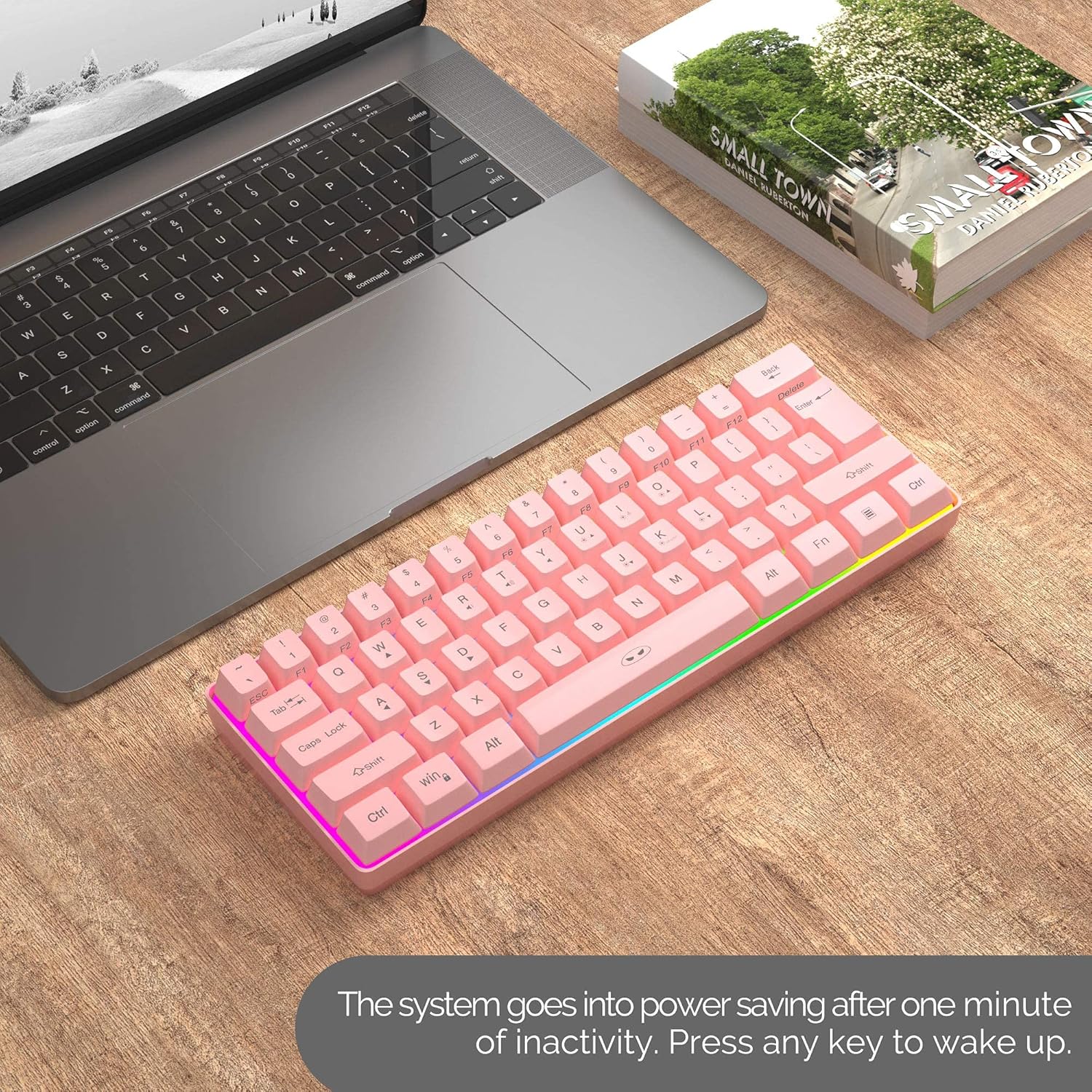
Image: MageGee TS92 keyboard on a desk next to a laptop, illustrating the automatic sleep mode feature. This image shows the keyboard in a typical usage scenario.
4.4 Bateragarritasuna
The MageGee TS92 keyboard is compatible with a wide range of operating systems, including:
- Windows (Win2000, Win XP, Win ME, Vista, Win 7, Win 8, Win 10)
- Mac OS
- Linux
- Other devices with USB ports
5. Mantentzea
5.1 Urarekiko erresistentzia
The keyboard is designed to be water-resistant, protecting against damage from spilled drinks or coffee. However, it is important to note:
- EZ soak the keyboard in water.
- EZ rinse it under tap water.
- In case of spills, gently wipe the keyboard dry with a soft cloth.
5.2 Garbiketa
To clean the keyboard, use a soft, slightly damp cloth. Avoid using harsh chemicals or abrasive materials that could damage the surface or keycaps.
6. Arazoak
- Teklatuak ez du erantzuten:
- Ziurtatu teklatua piztuta dagoela.
- Check if the USB Nano Receiver is securely plugged into a working USB port on your device.
- Verify the keyboard battery is charged. Connect the Type-C cable to charge if needed.
- Try plugging the USB Nano Receiver into a different USB port.
- Berrabiarazi ordenagailua.
- RGB lights not working or stuck:
- Sakatu FN + I atzeko argia piztuta dagoela ziurtatzeko.
- Sakatu FN + K to cycle through different lighting modes.
- Sakatu FN + L distira doitzeko.
- Ziurtatu teklatuaren bateria behar bezala kargatuta dagoela.
- Konexio etengabea:
- Ensure the keyboard is within the 10-meter operating range of the USB receiver.
- Avoid placing the keyboard near strong electromagnetic interference sources.
- Ziurtatu teklatua guztiz kargatuta dagoela.
7. Zehaztapenak
| Ezaugarri | Xehetasuna |
|---|---|
| Eredua | TS92 |
| Konexio modua | 2.4G Haririk gabekoa |
| Gako kopurua | 61 |
| Bateria Edukiera | 2000mAh |
| Kargatzeko ataka | USB C motakoa |
| Distantzia eragilea | Gehienez 10 metro |
| Bateragarritasuna | Windows, Mac, Linux |
| Ezaugarri bereziak | RGB Backlit, Rechargeable, Water Resistant |
| Teklatuaren neurriak | 292 x 102 x 40 mm (gutxi gorabehera 11.5 x 4.0 x 1.6 hazbete) |
| Elementuaren pisua | 1.12 kilo (508 g inguru) |
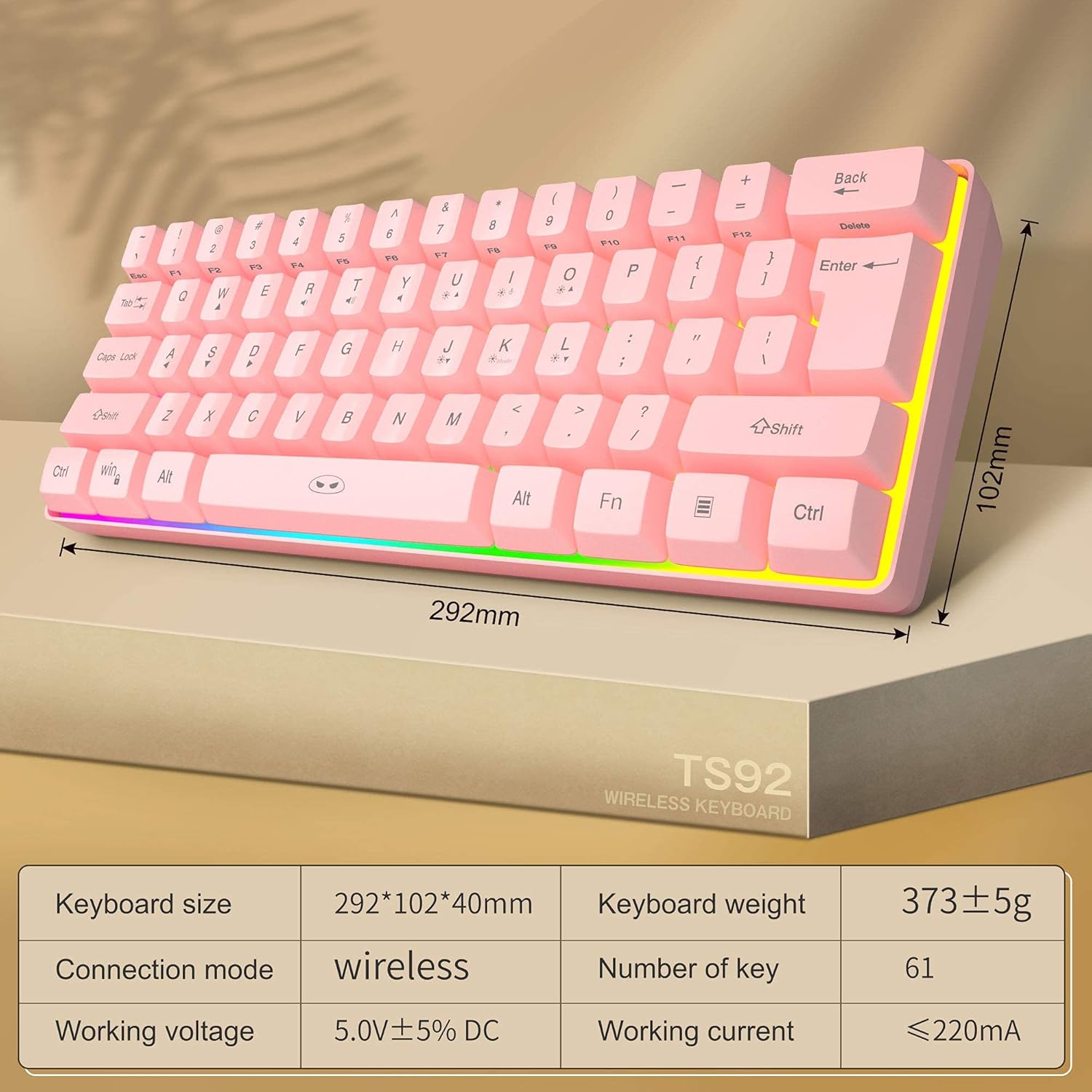
Image: Diagram showing the dimensions and key specifications of the MageGee TS92 wireless keyboard. This image provides a visual overview of the keyboard's physical attributes and technical details.
8. Bermea eta Laguntza
MageGee products are designed for reliability and performance. For warranty information or technical support, please refer to the contact details provided with your purchase or visit the official MageGee webgunea. Gorde erosketa-agiria berme-erreklamazioetarako.


