1. Sarrera
This manual provides essential information for the proper use and maintenance of your Soundcore Anker Life 2 Neo Wireless Headphones. Please read it thoroughly before using the product to ensure optimal performance and longevity.
2. Zer dago kutxan
- Soundcore Anker Life 2 Neo Wireless Headphones
- USB-C kargatzeko kablea
- 3.5 mm-ko audio kablea
- Erabiltzailearen eskuliburua (dokumentu hau)
3. Produktuaren ezaugarriak
- 100% More Bass: Oversized 40mm titanium-coated drivers with BassUp technology for enhanced bass output.
- Erresoluzio handiko audioa: Delivers sound up to 40 kHz for a rich listening experience.
- Jolasaldi luzatua: Gehienez 60 ordu etengabeko erreprodukzioa karga bakarrean.
- Karga azkarra: 5-minute charge provides 5 hours of listening via the high-speed USB-C port.
- Diseinu erosoa: Features memory foam earcups, an adjustable headband, and flexible earcups for extended wear.
- Konektibitatea: Bluetooth 5.0 for wireless connection and a 3.5mm audio jack for wired listening.
- Diseinu tolesgarria: Trinkoa eta eramangarria biltegiratzeko eta garraiatzeko erraz egiteko.

Image: Soundcore Life 2 Neo Headphones highlighting Hi-Res Audio certification.

Image: Diagram illustrating the BassUp Technology within the Soundcore Life 2 Neo Headphones.
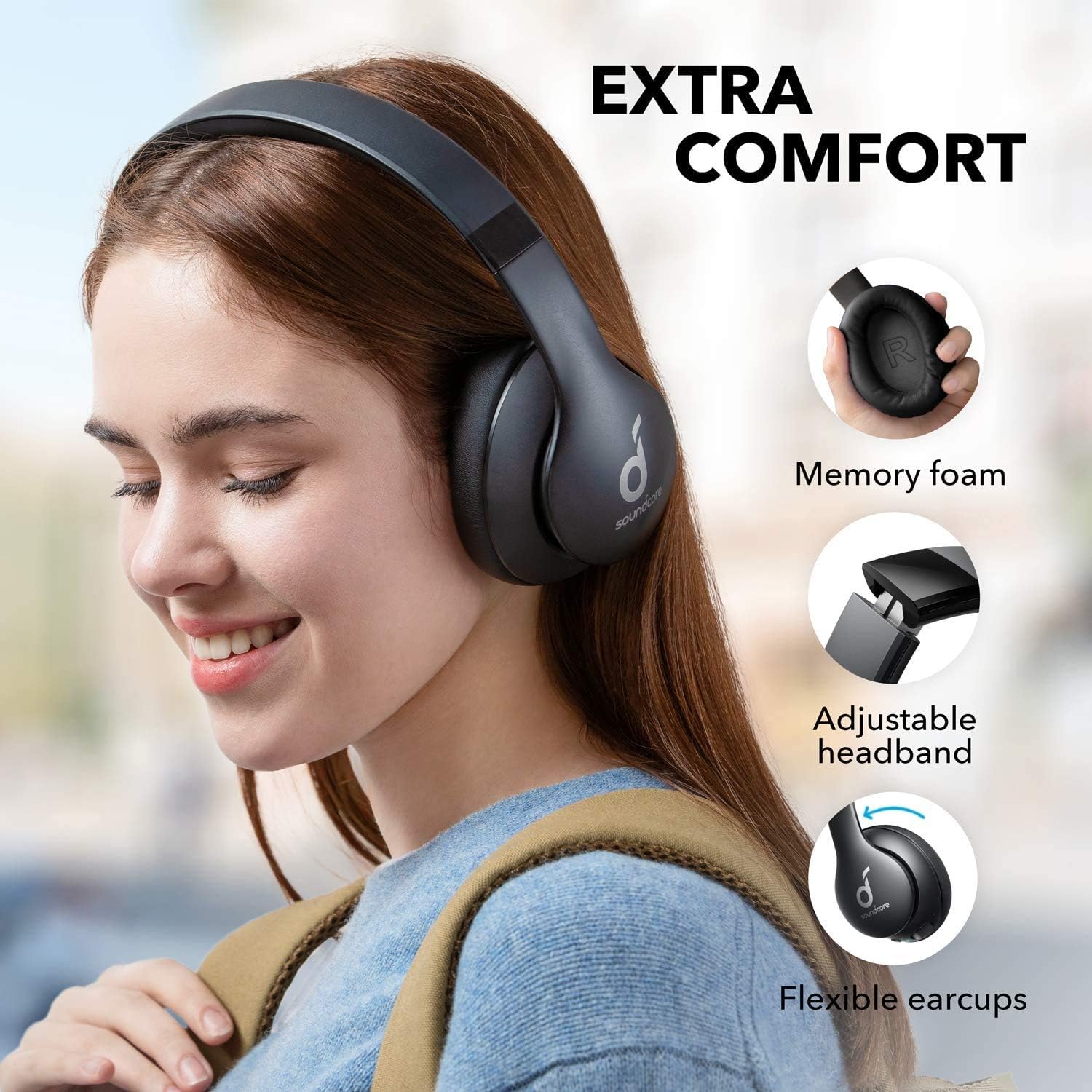
Image: Soundcore Life 2 Neo Headphones demonstrating memory foam, adjustable headband, and flexible earcups for extra comfort.
4. Konfigurazioa
4.1 Entzungailuak kargatzea
Before first use, fully charge your headphones. Connect the provided USB-C cable to the charging port on the headphones and the other end to a compatible USB power source (e.g., wall adapter, computer USB port). The LED indicator will show charging status.
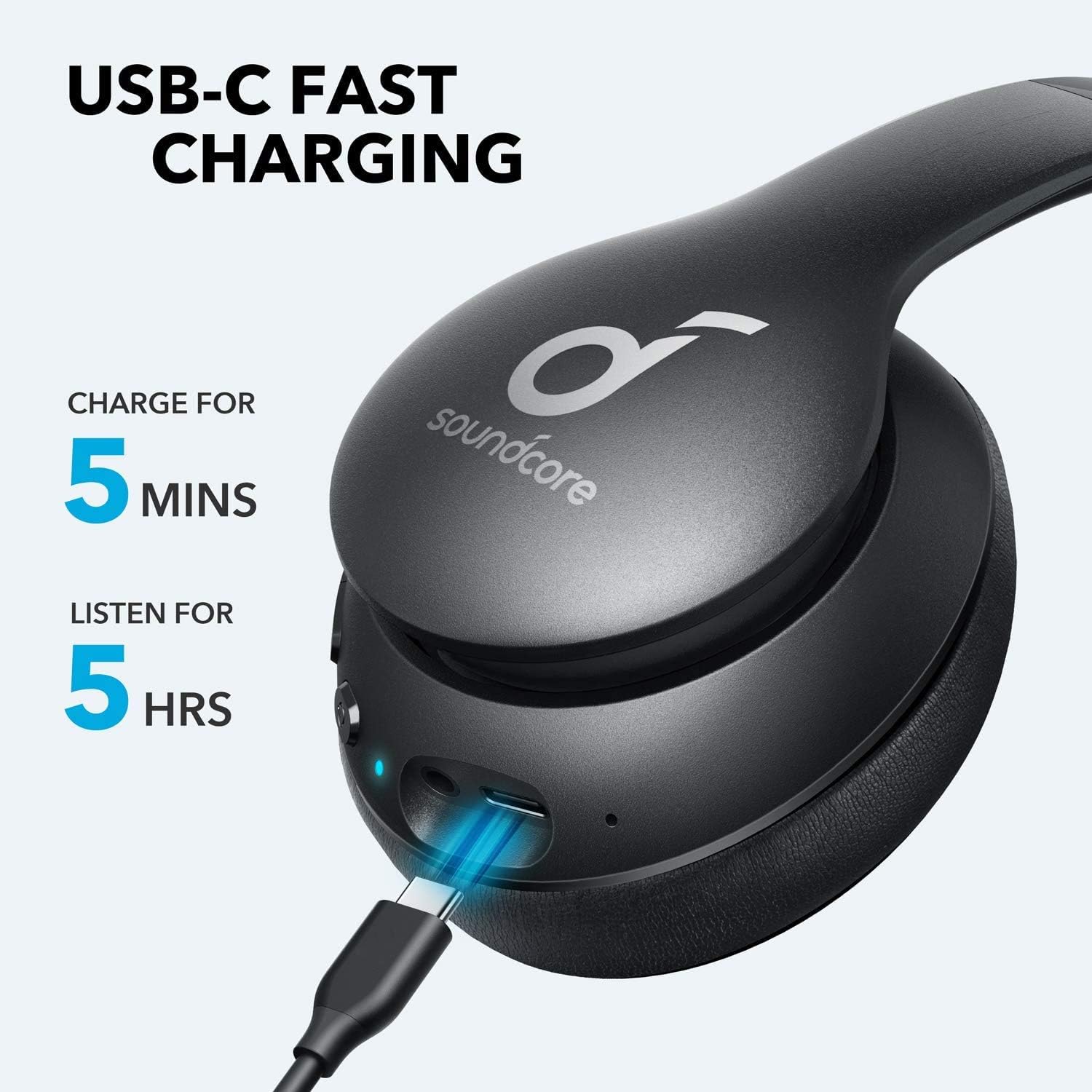
Image: Soundcore Life 2 Neo Headphones being charged via USB-C cable, illustrating the fast charging capability.
4.2 Piztu/Itzaltzea
- Pizteko: Sakatu eta eutsi pizteko botoia LED adierazlea piztu arte.
- Itzaltzeko: Sakatu eta eutsi pizteko botoia LED adierazlea itzali arte.
4.3 Bluetooth parekatzea
- Ziurtatu entzungailuak itzalita daudela.
- Sakatu eta eutsi pizteko botoia 3-5 segundo inguru, LED adierazlea urdin keinuka hasi arte, parekatze modua adieraziz.
- Zure gailuan (telefono adimenduna, tableta, ordenagailua), gaitu Bluetooth eta bilatu eskuragarri dauden gailuak.
- Select "Soundcore Life 2 Neo" from the list of devices.
- Konektatu ondoren, LED adierazlea urdin sendoa piztuko da.
4.4 Kable bidezko konexioa
If Bluetooth is not available or the battery is depleted, you can use the provided 3.5mm audio cable. Plug one end into the headphone's audio jack and the other end into your device's 3.5mm audio output.
5. Funtzionamendu-argibideak
5.1 Kontrolak
The headphones feature intuitive controls located on the earcup:
- Pizteko botoia: Piztu/itzali, musika erreproduzitu/pausatu, deiak erantzun/amaitu.
- Bolumena igo (+): Increase volume, skip to next track (long press).
- Bolumena jaitsi (-): Decrease volume, skip to previous track (long press).
- Baxua igotzeko botoia: Aktibatu/desaktibatu BassUp modua baxu hobetuak lortzeko.
5.2 Entzungailuak janztea
The Soundcore Life 2 Neo headphones are designed for over-ear comfort. Adjust the headband to fit snugly on your head, ensuring the earcups fully cover your ears. The earcups are marked 'L' for left and 'R' for right for correct orientation.

Image: A person wearing Soundcore Life 2 Neo Headphones, demonstrating proper fit and comfort.
6. Mantentzea
- Garbitu entzungailuak aldizka zapi leun eta lehor batekin.
- Saihestu entzungailuak muturreko tenperaturen, hezetasunaren edo eguzki-argiaren eraginpean jartzea.
- Ez erabili garbitzaile edo disolbatzaile urratzailerik.
- Gorde entzungailuak leku fresko eta lehor batean erabiltzen ez dituzunean. Tolestu daitekeen diseinuari esker, biltegiratze trinkoa egin daiteke.
7. Arazoak
7.1 Ezin da gailuarekin parekatu
- Ziurtatu entzungailuak parekatze moduan daudela (LED urdin keinukaria).
- Ziurtatu Bluetootha gaituta dagoela zure gailuan.
- Hurbildu entzungailuak gailura.
- Saiatu entzungailuak eta gailua berrabiarazten.
- Garbitu aurreko Bluetooth konexioak zure gailuan eta saiatu berriro parekatzen.
7.2 Soinurik ez edo bolumen baxua
- Egiaztatu entzungailuen eta konektatutako gailuaren bolumen-mailak.
- Ensure the headphones are properly paired or connected via the 3.5mm audio cable.
- If using a wired connection, ensure the cable is fully inserted into both jacks.
- Probatu beste audio iturri edo gailu batekin.
7.3 Kargatzeko arazoak
- Ziurtatu USB-C kablea ondo konektatuta dagoela entzungailuetara eta elikatze-iturrira.
- Saiatu beste USB-C kable edo korronte egokitzaile bat erabiltzen.
- Egiaztatu energia-iturria behar bezala funtzionatzen duela.
8. Zehaztapenak
| Ezaugarri | Xehetasuna |
|---|---|
| Ereduaren izena | Bizitza 2 Neo |
| Marka | Soundcore |
| Konektibitate Teknologia | Haririk gabekoa (Bluetooth), Kable bidezkoa (3.5 mm) |
| Haririk gabeko Komunikazio Teknologia | Bluetooth 5.0 |
| Audio kontrolatzailearen tamaina | 40 milimetro |
| Bateriaren iraupena | 60 ordu |
| Kargatzeko Denbora | 5 minutu 5 orduko erreprodukziorako |
| Kontrol mota | Multimediaren kontrola, ahotsa |
| Belarrien Kokatzea | Belarri gainean |
| Materiala | Faux Leather, Metal, Plastic |
| Elementuaren pisua | 0.5 kilogramo (1.1 libra) |
| Ezaugarri Berezia | Foldable, USB connectivity, Wireless |
9. Bermea eta Laguntza
For warranty information and customer support, please refer to the documentation included with your purchase or visit the official Soundcore webgunea. Berme-baldintza espezifikoak eskualdearen eta saltzailearen arabera alda daitezke.


