Sarrera
This manual provides essential instructions for the safe and correct operation of your Classic Phono by Lenco TT-110 turntable. Please read this manual thoroughly before using the device and retain it for future reference. The TT-110 combines a retro design with modern features, allowing playback of vinyl records at multiple speeds and wireless audio streaming via Bluetooth.
Segurtasun informazio garrantzitsua
- Ez jarri unitatea euri edo hezetasunera.
- Ez blokeatu aireztapen-zulorik.
- Ziurtatu korronte-kablea ez dela atxilotzen edo gainean ibili.
- Erabili soilik fabrikatzaileak zehaztutako eranskinak/osagarriak.
- Jarri zerbitzu-zerbitzu guztiak zerbitzu-pertsonal kualifikatuari.
Paketearen edukia
Egiaztatu elementu guztiak bertan daudela eta egoera onean daudela:
- Classic Phono by Lenco TT-110 Turntable Unit
- Elikatze-moldagailua
- Erabiltzailearen eskuliburua (dokumentu hau)
Produktua amaituview
The Classic Phono TT-110 is a portable turntable designed for playing vinyl records and streaming audio via Bluetooth. It features a belt-drive system, built-in speakers, and multiple connectivity options.

Image: The Classic Phono by Lenco TT-110 turntable shown open, revealing the platter, tonearm, and controls. The interior is red, and the exterior is black with red accents.

Image: The Classic Phono by Lenco TT-110 turntable shown closed, resembling a briefcase. It features a black faux leather finish with a prominent red stripe and the Lenco logo.
Konfigurazioa
1. Desontziratzea eta kokatzea
- Kontu handiz atera bira-plataforma bere paketetik.
- Place the unit on a stable, level surface away from direct sunlight, heat sources, and excessive dust or vibrations.
- Ireki toskagailuaren tapa.
2. Osagaien identifikazioa
Ezagutu osagai nagusiak:
- Platerua: Where the record rests.
- Tonu-besoa: Estiletoa eusten du eta diskoaren ildoak jarraitzen ditu.
- Estiletoa (orratza): The part that reads the record. It comes with a protective cap.
- Abiadura-hautatzailea: Switch for 33, 45, or 78 RPM.
- Potentzia/Bolumen botoia: Unitatea piztu/itzali eta bolumena doitzen du.
- Funtzio etengailua: Selects between Phono (vinyl), Bluetooth, or Aux-in.
- Aux-in Jack: Kanpoko audio gailuak konektatzeko.
- RCA Irteerako Jackak: Kanpoko konexioetarako. ampargitzaileak edo bozgorailu elektrikoak.
- DC In Jack: Korronte-egokigailua konektatzeko.
- Aurikularrak Jack: Entzun pribaturako.

Image: The rear panel of the Classic Phono by Lenco TT-110, displaying the Aux-in, RCA output (L/R), and DC In power connection ports.
3. Hasierako Prestaketa
- Remove the white protective cap from the stylus. Be careful not to damage the stylus.
- Askatu besoaren blokeoa.
- Ensure the drive belt is correctly positioned around the motor pulley and the platter. This unit uses a belt-drive system.
4. Energia-konexioa
- Connect the power adapter to the DC In jack on the back of the turntable.
- Entxufatu korronte-egokigailua hormako entxufe batera.
Funtzionamendu-argibideak
1. Playing a Vinyl Record
- Biratu pizteko/bolumenaren botoia erlojuaren orratzen noranzkoan unitatea pizteko.
- Set the Function Switch to "PHONO".
- Jarri disko bat platerean.
- Hautatu abiadura egokia (33, 45 edo 78 RPM) abiadura hautatzeko etengailua erabiliz. 45 RPM-ko diskoetarako, jarri barneko 45 RPM-ko egokitzailea ardatzean.
- Gently lift the tonearm using the cueing lever and position it over the desired track of the record.
- Jaitsi besoa poliki-poliki diskoaren gainera, palanka erabiliz. Diskoa jotzen hasiko da.
- Doitu bolumena pizteko/bolumen botoia erabiliz.
- Grabaketaren amaieran, auto-stop funtzioak automatikoki geldituko du platera biratzea. Altxatu besoa eta itzuli bere tokira.

Image: The Classic Phono by Lenco TT-110 turntable with a red vinyl record playing on the platter, demonstrating its primary function.
2. Bluetooth funtzionamendua
The TT-110 can receive audio wirelessly from Bluetooth-enabled devices.
- Turn on the unit and set the Function Switch to "BT" (Bluetooth). The Bluetooth indicator light will flash, indicating it's in pairing mode.
- Gaitu Bluetooth-a zure telefonoan, tabletan edo beste audio gailu batean.
- Bilatu "TT-110" in your device's Bluetooth list and select it to pair.
- Once paired, the Bluetooth indicator light will stop flashing and remain solid. You can now stream audio from your device to the TT-110's built-in speakers.
- Adjust the volume using the Power/Volume knob on the turntable and/or your connected device.
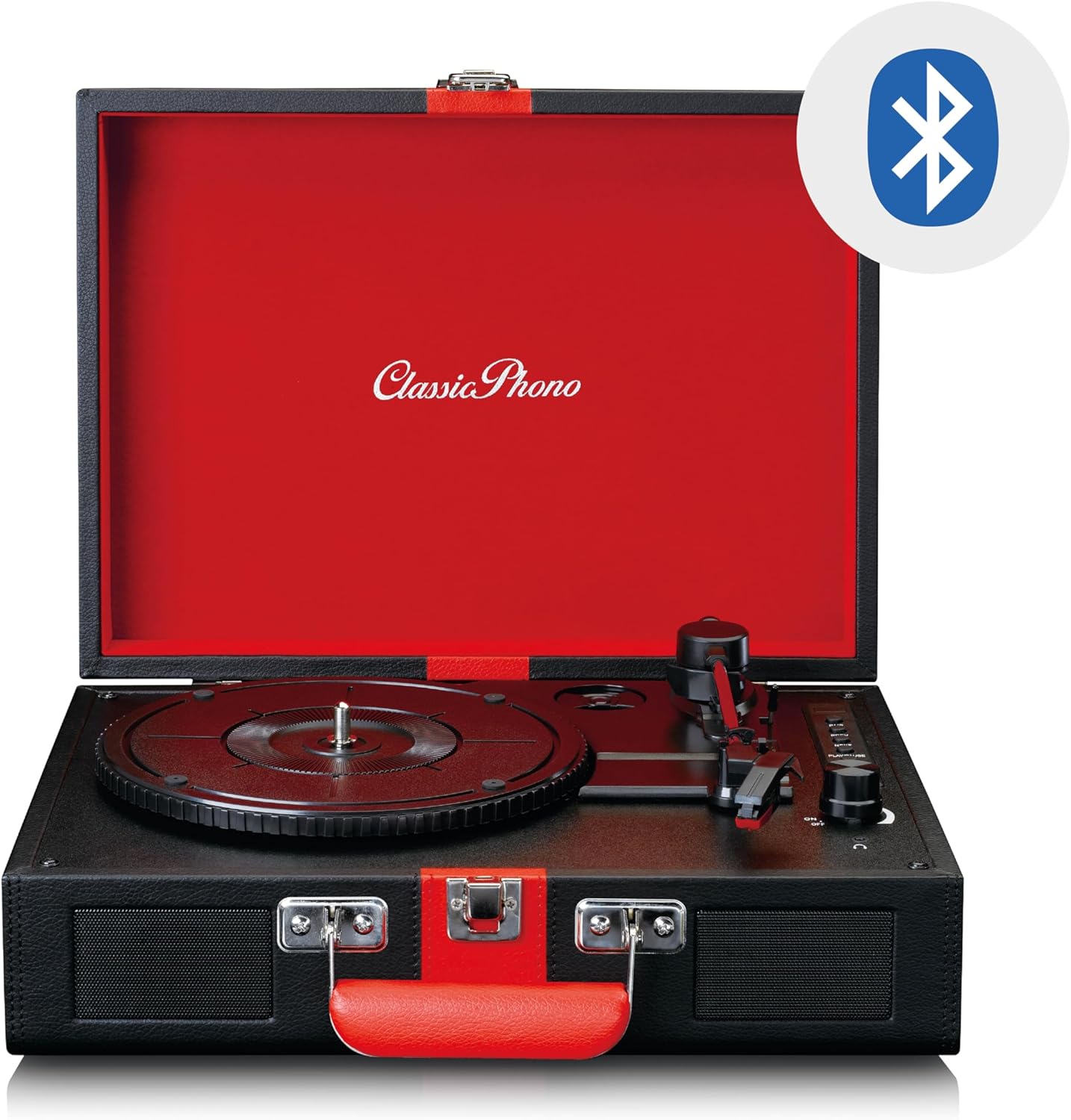
Image: The Classic Phono by Lenco TT-110 turntable shown open, with a Bluetooth logo superimposed, indicating its wireless connectivity feature.
3. Aux-in Connection
Connect external audio sources using a 3.5mm audio cable.
- Turn on the unit and set the Function Switch to "AUX".
- Connect one end of a 3.5mm audio cable (not included) to the Aux-in jack on the turntable.
- Connect the other end of the cable to the headphone jack or audio output of your external device (e.g., MP3 player, smartphone).
- Play audio from your external device. The sound will be output through the TT-110's speakers.
- Adjust the volume using the Power/Volume knob on the turntable and/or your external device.
4. Entzungailuen erabilera
For private listening, connect headphones to the headphone jack.
- Plug a 3.5mm stereo headphone jack into the headphone port on the unit.
- Barneko bozgorailuak automatikoki isilaraziko dira.
- Doitu bolumena pizteko/bolumen botoia erabiliz.
5. RCA Irteera
To connect the turntable to an external amplifier or powered speakers, use the RCA output jacks.
- Connect an RCA cable (not included) to the L/R RCA output jacks on the back of the turntable.
- Konektatu RCA kablearen beste muturra zure gailuko dagokion audio sarrerara. ampargitzaile edo bozgorailu elektrikoak.
- Ziurtatu ampanplifikadorea/bozgorailuak sarrera zuzenean konfiguratuta daude.
- Adjust the volume via the connected ampargitzaile/hiztunak.
Mantentzea
1. Arkatza garbitzea
- Use a soft brush, specifically designed for stylus cleaning, to gently brush the stylus from back to front.
- Do not brush from side to side or front to back, as this can damage the stylus.
- Clean the stylus regularly to ensure optimal sound quality and prevent damage to your records.
2. Cleaning Records
- Ertzak beti ertzetik edo etiketatik maneiatu.
- Use a record cleaning brush or cloth to remove dust and debris before each play.
- For deeper cleaning, use a specialized record cleaning solution and cloth, following the product's instructions.
3. General Unit Cleaning
- Garbitu unitatearen kanpoaldea zapi leun eta lehor batekin.
- Ez erabili garbitzaile, argizari edo disolbatzaile urratzailerik, akabera kaltetu baitezakete.
- Ziurtatu unitatea deskonektatuta dagoela garbitu aurretik.
4. Estiletearen ordezkapena
The stylus is a consumable part and will wear out over time (typically after 300-500 hours of playback). A worn stylus can damage records and degrade sound quality. Refer to the manufacturer's website or your retailer for information on purchasing a replacement stylus for the TT-110.
- Carefully remove the old stylus by pulling it downwards and forwards.
- Insert the new stylus by pushing it upwards and backwards until it clicks into place.
- Always handle the stylus assembly with care to avoid bending the cantilever or damaging the tip.
Arazoak konpontzea
| Arazoa | Kausa posiblea | Irtenbidea |
|---|---|---|
| Botererik ez | Korronte egokitzailea ez dago konektatuta; entxufea ez dabil. | Ensure power adapter is securely connected to the unit and a working outlet. |
| Bozgorailuen soinurik ez | Volume too low; Function switch incorrect; Headphones connected. | Increase volume; Set Function switch to PHONO/BT/AUX; Disconnect headphones. |
| Erregistro-saltzea | Record dirty or scratched; Stylus dirty or worn; Turntable not level. | Clean record; Clean/replace stylus; Place turntable on a level surface. |
| Bluetootha ez da parekatzen | Unit not in BT mode; Device too far; Already paired with another device. | Set Function switch to BT; Move device closer; Disconnect from other devices. |
| Erreprodukzio-abiadura okerra | Abiadura okerra hautatu da. | Adjust the speed selector switch to match the record's speed (33, 45, or 78 RPM). |
Irtenbide hauek probatu ondoren arazoa konpontzen ez bada, jarri harremanetan bezeroarentzako arreta-zerbitzuarekin.
Zehaztapenak
| Ezaugarri | Xehetasuna |
|---|---|
| Marka | Lenco (Classic Phono) |
| Modelo zenbakia | TT-110BKRD |
| Erreprodukzio-abiadurak | 33, 45, 78 RPM |
| Drive mota | Gerrikoa |
| Konektibitatea | Bluetooth 5.0, Aux-in (3.5mm), RCA Out, Headphone Jack (3.5mm) |
| Bozgorailu integratuak | Bai (2 hizlari) |
| Estilista mota | Ceramic cartridge with needle |
| Auto-Stop funtzioa | Bai |
| Materiala | Wood cabinet with synthetic leather surface |
| Kolorea | Beltza/Gorria |
| Pisua | 2.35 kilogramo |
Bermea eta Laguntza
Bermearen informazioa
This product is covered by a manufacturer's warranty. Please refer to the warranty card included with your purchase or the retailer's terms and conditions for specific details regarding warranty duration and coverage. Retain your proof of purchase for warranty claims.
Bezeroarentzako Arreta
For technical assistance, troubleshooting beyond this manual, or warranty inquiries, please contact your retailer or the manufacturer's customer support. Contact details can typically be found on the manufacturer's official webgunean edo zure erosketa-dokumentazioan.
Oharra: Do not attempt to repair the unit yourself. Unauthorized repairs will void the warranty.


