1. Sarrera
Thank you for choosing the KLARSTEIN VapoAir Opal Smart Humidifier. This device is designed to improve air quality and comfort in your home by adding moisture to dry air. It features smart control via an app, an ionizer, a large 5-liter water tank, and multiple mist levels. Please read this manual carefully before use to ensure proper operation and maintenance.
2. Segurtasun-argibideak
- Always place the humidifier on a firm, flat, waterproof surface away from direct sunlight and heat sources.
- Ez jarri hezegailua hezetasunarekiko sentikorrak diren altzarien edo etxetresna elektrikoen ondoan.
- Mantendu aparatua haurren eta animalien eskura.
- Ez sartu unitatea uretan edo bestelako likidoetan.
- Deskonektatu hezegailua korronte-hartunetik bete, garbitu edo mugitu aurretik.
- Erabili txorrotako ur garbi eta freskoa soilik. Ur destilatua edo desmineralizatua gomendatzen da mineralen metaketa saihesteko.
- Do not add essential oils directly into the water tank; use the designated aroma diffuser tray.
- Elikatze-kablea hondatuta badago, fabrikatzaileak, bere zerbitzu-agenteak edo antzeko kualifikatuak diren pertsonek ordeztu beharko dute arriskurik ekiditeko.
- Ez blokeatu lainoaren irteera.
3. Paketearen edukia
Mesedez, egiaztatu paketea elementu hauek dituen:
- KLARSTEIN VapoAir Opal Smart Humidifier
- Urruneko Kontrola
- Argibide eskuliburua
- Garbiketa-eskuila (barne egon daiteke)
4. Produktua amaitu daview eta Osagaiak
Familiarize yourself with the main parts of your humidifier:

Irudia: Aurrealdea view of the KLARSTEIN VapoAir Opal Smart Humidifier, showcasinbere diseinu dotorea eta LED pantaila ditu.
- Mist Outlet: Where the mist is released into the air.
- Ur depositua: Removable tank for water storage.
- Oinarrizko Unitatea: Contains the ultrasonic transducer and heating element.
- Kontrol panela/LED pantaila: Touch-sensitive buttons and digital display for settings.
- Aroma difusorearen erretilua: Small tray for essential oils (located at the bottom/side).
- Elikatze kablea: Entxufe elektriko batera konektatzeko.

Image: The KLARSTEIN VapoAir Opal Smart Humidifier with its dimensions labeled: 23cm (depth), 18cm (width), 37cm (height).
5. Konfigurazioa
5.1 Paketatzea
Carefully remove all packaging materials. Retain the packaging for future storage or transport.
5.2 Jartzea
Place the humidifier on a flat, stable surface at least 15 cm away from walls and furniture. Ensure the mist outlet is not directed towards any objects or walls.
5.3 Ur depositua betetzea
- Ensure the humidifier is unplugged.
- Carefully lift the water tank from the base unit.
- Invert the water tank and unscrew the cap at the bottom.
- Fill the tank with clean, cool tap water. Distilled or demineralized water is recommended to minimize mineral residue. Do not fill past the MAX line.
- Itzurrundu tapoia ondo.
- Place the filled water tank back onto the base unit, ensuring it is seated correctly. The auto-stop function will prevent operation if the tank is not properly placed or if water is absent.
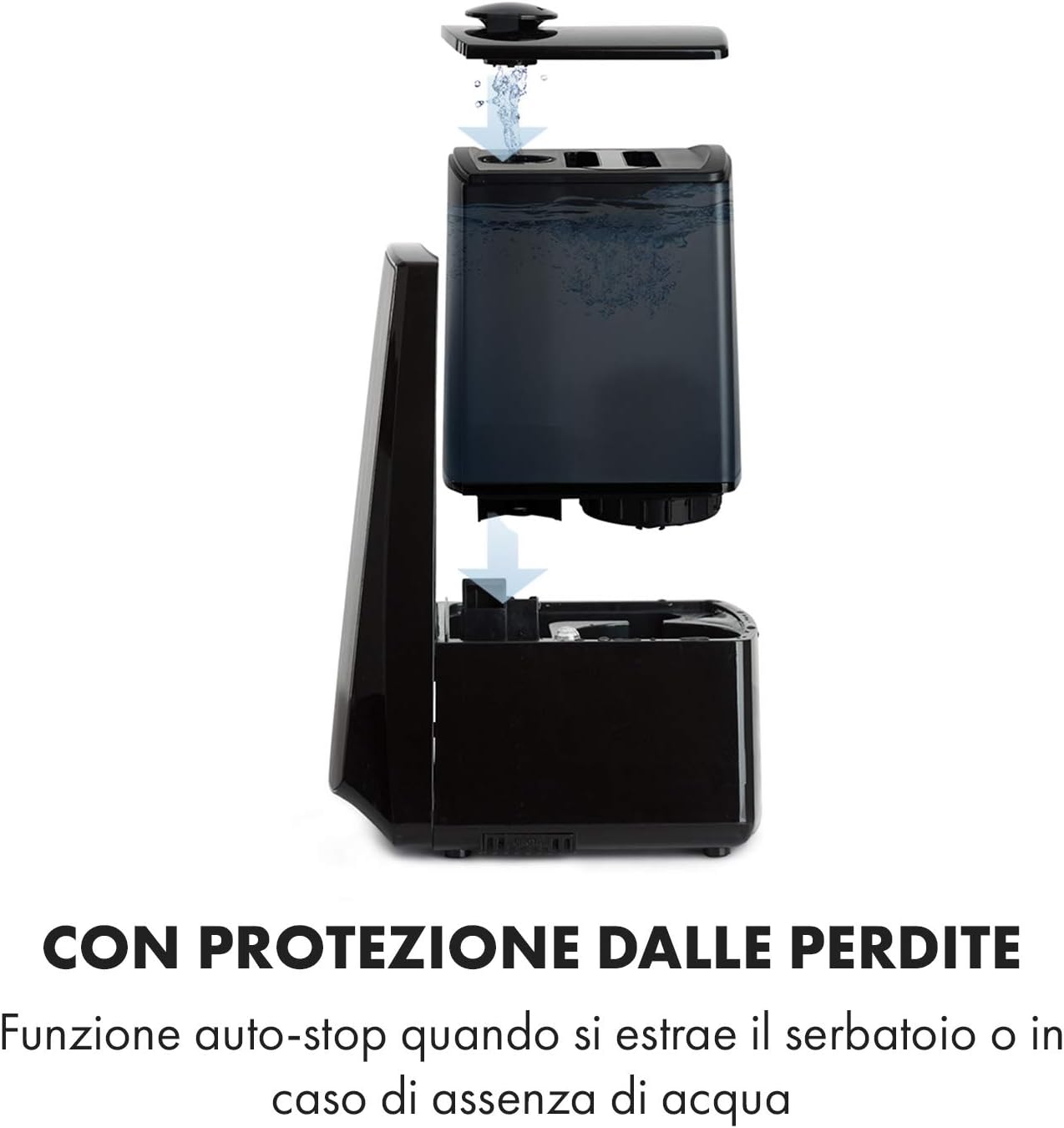
Image: Diagram illustrating the removal and refilling process of the water tank, highlighting the auto-stop feature when the tank is removed or empty.
5.4 Energia-konexioa
Entxufatu kablea entxufe egoki batera (230 V).
6. Funtzionamendu-argibideak
6.1 Kontrol-panela amaituview

Irudia: Gertutik view of the humidifier's LED display and touch controls, showing a hand interacting with the buttons.
The LED display shows current humidity, temperature, and selected settings. The touch buttons allow control over various functions.
6.2 Piztu/Itzali
Sakatu ON/OFF kontrol-paneleko edo urrutiko aginteko botoia unitatea pizteko edo itzaltzeko.
6.3 Laino mailaren doikuntza
The humidifier offers 7 levels of mist output. Press the LAINOA button repeatedly to cycle through the mist intensity levels. The current level will be displayed on the screen.
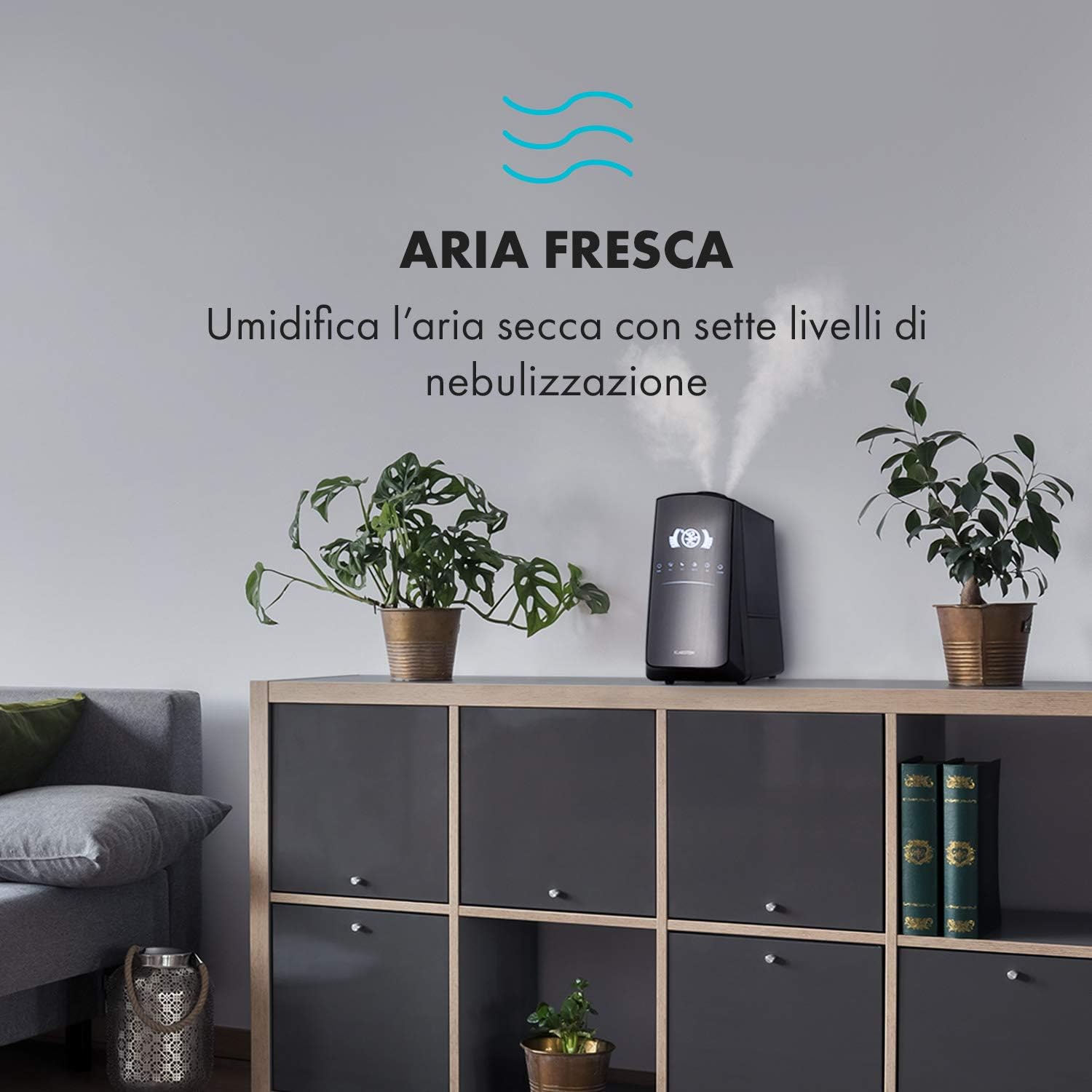
Image: The humidifier operating in a room, releasing mist to humidify the air.
6.4 Humidity Setting (Humidistat)
Sakatu HEZETASUNA button to set your desired humidity level (e.g., 40% to 80% RH). The unit will automatically maintain this level, turning on and off as needed.
6.5 Warm/Cool Mist
Sakatu BEROA button to activate the warm mist function. Press again to switch back to cool mist. Warm mist can help raise room temperature slightly and is often preferred in colder climates.

Image: A close-up shot of the mist output, illustrating the option for either cool or warm mist.
6.6 Tenporizadorearen funtzioa
Sakatu tenporizadorea button to set an operating duration from 1 to 12 hours. The unit will automatically turn off after the set time.
6.7 Ionizatzailearen funtzioa
Sakatu ION button to activate the ionizer. This function releases negative ions to help purify the air by attracting dust and other particles.
6.8 Aroma-difusore
Pull out the aroma diffuser tray located at the bottom of the unit. Add a few drops of essential oil onto the sponge pad. Slide the tray back in. The mist will carry the aroma into the air.

Image: The integrated aroma diffuser tray, shown pulled out with an essential oil bottle and lemon slices nearby, indicating its use for adding scents.
6.9 Gaueko modua
Sakatu GAUA button to dim the LED display and reduce operational noise for undisturbed sleep.

Image: The humidifier in a modern living space, illustrating its versatile functions like auto mode, heating, health, baby, night mode, and timer.
7. Aplikazioen kontrola
The KLARSTEIN VapoAir Opal Smart Humidifier can be controlled via a dedicated smartphone application.

Image: A person using a smartphone with the Klarstein app open, showing controls for the humidifier's settings and current humidity levels.
7.1 Aplikazioa deskargatzea
Bilatu the 'Klarstein App Experience' in your smartphone's app store (available for Android and iOS).
7.2 Wi-Fira konektatzea
- Ensure your humidifier is plugged in and turned on.
- Open the Klarstein App and follow the on-screen instructions to add a new device.
- The humidifier requires a 2.4 GHz Wi-Fi sarea for connection. It is not compatible with 5 GHz networks. Ensure your router is configured to support 2.4 GHz or that your phone is connected to the 2.4 GHz band during setup.
- Once connected, you can control all humidifier functions remotely via the app.

Image: A smartphone displaying the Klarstein app interface, indicating smart home control via WiFi for Android and iOS devices.
8. Mantentzea eta Garbiketa
Garbiketa erregularra ezinbestekoa da errendimendu eta higiene optimoa lortzeko.
8.1 Eguneko mantentze-lanak
- Hustu eta garbitu ur-depositua egunero.
- Wipe the inside of the water tank with a clean cloth.
8.2 Asteko garbiketa
- Deskonektatu unitatea garbitu aurretik.
- Remove the water tank and empty any remaining water from both the tank and the base unit.
- Ur depositua garbitzea: Fill the tank with a mixture of water and white vinegar (1:1 ratio). Let it sit for 30 minutes, then rinse thoroughly.
- Oinarrizko unitatea garbitzea: Gently wipe the ultrasonic transducer (the small disc in the center of the base) with a soft brush or cloth to remove mineral deposits. Do not scrape or use abrasive cleaners. You can use a cotton swab dipped in vinegar for hard-to-reach areas.
- Aroma difusorearen erretilua: Remove and clean the sponge pad with mild soap and water. Allow it to dry completely before reinserting.
- Wipe all external surfaces with a soft, damp oihal.
8.3 Biltegiratzea
Hezegailua denbora luzez erabiliko ez bada, garbitu ondo, ziurtatu pieza guztiak lehor daudela eta gorde jatorrizko ontzian leku fresko eta lehor batean.
9. Arazoak
| Arazoa | Kausa posiblea | Irtenbidea |
|---|---|---|
| Lainorik ez edo laino-irteera txikia |
|
|
| Unitatea ez da pizten |
|
|
| Usain desatsegina |
|
|
| Unitatearen inguruan hauts zuria | Hard water with high mineral content | Use distilled or demineralized water. Clean the unit regularly. |
| Wi-Fi konexio arazoak |
|
|
10. Zehaztapenak
| Ezaugarri | Zehaztapena |
|---|---|
| Marka | KLARSTEIN |
| Modelo zenbakia | XJ3-VapoAirOpalSmart |
| Kolorea | Beltza |
| Neurriak (L x W x H) | 23 x 18 x 37 cm |
| Pisua | 2.5 kg |
| Boterea | 110 Watt |
| liburukiatage | 230 Volt |
| Ur deposituaren edukiera | 5 litro |
| Funtzionamendu Denbora | Up to 2 hours (continuous, depending on mist level) |
| Ezaugarri bereziak | Remote Control, Timer, App Control, Ionizer, LED Display, 7 Mist Levels, Warm/Cool Mist, Aroma Diffuser |
| Gela Mota | Egongela |
11. Bermea eta Laguntza
KLARSTEIN products are covered by a manufacturer's warranty. For detailed warranty information, please refer to the warranty card included with your product or visit the official KLARSTEIN website. For technical support, spare parts, or service inquiries, please contact KLARSTEIN customer service through their official channels.
Mesedez, gorde zure erosketa-froga berme-erreklamazioetarako.


