1. Sarrera
Thank you for choosing the Hama 186369 Weather Forecast Center. This device provides comprehensive weather data, including satellite-based forecasts, indoor and outdoor temperature/humidity, and more. This manual will guide you through the setup, operation, and maintenance of your weather station to ensure optimal performance.
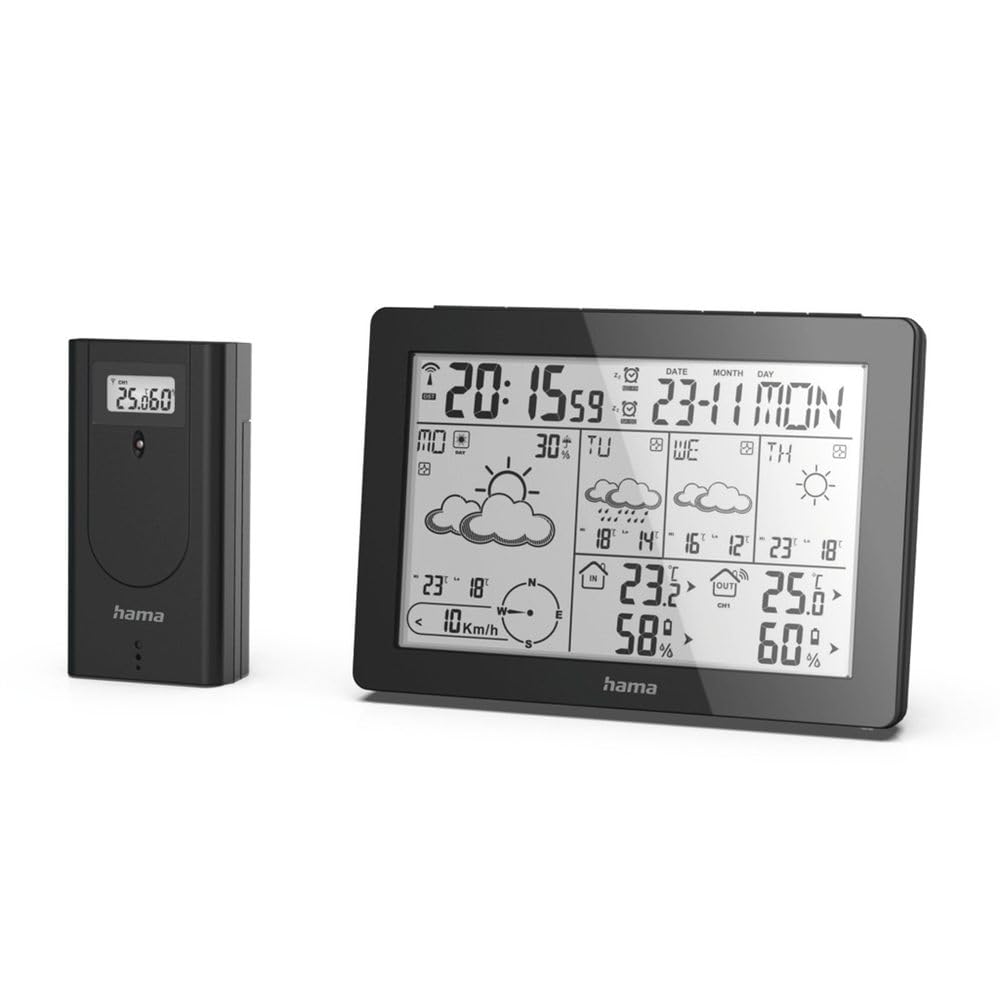
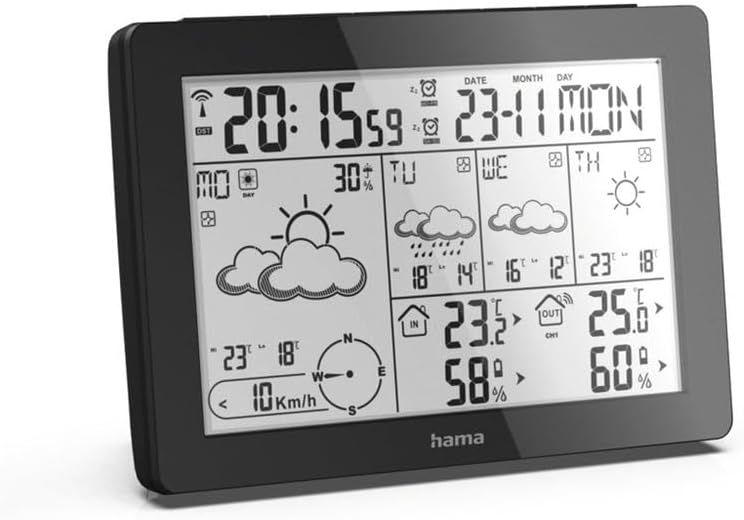
The Hama 186369 Weather Forecast Center main unit, showcasing its digital display with various weather parameters.
2. Paketearen edukia
Please check that all items listed below are present and in good condition:
- Hama 186369 Weather Forecast Center (Base Station)
- Haririk gabeko kanpoko sentsorea
- 4 x AA Batteries (for both units)
- Argibide-eskuliburu hau

The complete set, including the base station and the wireless outdoor sensor.
3. Segurtasun-argibideak
- Do not open the device. Improper repair can lead to considerable hazards for the user.
- Do not expose the product to direct sunlight, extreme temperatures, or high humidity.
- Mantendu produktu hau, produktu elektriko guztiak bezala, haurren eskura.
- Babestu produktua zikinkeria, hezetasun eta gehiegizko berotzetik.
- Erabili produktua bere xederako soilik.
- Ez erabili produktua produktu elektronikoak onartzen ez diren tokietan.
- When inserting batteries, note the correct polarity (+ and - markings) and insert the batteries accordingly. Otherwise, the batteries could leak or explode.
- Replace all batteries of a set at the same time. Do not mix old and new batteries or batteries of different types.
4. Konfigurazioa
4.1 Pilak sartzea
The Hama 186369 Weather Forecast Center and its outdoor sensor require AA batteries for operation.
- Open the battery compartment cover on the back of both the base station and the outdoor sensor.
- Insert the AA batteries, ensuring correct polarity (+ and -). The base station requires 2x AA batteries, and the outdoor sensor requires 2x AA batteries.
- Itxi bateriaren konpartimenduko estalkiak ondo.
Inserting batteries into the base station. Ensure correct polarity.

The wireless outdoor sensor, which also requires batteries.
4.2 Initial Operation and Signal Reception
After inserting the batteries, the base station will automatically search for the DCF-77 signal and connect to the outdoor sensor.
- Place the base station and the outdoor sensor close to each other during initial setup.
- The DCF-77 radio signal for time and date synchronization will be automatically received. This process may take several minutes.
- The outdoor sensor will transmit temperature and humidity data to the base station. Ensure they are within range (up to 30 meters in open areas).

Amaituview of the weather station's features and components, including the outdoor sensor and base station display.
5. Operating the Weather Forecast Center
5.1 Bistaratuview
The main display shows various information at a glance:
- Ordua eta data: Synchronized via DCF-77 signal.
- Indoor Temperature and Humidity: Oinarrizko estazioak neurtua.
- Outdoor Temperature and Humidity: Received from the wireless outdoor sensor.
- Eguraldi Iragarpena: Satellite-based 4-day forecast for 60 regions/30 regions in Europe, updated daily.
- Rain Probability: Indication of precipitation likelihood.
- Haizearen abiadura eta norabidea: Displayed graphically.
- Izotz Alarma: Activates when temperatures drop to a critical level.
5.2 Botoien funtzioak
The buttons on the top of the base station allow you to adjust settings and view different information.

Goiena view of the base station showing the control buttons.
- JARRAIBIDEAK: Switches between display modes (e.g., time, alarm setting).
- KANALA: Selects different outdoor sensor channels if multiple sensors are used.
- DAY/NIGHT/SNOOZE+LIGHT: Activates backlight, snooze function for alarm, or switches between day/night display.
- TEST: Initiates a test of the sensor connection.
- GORA BEHERA: Adjusts values during settings or navigates through forecast data.
5.3 Setting Time and Date (Manual Adjustment)
While the time and date are usually set automatically via the DCF-77 signal, you can manually adjust them if needed.
- Eduki sakatuta MODUA botoia sakatu orduaren pantaila keinuka hasi arte.
- Erabili UP eta BEHERA botoiak ordua doitzeko, eta ondoren sakatu MODUA baieztatzeko eta minutuetara joateko.
- Errepikatu minutuetarako, urterako, hilabeterako eta egunerako.
- Sakatu MODUA berriro ezarpen modutik irteteko.
5.4 Alarma funtzioa
The weather station includes an alarm function.
- Sakatu MODUA botoia behin eta berriz sakatu alarmaren ordua bistaratu arte.
- Luze sakatu MODUA alarma ezarpen moduan sartzeko.
- Erabili UP eta BEHERA nahi duzun alarma-ordua ezartzeko.
- Sakatu MODUA ezarpen bakoitza berresteko.
- Alarma aktibatzeko/desaktibatzeko, sakatu UP button when the alarm time is displayed. An alarm icon will appear/disappear.
6. Mantentzea
6.1 Garbiketa
- Garbitu produktu hau apur bat damp, litxarrik gabeko zapirik eta ez erabili garbiketa-agente erasokorrik.
- Ensure that no water gets into the device.
6.2 Bateria ordezkatzea
When the battery indicator appears on the display, replace all batteries in the respective unit (base station or outdoor sensor).
- Follow the steps in section 4.1 "Inserting Batteries".
- Bota erabilitako bateriak tokiko araudiaren arabera.
7. Arazoak
| Arazoa | Kausa posiblea | Irtenbidea |
|---|---|---|
| No display / Weak display | Bateriak hutsik daude edo gaizki sartuta daude. | Ordeztu bateriak, polaritate zuzena ziurtatuz. |
| No outdoor temperature/humidity reading | Outdoor sensor not connected or out of range. |
|
| Ordu/data okerra | DCF-77 signal not received or interference. |
|
| Eguraldi iragarpen zehatza | Incorrect region setting or temporary signal issue. |
|
8. Zehaztapenak
| Ezaugarri | Xehetasuna |
|---|---|
| Modelo zenbakia | 186369 |
| Dimensions (Base Station) | 3 x 15.3 x 10.5 cm |
| Pisua | 510 g |
| Materiala | Akrilikoa |
| Energia iturria | Battery-powered (4 AA batteries required, included) |
| Konektibitatea | Wireless (for outdoor sensor) |
| Ezaugarri bereziak | Alarm, Wireless Outdoor Sensor, Frost Alarm, DCF-77 Radio Clock |
| Eguraldi Iragarpena | Satellite-based 4-day forecast for 60 regions/30 regions in Europe, daily updated data for 611 locations. |
| Erabilera gomendatua | Temperature measurement, hobby, private, business. |
9. Bermea eta Laguntza
Hama GmbH & Co KG-k ez du bere gain hartzen inolako erantzukizunik eta ez du bermerik ematen instalazio/muntatze desegokitik, produktuaren erabilera desegokitik edo funtzionamendu-argibideak eta/edo segurtasun-oharrak ez betetzeagatik sortutako kalteengatik.
For technical support or warranty claims, please contact your retailer or visit the official Hama weblaguntza gehiago jasotzeko gunea.

Hama: Experience and competence since 1923.