Sarrera
The Sharkoon Skiller SGK30 is a mechanical gaming keyboard designed for performance and durability. It features customizable RGB lighting, N-Key rollover, and a 1000Hz polling rate for responsive gameplay and typing. This manual provides essential information for setting up, operating, and maintaining your keyboard.

Image: Sharkoon Skiller SGK30 Mechanical Gaming Keyboard banner displaying the product name and type.
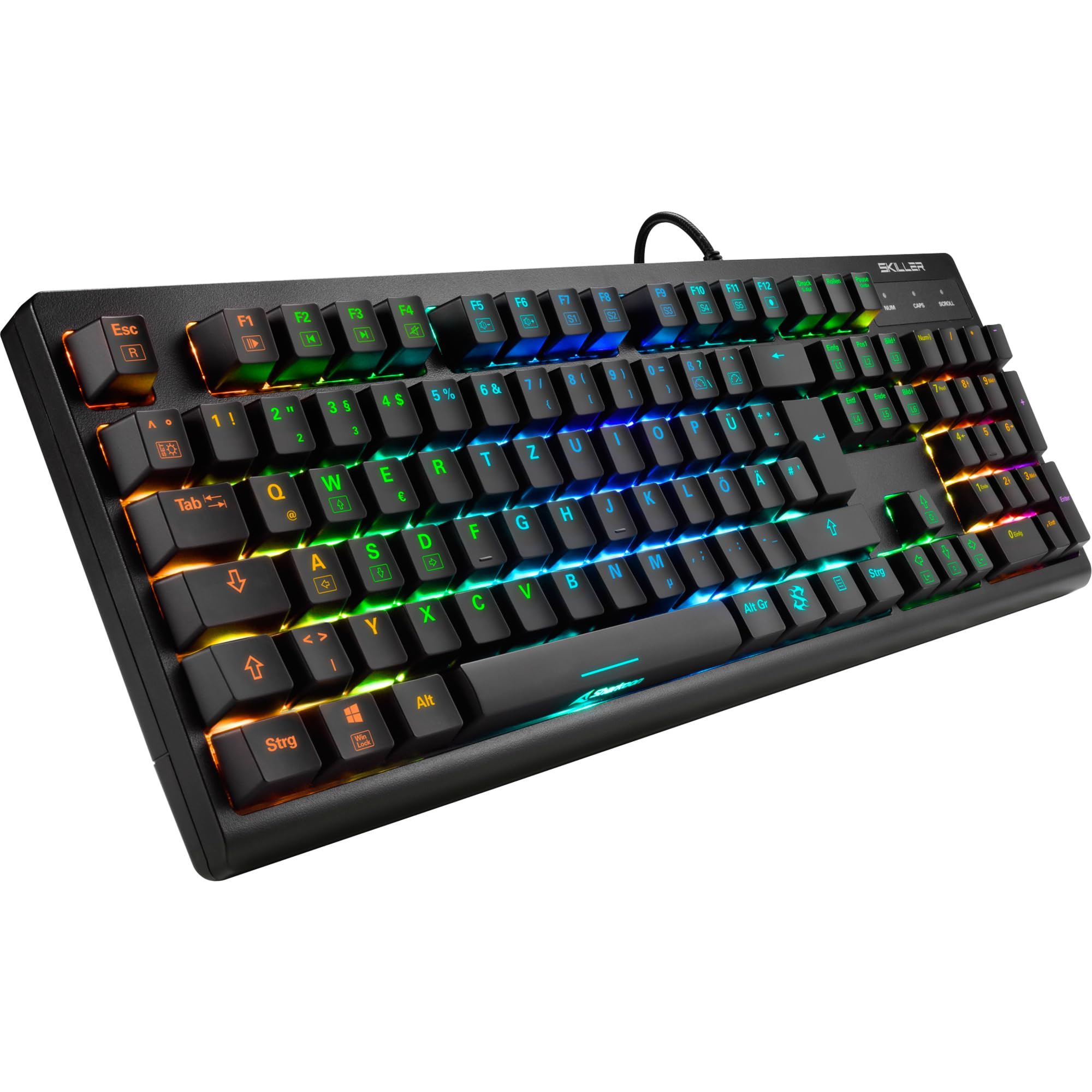
Irudia: Goitik behera view of the Sharkoon Skiller SGK30 mechanical gaming keyboard, showcasinbere diseinu osoa eta RGB atzeko argiztapen bizia ditu.
Produktua amaituview Bideoa
Bideoa: Produktu ofizial bat amaitu daview of the Sharkoon Skiller SGK30 Mechanical Gaming Keyboard, demonstrating its features, RGB lighting effects, and mechanical switches.
Konfigurazioa
Follow these steps to set up your Sharkoon Skiller SGK30 keyboard:
- Deskonprimitu teklatua: Carefully remove the keyboard and the included USB cable from its packaging.
- Konektatu ordenagailura: Plug the Micro USB end of the cable into the keyboard's port and the standard USB-A end into an available USB port on your computer.
- Gidariaren instalazioa: The keyboard is plug-and-play. Your operating system (Windows 10 or later recommended) should automatically detect and install the necessary drivers.
- Softwarearen instalazioa (aukerakoa): For advanced customization of RGB lighting and key assignments, download the official Sharkoon software from the manufacturer's webgunea.

Image: The Sharkoon Skiller SGK30 keyboard positioned on a desk, ready for connection.
Funtzionamendu-argibideak
Oinarrizko Funtzioak
The Sharkoon Skiller SGK30 features a standard layout with additional function keys accessible via the FN giltza.
- FN + F1-F12: Access multimedia controls (e.g., play/pause, volume up/down, mute).
- FN + Windows tekla: Lock/unlock the Windows key to prevent accidental presses during gaming.
- N-teklaren birjartzea: All keys are registered simultaneously, ensuring every keystroke is detected, even during rapid input.
RGB argiaren kontrola
The keyboard offers extensive RGB lighting customization. Use the following combinations to adjust lighting effects:
- FN + Insert/Home/Page Up/Delete/End/Page Down: Cycle through various pre-programmed lighting effects.
- FN + Arrow Keys (Up/Down): Adjust brightness levels of the lighting.
- FN + Arrow Keys (Left/Right): Doitu argiztapen efektu dinamikoen abiadura.
- Custom Illumination: Use the dedicated software for advanced per-key lighting customization.

Irudia: Gertutik view of the keyboard keys highlighting the adjustable RGB illumination capabilities.
Softwarearen Pertsonalizazioa
For advanced settings, macro programming, and detailed RGB customization, download and install the Sharkoon Skiller SGK30 software from the official Sharkoon webgunea. Softwareak aukera ematen dizu:
- Create and save custom lighting profiles.
- Program macros for specific keys.
- Berriz mapatu teklaren funtzioak.

Image: A screenshot showing the graphical user interface of the Sharkoon Skiller SGK30 customization software, illustrating various options for lighting and key remapping.
Mantentzea
Mantentze egokiak zure teklatuaren iraupena eta errendimendua bermatzen ditu:
- Garbiketa: Use a soft, dry cloth to wipe the surface of the keyboard. For deeper cleaning, use compressed air to remove dust and debris from between the keycaps.
- Tekla-tapoia kentzea: If necessary, keycaps can be carefully removed using a keycap puller (not included) for thorough cleaning of the switches. Reinstall keycaps by pressing them firmly onto the switch stems.
- Saihestu likidoak: Ez jarri teklatua likidoen eraginpean. Isurketa baten kasuan, deskonektatu berehala teklatua eta utzi guztiz lehortzen berriro konektatu aurretik.
- Biltegiratzea: Gorde teklatua leku fresko eta lehor batean, eguzki-argitik eta muturreko tenperaturetatik babestuta.

Irudia: Gertutik view of the mechanical switches on the Sharkoon Skiller SGK30 keyboard, illustrating their design for durability and ease of maintenance. Note: This model is available with Red switches, while the image shows Blue switches.
Arazoak konpontzea
If you encounter issues with your Sharkoon Skiller SGK30 keyboard, refer to the following common solutions:
| Arazoa | Kausa posiblea | Irtenbidea |
|---|---|---|
| Teklatuak ez du erantzuten | USB konexio soltea, USB ataka akastuna, gidariaren arazoa. |
|
| RGB argiztapena ez dabil edo ez dabil ondo | Lighting settings incorrect, software conflict. |
|
| Giltzak ez dira erregistratzen | Hautsak/hondakinak giltza-tapoiaren azpian, etengailu akastuna. |
|
Zehaztapenak
| Ezaugarri | Xehetasuna |
|---|---|
| Marka | Sharkoon |
| Modelo zenbakia | 4044951030026 |
| Teklatu mota | Joko Teklatu Mekanikoa |
| Aldatu mota | Red Switch (Blue switches are also available for this model series) |
| Konektibitatea | Mikro USBa |
| Bozketa-tasa | 1000Hz |
| N-teklaren birjartzea | Onartua |
| RGB Argiztapena | Customizable RGB |
| Sistema eragilea | Windows 10 (eta beste Windows bertsioekin bateragarria) |
| Neurriak (LxWxH) | 44 x 14.4 x 3.5 cm |
| Pisua | 867 g |
Kutxan dagoena
The Sharkoon Skiller SGK30 package includes:
- Sharkoon Skiller SGK30 Mechanical Gaming Keyboard
- USB kablea
Bermea eta Laguntza
For warranty information and technical support, please refer to the official Sharkoon webwebgunearekin edo jarri harremanetan zure tokiko saltzailearekin. Gorde erosketaren frogagiria bermearen erreklamazioetarako.
Oharra: Produktuaren zehaztapenak eta ezaugarriak alda daitezke aldez aurretik jakinarazi gabe.


