Sarrera
Thank you for choosing the Hoco HC4 Wireless Bluetooth Sports Speaker. This manual provides comprehensive instructions to help you understand, set up, operate, and maintain your speaker. Please read this manual carefully before use and keep it for future reference.
Segurtasun Informazioa
- Ez jarri bozgorailua tenperatura altuen, eguzki-argiaren eraginpean edo hezetasun handiaren eraginpean.
- Saihestu bozgorailua kolpe gogorrak erortzea edo jasaten.
- Ez desmuntatu, konpondu edo aldatu bozgorailua zeuk. Jarri harremanetan zerbitzu-langile kualifikatuekin laguntza jasotzeko.
- Keep the speaker away from water and other liquids, especially during charging.
- Use only the specified charging cable and adapter.
Paketearen edukia
Mesedez, egiaztatu paketearen edukia kutxa irekitzean:
- Hoco HC4 Wireless Bluetooth Sports Speaker
- USB kargatzeko kablea
- Erabiltzailearen eskuliburua
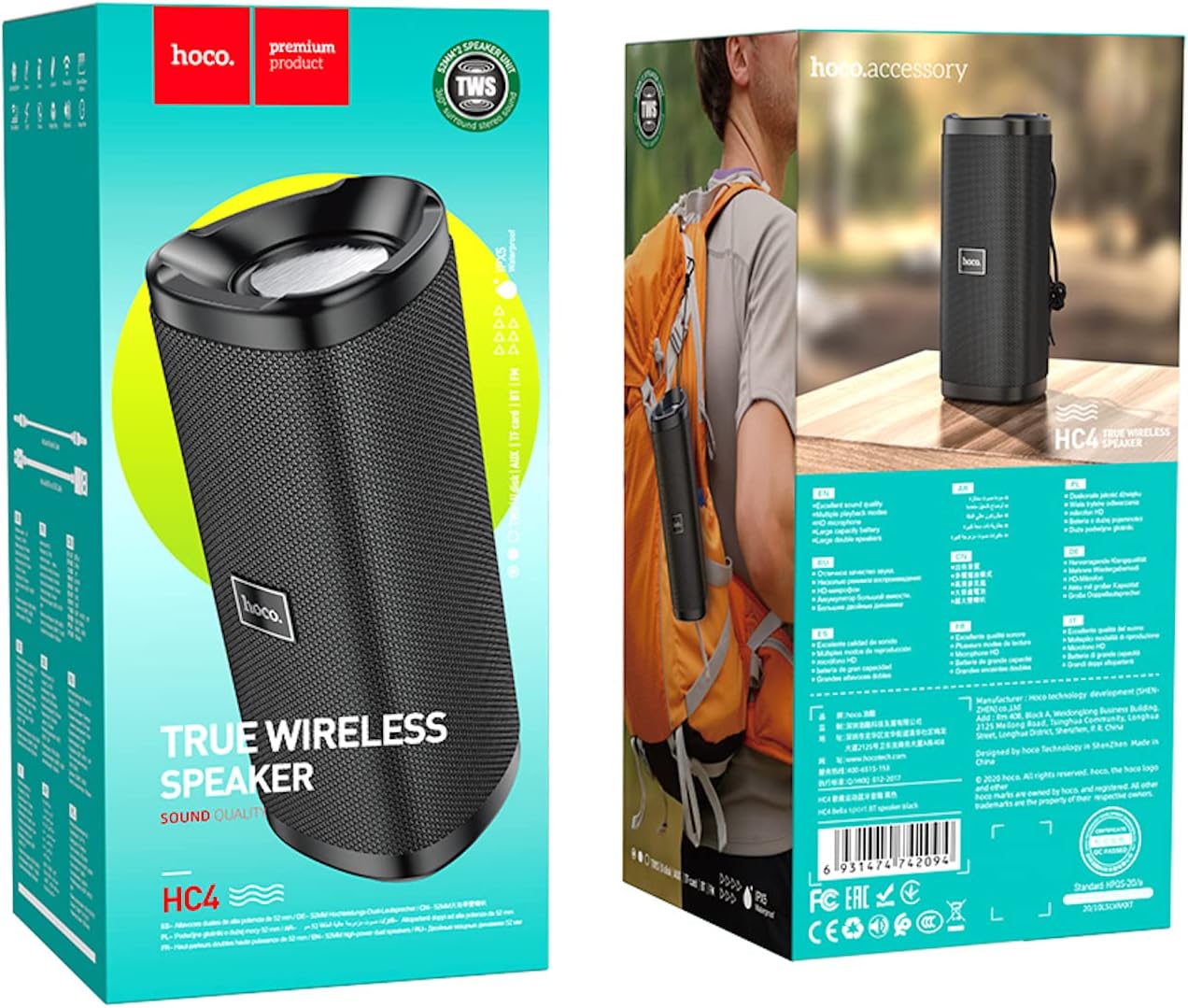
Image: The retail packaging of the Hoco HC4 speaker, showing the speaker and its box.
Produktua amaituview
Familiarize yourself with the components and controls of your Hoco HC4 speaker.

Irudia: Aurrealdea view of the Hoco HC4 wireless Bluetooth speaker, showcasing its cylindrical design and mesh grille with the 'hoco.' logo.

Irudia: Albokoa view of the Hoco HC4 speaker, showing the control buttons (power, mode, volume/track skip) and the speaker grille.

Irudia: Gertuko planoa view of the Hoco HC4 speaker's input ports, including AUX, DC-5V charging, USB, and TF card slot, protected by a rubber flap.
Konfigurazioa
1. Bozgorailua kargatzea
Before first use, fully charge the speaker. Connect the provided USB charging cable to the DC-5V port on the speaker and the other end to a USB power adapter (not included) or a computer USB port.
- Kargatzeko adierazlearen argia piztuko da kargatzen ari den bitartean.
- The light will turn off or change color when charging is complete.
- Kargatzeko denbora gutxi gorabehera 2-3 ordukoa da.
2. Piztu/Itzaltzea
- Pizteko: Eduki sakatuta pizteko botoia (⏻) for 2-3 seconds until you hear a power-on prompt.
- Itzaltzeko: Eduki sakatuta pizteko botoia (⏻) for 2-3 seconds until you hear a power-off prompt.
3. Bluetooth parekatzea
- Ziurtatu bozgorailua piztuta dagoela eta Bluetooth parekatze moduan dagoela (LED urdin keinukari batek adierazten du).
- Zure gailu mugikorrean (smartphone-an, tabletan, etab.), gaitu Bluetooth-a.
- Bilatu available Bluetooth devices. You should see "HC4" in the list.
- Select "HC4" to connect. Once paired, the LED indicator will stop flashing and remain solid blue, and you will hear a confirmation sound.
- Bozgorailuak automatikoki konektatuko da azken parekatutako gailura piztean, gailua irismen-eremuan badago eta Bluetooth-a gaituta badago.
4. Connecting via AUX/USB/TF Card
- AUX modua: Insert a 3.5mm audio cable into the AUX port on the speaker and the other end into your audio source. The speaker will automatically switch to AUX mode.
- USB disko modua: Sartu USB flash unitate bat USB atakan. Bozgorailuak automatikoki detektatu eta erreproduzituko du audioa. files diskotik.
- TF txartela modua: Sartu TF (microSD) txartel bat TF txartelaren zirrikituan. Bozgorailuak automatikoki detektatu eta erreproduzituko du audioa. filetxarteletik.
- Use the Mode button (M) to switch between Bluetooth, AUX, USB, TF Card, and FM Radio modes.
5. TWS (True Wireless Stereo) Pairing (Optional)
If you have two Hoco HC4 speakers, you can pair them together for a true wireless stereo experience.
- Ziurtatu bi HC4 bozgorailuak piztuta daudela eta ez daudela Bluetooth gailu batera konektatuta.
- On one speaker (this will be the primary speaker), double-press the Mode button (M). You will hear a prompt indicating TWS pairing mode.
- Bi bozgorailuek automatikoki bilatuko dute elkar eta konektatuko dira. Konektatu ondoren, baieztapen-soinu bat entzungo duzu.
- Orain, konektatu zure gailu mugikorra bozgorailu nagusira Bluetooth bidez, 3. urratsean azaldu bezala. Audioa bi bozgorailuetatik erreproduzituko da estereoan.
Funtzionamendu-argibideak
1. Musika erreproduzitzea
- Erreproduzitu/Pausatu: Short press the Play/Pause button (▶‖).
- Hurrengo ibilbidea: Long press the Volume Up button (+).
- Aurreko pista: Long press the Volume Down button (-).
2. Bolumenaren kontrola
- Bolumena igo: Short press the Volume Up button (+).
- Bolumena jaitsi: Short press the Volume Down button (-).
3. Call Functions (Bluetooth Mode)
- Erantzun deia: Short press the Play/Pause button (▶‖) when an incoming call rings.
- Amaitu deia: Short press the Play/Pause button (▶‖) dei batean zehar.
- Deia baztertu: Sakatu luze Erreproduzitu/Pausatu botoia (▶‖) when an incoming call rings.
- Berriz markatu azken zenbakia: Sakatu bi aldiz Erreproduzitu/Pausatu botoia (▶‖).
4. FM Irrati modua
- Sakatu Modu botoia (M) to switch to FM Radio mode.
- Short press the Play/Pause button (▶‖) to automatically scan and save available FM stations.
- Sakatu labur bolumena igotzeko botoia (+) edo bolumena jaitsi (-) buttons to switch between saved stations.
Mantentzea
- Garbiketa: Erabili zapi leun eta lehor bat bozgorailua garbitzeko. Ez erabili garbitzaile edo disolbatzaile urratzailerik.
- Biltegiratzea: Gorde bozgorailua leku fresko eta lehor batean, eguzki-argitik eta muturreko tenperaturetatik babestuta.
- Bateria zaintzea: To prolong battery life, charge the speaker at least once every three months if not in regular use. Avoid fully discharging the battery frequently.
Arazoak konpontzea
| Arazoa | Kausa posiblea | Irtenbidea |
|---|---|---|
| Bozgorailuak ez du pizten. | Bateria baxua. | Kargatu bozgorailua guztiz. |
| Ezin da Bluetooth bidez parekatu. | Bozgorailua ez dago parekatze moduan; gailua Bluetooth itzalita; gailutik urrunegi. | Ensure speaker is in pairing mode (flashing blue LED). Turn on Bluetooth on your device. Move speaker closer to device (within 10 meters). |
| Soinurik ez. | Bolumena baxuegia; modu okerra; gailua ez dago konektatuta. | Increase speaker and device volume. Ensure correct mode (Bluetooth, AUX, etc.). Reconnect device. |
| FM irratiaren harrera eskasa. | Seinale ahula. | Move to an open area or adjust speaker position. |
Zehaztapenak
| Ezaugarri | Xehetasuna |
|---|---|
| Marka | Hoco |
| Ereduaren izena | HC4 |
| Konektibitate Teknologia | Bluetooth, FM, TF card, U disk, AUX, TWS |
| Bluetooth bertsioa | 5.0 |
| Bozgorailuen irteerako potentzia maximoa | 10 Watt |
| Bateria Edukiera | 1500 mAh |
| Funtzionamendu Denbora | 3 ordu |
| Produktuaren neurriak | 20 x 8.1 x 8.8 cm |
| Elementuaren pisua | 540 gramo |
| Audio irteera modua | Inguratu |
| Muntatze Mota | Mahaigaina |
| Hizlari mota | Kanpoan |
| Ezaugarri bereziak | Support Bluetooth, FM, TF card, U disk, AUX, TWS |
| Gomendatutako Erabilerak | For Surround Sound Systems, For Smartphones or Tablets, For Music Players |
| Gailu bateragarriak | Anitz |
| Fabrikatzailea | Hoco |
| Eskuragarri dagoen lehen data | 22ko martxoaren 2021a |

Image: Diagram showing the dimensions of the Hoco HC4 speaker: 20cm length, 8.1cm width, and 8.8cm height.

Image: Lifestyle image of the Hoco HC4 speaker attached to a bicycle handlebar, illustrating its use for outdoor activities with text highlighting "Outdoor Riding" and "Long-lasting Battery Life (1500mAh)".
Bermea eta Laguntza
Hoco products are designed and manufactured to the highest quality standards. For warranty information and technical support, please refer to the warranty card included in your package or visit the official Hoco webgunea. Gorde erosketa-agiria erosketaren frogagiri gisa berme-erreklamazioetarako.
For further assistance, please contact Hoco customer service.


