1. Sarrera
This manual provides detailed instructions for the operation and maintenance of your QFX R-37-BL 6-Band Bluetooth Solar Radio with LED Flashlight. Please read this manual thoroughly before using the device to ensure proper function and safety. This versatile radio is designed for portability and includes multiple power options, making it suitable for various indoor and outdoor activities.
2. Produktuaren ezaugarriak
- 6-Band Radio: Receives AM, FM, and Shortwave (SW1-SW4) frequencies.
- Bluetooth konexioa: Wirelessly connect your devices for audio playback.
- LED linterna integratua: Argiztapena eskaintzen du hainbat egoeratarako.
- Eguzki-karga: Built-in solar panel for eco-friendly battery recharging.
- Bateria kargagarria: Includes a removable lithium-ion battery.
- USB eta TF txartelaren erreprodukzioa: Erreproduzitu audioa files directly from USB drives or TF cards.
- USB kargatzeko ataka: Output for charging external 5V USB devices.
- Aurikularrak Jack: Entzun pribaturako.
- Antena teleskopikoa: Enhances radio signal reception.
- Diseinu trinkoa eta eramangarria: Lightweight with a carrying strap for easy transport.
2.1 Produktua gainditzeaview
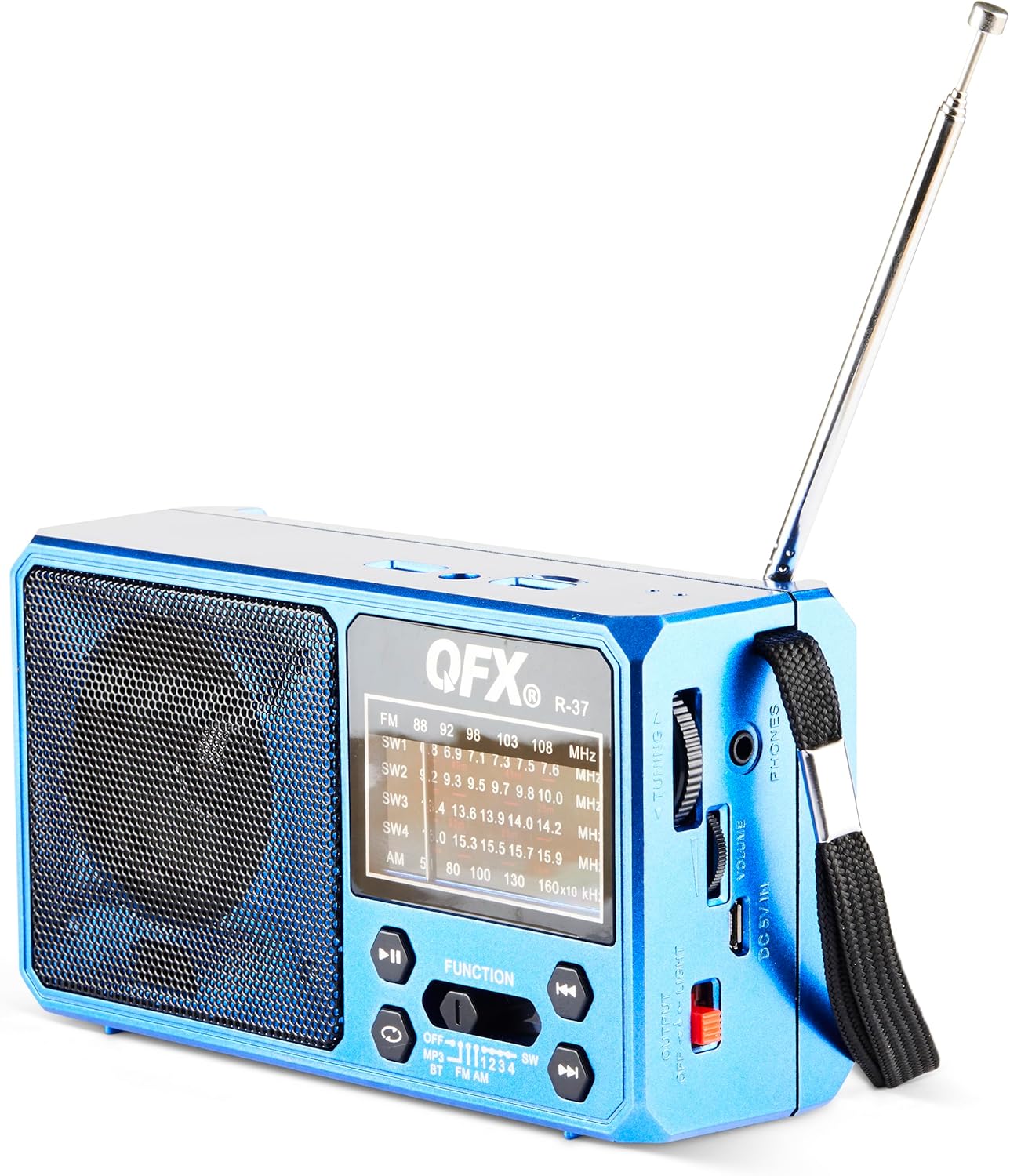
1. irudia: Aurrealdea view of the QFX R-37-BL radio, displaying the speaker, frequency display, and main control buttons.

Figure 2: Detailed diagram highlighting key components of the QFX R-37-BL, including the solar panel, LED flashlight, USB and TF card ports, charging port, and various controls.

3. irudia: Aldea view of the radio, illustrating the tuning dial, volume control, headphone jack, DC 5V input, and the flashlight power switch.
3. Segurtasun informazioa
- Ez jarri gailua muturreko tenperaturen, eguzki-argiaren eraginpean denbora luzez (kargatzetik harago) edo hezetasun handiaren eraginpean.
- Mantendu gailua uretatik eta beste likidoetatik urrun.
- Ez saiatu gailua desmuntatzen edo aldatzen. Honek bermea baliogabetuko du eta kalteak edo lesioak eragin ditzake.
- Use only the specified charging cable and power adapter (if applicable) to charge the device.
- Bota bateriak tokiko araudiaren arabera.
- Mantendu haurren eskura.
4. Konfigurazioa
4.1 Bateriaren instalazioa eta hasierako kargatzea
- Kokatu bateriaren konpartimendua irratiaren atzealdean.
- Ireki konpartimenduaren estalkia.
- Insert the provided rechargeable lithium-ion battery, ensuring correct polarity.
- Itxi bateriaren konpartimenduaren estalkia ondo.
- For first use, fully charge the radio using the included USB charging cord connected to a 5V USB power source. The charging indicator light will illuminate during charging and turn off when fully charged.
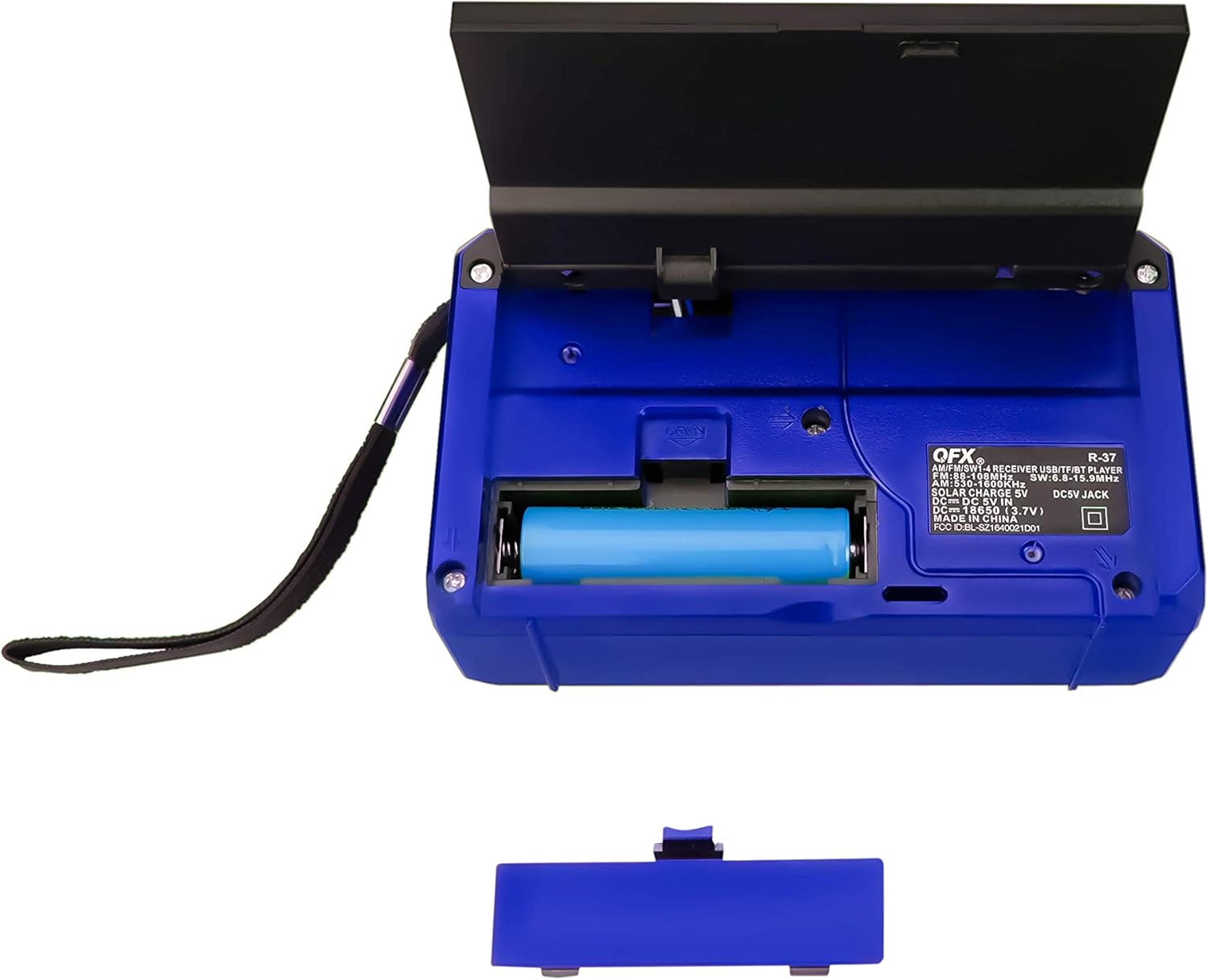
4. Irudia: Atzealdea view of the radio with the battery compartment open, showing the removable rechargeable battery.
4.2 Eguzki-karga
The radio features a built-in solar panel for convenient charging. Place the radio with the solar panel facing direct sunlight. The solar charging indicator will light up. Solar charging is slower than USB charging and is best used for maintaining charge or in emergency situations.
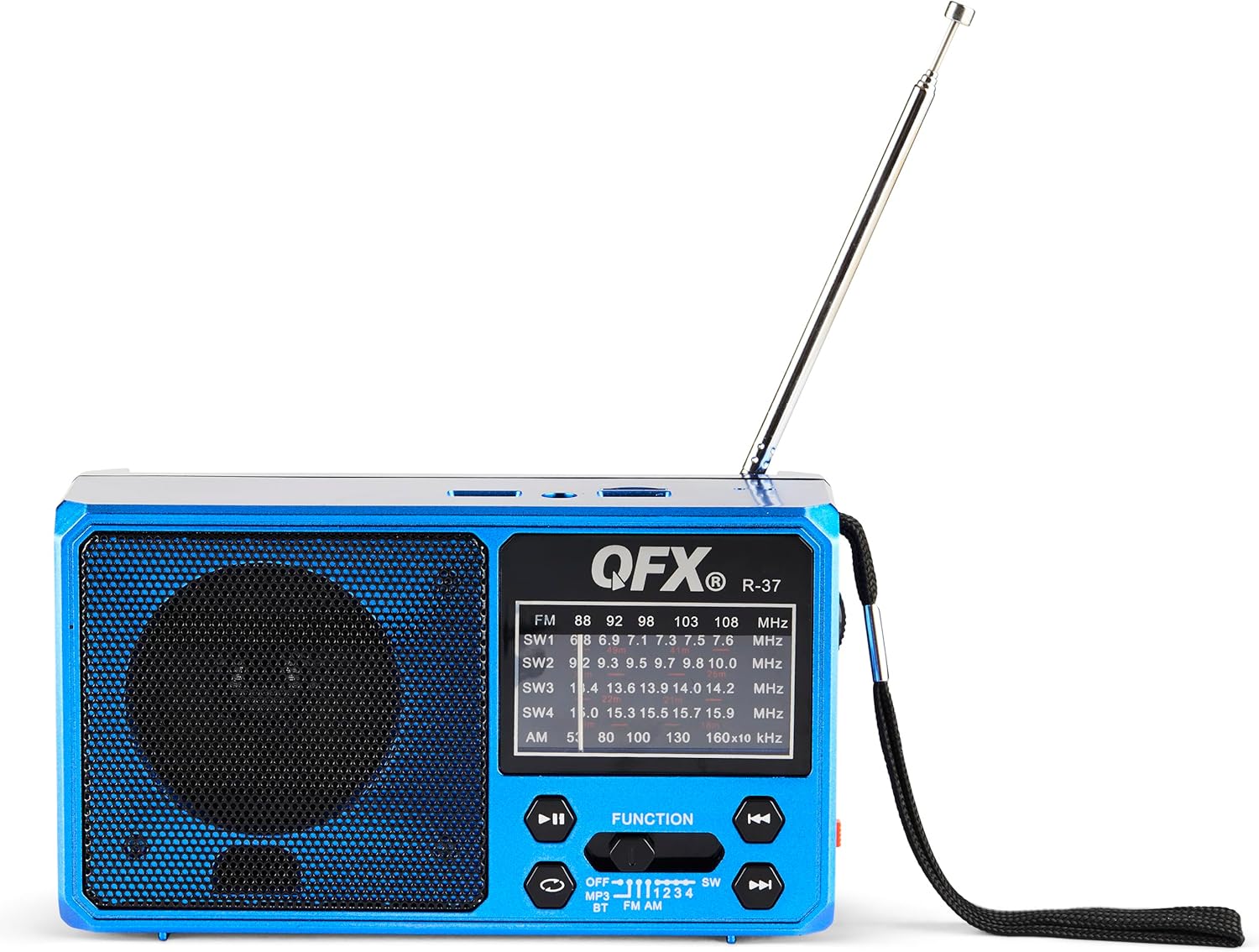
Figure 5: The solar panel on the side of the radio, shown in an extended position for optimal sun exposure.
5. Funtzionamendu-argibideak
5.1 Piztu/Itzali
Locate the power switch (usually a slider) on the front or side of the unit. Slide it to the 'ON' position to power on the radio. Slide it to 'OFF' to power off.
5.2 Irratiaren funtzionamendua (AM/FM/SW)
- Luzatu antena teleskopikoa harrera hobea lortzeko.
- Use the 'FUNCTION' button or switch to select the desired band: FM, AM, SW1, SW2, SW3, or SW4.
- Rotate the 'TUNING' dial (located on the side) to scan for radio stations.
- Doitu 'BOLUMENA' botoia nahi duzun entzuteko mailara.
5.3 Bluetooth konexioa
- Switch the radio to Bluetooth mode (often labeled 'BT' or indicated by a Bluetooth icon). The radio will enter pairing mode, usually indicated by a flashing light or an audible prompt.
- Zure gailu mugikorrean, gaitu Bluetootha eta bilatu eskuragarri dauden gailuak.
- Select 'QFX R-37' (or similar name) from the list of devices to pair.
- Behin parekatuta, zure gailuko audioa irratiaren bidez erreproduzitu dezakezu.
5.4 USB/TF txartelaren erreprodukzioa
- Insert a USB flash drive or TF card (with compatible audio files) dagokion portuan.
- Switch the radio to MP3 mode (often labeled 'MP3' or 'USB/TF'). The radio should automatically begin playing audio files.
- Use the playback control buttons (Play/Pause, Next/Previous Track) on the radio to manage your audio.
5.5 LED linternaren funtzionamendua
Locate the flashlight switch (often a slider or button) on the side of the radio. Slide or press it to turn the LED flashlight on or off.
5.6 Kanpoko gailuak kargatzea
The radio features a 5V USB output port. Connect your external device (e.g., smartphone) to this port using its USB charging cable. The radio's internal battery will provide power to charge your device. Note that this will drain the radio's battery.
6. Mantentzea
- Garbitu irratia zapi leun eta lehor batekin. Ez erabili garbitzaile edo disolbatzaile urratzailerik.
- Ensure the solar panel is clean and free of debris for efficient charging.
- If the radio will not be used for an extended period, fully charge the battery and store it in a cool, dry place.
- Periodically check the battery for any signs of damage or leakage.
7. Arazoak
| Arazoa | Kausa posiblea | Irtenbidea |
|---|---|---|
| Irratia ez da pizten. | Bateria agortuta dago edo ez dago behar bezala instalatuta. | Ensure battery is correctly installed and fully charged. |
| Irrati-harrera eskasa. | Antena ez dago luzatuta, seinale ahula edo interferentziak. | Luzatu guztiz antena teleskopikoa. Saiatu irratia berriro kokatzen. |
| Bluetooth gailua ezin da parekatu. | Radio not in pairing mode, device too far, or already paired. | Ziurtatu irratia Bluetooth parekatze moduan dagoela. Hurbildu gailua. Deskonektatu beste Bluetooth gailuetatik. |
| USB/TF txartela ez da erreproduzitzen. | Incorrect mode, unsupported file format, or corrupted card. | Ensure radio is in MP3 mode. Check file formats (e.g., MP3). Try a different USB drive or TF card. |
| Linterna ez dabil. | Battery is low or flashlight switch is off. | Charge the radio's battery. Ensure the flashlight switch is in the 'ON' position. |
8. Zehaztapenak
- Eredua: R-37-BL
- Neurriak: 6.1 x 2.28 x 3.43 hazbete (15.5 x 5.8 x 8.7 cm)
- Pisua: 15.8 ontza (448 gramo)
- Irrati Taldeak: AM, FM, SW1, SW2, SW3, SW4
- Konektibitatea: Bluetooth, USB, TF Card
- Energia iturria: Solar Powered, Rechargeable Lithium-Ion Battery, DC 5V USB Input
- Dakarten osagaiak: Radio, removable rechargeable battery, USB charging cord
9. Bermea eta Laguntza
For warranty information, technical support, or service inquiries, please visit the official QFX webwebgunera edo jarri harremanetan bezeroarentzako arreta-zerbitzuarekin. Gorde erosketa-agiria erosketaren frogagiri gisa berme-erreklamazioetarako.


