1. Sarrera
This manual provides essential information for the installation, operation, and maintenance of your Hormann Homematic IP Gateway, model 4511629. This device enables smart control of compatible Hormann garage door motors via the Homematic IP smart home system, offering convenience and enhanced functionality.
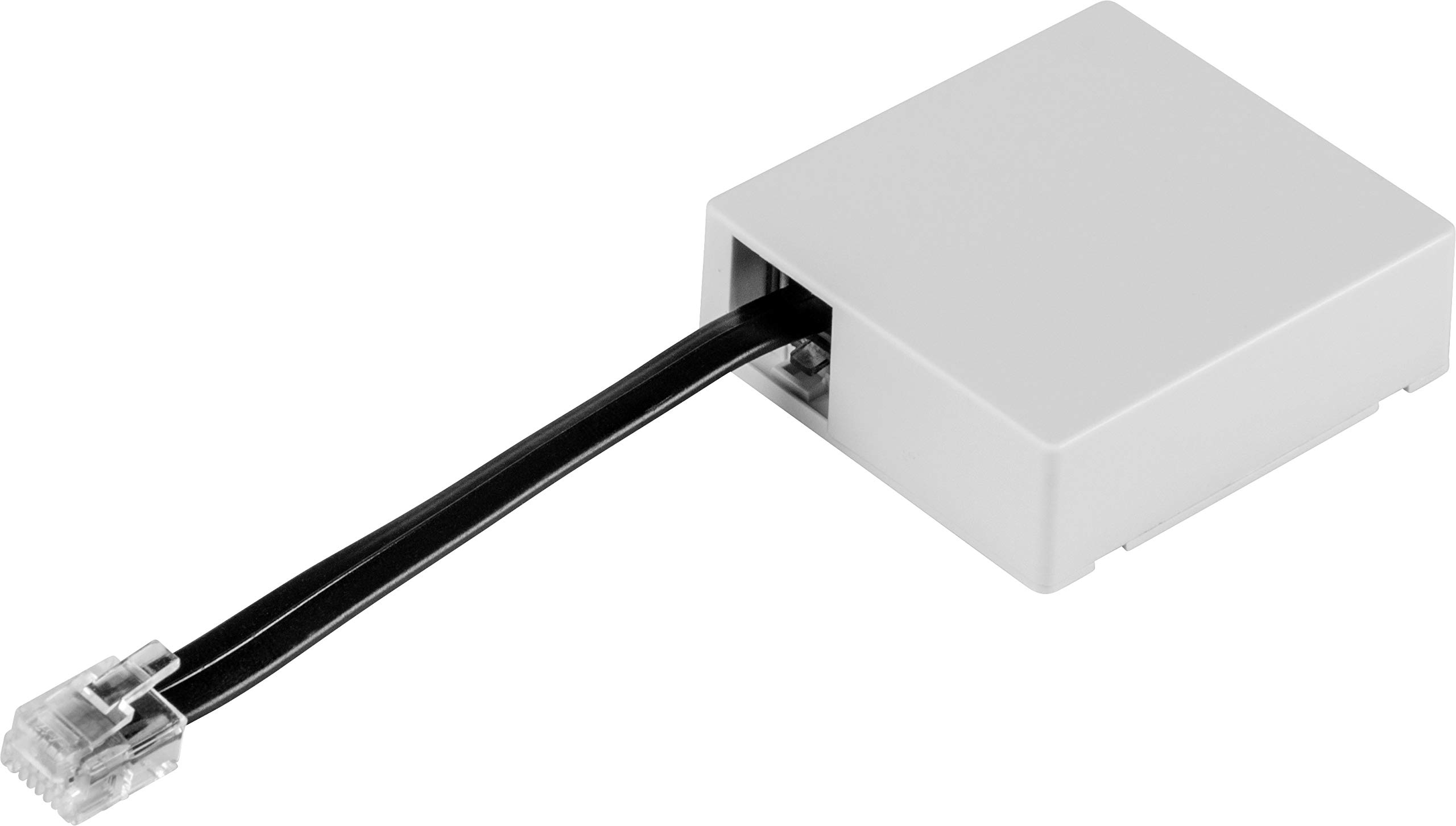
Image 1.1: The Hormann Homematic IP Gateway. This image shows the compact, white plastic casing of the gateway, designed for integration into your smart home system.
2. Segurtasun informazioa
Please read and understand all safety instructions before installing or operating the device. Failure to follow these instructions may result in damage to the product, property, or personal injury.
- Aurreikusitako erabilera: The Hormann Homematic IP Gateway is designed exclusively for controlling compatible Hormann garage door motors within a Homematic IP smart home system.
- Ingurumen-baldintzak: This device has a protection class suitable only for dry indoor rooms. Do not expose it to moisture, extreme temperatures, or direct sunlight. The recommended operating temperature range is -20°C to +60°C.
- Elikatze-iturria: Ziurtatu eragiketa bolumenatage is 24 V DC as specified. Use only approved power sources.
- Interferentzia: Wireless transmission operates on a non-exclusive path, meaning interference from other devices cannot be entirely ruled out. Other disturbances may occur.
- Instalazioa: Installation should be performed by a qualified professional or a person with sufficient technical knowledge to ensure correct and safe setup.
3. Paketearen edukia
Verify that all components are present in the box before proceeding with installation:
- 1 x Hormann Homematic IP Gateway
- 1 x Connection Cable (10 cm) with System Plug
4. Konfigurazioa
Follow these steps to set up your Hormann Homematic IP Gateway:
- Prestaketa: Ensure you have a compatible Hormann garage door motor and a Homematic IP Access Point or Homematic Central CCU2/CCU3 already installed and configured.
- Konexioa: Connect the provided 10 cm connection cable from the gateway to the designated port on your Hormann garage door motor. The system plug ensures a secure connection.
- Piztu: Once connected, ensure the gateway receives power. The device operates at 24 V DC.
- Integration with Homematic IP System: Refer to your Homematic IP Access Point or Central CCU2/CCU3 manual for instructions on adding new devices to your smart home system. The gateway should be discoverable for pairing.
- Aplikazioen deskarga: Download the free Homematic IP app from the App Store (for iOS devices) or Google Play (for Android devices).
The gateway is designed for easy assembly and integration into your existing smart home environment.
5. Atebidearen funtzionamendua
The Hormann Homematic IP Gateway allows you to control your garage door motor remotely through the Homematic IP smart home system.
5.1. Via Homematic IP App (Smartphone/Tablet)
Control your garage door motor using the Homematic IP app on your smartphone or tablet. The app provides an intuitive interface for opening, closing, and monitoring your garage door.
- Sistemaren eskakizunak:
- Android devices: Version 5.0 or higher
- iOS devices: Version 9.3 or higher
- Funtzionalitatea: The app allows for individual or automated control of your garage door drive, enabling you to integrate it into smart home routines and scenarios.
5.2. Via Homematic WebUI (Web Interfazea)
For advanced configuration and control, you can use the Homematic WebUI baten bidez web browser. This requires a Homematic Central CCU2/CCU3.
- Sistemaren eskakizunak: Latest version of the web interface. Compatible browsers include Internet Explorer, Safari, Google Chrome, or Mozilla Firefox.
- Funtzionalitatea: The WebUI offers comprehensive control and customization options for your smart home devices, including the Hormann Homematic IP Gateway.
6. Bateragarritasuna
The Hormann Homematic IP Gateway is compatible with various Hormann garage door motor series. Please verify your motor's compatibility before purchase and installation.
Compatible Hormann garage door motors include:
- Supramatic I / P 3 (from CE index)
- Supramatic H T
- Supramatic / Promatic / Series 4 (requires HCP adapter)
- Rotamatic / P L (from 09/2010)
- Versamatic / P
- Lineamatic / H / P (from 10/2010)
Important: Always check the specific model and series of your garage door motor to ensure full compatibility. An HCP adapter may be required for certain Series 4 motors.
7. Zehaztapenak
| Ezaugarri | Xehetasuna |
|---|---|
| Modelo zenbakia | 4511629 |
| Neurriak (W x H x D) | 51 x 47.5 x 16 mm (Product description) 12.5 x 11.5 x 5 cm (General specifications) |
| Pisua | 120 g |
| Materiala | Plastikoa |
| Kolorea | White (Light Grey RAL 7035) |
| Babes Klasea | Gela lehorretarako bakarrik. |
| Tenperatura tartea | -20°C eta +60°C artean |
| Bolumen eragileatage | 24 V DC |
| Dakarten osagaiak | 1 x Hormann Homematic IP Gateway |
| Beharrezko bateriak | Ez |
| Muntaia Beharrezkoa | Yes (for integration with motor) |
8. Mantentzea
The Hormann Homematic IP Gateway requires minimal maintenance to ensure optimal performance and longevity.
- Garbiketa: Gently wipe the device with a soft, dry cloth to remove dust. Do not use liquid cleaners or abrasive materials.
- Ingurumena: Ensure the device remains in a dry environment, away from direct moisture and extreme temperature fluctuations.
- Firmware eguneraketak: Regularly check for and install any available firmware updates through the Homematic IP app or WebUI to ensure the device operates with the latest features and security enhancements.
9. Arazoak
If you encounter issues with your Hormann Homematic IP Gateway, consider the following troubleshooting steps:
- Ez dago konexiorik:
- Verify that the connection cable is securely attached to both the gateway and the garage door motor.
- Ensure the gateway is receiving power (24 V DC).
- Check the status of your Homematic IP Access Point or Central CCU2/CCU3.
- Aplikazioen kontrolaren arazoak:
- Confirm your smartphone or tablet meets the minimum operating system requirements (Android 5.0+, iOS 9.3+).
- Ensure your Homematic IP app is updated to the latest version.
- Check your internet connection and the connection between your Homematic IP Access Point and the internet.
- Interferentzia: As wireless transmission occurs on a non-exclusive path, other wireless devices might cause interference. Try relocating the gateway or other wireless devices if persistent issues occur.
- Bateragarritasuna: Double-check that your specific Hormann garage door motor model is listed as compatible. An incompatible motor will not function with the gateway.
- Berrezarri: If problems persist, consult the Homematic IP system documentation for instructions on how to reset the gateway and re-pair it with your smart home system.
10. Bermea eta Laguntza
For warranty claims, technical assistance, or further inquiries regarding your Hormann Homematic IP Gateway, please contact Hormann customer support. Keep your proof of purchase handy when contacting support.
You can typically find contact information on the official Hormann website or within the Homematic IP app's support section.


