Sarrera
Welcome to the user manual for your AWOW Funtab 701 Kids Tablet. This guide provides essential information on setting up, operating, maintaining, and troubleshooting your device to ensure a safe and enjoyable experience for your child. Please read this manual thoroughly before using the tablet.
Paketearen edukia
Mesedez, egiaztatu behean zerrendatutako elementu guztiak zure paketean sartuta daudela:
- AWOW Funtab 701 Kids Tablet (7 inch)
- Exclusive Kid-Proof Case
- Luma aktiboa
- Erabiltzailearen eskuliburua (dokumentu hau)
- Elikatze-moldagailua
Produktua amaituview
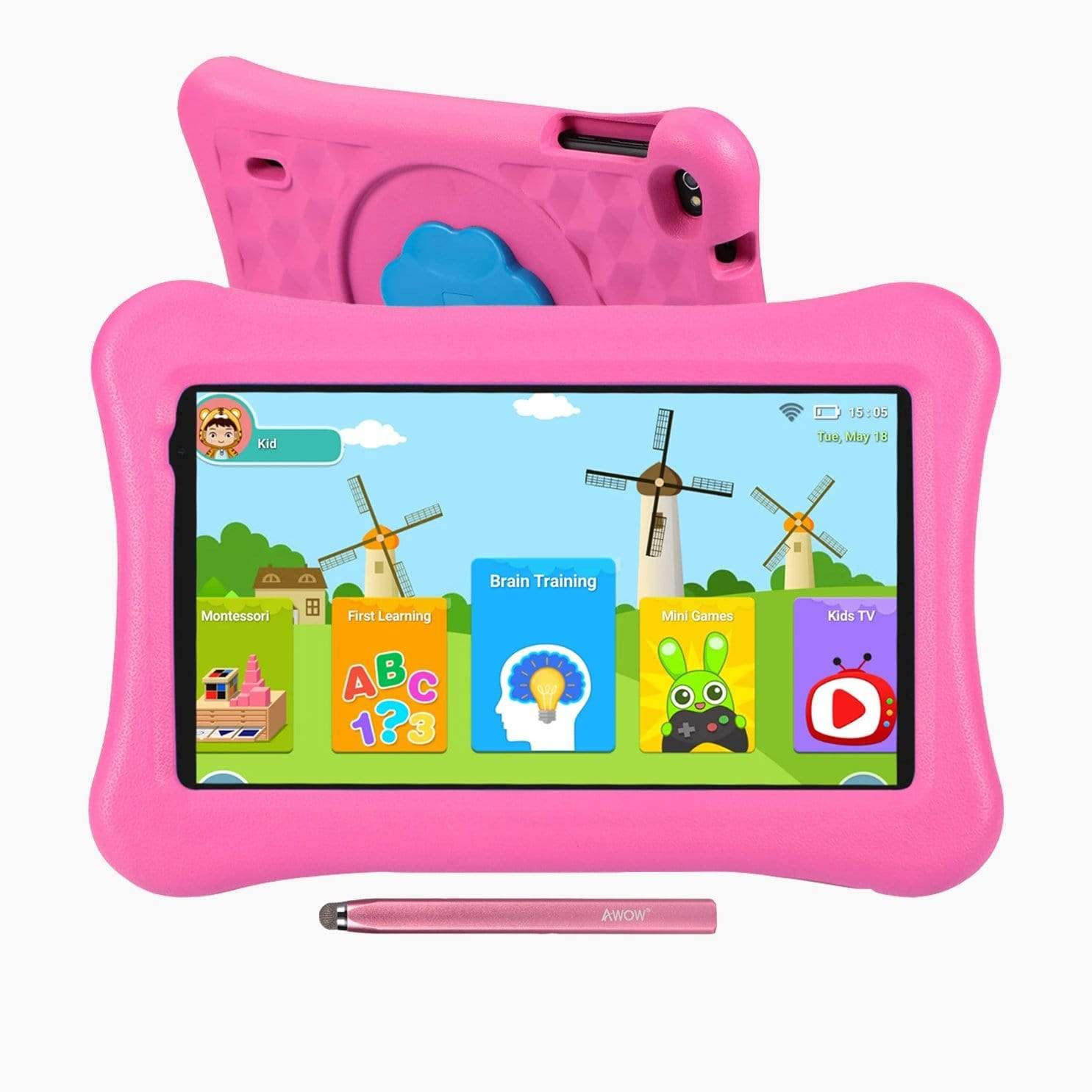
Image: The AWOW Funtab 701 Kids Tablet, shown with its protective pink kid-proof case and the accompanying active pen. The tablet features a 7-inch display.
The AWOW Funtab 701 is a 7-inch kids tablet designed for educational and entertainment purposes. It runs on Android 10 Go, powered by a 1.5GHz Quad-core processor, with 2GB RAM and 16GB ROM. It features a 1024x600 IPS HD display and supports 2.4G Wi-Fi connectivity. The tablet comes with a durable kid-proof case and an active pen for interactive learning and creativity.
Konfigurazioa
1. Tableta kargatzea
Before first use, fully charge the tablet. Connect the provided power adapter to the tablet's charging port and plug it into a wall outlet. The charging indicator will typically light up. A full charge may take several hours.
2. Piztu/Itzaltzea
- Pizteko: Press and hold the Power button (usually located on the side or top edge) until the screen lights up.
- Itzaltzeko: Press and hold the Power button until a power-off menu appears on the screen. Select 'Power off' and confirm.
3. Hasierako konfigurazioa
Lehenengo aldiz piztean, tabletak hasierako konfigurazio prozesuan zehar gidatuko zaitu:
- Hizkuntza hautaketa: Aukeratu zure hizkuntza hobetsia.
- Wi-Fi konexioa: Select your 2.4G Wi-Fi network from the list and enter the password.
- Google kontua: Hasi saioa Google kontu batekin edo sortu berri bat. Hau beharrezkoa da Google Play Store eta beste Google zerbitzu batzuk atzitzeko.
- Data eta ordua: Ezarri data eta ordu zuzena, edo utzi sareari automatikoki ezartzen.
4. iWawa App and Parental Controls
The AWOW Funtab 701 comes with the iWawa app pre-installed, offering a safe environment for children and robust parental controls.
- Pro sortuzfiles: Open the iWawa app to create individual profiles for each child.
- Edukien kudeaketa: Within the parental control mode, you can hand-pick specific apps, games, videos, and websites that your child can access.
- Screen Time Control: Set daily time limits for tablet usage and specific play periods.
- Safe Browsing: Ensure children browse only safe and approved webguneak.
- Ezarpenak doitzea: Parental control settings can be adjusted as your child grows to tailor content to their age and development.
Tableta funtzionatzea
1. Oinarrizko nabigazioa
The tablet uses a touchscreen interface. Common gestures include:
- Sakatu: Elementu bat hautatzeko edo aplikazio bat irekitzeko.
- Pasatu hatza: To scroll through pages or menus.
- Pixka bat: Irudiak handitu edo txikitzeko eta web orrialdeak.
- Prentsa luzea: Testuinguru-menuetara sartzeko edo aplikazioen ikonoak mugitzeko.
2. Using the Active Pen
The included active pen allows for more precise interaction, drawing, and writing. Simply touch the pen to the screen as you would with your finger. No pairing is typically required for basic functionality.
3. Aplikazioak kudeatzea
- Aplikazioak deskargatzen: Access the Google Play Store to download new applications. Ensure parental controls are set to manage app downloads for children.
- Aplikazioak desinstalatzea: Long-press an app icon on the home screen or in the app drawer, then drag it to the 'Uninstall' option that appears. Alternatively, go to Settings > Apps & notifications > See all apps, select the app, and tap 'Uninstall'.
4. Wi-Fira konektatzen
To connect or reconnect to a Wi-Fi network:
- Joan zaitez Ezarpenak > Sarea eta Internet > Wi-Fi.
- Ziurtatu Wi-Fia piztuta dagoela On.
- Select your desired 2.4G network from the list of available networks.
- Sareko pasahitza idatzi behar baduzu, eta ondoren sakatu Konektatu.
Mantentzea
1. Garbiketa
Tabletaren pantaila garbitzeko, erabili zapi leun eta lint-gabea. Orban egoskorrak garbitzeko, garbitu apur bat.ampen the cloth with water or a screen-specific cleaning solution. Avoid harsh chemicals or abrasive materials. The kid-proof case can be cleaned with mild soap and water.
2. Bateria zaintzea
Bateriaren iraupena luzatzeko:
- Saihestu tableta tenperatura altuetan (beroan edo hotzean) jartzea.
- Ez utzi bateria maiz erabat deskargatzen.
- Erabili emandako korronte-egokitzailea soilik kargatzeko.
- Reduce screen brightness and close unused apps to conserve power.
3. Biltegiratzea
When not in use for extended periods, store the tablet in a cool, dry place away from direct sunlight. Ensure the battery has at least a 50% charge before storing.
Arazoak konpontzea
If you encounter issues with your AWOW Funtab 701, refer to the solutions below:
- Tablet does not turn on: Ensure the tablet is fully charged. Connect it to the power adapter and wait a few minutes before attempting to power it on again. If it still doesn't turn on, try holding the power button for 10-15 seconds.
- Wi-Fi konexio arazoak: Check if your Wi-Fi router is working correctly. Restart both the tablet and the router. Ensure you are connecting to a 2.4G network and have entered the correct password.
- Aplikazioak motel doaz edo huts egiten dute: Close unused applications. Clear the cache of problematic apps (Settings > Apps & notifications > App info > Storage & cache > Clear cache). If the issue persists, consider uninstalling and reinstalling the app.
- Bateria azkar agortzen da: The average battery life is approximately 4 hours. To optimize, reduce screen brightness, disable Wi-Fi when not needed, and close background apps. Avoid running multiple demanding applications simultaneously.
- Pantailak ez du erantzuten: Try restarting the tablet. If the issue persists, ensure the screen is clean and free of debris.
Zehaztapenak
| Ezaugarri | Xehetasuna |
|---|---|
| Marka | AUPA |
| Ereduaren izena | Funtab 701 |
| Sistema eragilea | Android 10 Go |
| Pantailaren tamaina | 7 hazbete |
| Bistaratzeko ebazpena | 1024 x 600 pixel |
| Prozesadorea | 1.5 GHz Quad-core (Qualcomm) |
| RAM | 2 GB |
| Barne Biltegiratzea | 16 GB |
| Biltegiratze zabalgarria | Micro SD slot (up to 512GB) |
| Atzeko kamera | 2.0 MP |
| Aurrealdeko kamera | 2.0 MP |
| Haririk gabeko konexioa | 2.4G Wi-Fi (802.11b) |
| Bateriaren batez besteko iraupena | 4 ordu |
| Produktuaren neurriak | 18.5 x 10.5 x 1 cm |
| Elementuaren pisua | 453.59 g |
Bermea eta Laguntza
For warranty information, please refer to the documentation provided at the time of purchase. This typically includes details on coverage duration and terms. For technical assistance or further inquiries, please contact AWOW customer service through their official support channels.


