Sarrera
This manual provides essential information for the proper use and care of your Itari 4x6 Thermal Labels. These fan-fold shipping labels are designed for thermal printers and are compatible with various shipping platforms. Please read these instructions carefully to ensure optimal performance and longevity of your labels.
Produktuaren Ezaugarriak
- Kalitate handiko materiala: Our shipping labels are made from high-quality material to ensure barcodes can be scanned easily.
- Water & Oil-proof & Strong Adhesive: These thermal printer labels are water & oil-proof, and scratch-proof. They feature strong adhesive for secure attachment to shipping boxes, mail, files, papers, and plastics.
- Bateragarritasun zabala: The 4x6 shipping labels are compatible with Itari, Rollo, MUNBYN, Zebra, Phomemo, and other thermal label printers. They are also compatible with shipping platforms and carriers such as DHL, FedEx, USPS, Amazon, Shopify, and eBay. Note: These labels are only suitable for thermal printers, not laser or inkjet printers.
- Zehaztapenak: Each package contains 500 fan-fold labels. Perforations between each label allow for easy tearing and damage-free separation. Labels are designed for easy peeling.
Zehaztapenak
| Marka | Itari |
| Modelo zenbakia | SLP-4x6-500-1 |
| Etiketa Tamaina | 4 x 6 hazbete |
| Kantitatea | 500 labels per stack |
| Kolorea | Zuria |
| Forma | Laukizuzena |
| Akabera mota | Zulatua |
| Elementuaren pisua | 2.49 kilo |
| Produktuaren neurriak | 4.8 x 4.8 x 4.21 hazbete |
Setup and Loading Labels
These fan-fold labels are designed for easy loading into compatible thermal label printers. Ensure your printer is powered off before loading.
- Ireki inprimagailuaren estalkia: Locate and press the release latch or button on your thermal printer to open the top cover.
- Paper gidak egokitu: Adjust the movable paper guide clips within the printer's paper compartment to match the 4x6 inch width of the labels.
- Kargatu etiketak: Place the stack of fan-fold labels into the rear paper slot or compartment of your thermal printer. Ensure the print side of the labels is facing up and the first label is fed smoothly into the printer's feed mechanism. The labels should be aligned straight with the paper guides to prevent skewing during printing.
- Itxi azala: Itxi inprimagailuaren estalkia ongi.
- Calibrate (if necessary): Some thermal printers may require calibration after loading new labels. Refer to your specific printer's manual for calibration instructions.


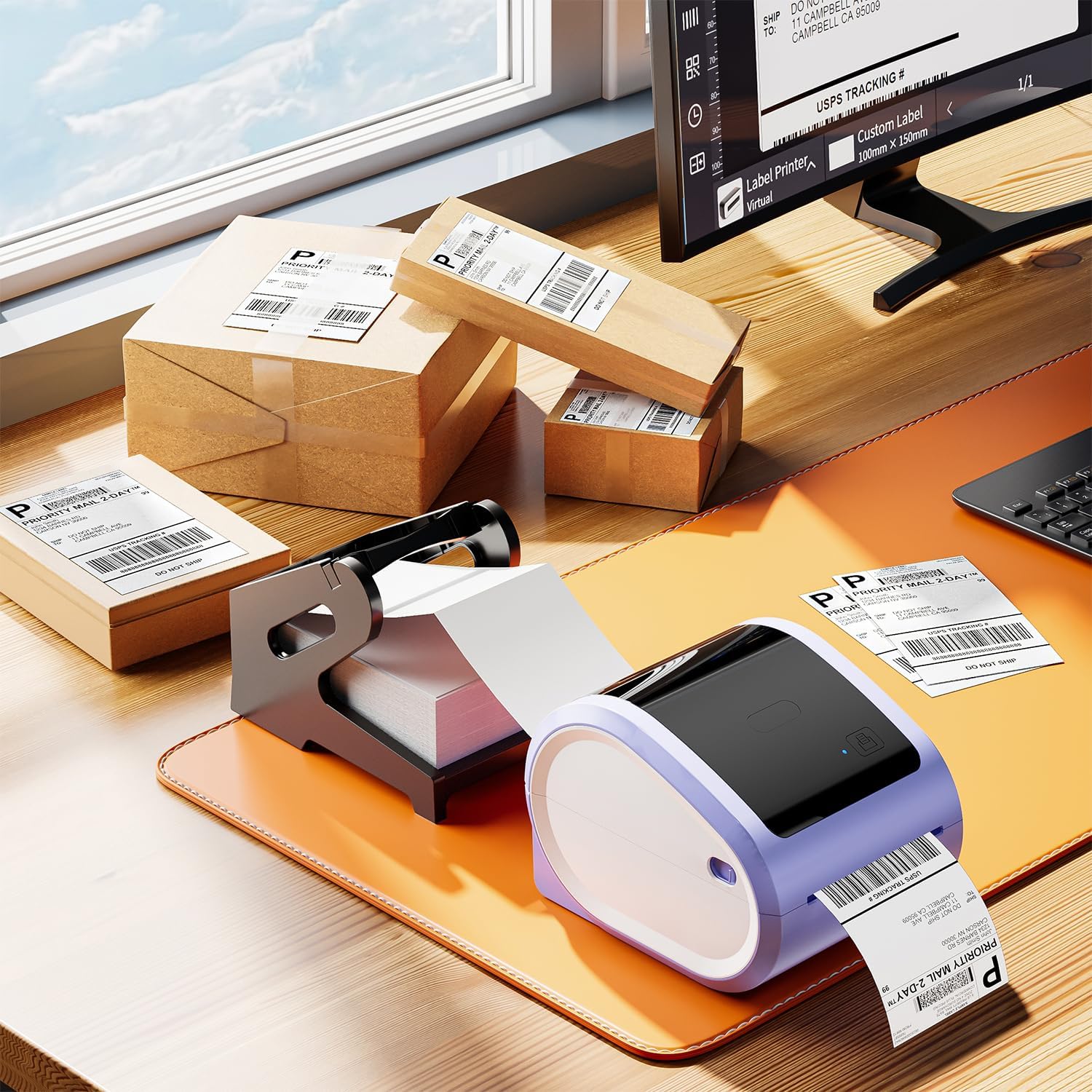
Video: How to Set Up with D520bt Printer
This video demonstrates the setup process for a D520bt thermal label printer, including loading labels and basic operation. While specific to the D520bt, the general principles of loading fan-fold labels apply to many thermal printers.
Funtzionamendu-argibideak
Once the labels are loaded, you can begin printing. These labels are designed for direct thermal printing, meaning no ink or toner is required.
- Konektatu inprimagailua: Ensure your thermal printer is connected to your computer or mobile device via USB or Bluetooth, as applicable.
- Softwarearen konfigurazioa: Use your preferred shipping software (e.g., from Etsy, Shopify, Amazon, FedEx) or a label design application. Configure the label size to 4x6 inches within the software settings.
- Inprimatu: Send the print job to your thermal printer. The labels will feed through and print clearly.
- Zuritu eta aplikatu: Utilize the perforations to easily tear off printed labels. Peel the backing off the label and apply it firmly to your package or item. The strong adhesive ensures secure attachment.


Video: Print via Bluetooth
This video illustrates how to print labels wirelessly from a smartphone via Bluetooth, demonstrating the convenience of mobile printing with compatible thermal printers.
Mantentzea
To maintain the quality and performance of your Itari Thermal Labels:
- Biltegiratzea: Store labels in a cool, dry place away from direct sunlight and excessive heat or humidity. Extreme conditions can affect adhesive quality and thermal printability.
- Manipulazioa: Avoid touching the thermal printing surface of the labels with bare hands, as oils and dirt can degrade print quality. Handle labels by the edges.
- Inprimagailuaren zaintza: Regularly clean your thermal printer's print head and platen roller according to the printer manufacturer's instructions to ensure clear prints and prevent damage to the labels.
Arazoak konpontzea
If you encounter issues with your Itari Thermal Labels, consider the following:
- Inprimatze-kalitate eskasa:
- Ensure the labels are loaded correctly with the print side facing the thermal print head.
- Clean the thermal printer's print head.
- Adjust print density or darkness settings in your printer software.
- Verify that you are using a thermal printer, not an inkjet or laser printer.
- Etiketak ez dira behar bezala elikatzen:
- Check that the labels are properly aligned with the paper guides in the printer.
- Ensure there are no obstructions in the paper path.
- Calibrate your printer for the label size.
- Etiketak itsasten ez direnak:
- Ensure the application surface is clean, dry, and free of dust or grease.
- Apply firm, even pressure across the entire label surface.
- Check the storage conditions of your labels; extreme temperatures or humidity can affect adhesive.
Bermea eta Laguntza
Itari is committed to providing quality products and customer satisfaction. If you experience any issues with your 4x6 thermal labels, please contact our customer service team.
Bezeroarentzako arreta: Our customer service team is available 24/7 via WhatsApp, Skype, email, and phone call for any issues or inquiries.
- Posta elektronikoa: support@itaricartridge.com
- WhatsApp: +86 1369 772 4676
- Website for Tutorials: www.itaricartridge.com
For additional support and video tutorials, search for "Itari Tech" on YouTube.
Erlazionatutako dokumentuak - SLP-4x6-500-1
 |
Itari PM-241-BT Hasiera Azkarreko Gida: Haririk gabeko Etiketa Inprimaketa Itari PM-241-BT Bluetooth etiketa inprimagailurako hasiera azkarreko gida osoa, aplikazioaren deskarga, inprimagailuaren konexioa, PDF inportazioa, inprimaketa eta enpresa txikientzako ordenagailurako konexioa biltzen dituena. |
 |
Itari PM-241 Logistika Etiketa Inprimagailuaren Erabiltzailearen Gida: Konfigurazioa, Instalazioa eta Funtzionamendua Itari PM-241 Logistika Etiketa Inprimagailuaren erabiltzailearen gida osoa, hasiera azkarra, produktuaren amaiera eta amaiera barne hartzen dituena.view, Windows eta macOS-erako konfigurazioa, etiketak kargatzea, mantentze-lanak, arazoak konpontzea eta gidarien instalazioa. |
 |
A886 Tatuaje Inprimagailuaren Hasiera Gida Azkarra Itari A886 tatuaje inprimagailurako hasiera azkarreko gida osoa, konfigurazioa, aplikazioaren konexioa Bluetooth bidez, mugikorretik eta ordenagailutik inprimatzea, mantentze-lanak eta arazoak konpontzea zehaztuz. |
 |
Polono Plataformaren Konfigurazio Gida Merkataritza Elektronikoko Bidalketa Etiketetarako Polono inprimagailua eta softwarea konfiguratzeko gida osoa, Amazon, Shopify, Etsy, eBay, PayPal eta St bezalako merkataritza elektronikoko plataforma nagusietatik 4x6 bidalketa-etiketak inprimatzeko.amps.com, FedEx eta Poshmark. |
 |
MunbynPrinter erabiltzailearen eskuliburua - Konfigurazio, konfigurazio eta funtzionamendu gida MunbynPrinter-erako erabiltzailearen eskuliburu osoa, softwarearen instalazioa, inprimagailuaren konfigurazioa, inprimatze-eragiketak, ezarpenak eta arazoak konpontzea biltzen dituena. Ikasi 4x6 eta 8x11 etiketak eraginkortasunez inprimatzen MUNBYN-en softwarearekin. |
 |
Shipping Printer Pro: Bluetooth Printing Guide via Mobile App A comprehensive guide detailing how to connect and use the Shipping Printer Pro with its mobile application via Bluetooth for printing shipping labels. Covers app installation, device pairing, print settings, and label generation. |