
1. Sarrera
Thank you for choosing the Pipishell Full Motion TV Monitor Wall Mount. This manual provides detailed instructions for the safe and proper installation, operation, and maintenance of your PISF1 or PIMF2 wall mount. Please read this manual thoroughly before installation to ensure correct setup and to prevent damage or injury.
Segurtasun informazio garrantzitsua
- Ez hasi instalazioa eskuliburu honetan jasotako argibide eta abisu guztiak irakurri eta ulertu arte.
- Ziurtatu muntatzeko gainazalak euskarriaren eta pantailaren pisu konbinatua segurtasunez eutsi dezakeela.
- Always use a stud finder to locate wood studs. Do not mount to drywall alone.
- If mounting to concrete or brick, ensure appropriate anchors are used and the wall is structurally sound.
- Use all provided hardware. Do not substitute parts.
- If you have any questions or require assistance, contact Pipishell customer support.
2. Produktuaren ezaugarriak
The Pipishell Full Motion TV Monitor Wall Mounts (PISF1 & PIMF2) offer versatile viewing options and robust construction.
- anitzekoViewAngelua: Allows for tilt adjustment (5° upward, 15° downward) to reduce glare and swivel (up to 90° left or right, depending on TV size) for optimal viewhainbat posiziotatik.
- Extend and Retract: Extends the TV up to 17 inches from the wall and retracts back to 2.2 inches, providing flexibility for viewing and space-saving.
- Stable and Reliable Construction: Constructed with premium alloy steel materials, featuring ultra-strong arms for durability and flexibility. Stress-tested to hold 4 times its rated weight capacity.
- Universal TV Compatibility:
- PISF1: Compatible with most 13"-42" TVs/monitors with VESA patterns from 75x75mm to 200x200mm. Max. weight capacity up to 44 lbs.
- PIMF2: Compatible with most 13"-55" TVs with VESA patterns from 75x75mm to 400x400mm. Max. weight capacity up to 66 lbs.
- Horma-bateragarritasun anitza: Can be mounted to single wood stud walls and solid concrete/brick walls (anchors included). Ez muntatu horma lehorrean bakarrik.
- Instalazio erraza: Designed for quick and straightforward installation with provided hardware and a detailed graphical guide.

Image: Key design details of the PIMF2 mount, emphasizing its sturdy build and single stud compatibility.
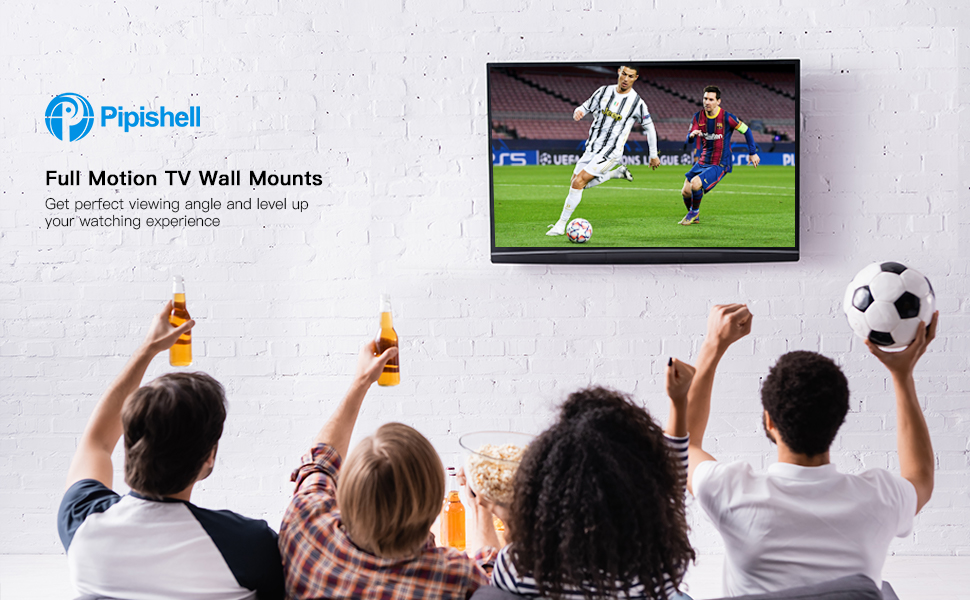
Image: A group of people enjoying a soccer game on a TV mounted with a Pipishell full motion mount, showcasing the enhanced viewesperientzia.
3. Paketearen edukia
Please verify that all components are present and undamaged before proceeding with installation. If any parts are missing or damaged, do not attempt to install and contact customer support.
Ohiko osagaiak barne:
- Hormako plaka multzoa (x1)
- TV Bracket Arms (x2 or x4, depending on model)
- Muntatzeko hardware kit-a (telebistarako eta hormarako hainbat torloju, arandela, tartekatzaileak)
- Concrete/Brick Anchors (if applicable)
- Burbuila-maila (x1)
- Hex Key / Wrench (x1)
- Instalazio eskuliburua (dokumentu hau)
4. Instalazio gida
Jarraitu urrats hauek arretaz instalazio seguru eta arrakastatsu bat egiteko.
4.1 Instalazioaren aurreko egiaztapenak
- Check TV Compatibility: Verify your TV's size, weight, and VESA pattern (the four mounting holes on the back of your TV) are within the limits of your specific Pipishell mount model (PISF1 or PIMF2).
- PISF1 VESA: 75x75mm, 100x100mm, 100x200mm, 200x100mm, 200x200mm. Max 44 lbs.
- PIMF2 VESA: 75x75mm, 100x100mm, 200x100mm, 200x200mm, 300x200mm, 300x300mm, 400x200mm, 400x300mm, 400x400mm. Max 66 lbs.
- Zehaztu horma mota: Identify if your wall is a wood stud wall, solid concrete, or brick. This will determine the appropriate mounting hardware and procedure.
- Bildu tresnak: You will need a drill, stud finder (for wood studs), level, pencil, and a Phillips head screwdriver.

Image: VESA compatibility chart for the PISF1 mount, indicating supported hole patterns and maximum weight/size.

Image: VESA compatibility chart for the PIMF2 mount, detailing various supported hole patterns.
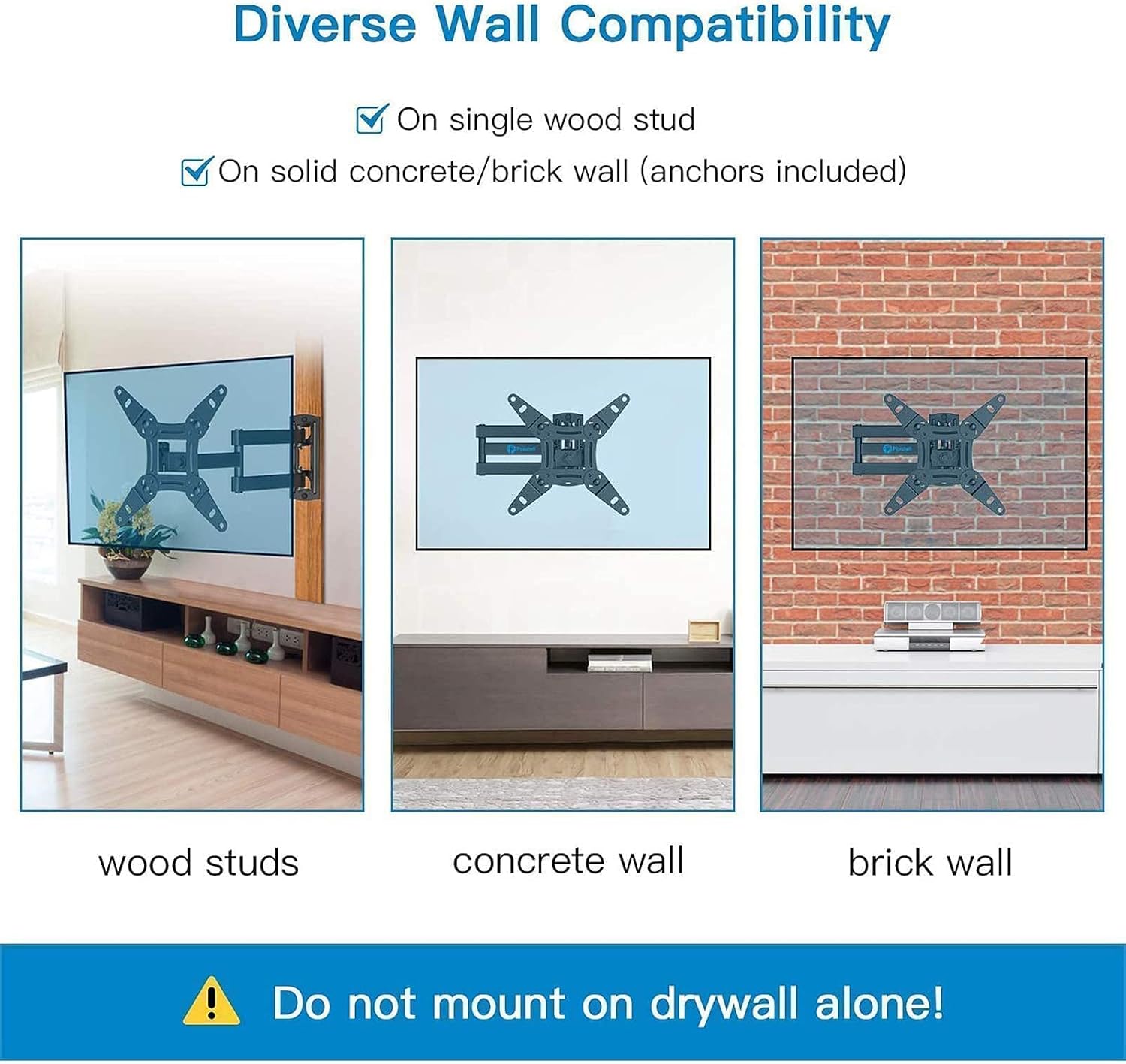
Irudia: Adibamples of PISF1 mount installation on different wall types: wood studs, concrete, and brick. A warning states not to mount on drywall alone.
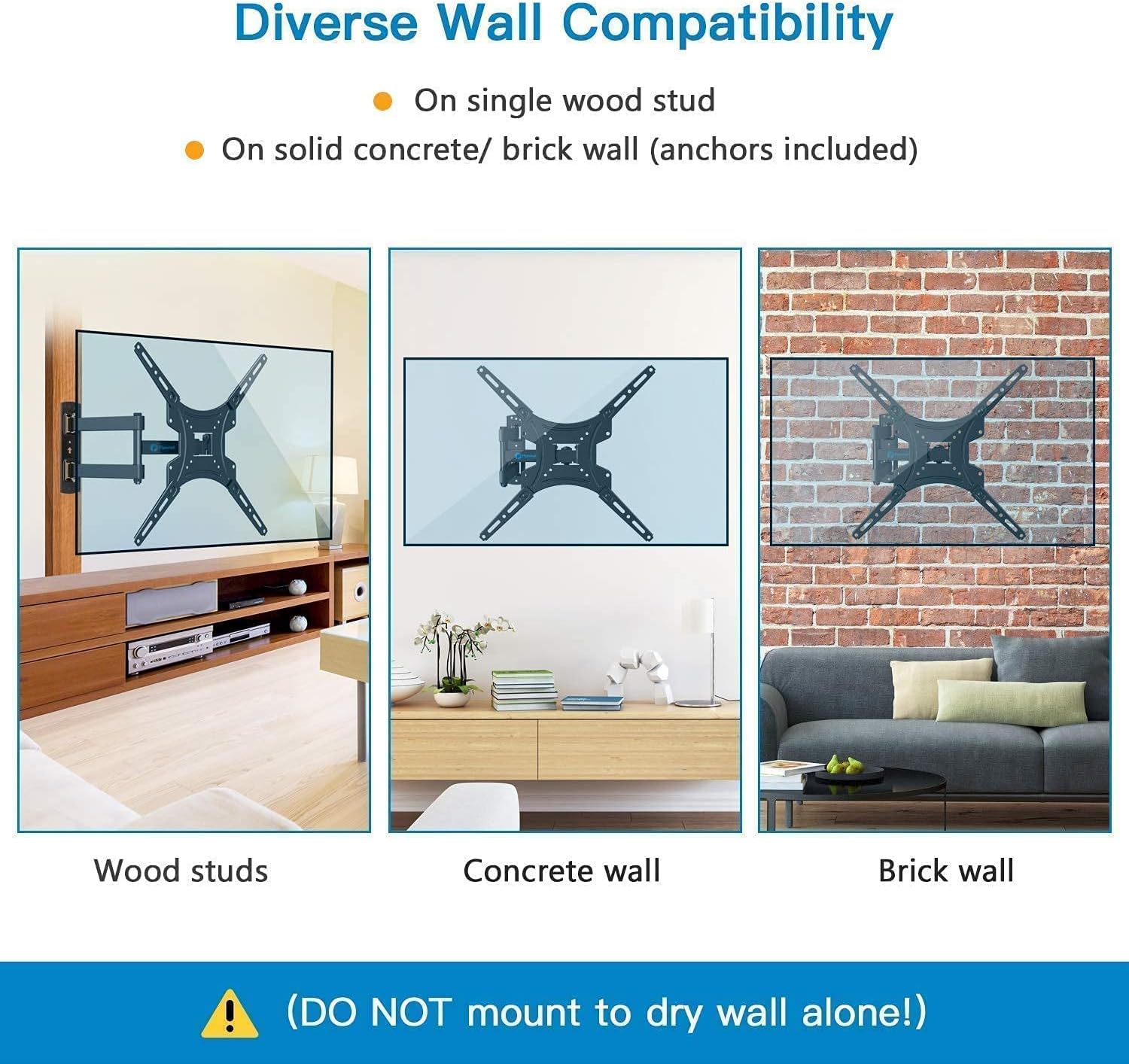
Irudia: Adibamples of PIMF2 mount installation on different wall types: wood studs, concrete, and brick. A warning states not to mount on drywall alone.
4.2 Mounting Steps (3-in-1 Easy Installation)
The installation process is simplified into three main steps:

Image: A visual guide to the three-step installation process: attaching brackets to the TV, installing the wall plate, and hanging the TV onto the wall plate.
- Erantsi euskarriak telebistari: Carefully place your TV face down on a soft, clean surface. Align the TV bracket arms with the VESA mounting holes on the back of your TV. Select the correct screws, washers, and spacers from the hardware kit that fit your TV. Secure the brackets to the TV, ensuring they are firmly attached but do not overtighten.
- Instalatu horma-plaka:
- Egurrezko habe-hormetarako: Use a stud finder to locate the center of a single wood stud at your desired mounting height. Mark the drill holes. Drill pilot holes (refer to manual for specific drill bit size). Secure the wall plate to the stud using the provided lag bolts and washers. Use a level to ensure the wall plate is perfectly horizontal before tightening all bolts.
- Hormigoizko/Adreiluzko Hormetarako: Mark the drill holes at your desired mounting height. Drill pilot holes (refer to manual for specific drill bit size). Insert the concrete anchors into the drilled holes. Secure the wall plate to the wall using the provided lag bolts and washers, ensuring the anchors are fully engaged. Use a level to ensure the wall plate is perfectly horizontal before tightening all bolts.
- Telebista zintzilikatu: With assistance, carefully lift the TV with the attached brackets and hook them onto the wall plate. Ensure the TV is securely seated on the wall plate. Some models may have safety screws or locking mechanisms to prevent accidental dislodging; engage these as per the specific instructions for your mount.
5. Operating Your TV Mount
Your Pipishell full motion mount allows for various adjustments to achieve the best viewesperientzia.
5.1 Egokitzea Viewangeluak
- Inklinazio doikuntza: The mount allows for tilting the TV 5° upward and 15° downward. Loosen the tilt adjustment knobs/bolts on the TV brackets, adjust to the desired angle to reduce glare, and then re-tighten securely.
- Birako doikuntza: The articulating arm allows you to swivel the TV left or right up to 90° (maximum angle depends on TV size and distance from wall). Gently push or pull the TV to the desired swivel position.
- Luzapena eta atzerakada: Extend the TV away from the wall for greater flexibility or retract it back to a minimum distance of 2.2 inches to save space. Gently pull or push the TV to extend or retract the arm.

Image: Illustrations demonstrating the 360° rotation capability for portrait or landscape viewing and the 180° swivel for flexible positioning.

Image: Visual representation of the mount's extension range (2.2" to 14.5") and tilt adjustment (+5° to -15°) for anti-glare viewing.

Irudia: Xehetasun handikoa view of the PIMF2 mount's full motion capabilities, including extension up to 17 inches, tilt from +5° to -15°, and 90° swivel.
6. Mantentzea
Mantentze-lan erregularrak zure telebista-euskarriaren iraupena eta funtzionamendu segurua bermatzen ditu.
- Garbiketa: Dust the mount regularly with a soft, dry cloth. For stubborn marks, use a slightly damp zapi eta detergente leun batekin, eta gero lehortu. Saihestu garbitzaile edo disolbatzaile urratzaileak.
- Egiaztatu konexioak: Periodically (e.g., every 6 months) check all screws and bolts to ensure they are still tight and secure. Do not overtighten.
- Ikuskatu kalteak ikusteko: Visually inspect the mount for any signs of wear, corrosion, or damage. If any damage is found, do not use the mount and contact customer support.
7. Arazoak
Instalazioan zehar edo ondoren arazoak badituzu, jo ezazu honako arazo eta irtenbide ohikoenei.
| Arazoa | Kausa posiblea | Irtenbidea |
|---|---|---|
| Telebista ez dago maila berean instalatu ondoren. | Wall plate not level; TV brackets not adjusted correctly. | Ensure the wall plate is perfectly level during installation. Some mounts have a post-installation leveling adjustment feature on the TV brackets; consult your specific model's instructions. |
| Muntaketa solte edo ezegonkor sentitzen da. | Mounting bolts not fully tightened; incorrect wall anchors used; wall not strong enough. | Re-check and tighten all mounting bolts. Ensure correct anchors were used for your wall type. If the wall is insufficient, consult a professional. |
| Telebista ez da euskarrira egokitzen. | Incorrect VESA pattern; TV too heavy or too large. | Verify your TV's VESA pattern, weight, and size against the mount's specifications. Ensure you have the correct Pipishell model (PISF1 or PIMF2) for your TV. |
| Zailtasunak inklinazioa/biraketa doitzeko. | Adjustment bolts are too tight. | Slightly loosen the adjustment bolts/knobs, make the adjustment, then re-tighten to secure the position. Do not loosen excessively. |
8. Zehaztapenak
| Ezaugarri | Zehaztapena |
|---|---|
| Marka | Pipishell |
| Estalitako ereduak | PISF1, PIMF2 |
| Muntatze Mota | Hormako Muntaia |
| Mugimendu Mota | Biratu, inklinatu, artikulatu |
| Materiala | Altzairu aleazioa |
| Kolorea | Beltza |
| Gutxieneko tamaina bateragarria | 13 hazbete |
| Maximum Compatible Size (PISF1) | 42 hazbete |
| Maximum Compatible Size (PIMF2) | 55 hazbete |
| Max. Weight Capacity (PISF1) | 44 kilo |
| Max. Weight Capacity (PIMF2) | 66 kilo |
| VESA Compatibility (PISF1) | 75x75mm-tik 200x200mm-ra |
| VESA Compatibility (PIMF2) | 75x75mm-tik 400x400mm-ra |
| Inklinazio angelua | +5°-tik -15°-ra |
| Angelu birakaria | Up to 90° left/right (TV size dependent) |
| Hormatik luzapena | 2.2 hazbete (erretiratuta) eta 17 hazbete (luzatuta) |
| Gailu bateragarriak | Monitorea, Telebista |
9. Bermearen informazioa
Pipishell products are manufactured with quality and care. This product is covered by a limited warranty against defects in materials and workmanship. For specific warranty terms and conditions, please refer to the warranty card included with your product or visit the official Pipishell webgunea. Gorde erosketa-agiria erosketaren frogagiri gisa.
10. Bezeroarentzako arreta
If you have any questions, require technical assistance, or need to report missing/damaged parts, please contact Pipishell customer support. Our team is available to help you with your product.
- Webgunea: Visit the official Pipishell webmaiz egiten diren galderen eta laguntza-baliabideen gunea.
- Posta elektronikoa: Refer to your product packaging or the Pipishell website for customer service email contact.
- Telefonoa: Refer to your product packaging or the Pipishell website for customer service phone contact.
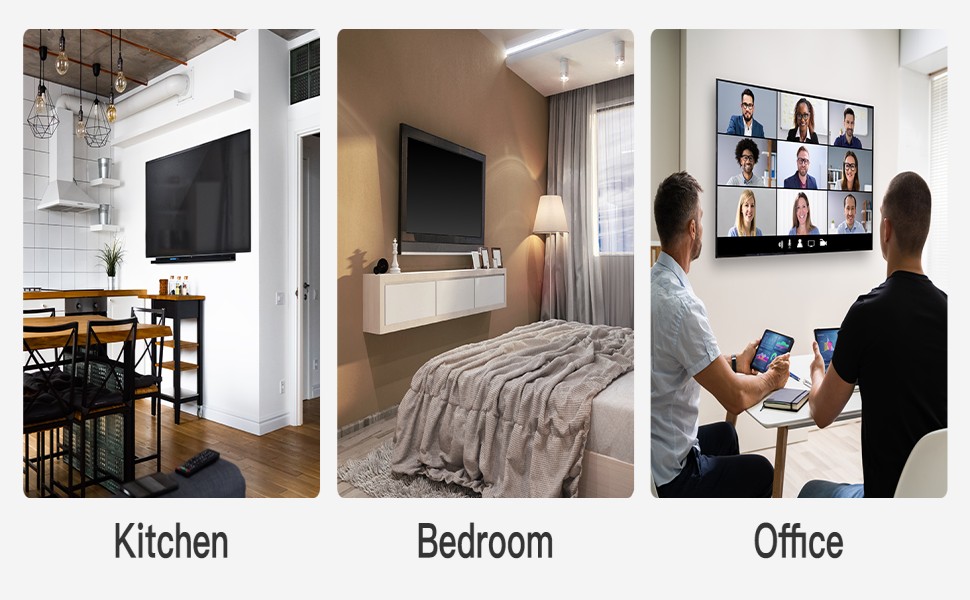
Irudia: Adibamples of Pipishell TV mounts in various home and office settings, demonstrating their versatility.


