1. Sarrera
This manual provides detailed instructions for the setup, operation, maintenance, and troubleshooting of your MEETION MT-KB015 One-Handed Wired RGB Gaming Keyboard. Please read this manual thoroughly to ensure proper use and to maximize your gaming experience.
2. Produktua amaitu daview
The MEETION MT-KB015 is a compact, one-handed gaming keyboard designed for enhanced control and comfort. It features vibrant RGB backlighting, ergonomic keycaps, and dedicated multimedia controls. Its durable membrane switches are rated for 50 million keystrokes, ensuring longevity.

Irudi honek aurrealdea erakusten du view of the MEETION MT-KB015 one-handed gaming keyboard, highlighting its compact design and vibrant RGB backlighting.

An angled perspective of the MEETION MT-KB015 keyboard, emphasizing its integrated ergonomic palm rest designed for comfortable use during extended gaming sessions.

A user's hand is shown comfortably resting on the integrated palm rest of the MEETION MT-KB015 keyboard, illustrating its ergonomic design for gaming.
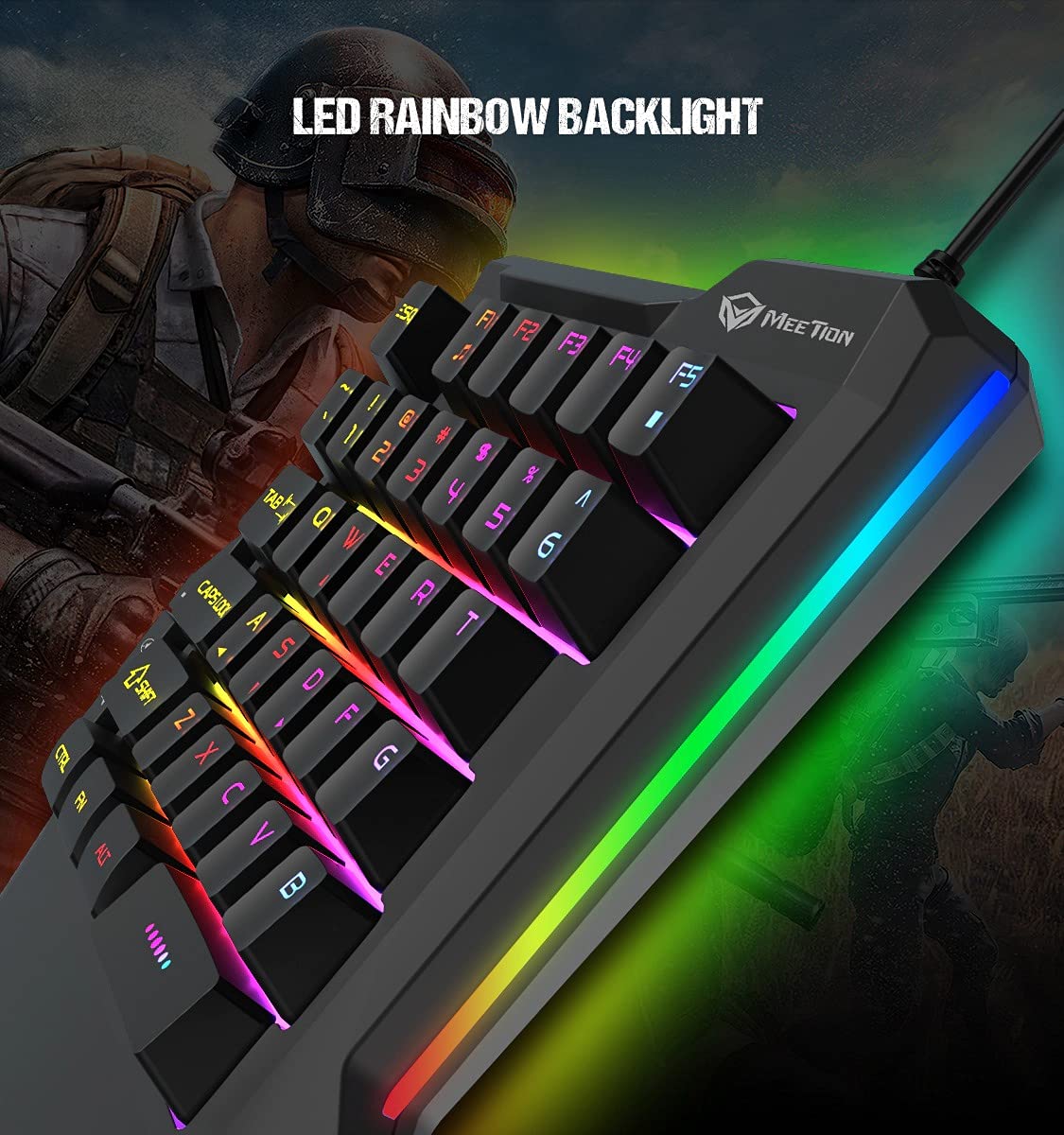
Xehetasun bat view of the MEETION MT-KB015 keyboard's keys, showcasing the dynamic LED rainbow backlighting effect.

This image provides a close-up of the membrane switch keys on the MEETION MT-KB015 keyboard, illustrating their design and construction.

The MEETION MT-KB015 keyboard is depicted connected to a computer setup, demonstrating its simple plug-and-play connectivity.

Buru bat view of a user engaged in gaming, utilizing the MEETION MT-KB015 one-handed keyboard alongside a gaming mouse on a desk.
Ezaugarri nagusiak:
- 50 Million Keystroke Life: Durable membrane switches designed for extended use.
- Multimedia teklak: Conveniently placed dedicated keys for volume control.
- Eskumuturreko atseden erosoa: Integrated broad palm rest for ergonomic support during long gaming sessions.
- Easy To Use Plug and Play: Simple connectivity with various devices without requiring additional drivers.
3. Konfigurazioa
The MEETION MT-KB015 keyboard is designed for plug-and-play functionality, requiring no complex installation.
Teklatua konektatzea:
- Locate an available USB port on your computer, laptop, or compatible smartphone.
- Plug the USB cable of the MT-KB015 keyboard into the USB port.
- The operating system (e.g., Windows 10) will automatically detect and install the necessary drivers.
- The keyboard's RGB backlight will illuminate, indicating it is ready for use.
Gailu bateragarriak: Laptop, PC, Smartphone.
4. Funtzionamendu-argibideak
Oinarrizko funtzionamendua:
Once connected, the keyboard functions immediately. The keys are laid out for one-handed gaming, providing quick access to essential commands.
RGB atzeko argiaren kontrola:
The keyboard features an LED rainbow backlight. Specific key combinations or dedicated buttons for backlight mode changes are not detailed in the product information, but the lighting will be active upon connection.
Multimedia teklak:
The MT-KB015 includes dedicated multimedia keys for convenient audio control.

A diagram highlighting the location and function of the dedicated Volume Up, Mute, and Volume Down multimedia keys positioned on the left side of the MEETION MT-KB015 keyboard.
- Bolumena igo: Increases audio output.
- Ezkutatu: Toggles audio mute on/off.
- Bolumena jaitsi: Decreases audio output.
Additional multimedia functions (Music Player, Stop) are indicated with FN key combinations (FN + F1 for Music Player, FN + F5 for Stop).
5. Mantentzea
Zure teklatuaren iraupena eta errendimendu optimoa bermatzeko, jarraitu mantentze-jarraibide hauek:
- Garbiketa: Erabili zapi leun eta lehor bat teklatuaren gainazala garbitzeko. Garbiketa sakonago bat egiteko, garbitu zapi pixka bat.amp xaboi leun batekin oihal bat erabil daiteke, likidorik ez sartzeko giltza-etengailuetan edo barneko osagaietan.
- Hautsa kentzea: Erabili aire konprimatua tekla-tapoien arteko hautsa eta hondakinak kentzeko.
- Saihestu likidoak: Ez isuri likidorik teklatuaren gainean. Istripuz isuriz gero, deskonektatu berehala teklatua eta utzi guztiz lehortzen berriro konektatu aurretik.
- Biltegiratzea: Gorde teklatua leku fresko eta lehor batean, eguzki-argitik eta muturreko tenperaturetatik babestuta.
6. Arazoak
If you encounter issues with your MEETION MT-KB015 keyboard, refer to the following common solutions:
Teklatuak ez du erantzuten:
- Egiaztatu USB konexioa: Ensure the USB cable is securely plugged into a functional USB port on your device. Try a different USB port.
- Berrabiarazi gailua: Berrabiarazi ordenagailua edo telefonoa.
- Proba beste gailu batean: Connect the keyboard to another computer or compatible device to determine if the issue is with the keyboard or the original device.
Atzeko argia ez dabil:
- Ziurtatu teklatua behar bezala konektatuta dagoela eta energia jasotzen duela.
- If available, check for any dedicated backlight control keys or software settings.
Giltzak ez dira erregistratzen edo bi aldiz idazten ari dira:
- Clean the affected keys to remove any debris that might be obstructing the switch mechanism.
- Ziurtatu teklatua gainazal egonkor eta lau batean dagoela.
Irtenbide hauek saiatu ondoren arazoak konpontzen ez badira, jarri harremanetan bezeroarentzako arreta-zerbitzuarekin.
7. Zehaztapenak
| Ezaugarri | Xehetasuna |
|---|---|
| Marka | BILERA |
| Modelo zenbakia | MT-KB015 |
| Seriea | MEETION MT-KB015 |
| Kolorea | Beltza |
| Konektibitate Teknologia | Kableatua |
| Teklatuaren deskribapena | Jolasa |
| Aldatu mota | Mintzaren etengailua |
| Keystroke Life Cycle | 50 milioi |
| Hardware Plataforma | Ordenagailu eramangarria, ordenagailua, telefonoa |
| Sistema eragileen bateragarritasuna | Windows 10 (and compatible with other OS via Plug and Play) |
| Produktuaren neurriak (LxWxH) | 21 x 3.8 x 18.1 cm |
| Elementuaren pisua | 420 g |
| Dakarten osagaiak | USB kablea |
| Pilak barne | Ez |
8. Bermea eta Laguntza
Bermearen informazioa:
The MEETION MT-KB015 One-Handed Wired RGB Gaming Keyboard comes with a 1 Urteko Bermea erosketa-datatik aurrera. Berme honek erabilera normalaren pean fabrikazio-akatsak estaltzen ditu. Gorde erosketaren egiaztagiria berme-erreklamazioetarako.
Bezeroarentzako laguntza:
For technical assistance, warranty claims, or any product-related inquiries, please contact MEETION customer support. Contact details for the manufacturer/importer are provided below:
- Fabrikatzailea: Meetion, Meetion Tech Co. LTD - China
- Inportatzailea: Cavitak Marketing Pvt Ltd. 9, Vitthalbhai Patel Colony, Lakhudi, Naranpura, Ahmedabad-380014
- Posta elektronikoa: meetion@cavitak.com
- Telefonoa: 0796813-66-11


