Sarrera
Welcome to the user manual for your Infinity by Harman CLUBZ 250 Portable Waterproof Wireless Speaker. This guide provides essential information on setting up, operating, maintaining, and troubleshooting your speaker to ensure optimal performance and longevity. Please read this manual thoroughly before using your device.
Kutxan dagoena
Kutxa irekitzean, egiaztatu honako elementu guztiak daudela:
- 1 x Infinity CLUBZ 250 Speaker
- 1 x Kargatzeko kablea
- 1 x Hasiera Azkarreko Gida (QSG)
Produktua amaituview
The Infinity CLUBZ 250 is a compact and powerful portable wireless speaker designed for robust audio performance and durability. It features intuitive controls and a rugged, waterproof design.

Irudia: Aurrealdea view of the Infinity CLUBZ 250 Portable Wireless Speaker in red, showcasing its cylindrical design and top-mounted control buttons.
Kontrolak eta Adierazleak
- Pizteko botoia: Located on the top surface, used for turning the speaker on/off.
- Bolumena jaisteko botoia (-): Audioaren bolumena murrizten du.
- Bolumena igotzeko botoia (+): Audioaren bolumena handitzen du.
- Play/Pause Button (►►): Multimedia erreprodukzioa kontrolatzen du.
- Bluetooth Pairing Button (∞): Bluetooth parekatze modua abiarazten du.
- LED adierazlea: Energia eta konexio egoera erakusten ditu.
Konfigurazioa
1. Bozgorailua kargatzea
Before first use, fully charge your speaker. Connect the provided charging cable to the speaker's charging port and a compatible USB power adapter (not included). The LED indicator will show charging status and turn off when fully charged.

Image: The Infinity CLUBZ 250 speaker on a beach, illustrating its portability and the '10 Hours Playtime' feature.
A full charge provides approximately 10 hours of music playtime under optimum audio settings.
2. Piztu/Itzali
- Pizteko: Sakatu eta eutsi pizteko botoia LED adierazlea piztu arte.
- Itzaltzeko: Sakatu eta eutsi pizteko botoia LED adierazlea itzali arte.
3. Bluetooth parekatzea
- Ziurtatu bozgorailua piztuta dagoela.
- The speaker will automatically enter Bluetooth pairing mode if not connected to a device. The LED indicator will flash.
- Zure gailu mugikorrean, gaitu Bluetootha eta bilatu eskuragarri dauden gailuak.
- Select "Infinity CLUBZ 250" from the list of devices.
- Behin konektatuta, LED adierazlea urdin finko piztuko da.
4. Dual Speaker Connect (TWS Mode)
You can pair two Infinity CLUBZ 250 speakers together for a stereo sound experience.

Image: Two Infinity CLUBZ 250 speakers wirelessly connected to a laptop, demonstrating the Dual Connect feature for stereo sound.
- Ensure both CLUBZ 250 speakers are powered on and not connected to any Bluetooth device.
- On one speaker (this will be your primary speaker), press and hold the Bluetooth pairing button (∞) for 3 seconds. It will enter TWS pairing mode.
- Bozgorailu nagusiak automatikoki bilatuko du bigarren bozgorailua.
- Once connected, you will hear an audible confirmation, and the LED indicators on both speakers will change to a solid color.
- Now, connect your mobile device to the primary speaker via Bluetooth as described in step 3.
Funtzionamendu-argibideak
1. Oinarrizko Kontrolak
- Erreproduzitu/Pausatu: Press the Play/Pause button (►►) once to play or pause music.
- Bolumena igo: Sakatu '+' botoia bolumena igotzeko.
- Bolumena jaitsi: Sakatu '-' botoia bolumena jaisteko.
- Hurrengo ibilbidea: Double-press the Play/Pause button (►►).
- Aurreko pista: Triple-press the Play/Pause button (►►).
2. Dual Equalizer Modes
The CLUBZ 250 features Dual Equalizer modes, allowing you to switch between 'Normal' and 'Deep Bass' sound profiles.
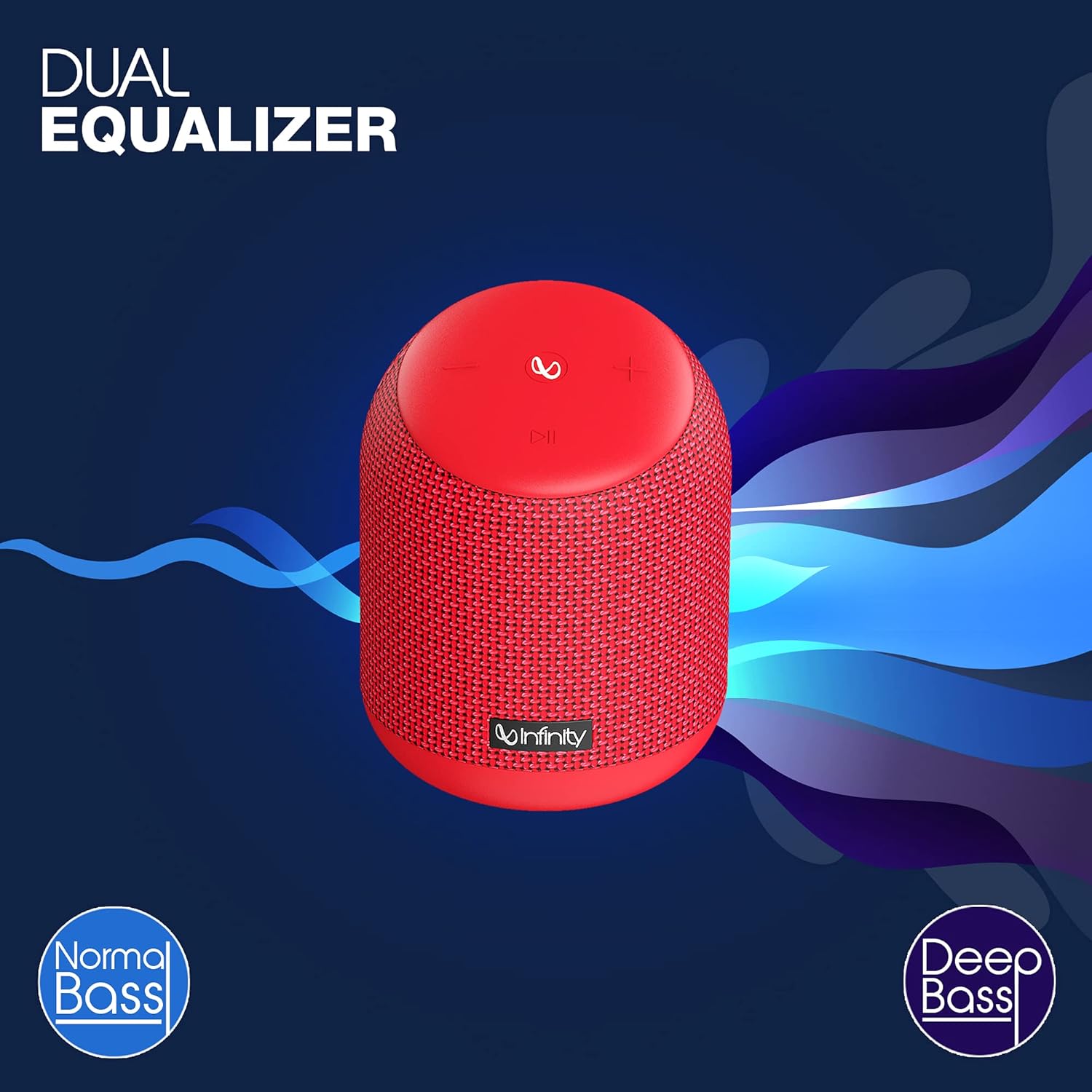
Image: The Infinity CLUBZ 250 speaker highlighting the 'Dual Equalizer' feature with options for 'Normal Bass' and 'Deep Bass'.

Image: The Infinity CLUBZ 250 speaker with a 'Deep Bass' graphic, emphasizing its enhanced bass capabilities.
To switch between modes, press the Bluetooth pairing button (∞) once. You will hear an audible cue indicating the active mode.
3. Ahots-laguntzailearen integrazioa
Access your device's voice assistant (e.g., Google Assistant, Siri) directly through the speaker.

Image: A woman interacting with the Infinity CLUBZ 250 speaker, which displays a voice assistant interface on a laptop screen, demonstrating 'Voice Assistant Integration'.
To activate, press and hold the Play/Pause button (►►) for 2 seconds. The speaker will then relay your commands to your paired device's voice assistant.
4. Esku libreko deiak
When connected to your smartphone, the speaker can be used for hands-free calls.
- Erantzun deia: Press the Play/Pause button (►►) once.
- Amaitu deia: Press the Play/Pause button (►►) once during a call.
- Deia baztertu: Press and hold the Play/Pause button (►►) for 2 seconds.
Mantentzea
1. Iragazgaiztasuna (IPX7)
The Infinity CLUBZ 250 is IPX7 waterproof, meaning it can be submerged in water up to 1 meter for up to 30 minutes. This makes it suitable for use near water, but it is not designed for prolonged underwater use.

Image: The Infinity CLUBZ 250 speaker with water splashing around it, indicating its 'IPX7 Waterproof' rating.
- Bozgorailua uretan jarri aurretik, ziurtatu kargatzeko atakaren estalkia ondo itxita dagoela.
- Do not expose the speaker to salt water or other chemicals. If exposed, rinse with fresh water and dry thoroughly.
2. Garbiketa
Garbitu bozgorailua leun batekin, damp oihal. Ez erabili garbitzaile edo disolbatzaile urratzailerik, akabera edo barneko osagaiak kaltetu baitezakete.
3. Biltegiratzea
Gorde bozgorailua leku fresko eta lehor batean, eguzki-argitik eta muturreko tenperaturetatik babestuta. Denbora luzez gordetzen baduzu, kargatu bateria aldian-aldian bere iraupena mantentzeko.
Arazoak konpontzea
- Potentziarik gabe: Ensure the speaker is charged. Connect it to a power source and try turning it on again.
- Soinurik ez: Egiaztatu bozgorailuaren eta konektatutako gailuaren bolumen-maila. Ziurtatu bozgorailua behar bezala parekatuta dagoela Bluetooth bidez.
- Bluetooth parekatzearen arazoak: Make sure the speaker is in pairing mode (flashing LED). Turn off Bluetooth on other nearby devices that might be interfering. Try unpairing and re-pairing the speaker from your device's Bluetooth settings.
- Soinu kalitate eskasa: Ensure the speaker is within the Bluetooth range of your device. Move away from sources of interference (e.g., Wi-Fi routers, microwaves).
- Dual Speaker Connect Failure: Ensure both speakers are fully charged and not connected to any other Bluetooth devices before initiating TWS pairing.
Zehaztapenak
| Ezaugarri | Zehaztapena |
|---|---|
| Ereduaren izena | KLUBA 250 |
| Irteera Potentzia | 15 Watt |
| Konektibitatea | Bluetootha |
| Bateriaren iraupena | Gehienez 10 ordu |
| Iragazgaitzaren balorazioa | IPX7 |
| Kontrol-metodoa | Ukitu |
| Neurriak (LxWxH) | 11.6 x 11.6 x 17.8 cm |
| Elementuaren pisua | 421 gramo |
| Bateria mota | Litio ioia (1 barne) |
Bermea eta Laguntza
Your Infinity by Harman CLUBZ 250 speaker comes with a 1-year manufacturer's warranty. Please refer to the warranty card included in your packaging for detailed terms and conditions.
For technical support, service, or warranty claims, please contact Infinity customer service through their official webgunea edo Hasiera Azkarreko Gidan emandako harremanetarako informazioa.


