1. Sarrera
This manual provides detailed instructions for the setup, operation, and maintenance of your Eseesmart Fingerprint Smart Padlock, Model 673143715034. This device offers keyless entry through fingerprint recognition and Bluetooth connectivity via a mobile application, enhancing security and convenience for various applications.

Image 1.1: Eseesmart Fingerprint Smart Padlock with mobile app and smartwatch interface.
2. Produktuaren ezaugarriak
- Biometric Fingerprint Recognition: Unlock in approximately 0.2 seconds. Supports storage of up to 15 unique fingerprints.
- Bluetooth konexioa: Connects to a mobile application for remote unlocking, user management, and access history tracking.
- Eraikuntza iraunkorra: Main body crafted from zinc alloy, with a stainless steel shackle for enhanced cut resistance.
- Urarekiko erresistentea: Designed to withstand exposure to water, suitable for various environments.
- Bateriaren iraupen luzea: Equipped with a 110mAh rechargeable lithium battery, providing over 6 months of standby time or more than 2000 unlocks on a single charge.
- USB kargagarria: Convenient charging via a standard USB cable or power bank.
- Aplikazio polifazetikoa: Suitable for gym lockers, school lockers, luggage, toolboxes, gates, and other storage solutions.
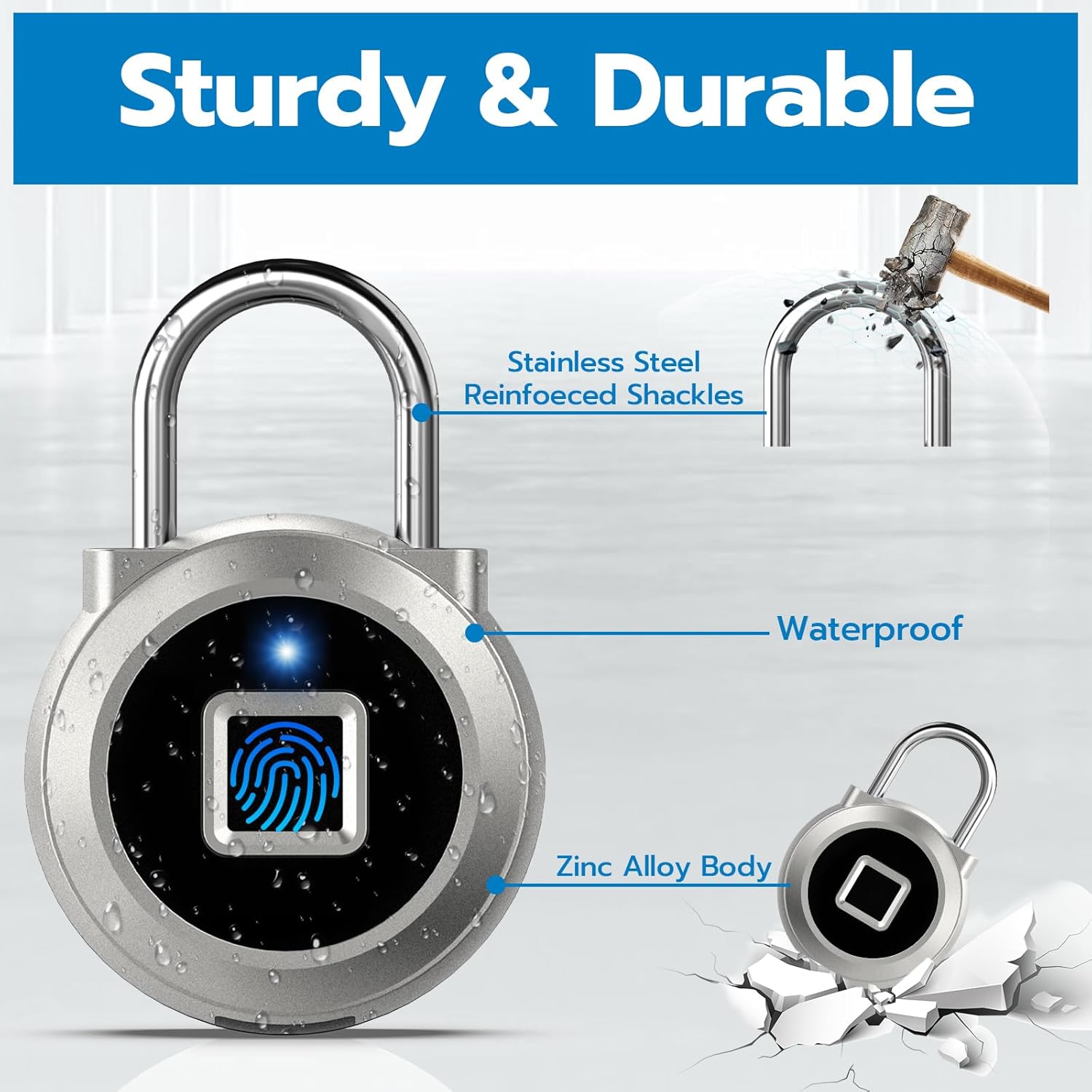
Image 2.1: Illustration of the padlock's durable and water-resistant design.
3. Konfigurazio gida
3.1 Hasierako karga
Before first use, fully charge the padlock. Connect the provided USB cable to the charging port on the padlock and to a USB power source. The indicator light will show charging status.
3.2 Aplikazioa deskargatu eta instalatu
Bilatu the "Eseesmart" app in your device's app store (iOS or Android) and install it.
3.3 Gailuen parekatzea
- Ziurtatu Bluetootha gaituta dagoela zure telefonoan.
- Open the Eseesmart app and create an account or log in.
- Tap the "Add Device" or "+" icon within the app.
- Wake up the padlock by touching the fingerprint sensor. The padlock's indicator light should be active.
- Select your padlock from the list of available devices in the app to pair.
3.4 Hatz-marken erregistroa
After successful pairing, you can register fingerprints. The first registered fingerprint will be the administrator fingerprint.
- In the app, navigate to "Fingerprint Management".
- Tap "Add Fingerprint".
- Follow the on-screen prompts to place your finger on the padlock's sensor multiple times until registration is complete.
- Repeat for additional fingerprints (up to 15 total).

Image 3.1: Padlock ready for Bluetooth pairing with the mobile application.
4. Funtzionamendu-argibideak
4.1 Giltzarrapoa blokeatzea
To lock the padlock, simply push the shackle down into the lock body until it clicks into place. The padlock will automatically lock.
4.2 Hatz-markarekin desblokeatzea
- Place a registered finger firmly on the fingerprint sensor.
- The indicator light will briefly turn blue, then green if the fingerprint is recognized.
- The padlock will unlock.
4.3 Unlocking with Mobile App
- Ensure your smartphone's Bluetooth is on and the padlock is within range.
- Open the Eseesmart app.
- Select your padlock from the device list.
- Tap the "Unlock" button in the app. The padlock will unlock.

Image 4.1: Demonstrating fingerprint and app unlocking methods.
5. Aplikazioaren erabilera
The Eseesmart mobile application provides comprehensive control and monitoring features for your padlock:
- Desblokeatu: Directly unlock the padlock from your phone.
- Authorization Management: Grant temporary or permanent access to other users.
- Fingerprint Management: Add, edit, or delete registered fingerprints.
- Historia Erregistroa: View a log of all unlock events, including time, user, and method.
- Bateria egoera: Monitor the current battery level of the padlock.

5.1. irudia: Amaituview of the Eseesmart mobile application interface and its functions.
6. Kargatzea eta bateria
The padlock is powered by a built-in 110mAh lithium battery. A full charge typically takes 30 minutes and can provide power for over 6 months of standby time or 2000 unlocks.
6.1 Kargatzeko prozedura
- Locate the USB charging port on the side of the padlock.
- Connect the padlock to a 5V USB power source (e.g., computer, wall adapter, power bank) using the provided USB cable.
- Adierazle-argia piztuko da kargatzen ari den bitartean eta itzali egingo da guztiz kargatzen denean.
6.2 Bateria gutxiko adierazpena
When the battery level is low, the padlock's indicator light may flash red or the app will display a low battery warning. Charge the padlock promptly to ensure continuous operation.
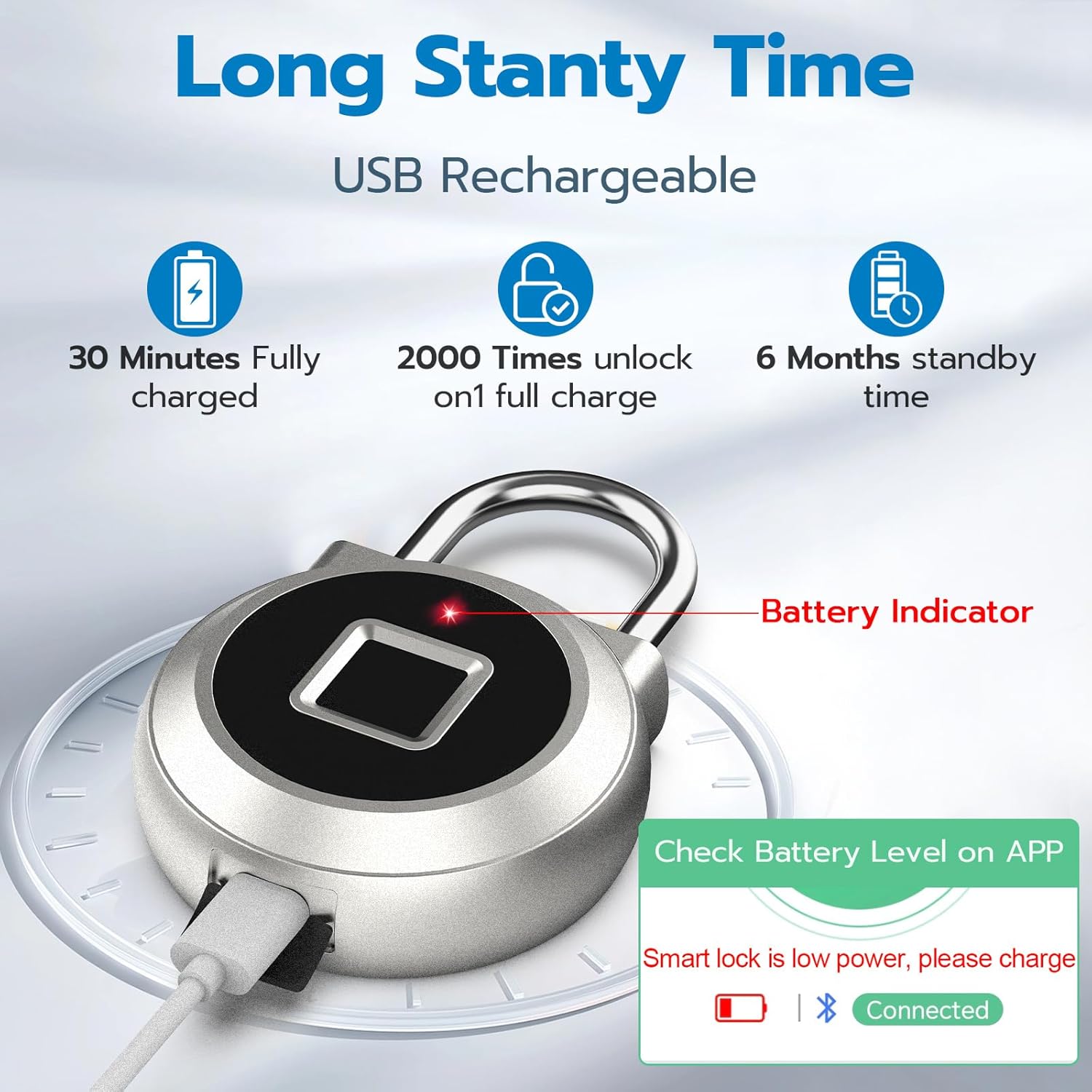
Image 6.1: Padlock charging via USB, illustrating battery performance metrics.
7. Mantentzea
- Garbiketa: Wipe the padlock with a soft, dry cloth. Avoid using abrasive cleaners or solvents.
- Hatz-marka sentsorea: Mantendu hatz-marken sentsorea garbi eta lehor errendimendu optimoa lortzeko.
- Uraren esposizioa: While water-resistant, avoid prolonged submersion or exposure to extreme weather conditions to prolong the product's lifespan.
- Kargatzeko ataka: Ensure the USB charging port is free from dust and debris.

Image 7.1: Padlock demonstrating water resistance.
8. Arazoak
- Padlock not unlocking with fingerprint:
- Ziurtatu hatza garbia eta lehorra dagoela.
- Place your entire registered finger firmly on the sensor.
- Verify the fingerprint is registered in the app.
- Try a different registered finger.
- Padlock not connecting to app:
- Ziurtatu Bluetootha gaituta dagoela telefonoan.
- Make sure the padlock is within Bluetooth range.
- Wake up the padlock by touching the fingerprint sensor.
- Berrabiarazi aplikazioa edo telefonoa.
- Giltzarrapoa ez da kargatzen:
- Check if the USB cable is properly connected to both the padlock and the power source.
- Probatu beste USB kable edo korronte egokitzaile batekin.
- Ziurtatu kargatzeko ataka garbi dagoela.
- Fabrikaren berrezarpena: If experiencing persistent issues, a factory reset may be necessary. Refer to the app's settings or contact customer support for specific instructions on performing a factory reset, as this will erase all registered fingerprints and pairing information.
9. Zehaztapenak
| Ezaugarri | Xehetasuna |
|---|---|
| Marka | Eseesmart |
| Modelo zenbakia | 673143715034 |
| Blokeo mota | Biometrikoa |
| Ezaugarri bereziak | Rechargeable, Fingerprint, Water Resistant |
| Materiala | Stainless Steel, Zinc Alloy |
| Elementuaren neurriak (L x W x H) | 1.6 x 0.6 x 2.5 hazbete |
| Elementuaren pisua | 2.4 ontza (68.04 gramo) |
| Konektibitate-protokoloa | Bluetootha |
| Kontrol-metodoa | App, Fingerprint |
| Bateria mota | 1 litio ioi (barne) |
| Dakarten osagaiak | Padlock, USB Cable, User Manual |
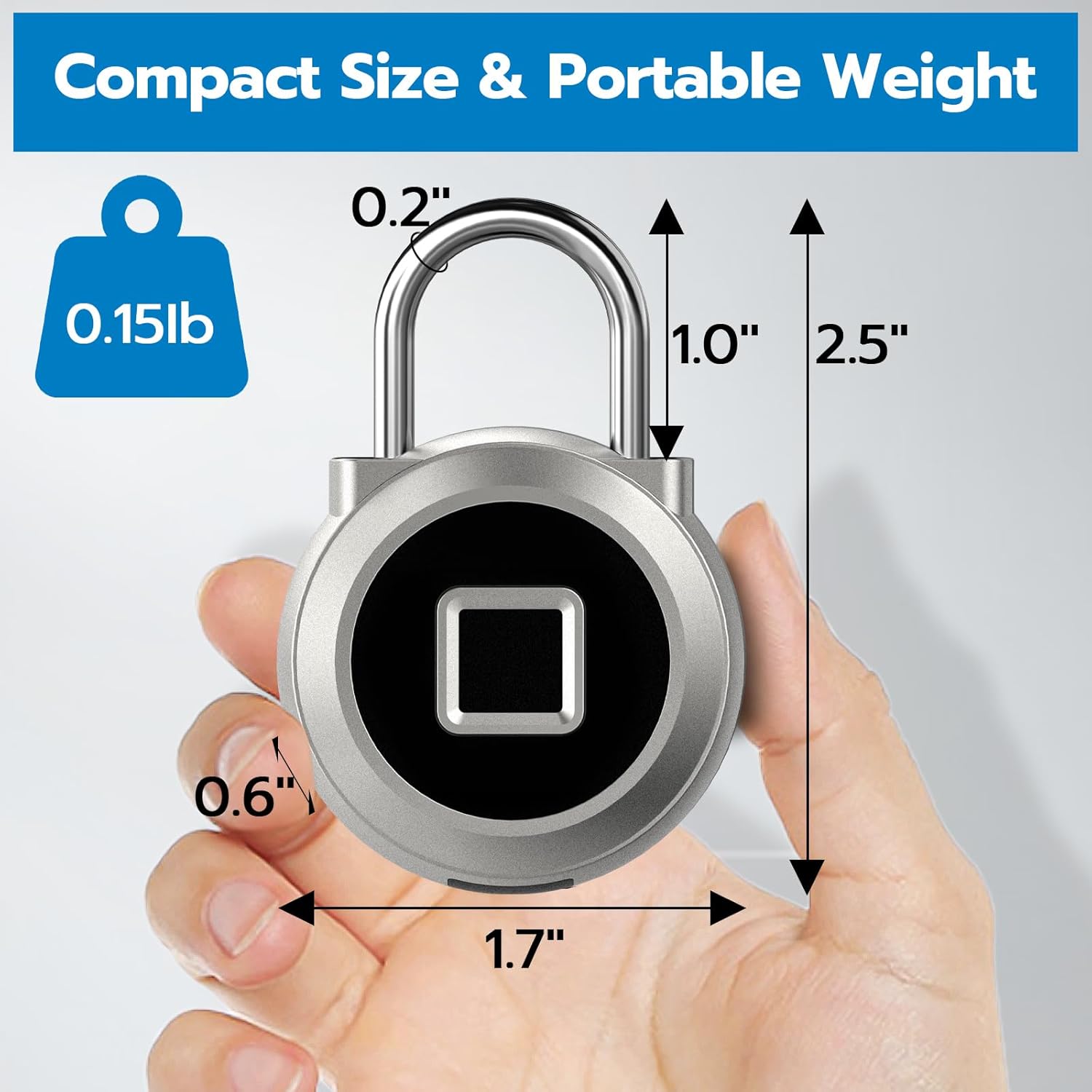
Image 9.1: Physical dimensions of the Eseesmart Smart Padlock.
10. Bermea eta Laguntza
10.1 Bermearen informazioa
Eseesmart offers a 6-month limited warranty for this product. This warranty covers manufacturing defects and ensures the product functions as intended under normal use.
10.2 Bezeroarentzako arreta
For any questions, technical assistance, or warranty claims, please contact Eseesmart customer service. Lifetime customer service is provided. You can typically find contact information through your order details page or the official Eseesmart webgunea.
