Sarrera
Thank you for choosing the DR-HO'S MotionCiser. This innovative foot massager combines vibration and heat functions to provide a soothing and relaxing experience. This manual provides important information on how to set up, operate, and maintain your MotionCiser for optimal performance and longevity. Please read it thoroughly before first use.

Image: The DR-HO'S MotionCiser foot massager unit with its accompanying remote control, showcasing its compact design and user-friendly interface.
Paketearen edukia
Ziurtatu elementu guztiak paketean daudela:
- 1 x DR-HO'S MotionCiser Main Unit
- 1 x korronte egokitzailea
- 1 x Urruneko kontrola
- 1 x Erabiltzailearen eskuliburua (dokumentu hau)

Image: A visual representation of the MotionCiser package contents, including the main unit, power adapter, and remote control.
Konfigurazioa
- Despaketatzea: Kontu handiz atera osagai guztiak ontzitik. Gorde ontzia etorkizunean biltegiratzeko edo garraiatzeko.
- Lekua: Place the MotionCiser on a flat, stable surface in a comfortable seating area. Ensure there is enough space around the unit for proper ventilation.
- Potentzia-konexioa: Insert the power adapter cable into the DC input port located on the side of the MotionCiser unit. Plug the other end of the power adapter into a standard electrical outlet.
- Urruneko kontrola: Ensure the remote control has batteries installed (if not pre-installed, refer to the battery compartment on the back of the remote).
Funtzionamendu-argibideak
Hasteko
Once the unit is plugged in, you can begin using your MotionCiser.
- Sit comfortably in a chair with your feet placed flat on the footpads of the MotionCiser.
- Sakatu ON/OFF button on the remote control or the main unit to power on the device. The display will illuminate.
Urruneko agintea erabiliz
The remote control allows for convenient adjustment of settings:
- Bibrazio abiadura: Erabili + eta - buttons under "Speed" to increase or decrease the vibration intensity. There are 10 speed levels available.
- Bero funtzioa: Erabili + eta - buttons under "Degree of heat" to activate and adjust the heat therapy. The heat function operates between 30°C and 50°C.
- Gailua itzaltzeko, sakatu ON/OFF botoia berriro.

Image: A user's feet resting on the MotionCiser footpads, demonstrating the proper usage position for the device.
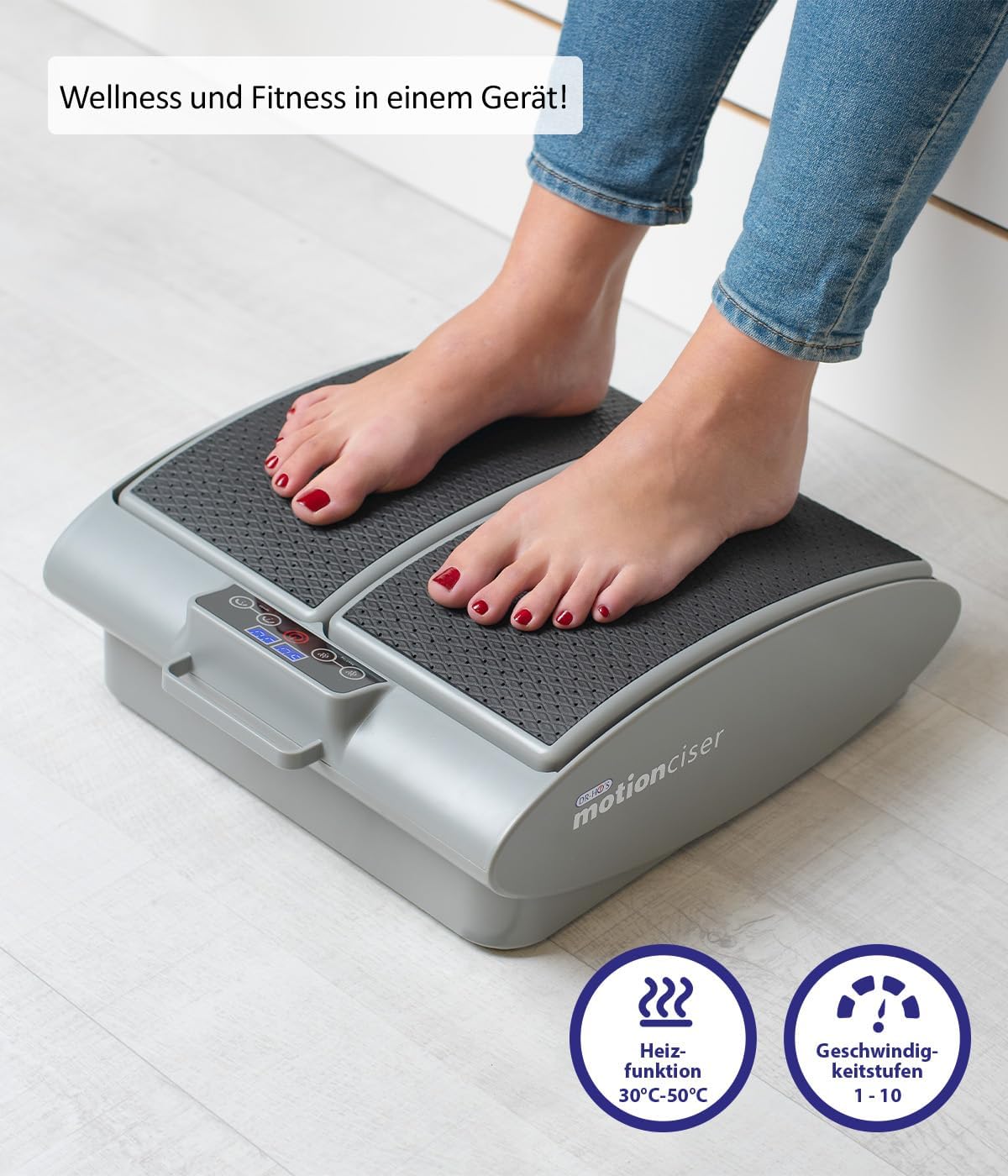
Irudia: Gertutik view of the MotionCiser's control panel and footpads, highlighting the heat function (30°C-50°C) and speed levels (1-10).

Irudia: Xehetasun handikoa view of the MotionCiser's control interface, showing the digital display and buttons for adjusting heat and speed settings.
Mantentzea
Garbiketa
- Always unplug the MotionCiser from the power outlet before cleaning.
- Garbitu unitatearen gainazala leun batekin, damp oihal. Ez erabili garbitzaile urratzaileak edo produktu kimiko gogorrak.
- Ez sartu unitatea uretan edo beste likido batean.
Biltegiratzea
- Store the MotionCiser in a cool, dry place, away from direct sunlight and extreme temperatures.
- If storing for an extended period, it is recommended to place the unit back in its original packaging to protect it from dust and damage.
Arazoak konpontzea
| Arazoa | Kausa posiblea | Irtenbidea |
|---|---|---|
| Gailua ez da pizten. | Not plugged in correctly; Power outlet issue; Remote control batteries low. | Ensure power adapter is securely plugged into the unit and outlet. Test the outlet with another device. Replace remote control batteries. |
| Bibraziorik ez. | Speed setting is too low or off; Internal malfunction. | Increase the vibration speed using the remote control. If the issue persists, contact customer support. |
| Berorik ez. | Heat function is off; Internal malfunction. | Activate and increase the heat setting using the remote control. If the issue persists, contact customer support. |
| Urrutiko agintea ez da erantzuten. | Bateriak agortuta edo gaizki sartuta daude; urrutiko agintearen eta unitatearen arteko oztopoa. | Ordeztu bateriak, polaritate zuzena ziurtatuz. Kendu oztopo guztiak. Zuzendu urrutiko agintea zuzenean unitatera. |
Zehaztapenak
| Ezaugarri | Xehetasuna |
|---|---|
| Modelo zenbakia | A17179 |
| Marka | Jenioa |
| Neurriak (L x W x H) | 41 x 18 x 38 cm (16.1 x 7.1 x 15 hazbete) |
| Pisua | 3.75 kg (8.27 lb) |
| Energia iturria | Elektrikoa |
| Materiala | Metala |
| Kolorea | White (as per product image, though spec says Blanc.) |
| Ezaugarri Berezia | Easy to use, remote temperature adjustment |
| Heat Function Range | 30°C - 50°C |
| Vibration Speed Levels | 1-10 |

Image: Diagram illustrating the dimensions of the MotionCiser unit: 36 cm length, 33 cm width, and 12.5 cm height.
Bermea eta Laguntza
For warranty information and customer support, please refer to the contact details provided with your purchase documentation or visit the official Genius product webgunea. Gorde erosketaren egiaztagiria berme-erreklamazioetarako.
If you encounter any issues not covered in the troubleshooting section, please contact our customer service team for assistance.


