1. Sarrera
This manual provides essential information for setting up, operating, and maintaining your realme C21Y smartphone. Please read this guide thoroughly to ensure optimal performance and longevity of your device. The realme C21Y is an international model featuring a 6.5-inch HD+ display, dual SIM capabilities, and a long-lasting battery.

1. Irudia: Atzealdea view of the realme C21Y smartphone.
2. Konfigurazioa
2.1 Zer dago kutxan
- realme C21Y Smartphone
- Egokitzailea
- USB kablea
2.2 SIM txartelaren instalazioa
The realme C21Y supports dual SIM cards. Locate the SIM card tray on the side of the device. Use the provided SIM ejector tool to open the tray. Insert your Nano-SIM cards and a microSD card (if desired) into the designated slots, ensuring proper orientation. Gently push the tray back into the phone until it clicks into place.

Figure 2: SIM and microSD card tray for realme C21Y.
2.3 Piztu/Itzaltzea
- Pizteko: Press and hold the Power button (located on the right side) until the realme logo appears.
- Itzaltzeko: Sakatu eta eutsi pizteko botoiari, eta ondoren hautatu 'Itzali' pantailan agertzen diren aukeren artean.
- Berrabiarazteko: Sakatu eta eutsi pizteko botoiari, eta ondoren hautatu 'Berrabiarazi' aukeren artean.
2.4 Hasierako konfigurazioa
Lehen aldiz piztean, gailuak hasierako konfigurazio prozesuan zehar gidatuko zaitu. Horrek barne hartzen ditu hizkuntza hautatzea, Wi-Fi sare batera konektatzea, Google kontua konfiguratzea eta segurtasun funtzioak konfiguratzea, hala nola hatz-marken bidezko desblokeoa.
3. Zure gailua funtzionatzea
3.1 Pantaila eta nabigazioa
The realme C21Y features a 6.5-inch HD+ LCD touchscreen with a resolution of 1600 x 720 pixels. Navigate the device using touch gestures: tap to select, swipe to scroll, pinch to zoom, and long-press for additional options.

3. irudia: Aurrealdea view of the realme C21Y display.
3.2 Kameraren funtzioak
The device is equipped with a 13MP AI Triple Camera system on the rear and a front camera for selfies and video calls. The rear camera setup includes a 13MP primary camera, a 2MP B&W lens, and a 2MP macro lens. Key features include Super NightScape for enhanced low-light photography, Chroma Boost for vibrant colors, and 1080P video recording.
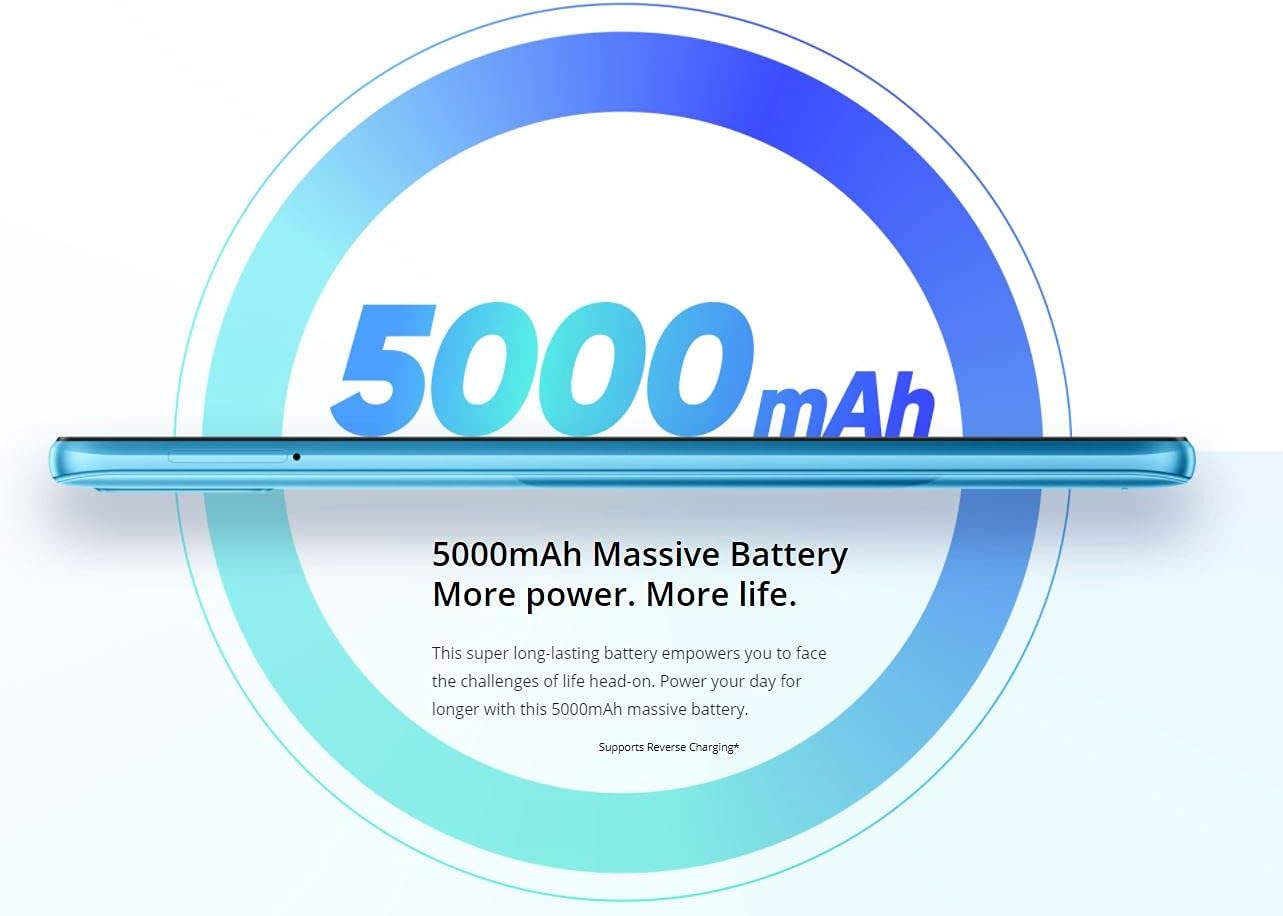
Figure 4: Details of the realme C21Y's 13MP AI Triple Camera.
3.3 Bateriaren kudeaketa
The realme C21Y is powered by a 5000mAh battery, providing extended usage time. To optimize battery life, manage background app usage, adjust screen brightness, and enable power-saving modes when needed. Use the provided adapter and USB cable for charging.

Figure 5: The 5000mAh massive battery of the realme C21Y.
3.4 Konektibitatea
The device supports Bluetooth and Cellular wireless communication technologies. For audio, please note that there is no dedicated headphone jack, requiring the use of wireless headphones or a USB-C to 3.5mm adapter (not included).
4. Mantentzea
4.1 Gailua garbitzea
To clean your realme C21Y, power it off and gently wipe the screen and back panel with a soft, lint-free cloth. Avoid using harsh chemicals or abrasive materials that could damage the screen or finish. Do not expose the device to excessive moisture.
4.2 Software eguneraketak
Regularly check for and install software updates to ensure your device has the latest security patches, features, and performance improvements. You can usually find update options in the device's 'Settings' menu under 'System' or 'About phone'.
5. Arazoak
If you encounter issues with your realme C21Y, try the following basic troubleshooting steps:
- Gailuak ez du erantzuten: Berrabiarazteko, sakatu eta eutsi pizteko botoia 10-15 segundoz.
- Bateria azkar agortzen da: Check background app usage, reduce screen brightness, and ensure all apps are updated.
- Sareko konexio arazoak: Toggle Airplane Mode on and off, restart the device, or check your SIM card installation.
- Aplikazioak huts egiten ari dira: Clear the cache and data for the problematic app in 'Settings' > 'Apps', or reinstall the app.
For more complex issues, refer to the official realme support webwebgunean edo jarri harremanetan bezeroarentzako zerbitzuarekin.
6. Zehaztapenak
| Ezaugarri | Zehaztapena |
|---|---|
| Ereduaren izena | C21Y |
| Sistema eragilea | Android |
| RAM | 4 GB |
| Memoria Biltegiratzeko Ahalmena | 64 GB |
| Pantailaren tamaina | 6.5 hazbete |
| Ebazpena | 1600 x 720 |
| Bateria Edukiera | 5000 milioiamp Orduak |
| CPU Abiadura | 1.8 GHz |
| Elementuaren pisua | 14 ontza |
| Produktuaren neurriak | 6 x 4 x 2 hazbete |
| Haririk gabeko komunikazioa | Bluetooth, Sare Mugikorra |
| Audio Jack | Ez dago entzungailuen sarrerarik |
7. Bermea eta Laguntza
Bermeari buruzko informazio zehatza lortzeko, kontsultatu zure produktuarekin batera datorren berme-txartela edo bisitatu realme-ren webgune ofiziala. webgunea. Gorde erosketaren egiaztagiria bermearen erreklamazioetarako.
If you require technical assistance or have questions not covered in this manual, please contact realme customer support through their official channels.


