1. Sarrera
This manual provides detailed instructions for the setup, operation, and maintenance of your Bytech BYMCWC101BLK PC Web Camera. Please read this manual thoroughly before using the product to ensure proper functionality and longevity.
2. Paketearen edukia
Egiaztatu behean zerrendatutako elementu guztiak zure produktuaren paketean sartuta daudela:
- Bytech BYMCWC101BLK ordenagailua Web Kamera
- Erabiltzailearen eskuliburua (dokumentu hau)
- USB kable integratua
3. Konfigurazioa
Follow these steps to set up your Bytech BYMCWC101BLK PC Web Kamera:
- Lekua: Kokatu webcam on top of your computer monitor, laptop screen, or a flat surface. The adjustable clip allows for secure attachment.
- Konektatu ordenagailura: Konektatu integratutako USB kablea webkamera zure ordenagailuko USB ataka erabilgarri batean sartu.
- Gidariaren instalazioa: The webcam is typically plug-and-play. Your operating system (Windows, macOS, Linux) should automatically detect and install the necessary drivers. Wait for the installation to complete.
- Egiaztapena: Open a video conferencing application (e.g., Zoom, Skype, Microsoft Teams) or your computer's camera application to confirm the webKamera ezagutzen da eta bideoa erakusten du.
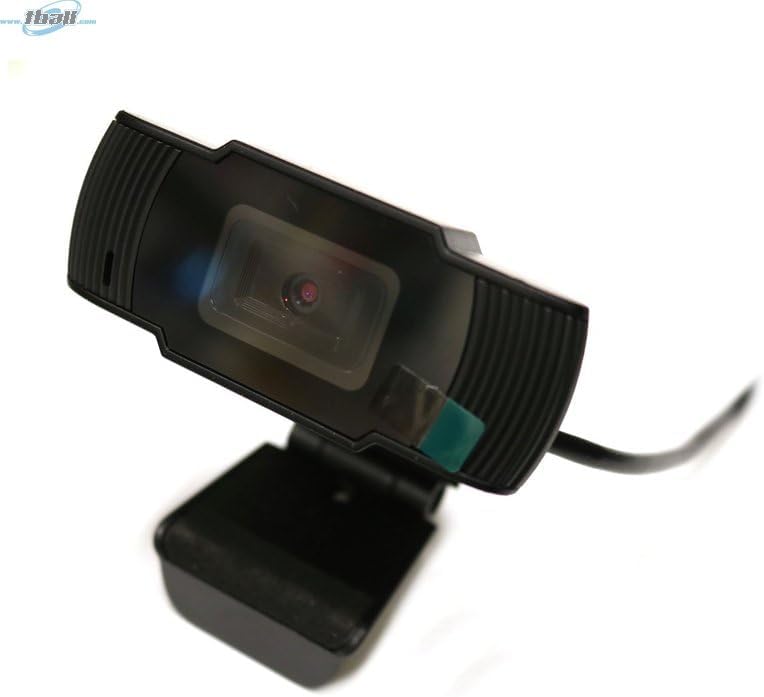
Image: The Bytech BYMCWC101BLK PC Web Camera securely mounted on top of a computer monitor, demonstrating its adjustable clip design.
4. Funtzionamendu-argibideak
Once installed, the Bytech BYMCWC101BLK PC Web Camera can be used with various applications:
- Bideokonferentzia: Select the Bytech webcam as your video input device within your preferred video conferencing software (e.g., Zoom, Skype, Google Meet).
- Erreprodukzioa: For live streaming platforms, configure the webcam as your primary video source in your streaming software (e.g., OBS Studio).
- Grabaketa: Use your computer's built-in camera application or third-party software to record video.
- Argi gutxiko errendimendua: The webcam features BSI CMOS photo sensor technology and is designed to perform effectively in low-light conditions, providing clear video even with limited ambient lighting.
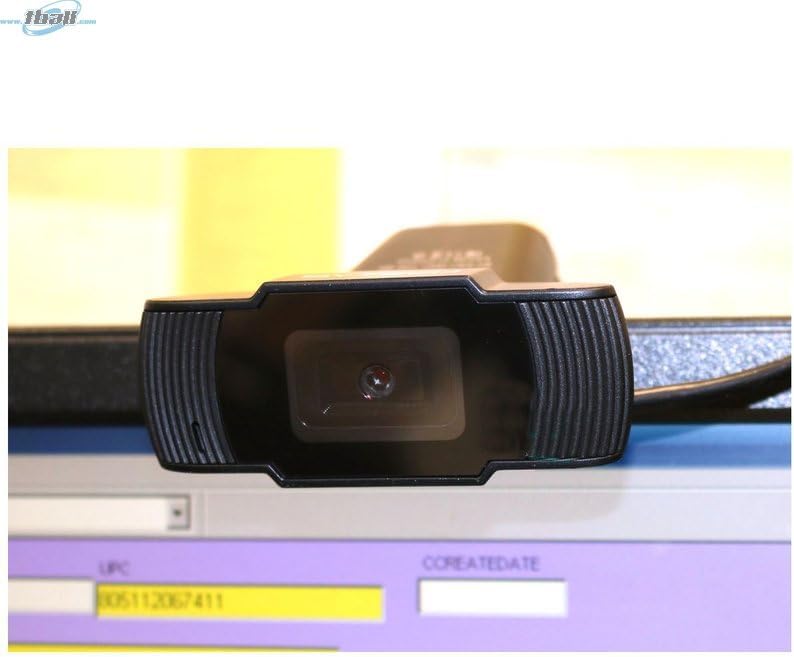
Irudia: Gertutik view of the Bytech BYMCWC101BLK PC Web Camera's lens, highlighting its design and integrated privacy cover (if applicable, otherwise just lens).
5. Mantentzea
To ensure optimal performance and extend the lifespan of your webkamera:
- Garbiketa: Garbitu lentea astiro-astiro zapi leun eta pelusik gabeko batekin. Saihestu produktu kimiko gogorrak edo material urratzaileak erabiltzea.
- Biltegiratzea: Erabiltzen ez duzunean, gorde webcam in a clean, dry environment away from direct sunlight and extreme temperatures.
- Kableen zainketa: Ez tolestu edo tolestu USB kablea gehiegi.
6. Arazoak
Zurekin arazoak badituzu webkamera, jo ezazu honako arazo eta irtenbide ohikoenei:
- Irudi/bideorik ez:
- Ziurtatu USB kablea bi gailuetara ondo konektatuta dagoela webkamera eta zure ordenagailua.
- Saiatu konektatzen webkamera beste USB ataka batera.
- Berrabiarazi ordenagailua.
- Check your application settings to ensure the Bytech webcam is selected as the video input device.
- Bideoaren kalitate eskasa:
- Ziurtatu zure ingurunean argiztapen egokia dagoela.
- Garbitu webkameraren lentea oihal leun batekin.
- Check your application's video settings for resolution and frame rate.
- Microphone Not Working (if applicable):
- Egiaztatu hori webcam's microphone is selected as the audio input device in your computer's sound settings and within your application.
- Ensure the microphone is not muted in your system or application.
7. Zehaztapenak
| Ezaugarri | Xehetasuna |
|---|---|
| Ereduaren izena | BYMCWC101BLK |
| Marka | Bytech |
| Konektibitate Teknologia | USBa |
| Argazki sentsoreen teknologia | BSI CMOS |
| Bideo Harrapaketa formatua | MP4 |
| Ezaugarri Berezia | Argi baxua |
| Kolorea | Beltza |
| Elementuaren pisua | 4.9 ontza |
| Paketearen neurriak | 7.76 x 4.65 x 2.44 hazbete |
8. Bermea eta Laguntza
For warranty information or technical support, please refer to the documentation included with your purchase or contact your retailer. Keep your proof of purchase for warranty claims.


