Sarrera
Thank you for choosing the Bytech BYMSWR104BK 3 Button Gaming Mouse. This manual provides essential information for setting up, operating, and maintaining your new gaming mouse. Please read this manual thoroughly before use to ensure optimal performance and longevity of your device.
Ezaugarriak
- Precision Mouse: Designed for accurate tracking and responsive control.
- DPI erregulagarria: Customize sensitivity for various gaming and productivity needs.
- Three Responsive Buttons: Includes left-click, right-click, and scroll wheel/middle-click for efficient operation.
- Atzeko argi koloretsua: Features multi-color LED lighting with 7 distinct color modes for an enhanced aesthetic experience.
- Diseinu ergonomikoa: Shaped to fit comfortably in your palm, reducing fatigue during extended use.
Zehaztapenak
| Marka | Bytech |
| Modelo zenbakia | BYMSWR104BK |
| Botoi kopurua | 3 |
| Mugimenduaren Ebazpena | 1,000 DPI |
| Kolore moduak | 7 Colors (Multi-color Backlight) |
| Kablearen luzera | 5 oin |
| Aldatu balorazioa | 1 milioi klik |
| Elementuaren pisua | 4.9 ontza |
| Paketearen neurriak | 7.17 x 4.06 x 2.68 hazbete |
| Kolorea | Beltza |
| Energia iturria | Kable elektrikoa (USB) |
| Hardware Plataforma | PC |
Paketearen edukia
- 1 x Bytech BYMSWR104BK Wired Gaming Mouse
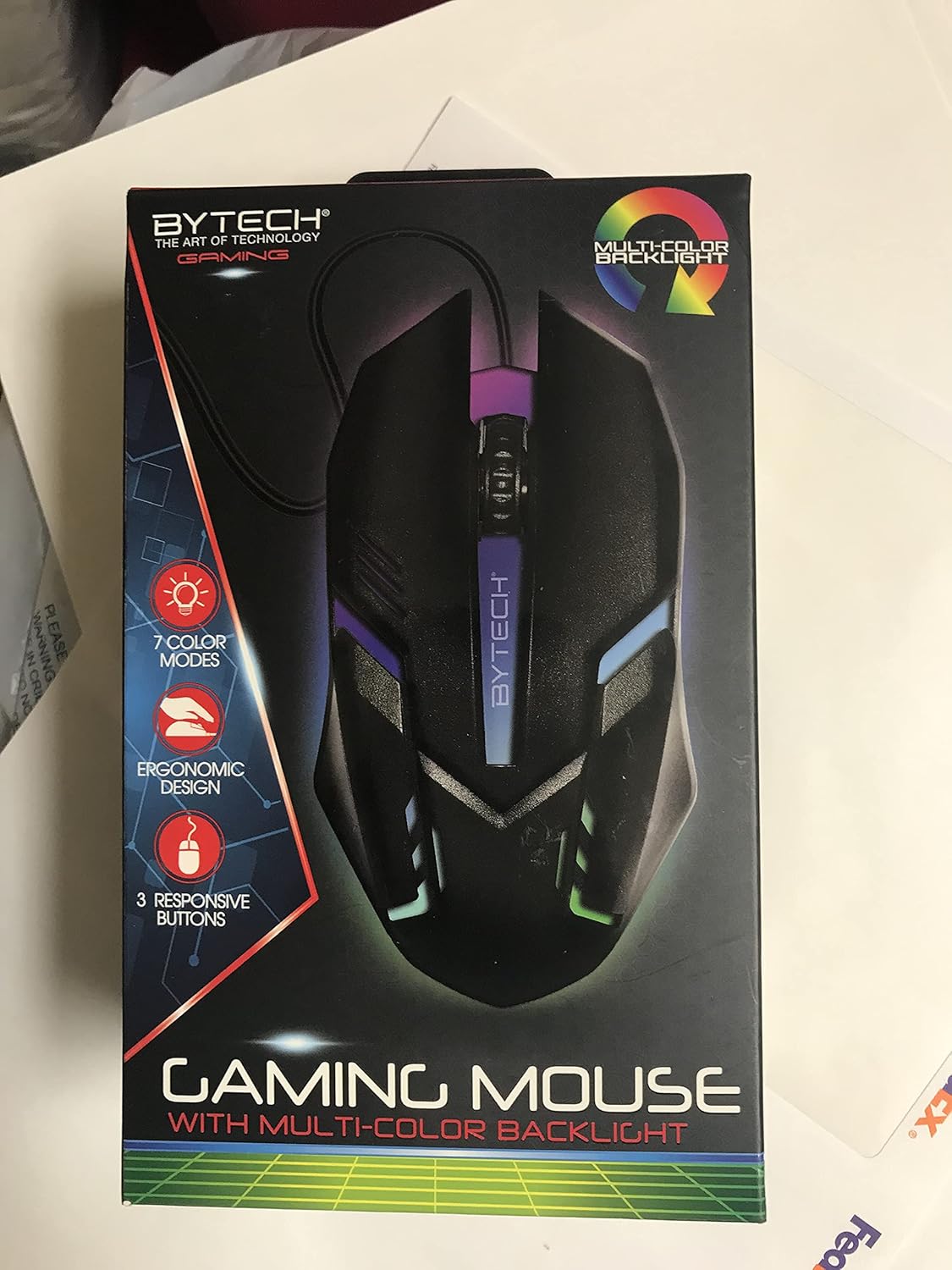
Irudia: Aurrealdea view of the Bytech BYMSWR104BK Gaming Mouse in its retail packaging, highlighting its multi-color backlight and ergonomic design.
Konfigurazioa
- Desegin: Carefully remove the gaming mouse from its packaging.
- Konektatu: Locate an available USB port on your computer (PC, laptop, etc.). Insert the USB connector of the Bytech BYMSWR104BK Gaming Mouse firmly into the USB port.
- Gidariaren instalazioa: The mouse is plug-and-play. Your operating system should automatically detect and install the necessary drivers. This process may take a few moments.
- Erabiltzeko prest: Once the drivers are installed, the mouse will be ready for immediate use. The multi-color backlight will illuminate.

Irudia: Atzealdea view of the Bytech BYMSWR104BK Gaming Mouse retail packaging, detailing features, specifications, and universal compatibility.
Funtzionamendu-argibideak
Oinarrizko Funtzionamendua
- Ezkerreko botoia: Primary click function, typically used for selecting items, opening files, or interacting with software.
- Eskuineko botoia: Secondary click function, usually opens context menus or provides additional options.
- Scroll Wheel (Middle Button): Scroll up or down to navigate documents and web pages. Pressing the scroll wheel acts as a middle-click button, often used for opening links in new tabs or auto-scrolling.
DPI doikuntza
The Bytech BYMSWR104BK Gaming Mouse features adjustable DPI settings. While specific buttons for DPI adjustment are not explicitly listed on the packaging, many gaming mice allow DPI changes through a dedicated button (often located near the scroll wheel) or through software. Refer to your computer's mouse settings or Bytech's official website for advanced customization options if available.
LED argia
The mouse features a dynamic multi-color LED backlight with 7 different color modes. These lights will automatically cycle through the modes once the mouse is connected and powered on. There is no manual control for changing modes on the mouse itself.
Mantentzea
- Garbiketa: Erabili zapi leun eta lehor bat saguaren gainazala garbitzeko. Zikinkeria egoskorra bada, garbitu pixka bat.ampGarbitu zapi bat urarekin edo garbiketa-soluzio leun batekin. Saihestu produktu kimiko gogorrak edo material urratzaileak erabiltzea.
- Sentsoreen zainketa: Jarraipen zehatza bermatzeko, mantendu saguaren beheko aldean dagoen sentsore optikoa garbi eta hautsik edo hondakinik gabe.
- Kableen kudeaketa: Kalteak ekiditeko, saihestu USB kablea estutzea edo gehiegi tiratzea.
- Biltegiratzea: Erabiltzen ez duzunean, gorde sagua leku garbi eta lehor batean, muturreko tenperaturetatik urrun.

Irudia: Albokoa view of the Bytech BYMSWR104BK Gaming Mouse retail packaging, showcasing the multi-color backlight effect.
Arazoak konpontzea
| Arazoa | Irtenbide posiblea |
|---|---|
| Sagua ez du erantzuten |
|
| Kurtsorea irregularra edo ez da leunki mugitzen |
|
| LED atzeko argia ez dabil |
|
Bermea eta Laguntza
Bermea: This Bytech product comes with a 12-month warranty from the date of purchase. Please retain your proof of purchase for warranty claims.
Harremanetarako informazioa:
- Helbidea: 2585 West 13th Street, Brooklyn, NY 11223, USA
- Webgunea: www.bytechintl.com
⚠ OHARRA: Produktu honek produktu kimikoen eraginpean jar dezake, DEHP barne, Kaliforniako Estatuak minbizia, jaiotza-akatsak edo ugalketa-kalte batzuk eragiten dituela ezagutzen duena. Informazio gehiago nahi izanez gero, joan www.P65Warnings.ca.gov.

Irudia: Behealdea view of the Bytech BYMSWR104BK Gaming Mouse retail packaging, showing contact information, warranty details, and California Proposition 65 warning.


